How do I check if there is an outage?
Short answerOpen the uptime page. It shows every part of the service on its own line, from your Minecraft server to sign in and ordering, with its state at the last check and its availability over the last thirty days. Incidents we posted are listed under it.
Check for an outage in two steps
Open the uptime page and read the table "Every part of the service". Each row has a dot for the state at the last check, the share of checks that answered, and how often we check it.
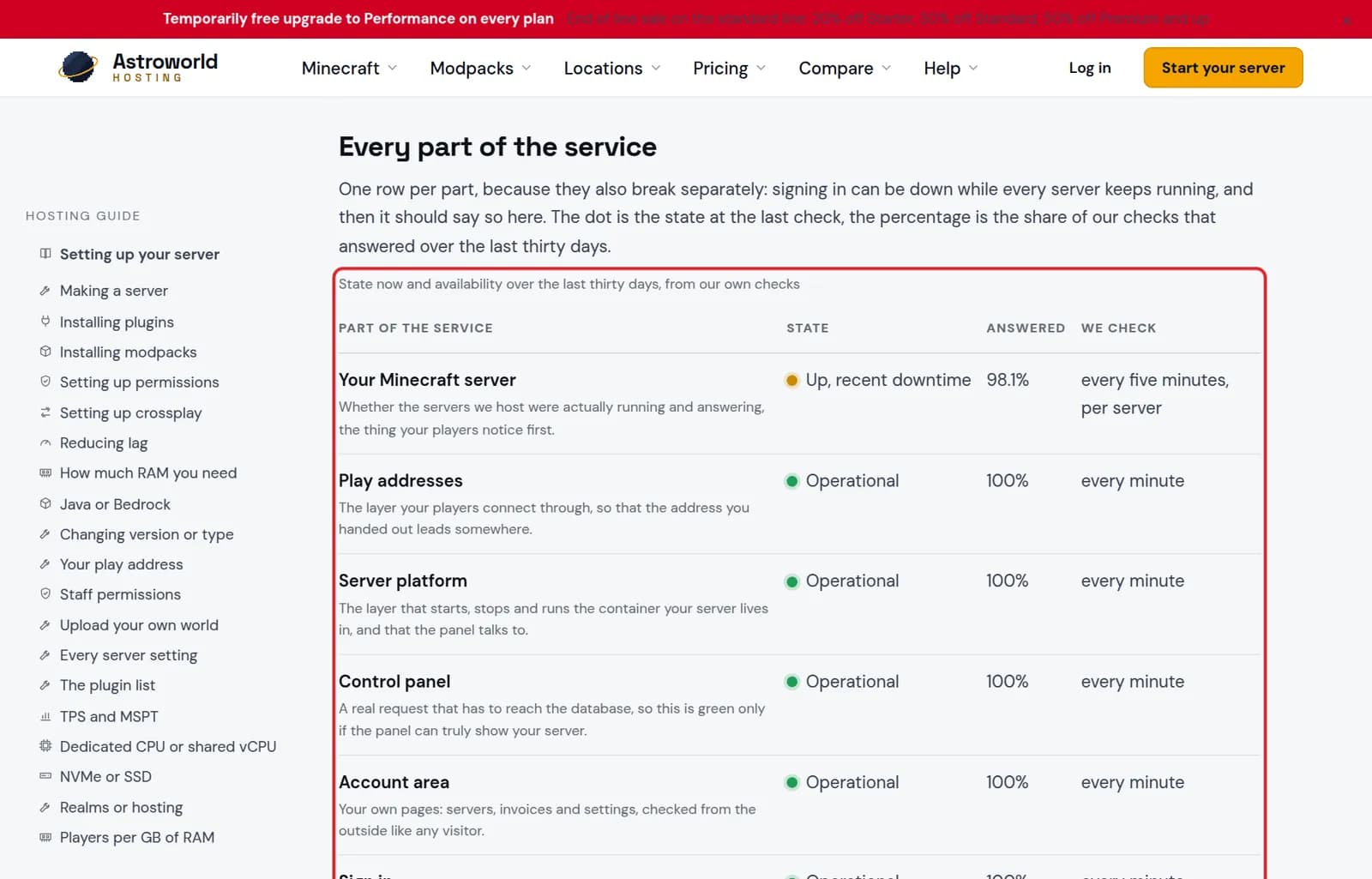
The uptime table with one row per part of the service marked in red Scroll to "Incidents we reported". Everything we post on our status page appears there too, in the same words, with the date, the length and whether it is resolved.
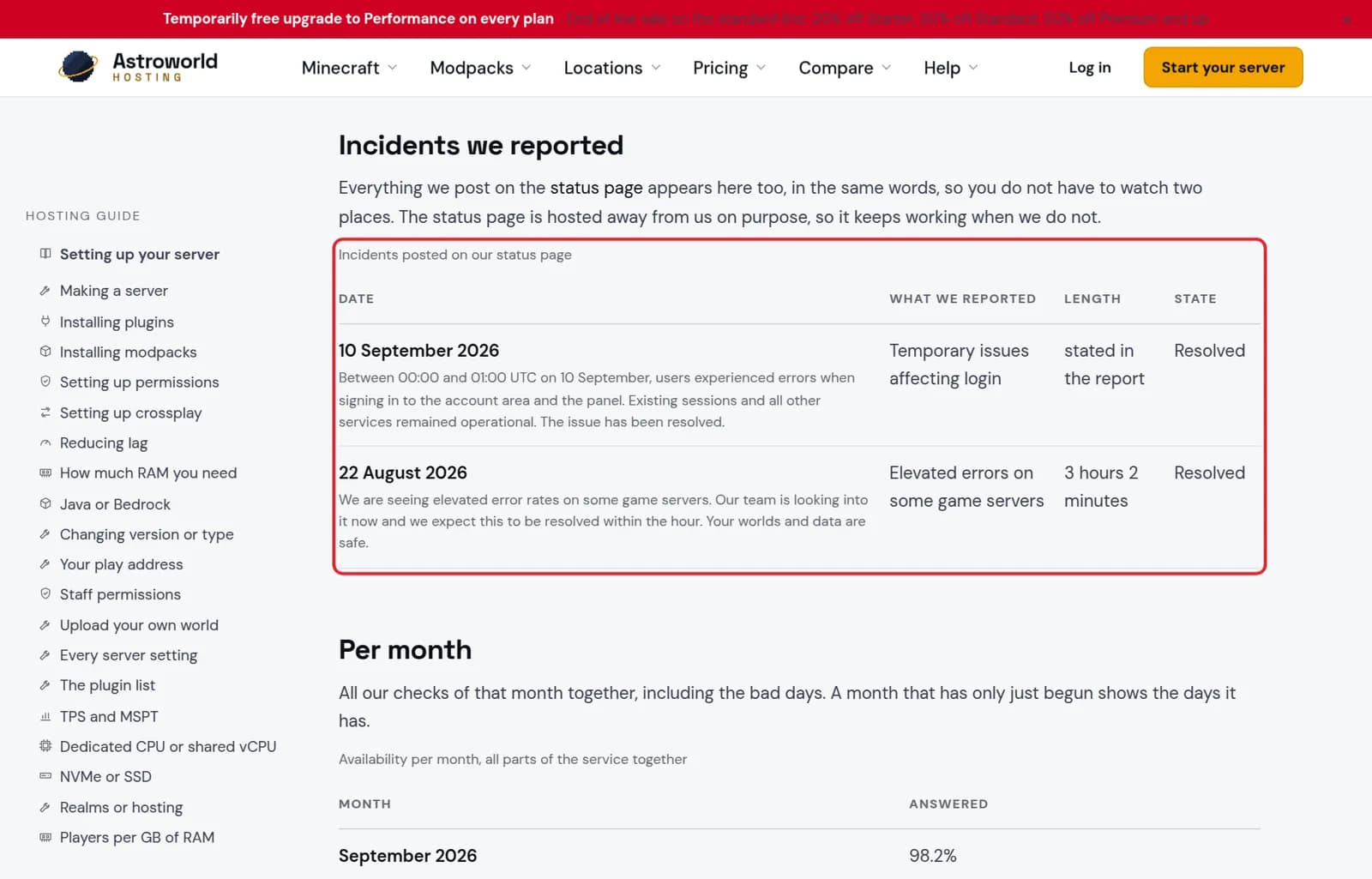
The Incidents we reported table marked in red
What you see, and where the problem most likely is
| What it says | What it means and what to do |
|---|---|
Uptime page red, your server down | An outage on our side. You do not need to do anything; the incident list says when it is resolved. |
Uptime page green, only your server down | Look at your own console. A crash, a plugin or a full disk is far more likely than an outage. |
Uptime page green, panel does not load for you | Try another browser or network. If it still fails, email support with the time it started. |
Everyone disconnected at once, server running | A network hiccup between players and the server. If it happens again within the hour, tell us the times. |
Everything is green, but my server does not work
Then it is most likely something on the server itself: a crash, a plugin, or a setting. Open the console in your panel and look at the last lines, and follow the article for a server that will not start or one you cannot connect to.
Why each part has its own row
Parts can break separately. Signing in can be down while every server keeps running, and then the table says exactly that, instead of one number that hides it.
Your server tells you too
When your server stops on its own, Crash Watch starts it again within about half a minute and emails you the last lines from the console. A mail like that with no outage on the uptime page means the server itself stopped, and the lines in the mail are where to start.
What to write when you report it
The server name, the time it started with your time zone, what players saw, and whether the panel itself loaded. With that we can compare against our own checks straight away instead of asking back.
Questions people also ask
What if your whole site is down?
The status page is hosted away from us on purpose, so it keeps working when we do not. The "Service status" card on the support page links to it.
Should I report an outage?
If the uptime page is green and several players cannot join, yes. Tell us the server name and the time it started, and we check it from our side.
Are my world and files safe during an outage?
Yes. An outage stops the server from being reached, it does not remove files. Your nightly backups stay where they are.