How do I add a data pack to my server?
Short answerOpen World in your server panel and scroll to Data packs. Search Modrinth from the card, press Install next to the pack you want and restart the server: the pack goes into the datapacks folder of your world and loads at the next start. Remove takes it out again.
Install a data pack
On a brand new server, start it once first. The card offers packs for your exact Minecraft version, and the panel learns that version from the first start.
Open World in the sidebar and scroll down to Data packs. Under Installed you see what is in the datapacks folder now, and below the search field the most downloaded packs for your version are already listed.
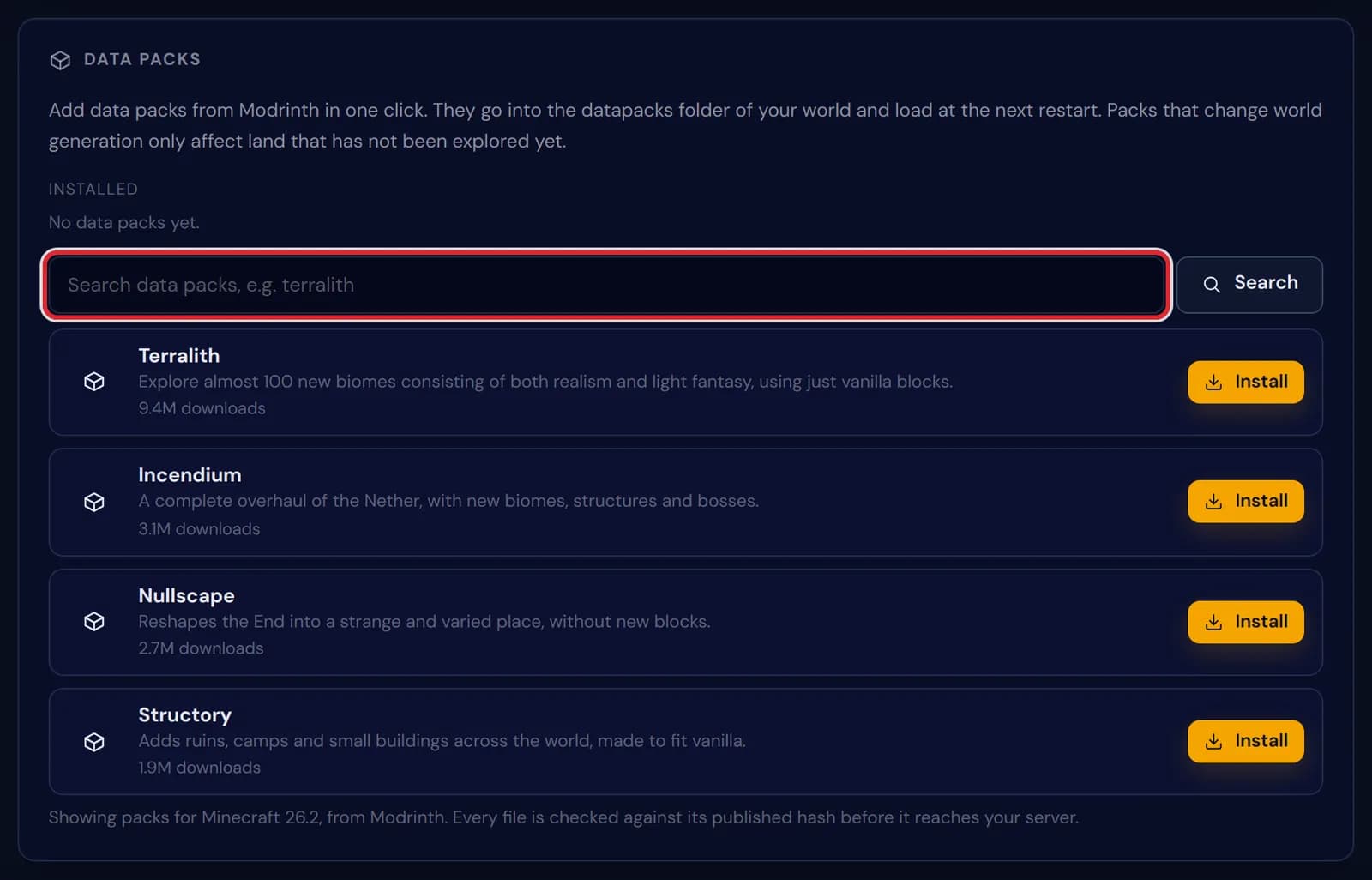
The Data packs card with No data packs yet under Installed, the search field marked in red and four popular packs below it Type the name of a pack, or a word for what you are after such as structures or nether, and press Search.
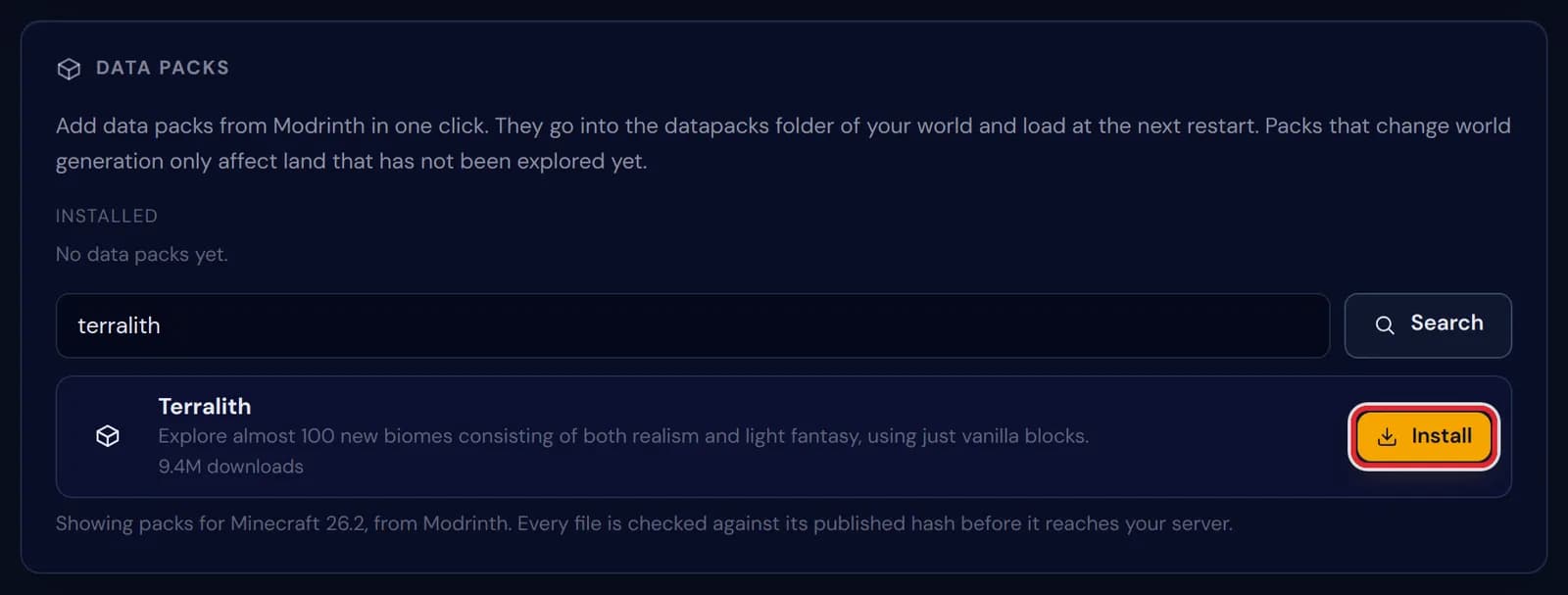
A search for terralith on the Data packs card, with the Install button of the result marked in red Press Install. The panel fetches the pack from Modrinth, compares the file with the hash Modrinth published for it and writes it to the datapacks folder of your world. The file then shows up under Installed.
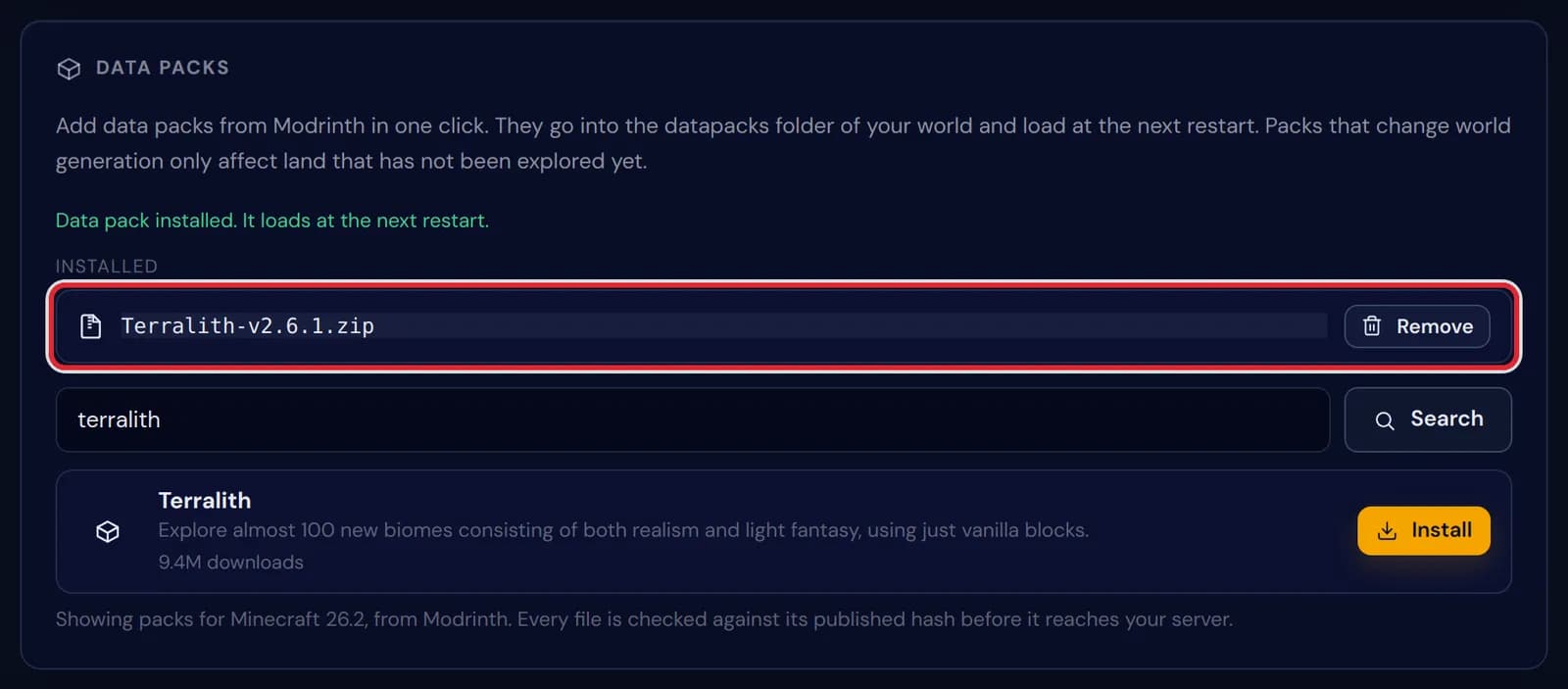
The notice Data pack installed. It loads at the next restart, with the new Terralith file marked in red under Installed 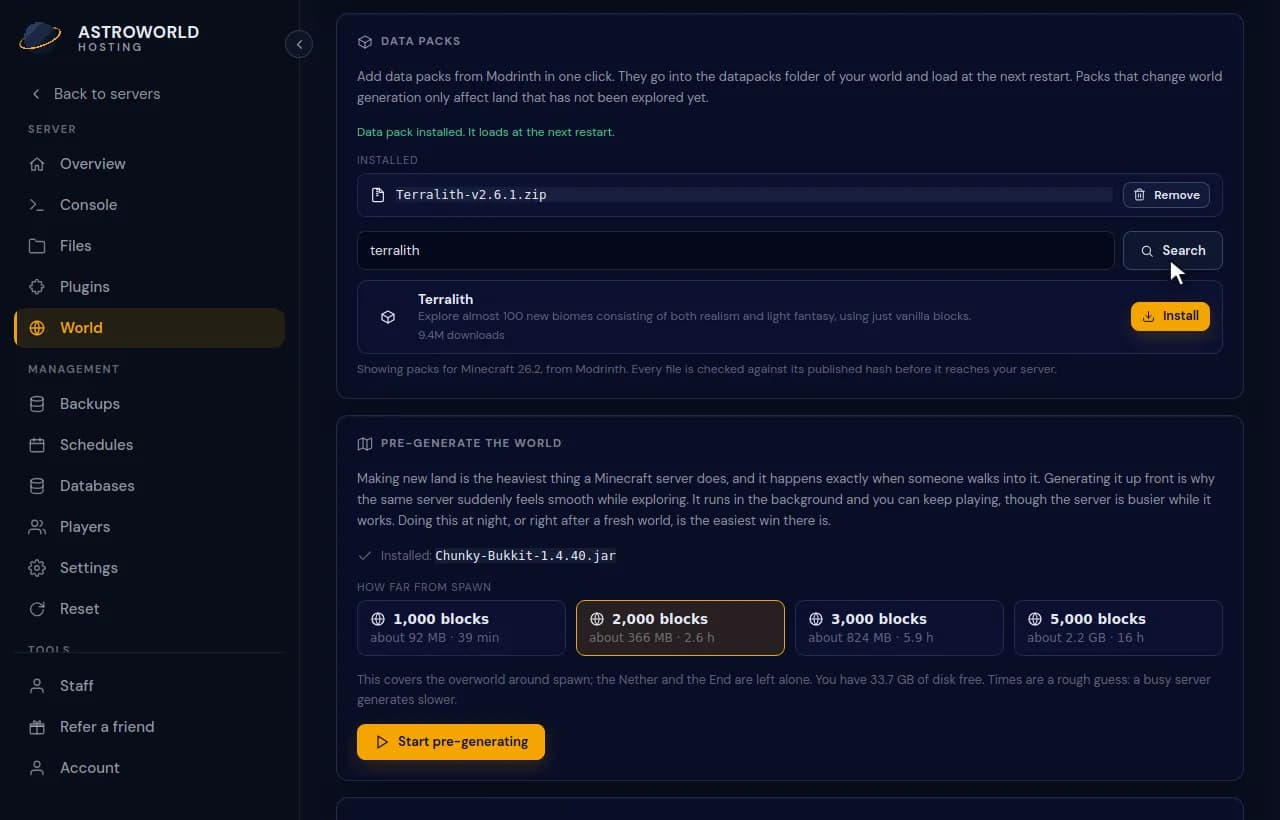
Searching for Terralith on the Data packs card and installing it Restart the server with Restart at the top of the panel. Minecraft reads data packs when the world loads, so a new pack does nothing until then.

The Restart button at the top of the server panel, marked in red To take a pack out again, press Remove next to it under Installed. It leaves the list at once and is gone from the game after the next restart.
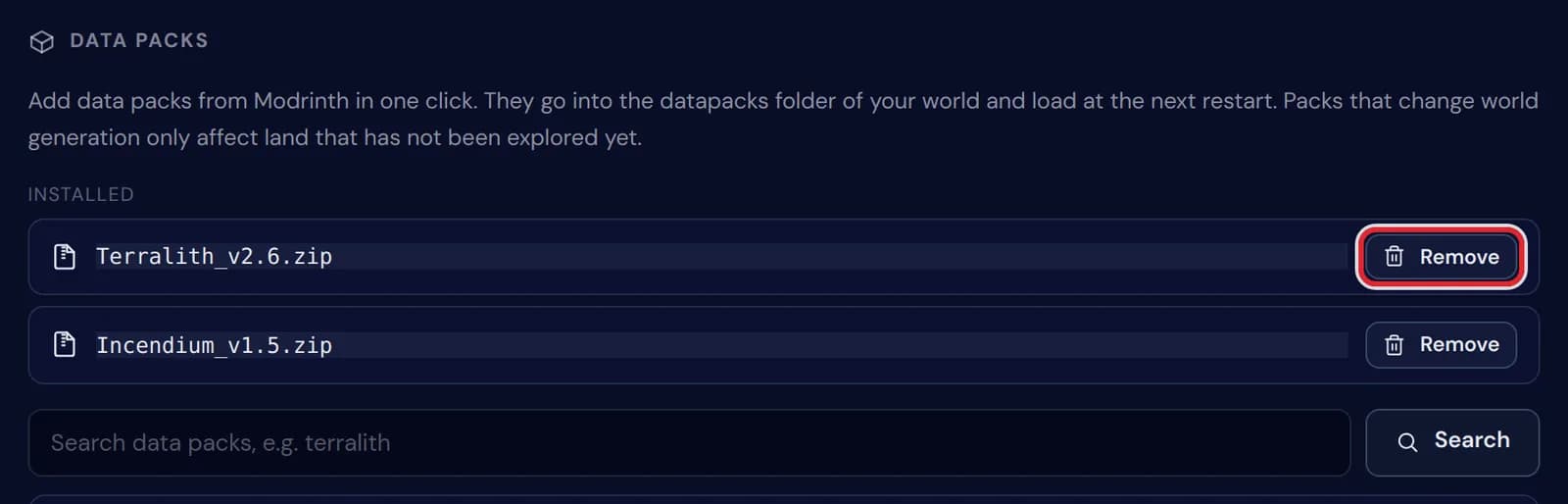
Two installed data packs, with the Remove button of the first one marked in red
Messages on the Data packs card
| What it says | What it means and what to do |
|---|---|
Data pack installed. It loads at the next restart. | The file is in place. Restart the server to load it. |
Data pack removed. It is gone after the next restart. | The file is deleted, but the running game keeps the pack loaded until it restarts. |
No data packs yet. | The datapacks folder of your world is empty, or has not been made yet. |
Nothing matches that search. | No pack with that name has a release for your Minecraft version. Try a shorter word, or check later if the pack is still being updated. |
Start the server once, so we know its exact Minecraft version. | A new server has not reported its version yet. Start it, wait until it is online, and open the card again. |
That project is not an approved data pack on Modrinth. | Only projects Modrinth lists as data packs can be installed here; a mod or resource pack with the same name is left out. |
Modrinth could not be reached safely. | The download or its hash check did not come through, and nothing was written to your server. Try again in a minute. |
Data packs are a Java Edition feature. | Bedrock servers use add-ons instead, and a proxy has no world, so the card installs nothing there. |
Data packs next to plugins and mods
A data pack is a folder or zip that Minecraft reads by itself: new biomes, structures, recipes, loot tables or advancements, written in the files of the game instead of in Java code. It works the same on Paper, on Fabric or Forge and on a plain vanilla server.
Your players join with an ordinary game, because the pack runs on the server only. Plugins and mods can go further, but each one needs the matching server type; when a data pack already does what you want, nothing about your server has to change.
World generation packs only shape new land
Packs such as Terralith, Incendium and Nullscape change how terrain is made in the overworld, the Nether and the End. Land that already exists stays as it is, so on an older world the new biomes only appear where nobody has been yet.
Want the whole map in the new style? Install the pack before the first player joins, or install it and then reset the world. Pre-generating afterwards builds the new land before anyone walks into it.
What the panel checks before a pack reaches your server
The list is the top 24 by downloads on Modrinth, filtered on your exact Minecraft version and on full releases, so no beta or alpha builds. Every file is compared with the hash Modrinth published for it before it is written to your server.
Packs land in the datapacks folder inside your world folder, where you can also find them in Files. A zip or folder you upload into that folder yourself is listed under Installed as well, and Remove works on it the same way.
Questions people also ask
Do my players need to install the data pack?
No. Data packs run on the server. A few packs that add their own textures also come with a resource pack; the Modrinth page of the pack says so when that is the case.
Why can't I find the new biomes?
The pack only shapes land generated after the restart. Travel to an area nobody has visited yet, or reset the world to see it everywhere.
Can I add a data pack that is not on Modrinth?
Yes. Upload the zip with Files into the datapacks folder of your world and restart. It appears under Installed like the others, only without the hash check the panel does for Modrinth packs.
Does removing a data pack undo what it generated?
No. Blocks and structures it already placed stay where they are; only new land is made without it. Make a backup before you take a world generation pack out of a world you care about.