How do I see when my players are online?
Short answerOpen Players in your server panel and scroll to When your players are online. A grid shows the average number of players for every hour of every weekday over the last 30 days, in your own time zone, with the busiest hour, the quietest hour and your record underneath.
Read the busy hours
Open Players in the sidebar. The card When your players are online sits under the player list, and Top playtime is in the column next to it.
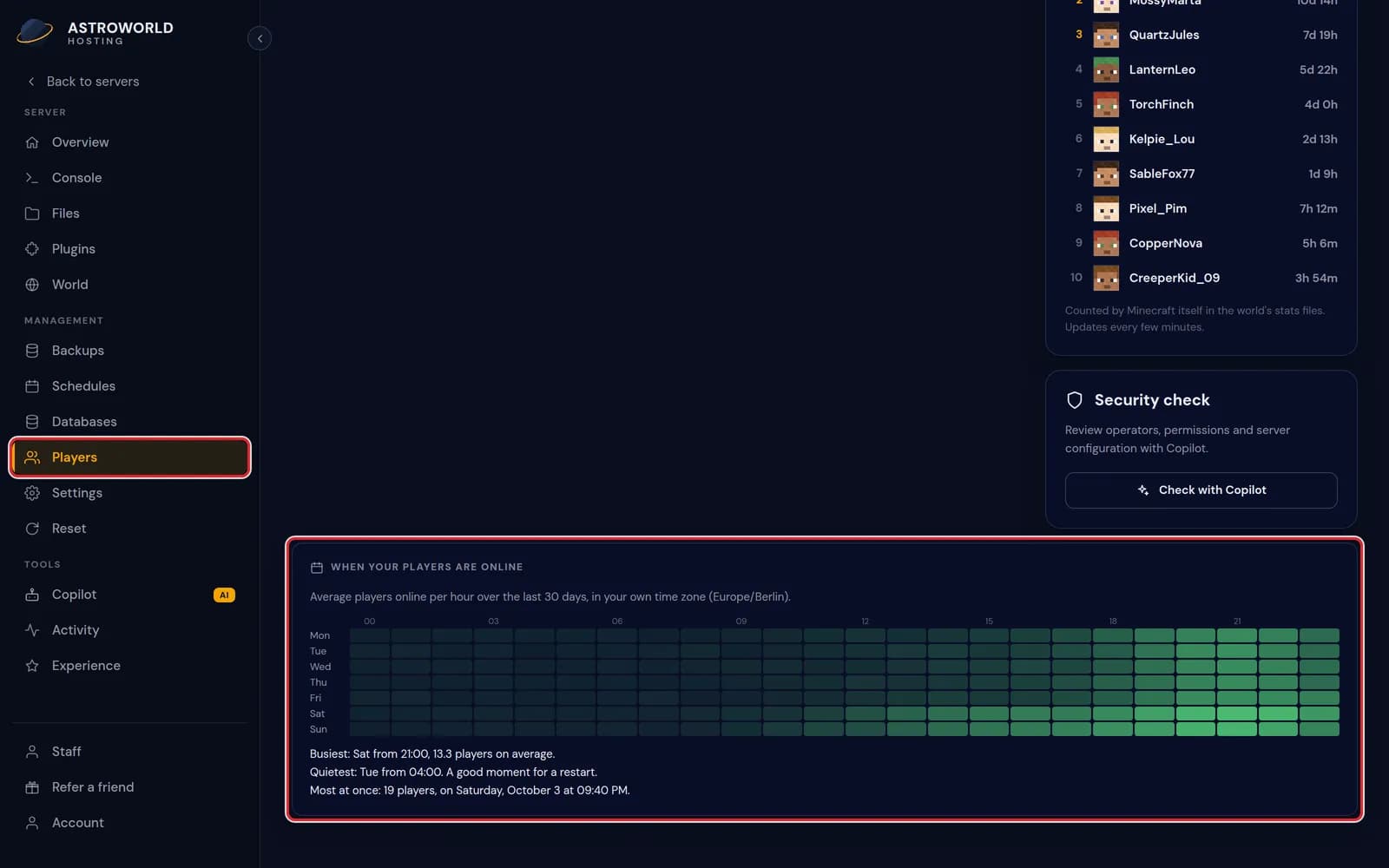
The Players page with the card When your players are online marked in red, in the time zone Europe/Berlin Each row of the grid is a day of the week and each column an hour, from 00 to 23. The greener a square, the more players were online at that hour on average. Point at a square to see its number.
Three lines under the grid sum it up: the busiest hour with its average, the quietest hour, and the most players ever online at the same time, with the date.
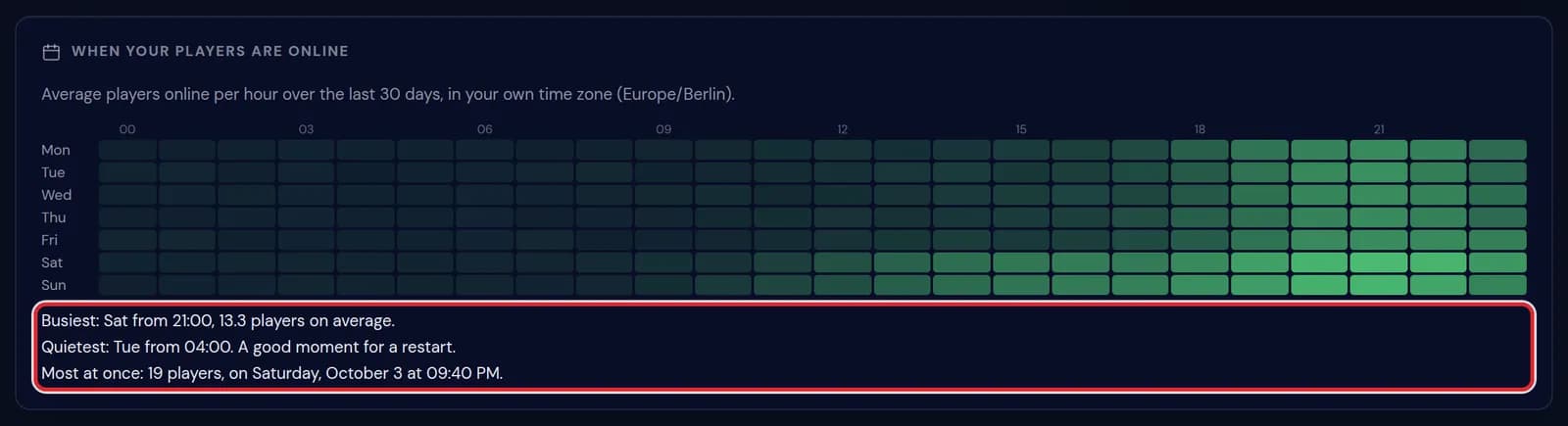
The lines Busiest: Sat from 21:00, 13.3 players on average, Quietest: Tue from 04:00 and Most at once: 19 players, marked in red Top playtime ranks the ten players who spent the most time on the server, in days, hours and minutes.
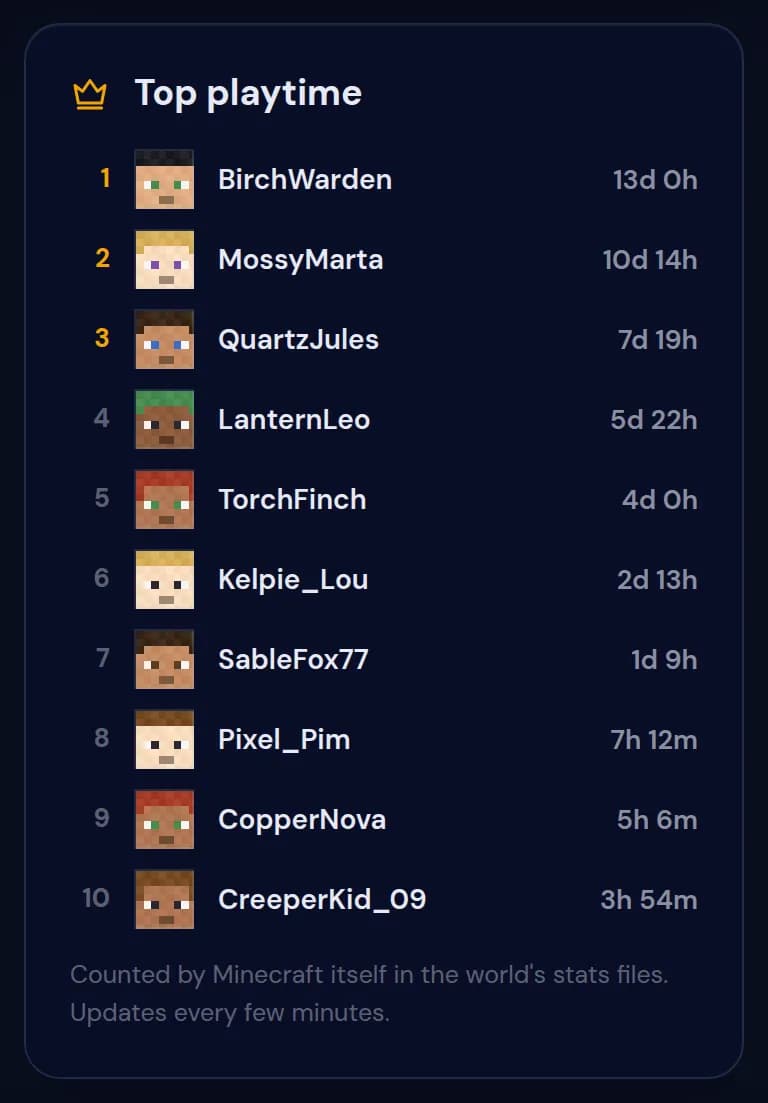
The Top playtime list, from BirchWarden with 13d 0h down to CreeperKid_09 with 3h 54m On a new server the card says it is still collecting until it has a full day of measurements. After one week every day of the week has data.

The card on a new server with the line We are still collecting
Messages on the Players page
| What it says | What it means and what to do |
|---|---|
We are still collecting. A measurement lands every five minutes, and this picture fills in over the first days. | The server has been measured for less than a day. The grid appears by itself once there is enough to show. |
Playtime is not available for this server type. | Playtime is read from the stats files of a Java world. A proxy or a Bedrock server has none, so this list stays empty. |
Plan around the quiet hours
The quietest hour is when a restart, a backup or an update bothers the fewest people. Put your nightly restart there, and close the server for maintenance at that time too.
Use the busiest hours for events and to be online yourself. Check the TPS at those hours, because lag affects the most players then.
How the numbers are made
Every five minutes the panel notes how many players are online. A square is the average of those notes for that weekday and hour over the last 30 days, which is where decimals such as 13.3 come from.
The busiest and quietest lines only use hours with at least three measurements. The first line of the card names the time zone, taken from your own device, so 21:00 means nine in the evening where you are.
Where playtime comes from
Top playtime is read from the stats files Minecraft keeps in the world folder for every player. It needs no plugin, works while the server is off and updates every few minutes.
Because those stats belong to the world, a world reset starts everybody at zero again.
Questions people also ask
Why are some squares empty?
Nobody was online at those hours, or the server was off. They fill in as soon as people play at that time of the week.
Am I counted too?
Yes. Everyone on the server counts, you and your staff included.
Can I look further back than 30 days?
No. The card always covers the last 30 days.
Can my staff see this card?
Staff with the Players permission see it on the same page as you.