How do I customize the sidebar of my panel?
Short answerPress Edit on Overview and the sidebar becomes an editor. Drag the six dots to change the order, click a name to rename it, click an icon to choose another and press the eye to hide a page. Add group puts pages under a heading of your own, and Reset brings back the standard sidebar.
Change the sidebar
Press Edit on Overview. On a computer the sidebar switches to its editor straight away, under the heading "Customize the sidebar".
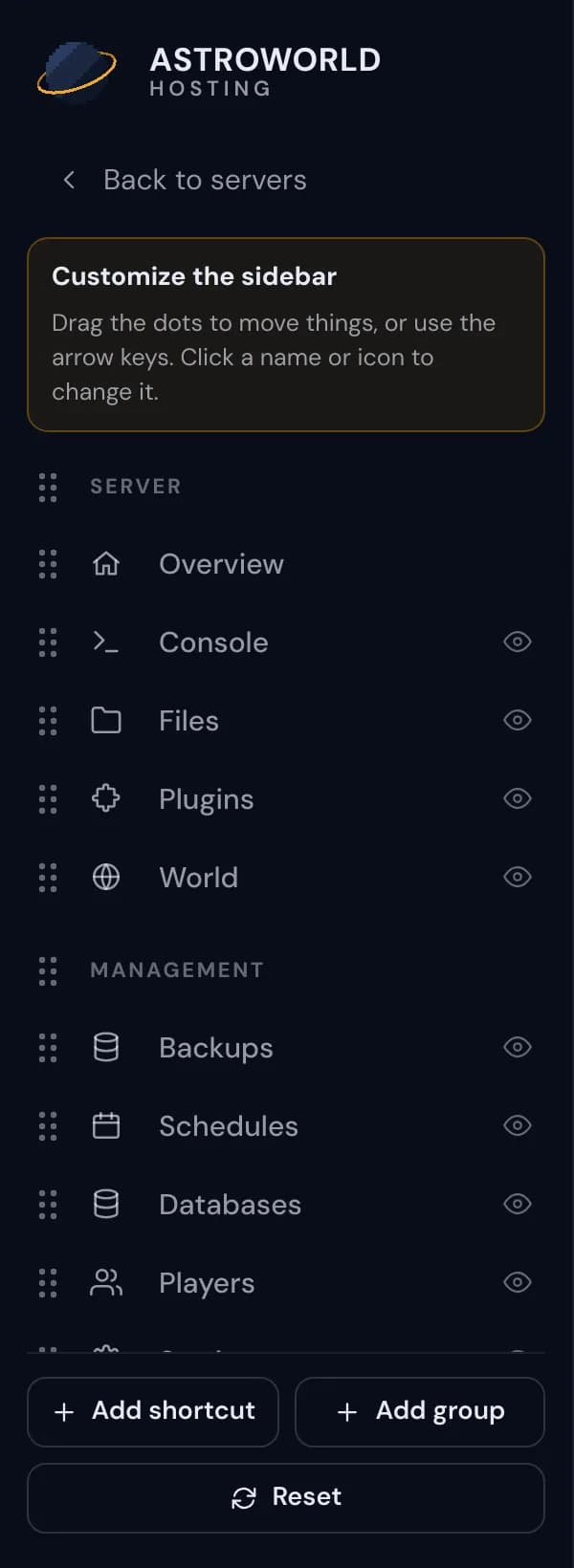
The sidebar editor of the server panel with its hint, the drag dots, the eye buttons and the buttons at the bottom Drag the six dots to the left of a page to move it up or down, or into another group. Headings have dots as well, so a whole group moves in one go.
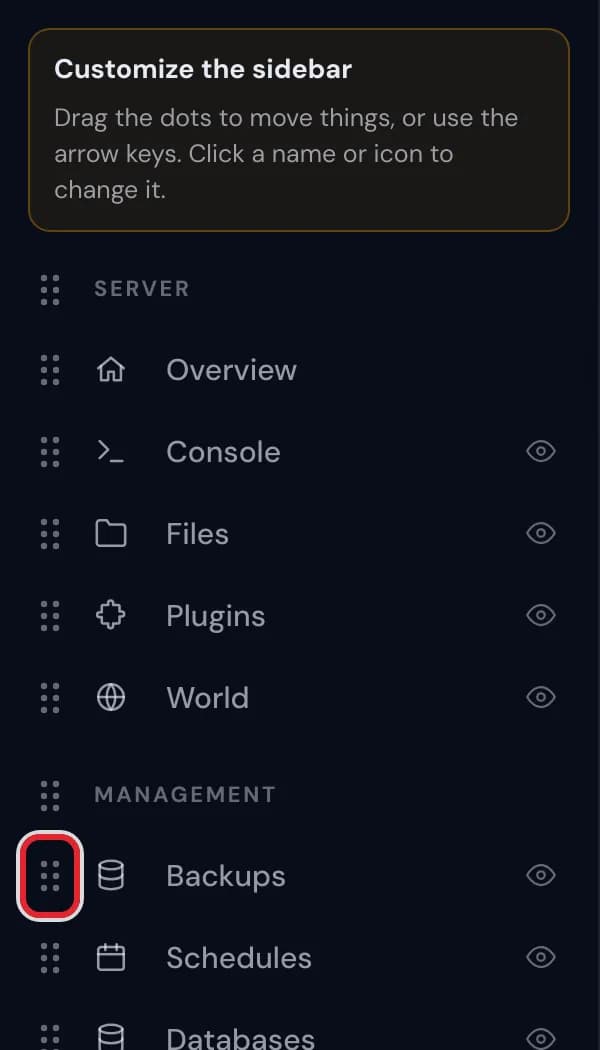
The six dots to the left of Backups in the sidebar editor, marked in red 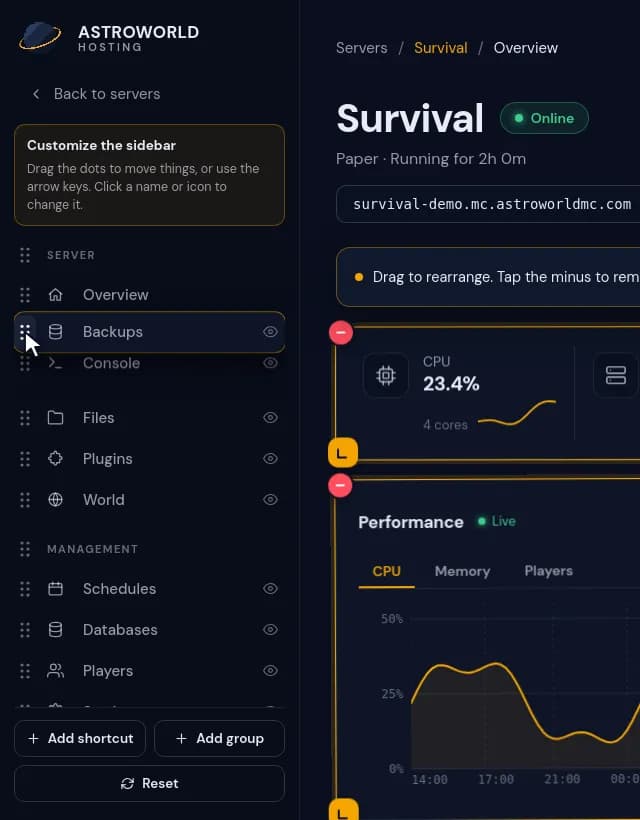
Dragging Backups up the sidebar by its six dots until it sits next to Console Click a page name to rename it. Type the new name and press Enter, or Escape to keep the old one; an empty name brings the original back.
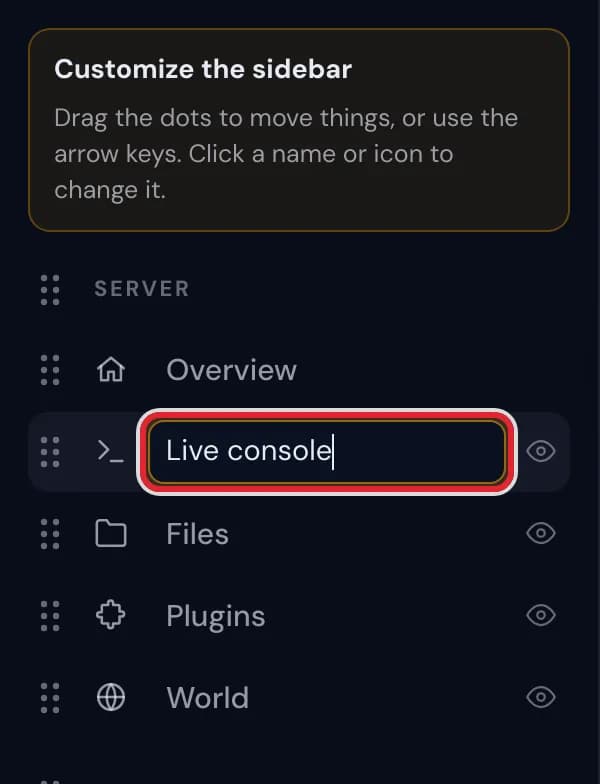
Renaming Console to Live console in the sidebar editor Click the icon in front of a name to open the icon picker. Choose one of the 50 icons, or Default icon to go back to the original.
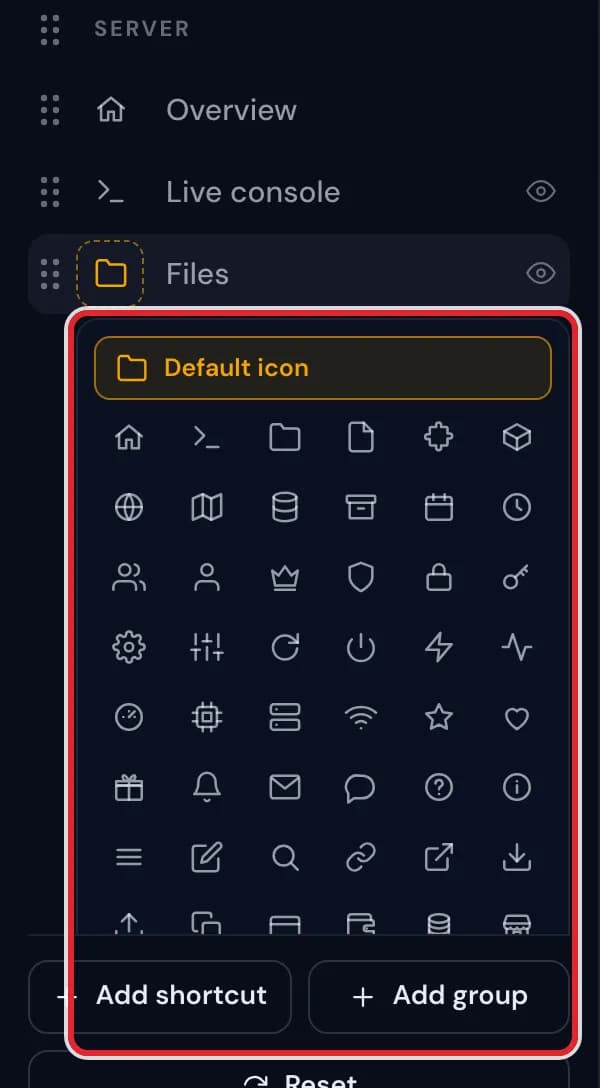
The icon picker open under Files, with Default icon and a grid of icons 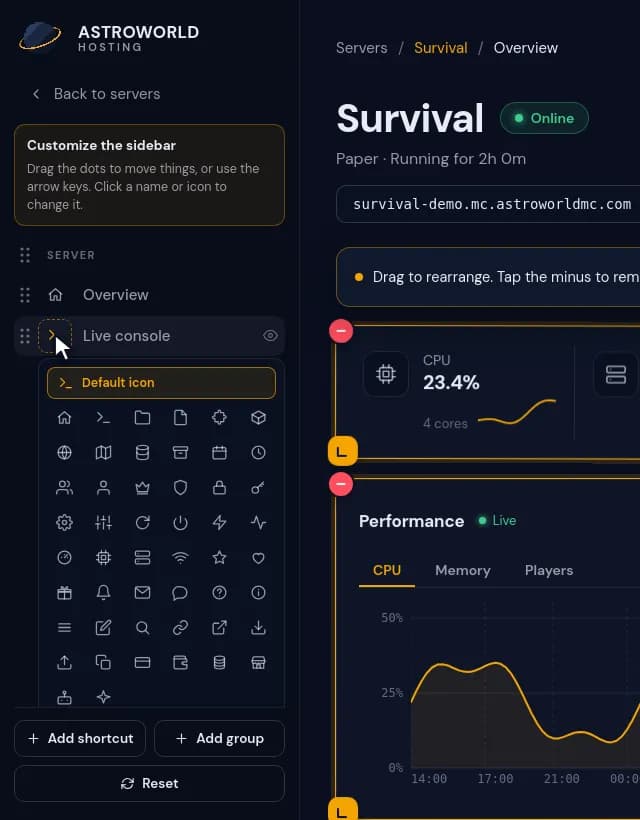
Renaming Console to Live console and then choosing a different icon for it Press the eye at the end of a row to hide that page. The eye gets a line through it and the page leaves the menu when you finish; press it again to show the page.
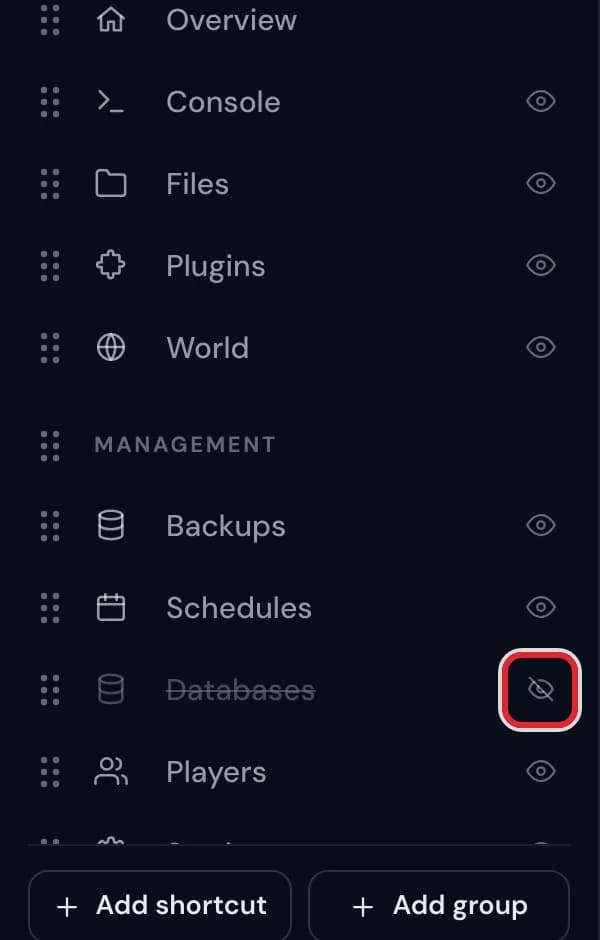
Databases hidden in the sidebar editor, with its crossed out eye marked in red Press Add group for a heading of your own. It appears just above "Bottom of the sidebar" with its name ready to type, and you drag pages into it afterwards.
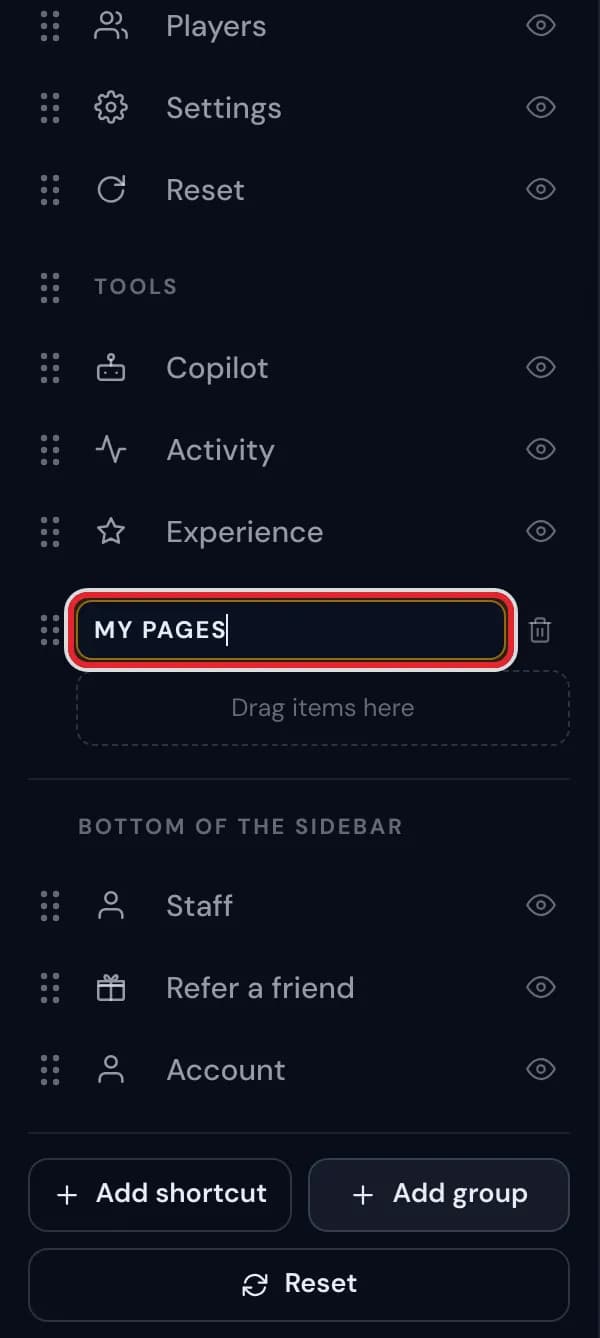
A new group named My pages in the sidebar editor, with Drag items here under it Happy with it? Press Done. Want the original menu back? Use Reset at the bottom of the editor and confirm with "Reset sidebar?".
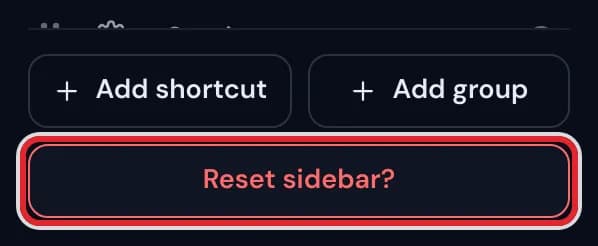
The Reset sidebar? question that the sidebar editor asks before it restores the menu
Messages you might see
| What it says | What it means and what to do |
|---|---|
Customize the sidebar | The heading of the sidebar editor, with a short reminder of what you can do there. |
Renamed from Console | The tooltip on a page you gave another name, so you always know which page it is. |
The overview always stays, so you can find your way back here. | Overview has no eye. It is the one page you cannot hide. |
Drag items here | An empty group. Drag a page or a shortcut onto it, or remove the group with its bin. |
Remove group. What is in it moves up. | The tooltip of the bin next to a group you made. Its pages join the group above it; nothing is deleted. |
Reset sidebar? | The confirmation after Reset. A second press restores the standard order, names, icons and headings, and removes your own groups and shortcuts. |
What you can change and what stays put
Every page in the menu can move, get a new name of up to 40 characters and a new icon. The standard headings Server, Management and Tools can be moved and renamed too, with names of up to 32 characters.
Two things are fixed. Overview cannot be hidden, so there is always a way back to your widgets, and the group at the very bottom keeps its place at the end of the menu.
Use the keyboard
With the keyboard, Tab takes you to the dots of a page or a heading, and the arrow keys move it to a higher or lower spot. A screen reader hears where it ended up, for example "Backups moved to position 1 of 5, Management".
Limits
You can make up to 12 groups of your own and up to 30 shortcuts. Once you reach a limit, the matching button at the bottom of the editor is greyed out.
The same menu on every device
The sidebar is saved with your account while you change it, just like the widgets. It looks the same wherever you log in and on every server you manage, and a page that a server does not have, such as Plugins on a modded server, is simply left out there.
Questions people also ask
Can I still open a page I hid?
Yes. Hiding only takes it out of the menu. Links to it elsewhere in the panel keep working, and edit mode shows it again whenever you like.
Does renaming a page change it for my staff?
No. Names, icons and order are personal, and everyone with access to your server has a sidebar of their own.
How do I get the original names back?
For a single page, clear its name and press Enter. For the whole menu at once, use Reset in the sidebar editor and confirm it.