Minecraft hosting guide
Minecraft Realms or server hosting
Realms is the option built into the game, and for a lot of people it is the right one. A hosted server is the option for the day it is not enough, for example when you need more players, plugins or mods. This page says plainly what each one is, who each one fits, and where the line between them runs, so you buy the right thing once.
The short answer
Vanilla with a few friends
Realms. Ten players, always the newest version, nothing to configure, and cheaper than most of what we sell.
Anyone says plugin, mod, crossplay or permissions
A hosted server. Realms cannot do any of those four.
Moving later
Download the world from the Realms screen and upload it here; it loads as it was.
The rest of this page is what each one is, who each one fits, and where the line runs.
What each one actually is
- Realms: a world
- Hosting: a server
- Ten players
- Plugins and mods
- Console and files
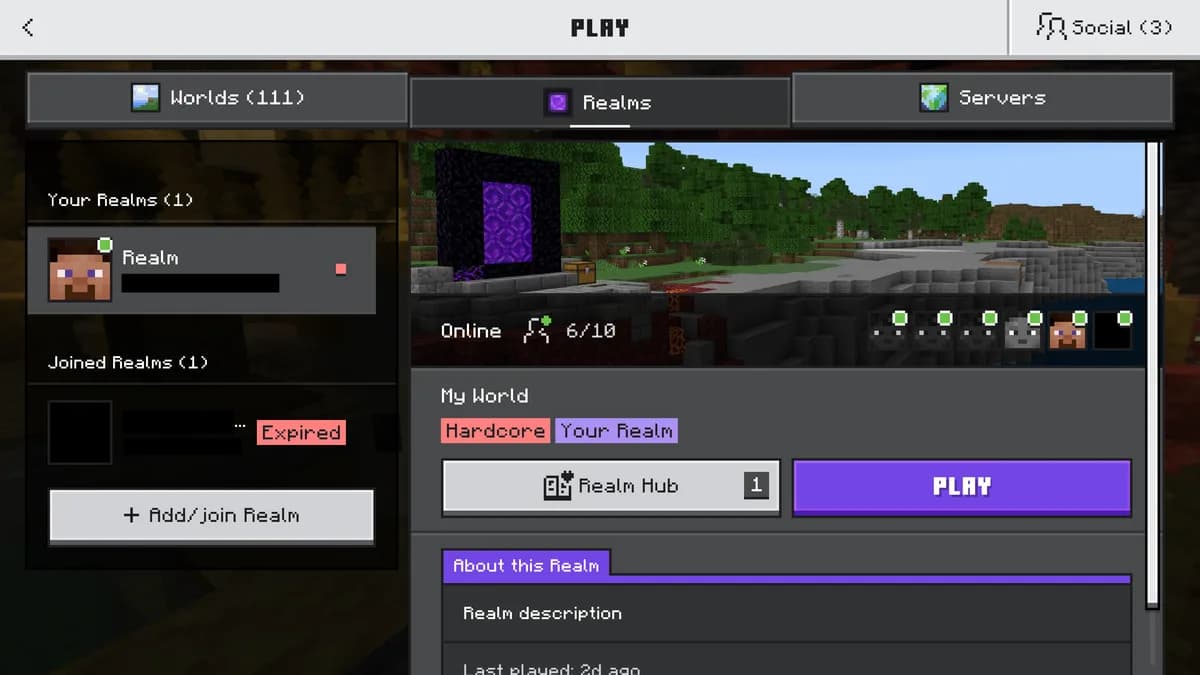
A Realm is a world that Mojang keeps running for you. You open it from the main menu, invite people by name, and it is there whether or not you are online. On Java, ten people can be in it at once, and it always runs the version Mojang ships this week. There is no console, no file access, no plugins and no mods. Mojang leaves these out on purpose, as a design choice, so that a parent can set up a Realm in two minutes.
A hosted server is a machine with a stated amount of memory and processor that runs the server software of your choice. Paper for plugins, Forge or Fabric for mods, any version back to 1.8, a console you can type into, a file manager, a play address like yourname.mc.astroworldmc.com, and as many players as the memory carries. You choose where it stands, out of 27 locations, before you pay.
| Question | Realms | Hosted server |
|---|---|---|
| Players at once | Ten on Java | Set by memory; no slot cap |
| Plugins | No | Yes, on Paper, Spigot and Purpur |
| Mods and modpacks | No on Java | Yes, on Forge, Fabric and NeoForge |
| Version | Always the latest | Any, and you decide when to update |
| Console and files | No | Yes, plus an AI Copilot that edits them for you |
| Address | Invite by name | A play address you can put on a sign |
| Price | About $7.99 a month for Java Realms | Mini Performance at 4 GB from €7.95 a month, 60% off your first six months in Poland |
The full row by row comparison with Realms
Who Realms fits, and who it stops fitting
Realms fits a family, a couple of friends, or a small group that wants a vanilla survival world with nothing to configure. If nobody in the group has said the words plugin, mod, datapack, crossplay or permissions, Realms is cheaper than most of what we sell and we would rather say so than sell you a server you will not use.
It stops fitting on the day one of these happens: an eleventh friend wants in; somebody wants a modpack, or Geyser so a Bedrock phone can join a Java world; you want to keep a farm ticking for someone in another time zone, or run a permissions plugin so one player cannot grief another; you want to stay on a version because a mod is not updated yet. Each of those is the same signal: the world has become a server, and a hosted server is the right next step.
Moving a Realm to a hosted server
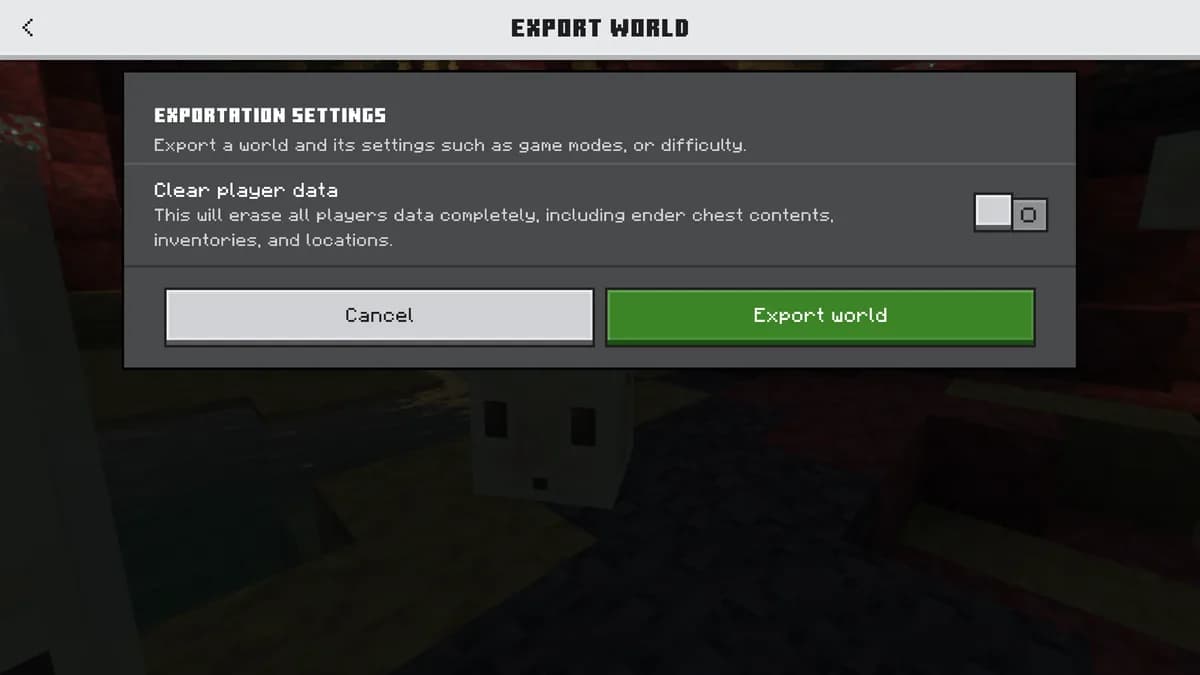
The Realms screen lets you download the world as a folder. That folder uploads through our file manager like any other world, or you paste a link and let the machine fetch a large archive itself. Pick the same Minecraft version at checkout and it loads exactly as it was, with the same seed, the same builds and the same inventories.
Going the other way is possible too: a hosted world can be uploaded to a Realm as long as it is vanilla. That is worth knowing, because it means trying a server for a month costs you nothing in the world you already have.
How to upload a world folder step by step
Which size replaces a Realm
A Realm is ten players on a vanilla world, and Mini Performance at 4 GB covers that comfortably with room for a handful of light plugins. Add a modpack and the answer is Starter Performance at 8 GB at the very least, and Standard Performance at 12 GB for the heavy packs. The memory guide on this site is written per player count, so you can check the number rather than take ours.
How much memory a Minecraft server needs, by players and by pack
The three sizes this page talks about
Each one is always on, has a stated amount of memory and processor on the page, a nightly backup that costs nothing, and a location you pick out of 27 before you pay.


Questions people ask before choosing
Is Realms cheaper than server hosting?
For a small vanilla group, yes, and it is the right answer for them. Our smallest plan costs about the same per month and buys a different thing: a server you control instead of a world you share.
Can I add plugins or mods to a Realm?
Not on Java Realms. That is the usual reason people move to a hosted server, where Paper takes plugins and Forge, Fabric or NeoForge take mods, installed from a catalogue in one click.
How many players can a hosted server take compared with a Realm?
A Realm allows ten at once on Java. A hosted server has no slot cap: memory and processor decide, and four gigabytes already carries more than ten on a vanilla world.
Can I move my Realm world to a hosted server?
Yes. Download it from the Realms screen, upload the folder through our file manager, and pick the same version at checkout. Nothing in the world changes.
What about Bedrock Realms?
Bedrock Realms work the same way for phones and consoles, with Realms Plus for ten players. A hosted Bedrock or crossplay server does the same job with a console, a file manager and no player cap, and lets Java players in too.
Written and checked by the Astroworld Hosting team. Last reviewed on 6 September 2026.
Delivery: most servers are handed over instantly and run within seconds of payment, the rest follow within 60 minutes during the day and within 12 hours at night.