How Much RAM Does My Minecraft Server Need?
Most Minecraft servers need 4 to 8 GB of RAM. Vanilla with up to five friends runs well on 4 GB, plugins and 10 to 20 players want 8 GB, and a modpack needs 4 to 12 GB depending on how many mods it has. Find the row that looks like your server in the table below: the plan next to it is the one to order.
The short answer
Vanilla with up to 5 friends
4 GB, the Mini plan. Survival or creative without mods runs comfortably on it, and it is the first row of the table below.
Plugins and 10 to 20 players
8 GB, the Starter plan. It is the players that fill it, not the plugins: every player keeps their own part of the world loaded around them.
A modpack
4 to 12 GB, depending on the pack: 4 to 6 GB for a light pack of about 50 mods, 6 to 8 GB for a medium one and 8 to 12 GB for 300 mods or more. Starter runs the light and medium packs, Standard the heavy ones.
A large community of 50 players or more needs 16 GB and up. The table below has all six cases with the plan for each, and right under it you find what to do when your server sits between two rows.
Minecraft server RAM calculator
Tell it what you run, how many people play at the same time and how far they can see. It counts the memory with the rule from our guide, from one player up to a thousand, and picks the plan that has enough. The table below shows where each kind of server starts.
We count 2 GB for the server itself and 1 GB for every 4 players: about 3 GB in total. Where the rule comes from
The closest row in the table says 2 to 4 GB for a server like this.
Row in the tableVanilla 1-5 players
 Plan with enough RAMMini Performance, 4 GB€2.78/moFirst 24 months · then €6.95/mo
60% off your first payment as a new customer, on our own machine in Poland.
Configure Mini PerformancePick the row that looks like your server
| What you run | RAM it needs | Plan with enough RAM |
|---|---|---|
 Vanilla and pluginsSurvival or creative, with or without plugins. Here the number of players decides how much you need. Vanilla and pluginsSurvival or creative, with or without plugins. Here the number of players decides how much you need. | ||
| Vanilla 1-5 playersLightweight survival or creative with friends | 2-4 GB | Mini, 4 GB |
| Vanilla 10-20 playersSmall community with plugins like EssentialsX | 4-8 GB |  Starter, 8 GB Starter, 8 GB |
 ModpacksHere the number of mods decides, more than the number of players: a pack loads everything before anyone joins. ModpacksHere the number of mods decides, more than the number of players: a pack loads everything before anyone joins. | ||
| Light modpack (50 mods)Create, Cobblemon, or similar packs | 4-6 GB | Starter, 8 GB |
| Medium modpack (100-150 mods, up to five players; 200 mods needs the next step up)All the Mods Lite, Better MC | 6-8 GB | Starter, 8 GB |
| Heavy modpack (300+ mods)All the Mods 10, RLCraft, Enigmatica | 8-12 GB |  Standard, 12 GB Standard, 12 GB |
 Large communitiesPublic servers and events where 50 or more people play at the same time. Large communitiesPublic servers and events where 50 or more people play at the same time. | ||
| Large community (50+ players)Networks, events, or public servers | 16+ GB |  Premium, 24 GB Premium, 24 GB |
Our guide counts a single server instance, not a network of proxy-linked servers. Split this into lobbies and you will need more than the number above.
Running a pack? Our modpack pages list the memory each one asks for.
My server sits between two rows. Which one do I take?
The heavier one. A plan that is a little too small shows up as lag the moment everyone is online, and that costs you more than the few euros a month between two plans. Our plan finder follows the same rule. And if your server later grows past the row you picked, moving up a plan keeps your world, your plugins and your settings.
One of these six rows fits our smallest plan
Mini is enough for vanilla with up to five friends. Starter is the plan for vanilla or plugins with 10 to 20 players, a light modpack of about 50 mods and a medium modpack of 100 to 150 mods with up to five players. Standard is the plan for a heavy modpack of 300 mods or more. Premium is the plan for a large community of 50 players or more. None of the six rows needs Ultimate, Enterprise or Dedicated. Those sizes are for a crowd on one server, more than fifty players, a modpack with a big group or a high view distance, and for more than one server at once, such as a network of lobbies, which needs more than any single row, as the note under the table says. The calculator above counts that with your own numbers.
Not sure which row is yours? Our plan finder asks four questions: which edition you play, what you run, how many players join and where they play from. It answers with one plan, counted with the same rule as the calculator above, for groups from five players up to a thousand.
On Bedrock, read the top two rows
Bedrock needs less memory than Java for the same world and the same players, because its server software is written in C++ and keeps no Java heap. There is no Forge or Fabric on Bedrock either, so no modpack gets loaded: only your player count moves the number, and the modpack rows do not apply to you. Read the top two. That is also why our smallest Bedrock plan has 2 GB where the smallest Java plan has 4 GB, on the same 2 vCPU and the same 60 GB SSD of disk.
Measure it instead of guessing
The table gets you to a sensible plan. After that, the honest answer to how much RAM you need is what your own server does with your own players on it. The AI performance optimizer measures exactly that in about seven seconds: memory against your plan, garbage collection, tick time and tick rate, the chunks that are ticking and every loaded entity by type. Minecraft runs 20 ticks a second, so each tick has 50 ms. The optimizer warns once a tick takes 33 ms and flags 50 ms, because from there the server can no longer keep up. That tells you whether more memory is your problem or whether a setting fixes it for free.
If it still lags
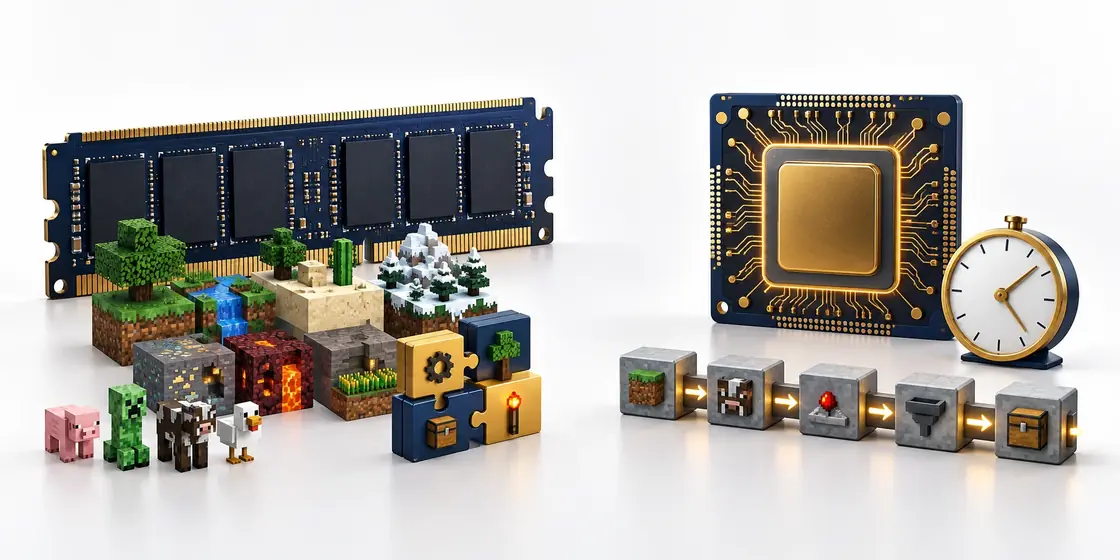
Memory is only half of what makes a server smooth; the other half is the processor. Mini gives you 2 vCPU next to its 4 GB, and a modded server that stutters is more often short on processor time than on memory. Our lag guide shows the console message that tells you which of the two it is, the settings that win back the most, and when an upgrade really is the answer.
Where counting memory stops helping
Every number on this page is about how much fits at once. None of them says how fast one tick finishes, and that is a different limit with a different fix. A world that has memory to spare and still stutters is waiting on one core, and that is what the Performance line changes: the same gigabytes you picked above, on an AMD Ryzen 9 5900X in Germany or an AMD Ryzen 9 7950X with DDR5 RAM in Poland, with a disk slice of its own.
Adding more RAM to a Minecraft server
More memory only helps a server that is running out of it. Look at how much server RAM it uses at its busiest moment, not at a quiet one: if it sits close to its limit with the usual players on, adding more RAM is the fix. If it sits at half and still lags, what is missing is time on one core, and additional RAM buys nothing.
On your own computer the server gets exactly what its start line gives it. The number after -Xmx is the ceiling, so -Xmx4G means four gigabytes. Raise it and restart, but keep it well below what the machine has free: Java needs memory beyond that ceiling for its own bookkeeping, and the rest of the computer needs some too.
On a hosted server the memory setting follows the size you picked, so adding RAM means moving up a size, and here that keeps the world, the plugins and the address as they are. Modded servers are where this happens most. A light pack starts at 4-6 GB and a heavy one at 8-12 GB, but every base, machine and loaded dimension adds to that as the world grows, so a pack that fitted in the first week can outgrow its size by the second month.
Some free hosts offer temporary RAM boosts, earned by watching ads or by activity in a partner app. A boost is additional RAM on a timer: when it runs out the server drops back to its base amount, often while people are playing. It is a fair way to test whether a pack starts at all, and not a size to run a server on.
Before you pick
Can I run a server on less than 4 GB?
Yes, with a custom build. Every plan on our price list starts at 4 GB, but our custom builds run from 1 GB up to 96 GB in twelve steps, and you pick the memory and the cores yourself. Going below 4 GB only makes sense for vanilla with very few players, because even the lightest row in the table above starts at 2 GB.
Is more memory always better?
No. Java frees memory by pausing for a moment to clean up, and the more memory it has, the more it has to go through in one go. The same pack on a far bigger plan does not run smoother; it can stall for longer while Java cleans up. The bars below show one light modpack on our smallest and on our largest plan, drawn to scale. Pick the row that matches your server, not a row above it to be safe.
Does a bigger world need more memory?
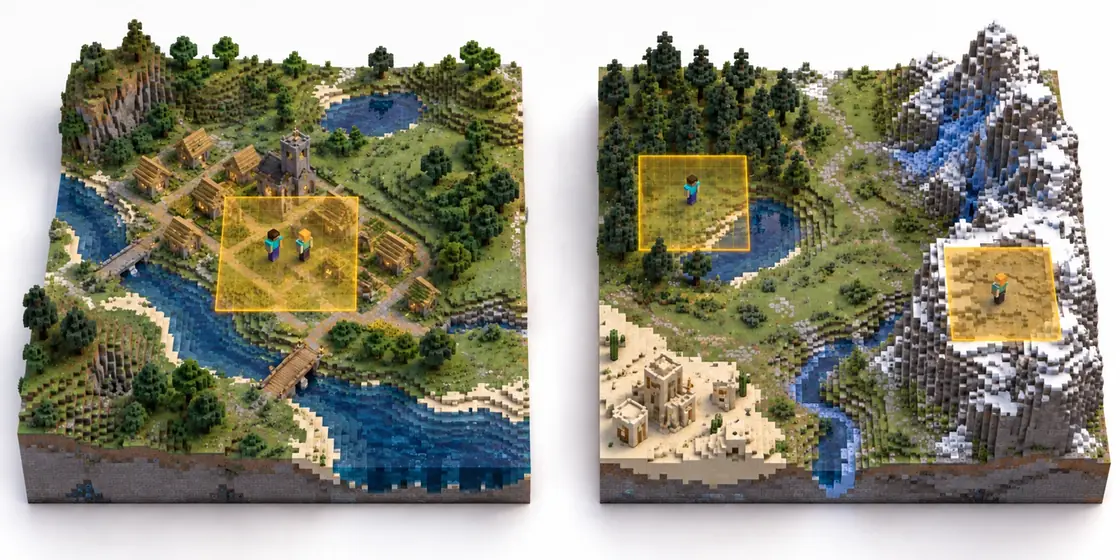
No. The server only keeps the chunks near players in memory; the rest of the world waits on the disk until somebody walks there. A bigger world costs disk space, not memory, which is why every plan lists the two separately: Mini has 4 GB of memory next to 60 GB SSD for the world files. What does cost memory is players spreading out, as the picture below shows.
How much does view distance change this?
More than any other setting. A chunk is a 16 by 16 column of blocks that reaches from bedrock to the build limit, and the server keeps every chunk a player can see in memory. In our panel you set view distance anywhere from 2 to 32 chunks: at 2 a player keeps 25 chunks loaded, at 32 that same player keeps 4225. Simulation distance, right below it, covers the same range and is the biggest single performance lever, so it is the first setting to lower when a busy evening gets slow.

Questions about adding RAM
How do I add more RAM to my Minecraft server?
On your own computer, raise the number after -Xmx in the start line and restart the server, while leaving memory free for the rest of the machine. On a hosted server, move up a size: the memory limit comes with the plan, and on ours the world, plugins and address stay as they were. Before you do either, check that memory is really what runs out.
Do RAM boosts on a free server help?
For a short test, yes. A boost raises the memory of a free server for a limited time, and when the timer ends the server falls back to its base amount. A modded server that needs the boost to start will crash or stall the moment it ends, so a boost tells you roughly how much memory a pack wants rather than giving it to you.
Why does a modded server need more RAM as the world grows?
Because mods keep more loaded. Every machine, pipe and chunk loader holds its part of the world in memory, and each new dimension a pack opens adds its own. A light pack starts around 4-6 GB and a heavy one around 8-12 GB; a long running world on either sits higher than the day it was made.
4 GB here is 4 GB
The memory on your plan is memory your server can use in full, all of it at the same time, for as long as the plan runs. It is not shared with somebody else's server, it is not lent to a neighbour who is having a busy evening, and it is not quietly topped up from the disk when it runs out, which would only make your server crawl. So when your plan says 4 GB, your server gets 4 GB. If it ever reaches that ceiling, the cause is your own world, your own plugins and your own players, never someone else on the same machine, and the fix is in your hands: lower a setting or move up a plan. That is also why buying a size up just to be safe is not needed. The size you pick is the size you get, and moving up later takes a few minutes and keeps your world, your plugins and your settings exactly as they are.
Four plans cover all six rows
Prices are per month on a 24-month term, and the same price every time it renews.
Mini4 GB€6.95/moFits: Vanilla 1-5 playersStarter8 GB€10.95/moFits: Vanilla 10-20 players · Light modpack · Medium modpackStandard12 GB€14.95/moFits: Heavy modpackPremium24 GB€20.95/moFits: Large communitySee all seven plansAnswer four questions, get your plan
Every plan, price and limit on this page comes straight from our own price list and from the settings your server ships with. The page is rebuilt from them whenever they change, so what you read here is what you get at checkout.
Making the RAM you have go further
Before moving up a plan, check where the RAM you already have goes: How to Reduce RAM Usage on Your Minecraft Server. Several of the settings that decide it live in Every Paper.yml Setting Explained (2026).
Written and checked by the Astroworld Hosting team. Last reviewed on 26 September 2026.
Delivery: most servers are handed over instantly and run within seconds of payment, the rest follow within 60 minutes during the day and within 12 hours at night.