Minecraft hosting guide
Your Minecraft server address, and how to give it more names
Every server here arrives with a free address of its own, no port for Java players to type, and the address of the machine it runs on nowhere in sight. You can add 3 more names yourself from the panel, which land in seconds because there is no DNS record to wait on, and you can put up to 6 of your servers behind a single one. The address you already have is never changed and never taken away.
The short answer
Your address is a name
yourname.mc.astroworldmc.com, free on every plan, no port for Java players to type.
The machine never shows
A router in front reads the name and passes the connection on. Nobody sees or needs the raw address.
More names
Three extra from the panel, live in seconds, all reaching the same server. An existing name is never changed or removed.
What players type per edition, the naming rules, and networks behind one address are below.
What your address is, and what it is not
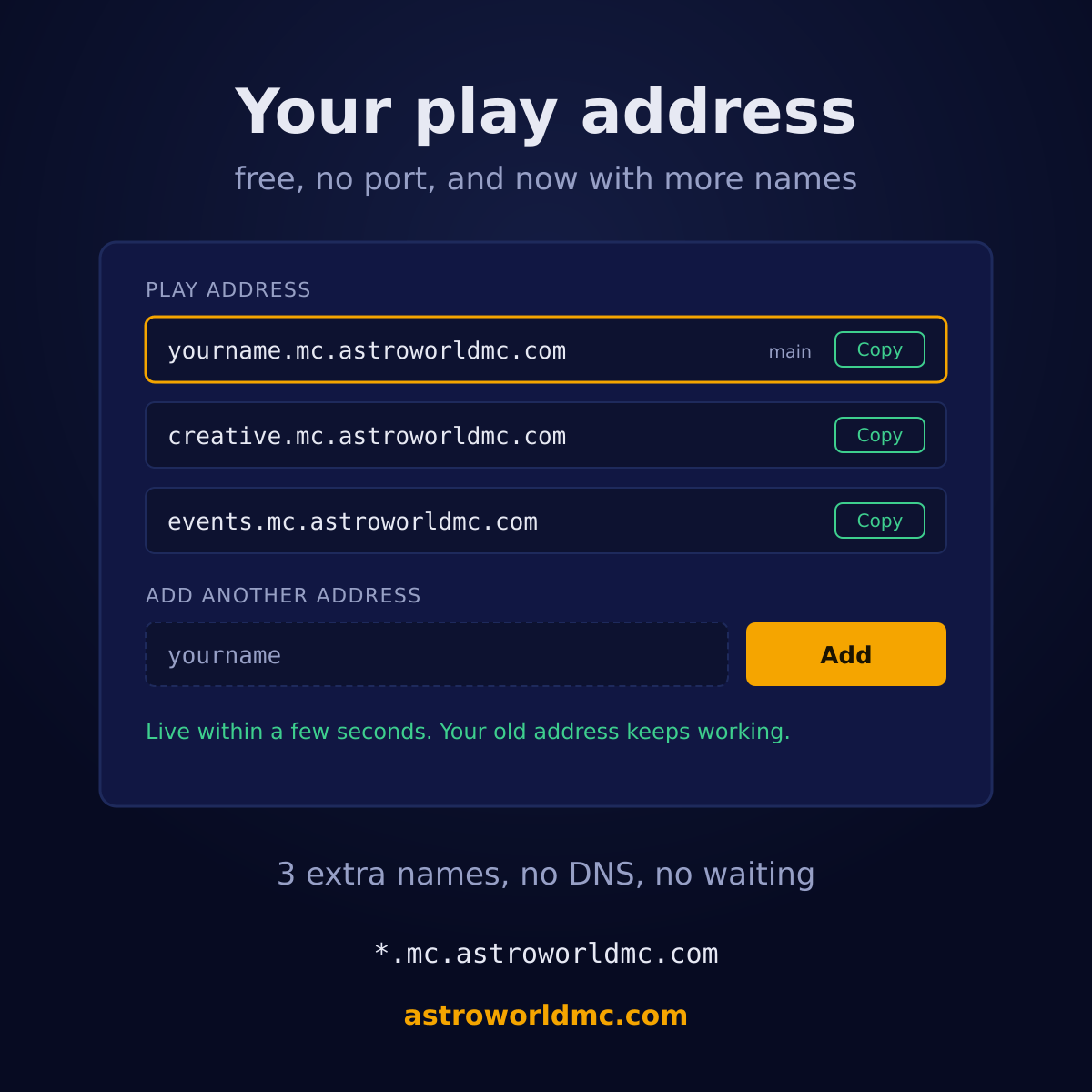
It is a name of your own with mc.astroworldmc.com behind it, so a server called yourname is reached at yourname.mc.astroworldmc.com. It is free, it is on every plan from the smallest to the largest, and it is handed to you before the server has finished starting for the first time.
What it is not is the address of the machine. Your players never learn that one, and neither does anyone they forward the address to. That is the difference between a name and an IP: a name can move, be shared, be put on a server list and be read out loud, and it gives away nothing about where the thing actually runs.
Why the machine behind it never shows up
Every connection to a name of ours arrives at our address router first. Minecraft tells it which name the player typed as part of connecting, so the router reads that name, looks up which machine and port it belongs to, and passes the raw connection through. Your player is talking to your server; what their client displays, and what any tool they run displays, is your name.
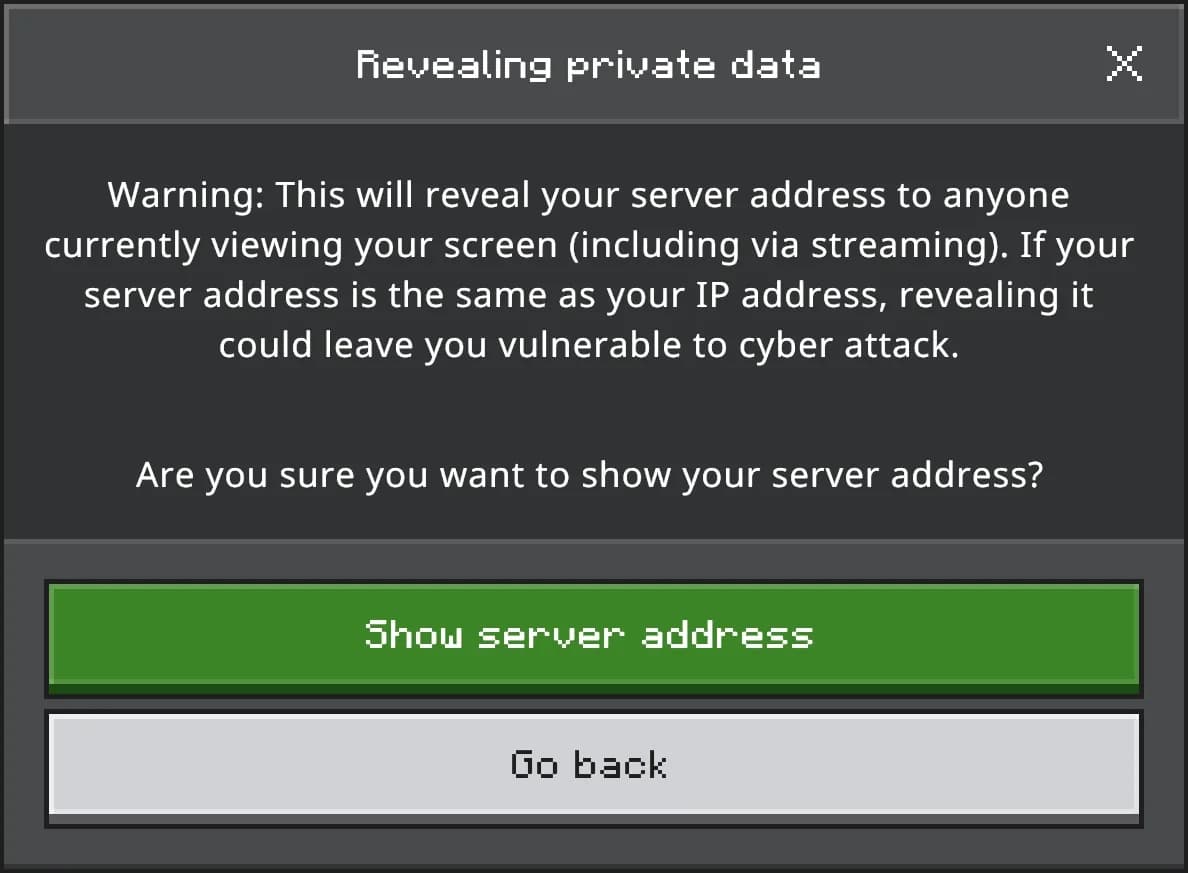
Two useful things fall out of that. Java players never need a port, because the name carries the routing. And a machine address that nobody can read is a machine address nobody can aim at, which is the quiet half of the DDoS protection every plan comes with.
What your players type, per edition
| Edition | Where it goes | The address | The port |
|---|---|---|---|
| Java EditionName only | Address field | yourname.mc.astroworldmc.com | Nothing. Java reads the name out of the connection itself, so the port field stays empty and your players never see a number. |
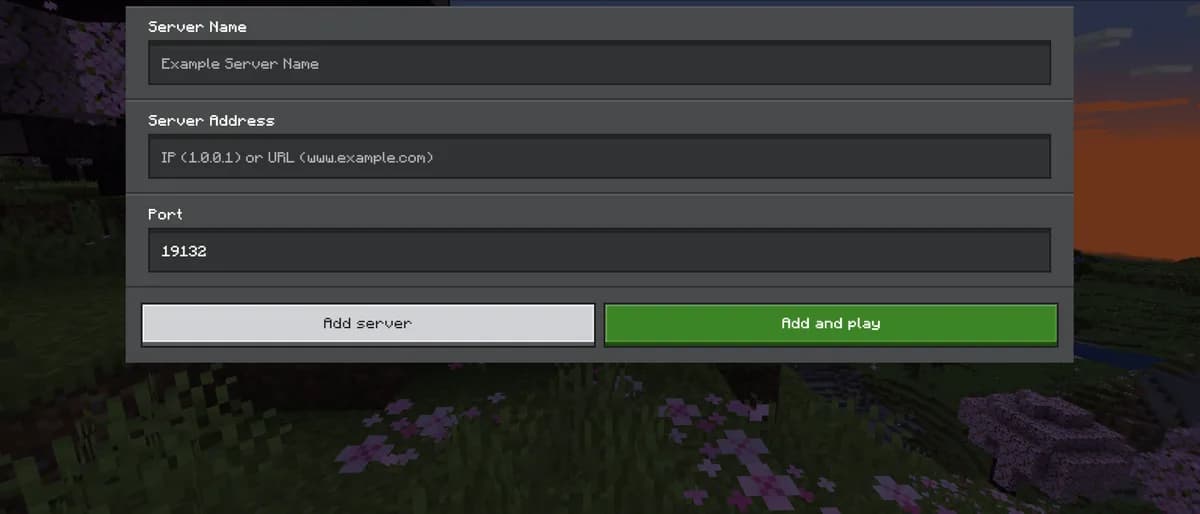
| Bedrock EditionName and port | Server address plus Port | yourname.mc.astroworldmc.com | 19132 in its own field, or whichever number we gave you. Bedrock assumes 19132 when the field is left empty, so an unusual one is worth writing down next to the address. |
If both kinds of player join the same world, hand the address out labelled per edition rather than as one line. It is the single most common reason somebody says the server is down when it is not, and the crossplay page goes into what makes one world reachable from both.
How to add another address, 3 of them
This is one of those things that is a support ticket at most hosts and a field here. You get 3 extra names on top of the one you already have, so 4 in total, and every one of them reaches the same server.
Open Settings on your server
The play address sits on the Settings tab with a copy button next to it, and your current one is marked as the main one. It is also on the Overview tab, because it is the thing people come to the panel to fetch most often.
Type the name you want
You type only the first part. The rest is always mc.astroworldmc.com, so what you are choosing is the word in front of it. The field cleans up as you go, so a capital letter or a space becomes something a hostname is allowed to contain instead of an error afterwards.
Press Add
The name is judged, the route is written and the address answers. There is no DNS record to create and therefore nothing to wait for: every customer address already lives under one wildcard that points at our address router, so a new name is a new line in a routing table and not a change to the internet.
Share it, and keep sharing the old one
Both work. The address you already had keeps working exactly as before and lands on the same server, which matters because it is sitting in Discord messages, on server lists and in the email you got when the server was delivered. Nothing on the server itself is touched by any of this, so people can be playing right through it.
What a name is allowed to be
| Rule | What it means |
|---|---|
| Length3 to 24 | At least 3 characters so it is a name and not a keystroke, and at most 24 so your players can still type it from memory. |
| Charactersa to z, 0 to 9, hyphen | Lowercase letters, digits and hyphens. Anything else is stripped as you type rather than refused after you press the button, so you always see the name you are actually asking for. |
| Hyphensnot first, not last | A hyphen in the middle is fine. One at the start or the end is not a valid hostname anywhere, so we refuse it here instead of letting it fail later in somebody's client. |
| Reserved names27 of them | Names that are ours, names that would look like a service of ours, and the usual infrastructure names. The full list is below, and the panel and the order form judge it with the same rule, so a name the page accepts is never refused a minute later. |
| Word filteron the whole string | An address is one run-on word, so anything worth hiding gets hidden in the middle of it. The check reads the name back to letters first, which is why the usual substitutions of digits for letters do not get past it. |
| Already takenfirst come | Checked against every other customer's main address and every extra address anyone has claimed, at the moment you press the button rather than at the moment the page loaded. |
The 27 reserved names, in full, so you can see there is nothing arbitrary in there: admin, api, astroworld, awadmin, billing, cdn, db, dev, ftp, help, hosting, mail, mc, ns1, ns2, panel, pay, play, proxy, shop, smtp, staff, status, store, support, test, www.
Some of those are hostnames we already use, some would let a name look like an official part of Astroworld, and the rest are the ordinary infrastructure words we would trip over the first time we needed one ourselves. The order form and the panel judge a name with the same rule, so a name accepted on one is never refused by the other a minute later.
Up to 6 servers behind one address
If you run more than one server, your players should not have to know that. Put 2 to 6 of yours behind a single address with one of them as the lobby, and moving between them becomes a command in chat instead of a disconnect, a scroll through a server list and a reconnect.
Pick 2 to 6 of your servers
They all have to be yours, and one of them is the lobby: that is where a player lands when they connect. 6 behind one address is where we stop, because past that the jump between servers stops being the fast part.
Choose the one address for the whole thing
Same rules as any other address, same field, same instant. This becomes the name your players learn, and it is the only one they ever need again.
We put a proxy in front of them
A small Velocity proxy is installed next to the lobby, on the same machine, so the hop between the proxy and the server stays inside it. Your servers move behind it and get a shared secret at the same moment, so there is never a second in which one of them is reachable without one.
Players move with one command
In game, /server survival puts a player on another of your servers without disconnecting and reconnecting. Their inventory in each world is that world's, exactly as it was, because nothing about the servers themselves changed.
Every server in it keeps the address it already had, and those addresses still land on that same server rather than dropping everyone in the lobby. That is the part worth checking on any host that offers this: a network that quietly reroutes your old names is a network that breaks every link anybody ever shared.
The one thing we will not do
We do not change or remove an address that already exists. Not on request, not while tidying up, not when you add a nicer one. It is in Discord messages, on server lists, in the mail you got when the server was delivered, and in the memory of everyone who plays there, and none of those are places either of us can go back and edit.
So every route here only ever adds. A second name, a third, an address in front of a whole network: all of it arrives next to what you had rather than in place of it. If you genuinely need an old address gone, that is a conversation with us and not a button, on purpose.
The picture next to your address in their server list
When somebody adds your address to their server list, the game leaves a blank square next to it until you give it something. That square is the only thing about your server a player sees before they connect, and on a list of six servers it is what their eye lands on. You can upload one from the Settings tab, and it is a file picker rather than anything you have to place on the machine yourself.
The game is strict about what it accepts and so are we, on purpose: a PNG, exactly 64 by 64, under 256 kB. We read the header rather than trusting the file name, so an image that is really 128 across comes back as refused here instead of being accepted and then silently ignored by the game, which is the version of this that wastes an evening. It appears the next time the server starts.
Questions about your Minecraft server address
What is my Minecraft server address?
It is the name you chose when you ordered, followed by mc.astroworldmc.com, and it is on the Overview and Settings tabs of your server in the panel with a copy button next to it. Java players type just that and leave the port field empty. It costs nothing and it comes with every plan, including the smallest.
Can I change my server address?
You can add to it, up to 3 extra names on top of the one you have, which is 4 in total and all of them reaching the same server. What we will not do is change or delete the address you already have. It is written down in places neither of us can edit, and an address that worked yesterday should work tomorrow. In practice adding is what people actually want: the new name is the one you share from now on, and nobody who saved the old one is left behind.
Do my players need a port number?
Java players do not. The name is read out of the connection itself and sent to your server, so the port field in their client stays empty. Bedrock players do need one, because Bedrock connects a different way: the address goes in the address field and 19132, or whatever number you were given, goes in the port field underneath it.
Is the IP of the machine visible to my players?
No, and that is deliberate rather than a side effect. Every connection arrives at our address router, which reads the name your player typed and forwards the connection to the right machine and port. What a player sees, and what anyone reading over their shoulder sees, is your name and nothing else. A machine address that nobody can read is a machine address nobody can aim at.
How long before a new address works?
Seconds. There is no DNS record being created and therefore no propagation to sit through: every customer address already lives under one wildcard that points at the router, so adding a name means writing a line in a routing table that the router picks up on its own. If you add one and it does not answer, that is worth a support message rather than a wait.
Which names can I not have?
27 of them are reserved, and they fall into three groups: hostnames that are already ours, names that would make something look like an official part of Astroworld, and the usual infrastructure words we would trip over the first time we needed one. On top of that a name is 3 to 24 characters of lowercase letters, digits and hyphens, cannot start or end with a hyphen, and goes past a word filter. The full reserved list is on this page.
Can I put several servers behind one address?
Yes, 2 to 6 of them, with one as the lobby. Players connect to the single address, land in the lobby and move to another of your servers with a command, without disconnecting. Every server keeps the address it already had as well, and those addresses still land on that same server, so nobody who knew the old name ends up somewhere they did not expect.
Can I use my own domain instead?
Not as a setting in the panel today, so this is the honest answer rather than the convenient one: point your own name at the address you have with your registrar and it works, but we do not manage that record and we cannot fix it for you when it changes. If that is what you are after, ask us first so we can tell you exactly what to put where instead of you finding out from a client that will not connect.
Somebody else has the name I want. Now what?
Names are first come, and the check runs at the moment you press the button rather than at the moment the page loaded, so a name can be free when you type it and gone when you submit it. Add a word, a number or a hyphen and try again. The name is not tied to your plan, so a name you claim stays yours for as long as the server exists.
Does adding an address disconnect anyone?
No. Nothing on your server is touched: no restart, no file written, no setting changed. The only thing that changes is that one more name now arrives at the same place, so people can be playing right through it without noticing.
Where to find it
Your address is on the Overview and Settings tabs of your server, on every plan, with nothing to order and nothing to switch on. Every limit on this page is the limit the panel really enforces, down to the names it refuses, so you can read what you would be working with first. There is no public sandbox to walk through yet and no account needed to read any of this, so for now this page is the screen, written out. Six questions will put one plan in front of you rather than a price list to work through on your own.
If you spend your evenings pasting this address into your Discord, there is now a command for it. Link the server to your Discord once and anybody can type /adres to get it, with the Bedrock address and its port on a line of its own when you run crossplay, because that is the half people get wrong. The Discord bot does that one alongside the rest.
Answer six questions and get one plan Everything the panel does Getting your address from Discord Uploading your own world Changing your version or server type One world for Java and Bedrock players Setting crossplay up step by step Staff permissions, right by right How the nightly backups work View plans and prices Ask us a question first
The name rules, the 27 reserved names, the 3 extra addresses and the 6 server limit are read when this page is built from the same file the panel checks a name against, so this page cannot promise something the button then refuses. Written 31 August 2026.
Written and checked by the Astroworld Hosting team. Last reviewed on 6 September 2026.
Delivery: most servers are handed over instantly and run within seconds of payment, the rest follow within 60 minutes during the day and within 12 hours at night.