Setting Up Crossplay
Four things decide whether GeyserMC works: the software you ordered, a second allocation on UDP, two lines in a config file, and how your console friends are supposed to reach the address at all. Here they are in that order.
The short answer
Paper, Purpur or Spigot with Geyser and Floodgate
Both are free plugins. Forge and Vanilla have nowhere to put them.
A second port, UDP 19132
Bedrock does not speak on the Java port. Without the UDP allocation the server never shows up.
Consoles join through a friend
Xbox, PlayStation and Switch have no Add server field. Somebody on Windows or a phone adds it, the console follows that friend.
The nine steps below are those three lines in order, with the config line and the port screen you will see.
1. Check what you ordered runs Geyser
GeyserMC is not a switch on the server, it is a piece of software that has to live somewhere. Where it lives depends on the server software you picked at checkout, and 2 of the 7 options we offer have nowhere to put it. Forge has no official Geyser build, and Vanilla has no loader at all. Both can still be bridged with Geyser Standalone running next to the server, but Standalone cannot host Floodgate, so on those 2 your Bedrock players each need a Java account to log in. On the other 5 it is a normal upload into the plugins or mods folder.
| You ordered | Geyser build | Goes in | Floodgate |
|---|---|---|---|
| Paper (recommended) | Geyser-Spigot | plugins folder | Yes, floodgate-spigot |
| Purpur | Geyser-Spigot | plugins folder | Yes, floodgate-spigot |
| Fabric | Geyser-Fabric | mods folder | Yes, floodgate-fabric |
| Forge | Geyser Standalone | beside the server | No, Java account needed |
| NeoForge | Geyser-NeoForge | mods folder | Yes, floodgate-neoforge |
| Spigot | Geyser-Spigot | plugins folder | Yes, floodgate-spigot |
| Vanilla | Geyser Standalone | beside the server | No, Java account needed |
Purpur and Spigot take the same file as Paper because they are all Bukkit at heart. If you have not uploaded a JAR to this panel before, our plugin installation guide covers the file manager side.
2. Give Bedrock its own port, and make it UDP
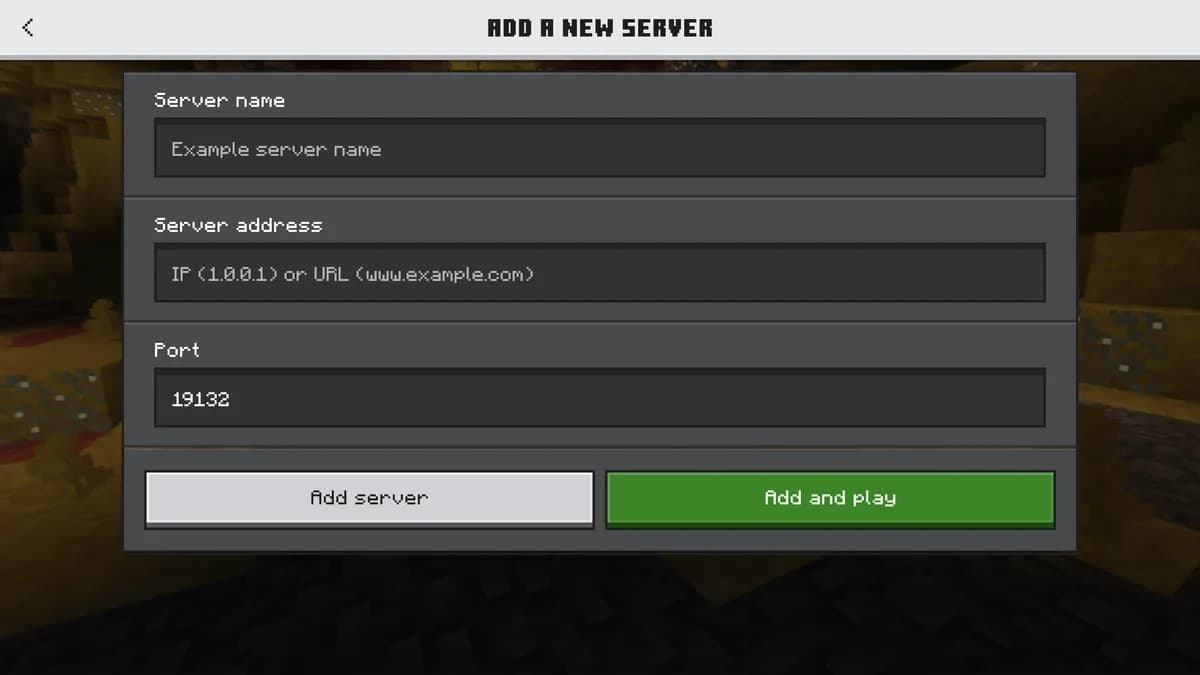
This is where most setups stall, and it has nothing to do with Geyser. Java Edition talks TCP on port 25565. Bedrock talks RakNet, which rides on UDP, and by convention listens on 19132. They are different transports on different ports, so your server needs a second allocation before Geyser has anything to bind to. Open your server in our panel, which every plan includes and which our features page walks through. There you add a second allocation to your own server, without a ticket and without asking us, and note the port it hands you.
Then open the Geyser config after the first restart and set bedrock.port to that number. Leave bedrock.address on 0.0.0.0. Leave clone-remote-port on false: that option exists for hosts who shuffle your Java port on every boot, which is not how allocations work here, and turning it on will move your Bedrock port out from under your players.
plugins/Geyser-Spigot/config.yml

bedrock:
  address: 0.0.0.0
  port: 19132
  clone-remote-port: false
If the allocation you get is not 19132, that is fine, but say so when you share the address. Bedrock clients assume 19132 when the port field is left empty, so an unusual port is the difference between a friend joining and a friend giving up.
3. The one line that turns crossplay on
Geyser ships with remote.auth-type set to online. On that setting every Bedrock player has to own and link a Java account, which defeats the point of the exercise for the console and phone players you installed this for. Change it to floodgate, keep Floodgate installed next to Geyser, and Bedrock players are authenticated against Xbox Live instead. Your server.properties can stay on online-mode=true; Floodgate is not a cracked server, it is a second front door with its own lock.
remote:
  auth-type: floodgate
Floodgate writes a key.pem in its own folder on first start. On a single server Geyser finds it by itself. You only ever copy that file by hand when Geyser sits on a proxy and Floodgate on the backends, which is a network layout, not a single-server one.
The last knob worth knowing is username-prefix, a period by default. It exists because two players on two editions can hold the same name, and the prefix keeps them apart. It costs you one of the sixteen characters a Java username is allowed, and gamertags with spaces get those spaces rewritten, so a Bedrock player is not always the name you expected. Everything that stores a player as text feels this: whitelists, ban lists, permission nodes, and the LuckPerms groups from our permissions guide. Match on UUID where a plugin lets you, because Floodgate keeps that stable per Xbox account even when the display name changes.
4. Your Minecraft version decides how much extra you install
Geyser translates Bedrock into the newest Java protocol it supports, and it only ever targets one. That is easy to miss because nothing warns you at order time: our checkout offers 16 versions, and exactly one of them needs no help. On the other 15 the server speaks an older protocol than Geyser produces, so ViaVersion and ViaBackwards have to sit in between. Both are ordinary plugins, which means this route is closed on Vanilla and Forge for the same reason Floodgate is.
| Version at checkout | Also install |
|---|---|
| Latest | Nothing extra |
| 26.2 | ViaVersion and ViaBackwards |
| 26.1.2 | ViaVersion and ViaBackwards |
| 26.1.1 | ViaVersion and ViaBackwards |
| 1.21.11 | ViaVersion and ViaBackwards |
| 1.21.8 | ViaVersion and ViaBackwards |
| 1.21.4 | ViaVersion and ViaBackwards |
| 1.21.1 | ViaVersion and ViaBackwards |
| 1.20.6 | ViaVersion and ViaBackwards |
| 1.20.4 | ViaVersion and ViaBackwards |
| 1.20.1 | ViaVersion and ViaBackwards |
| 1.19.4 | ViaVersion and ViaBackwards |
| 1.18.2 | ViaVersion and ViaBackwards |
| 1.16.5 | ViaVersion and ViaBackwards |
| 1.12.2 | ViaVersion, ViaBackwards and ViaRewind |
| 1.8.9 | ViaVersion, ViaBackwards and ViaRewind |
The two oldest entries deserve a warning rather than a recipe. Getting a current Bedrock client down to 1.12.2 or 1.8.9 means stacking ViaRewind on top of the other two and translating across a decade of protocol changes. It runs, but combat timing, inventory behaviour and newer blocks will not survive the trip intact. If crossplay is the point of your server, order it on a recent version and treat the old ones as nostalgia servers for Java players.
5. An Xbox cannot type your IP address
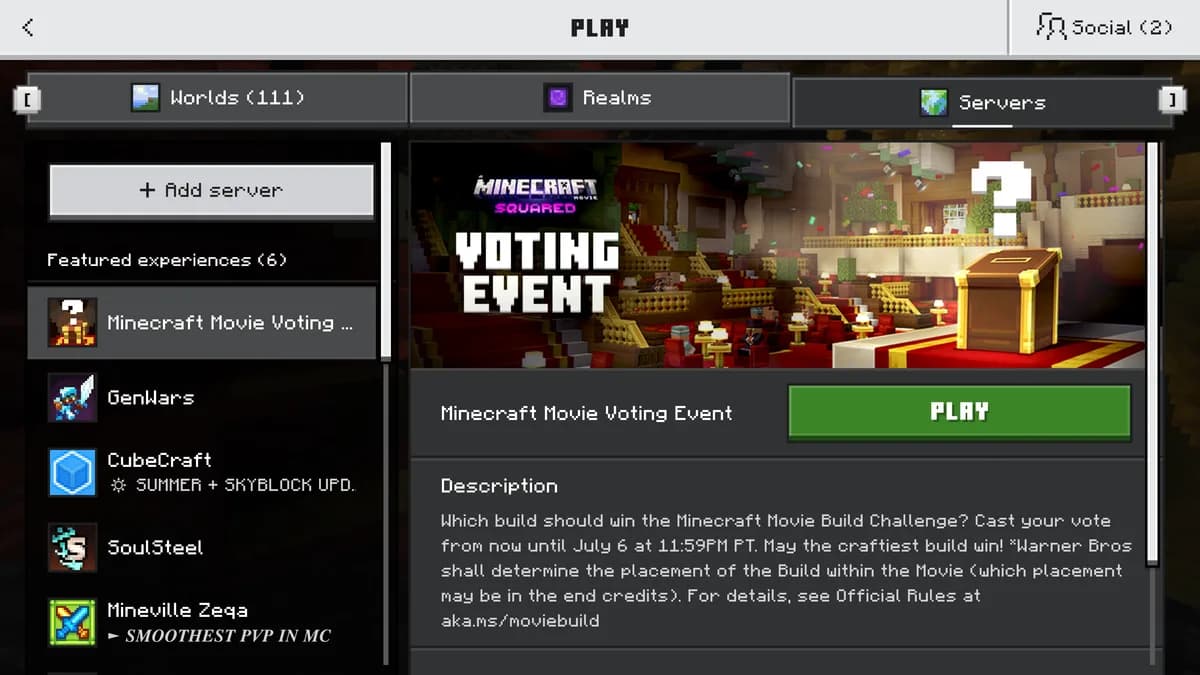
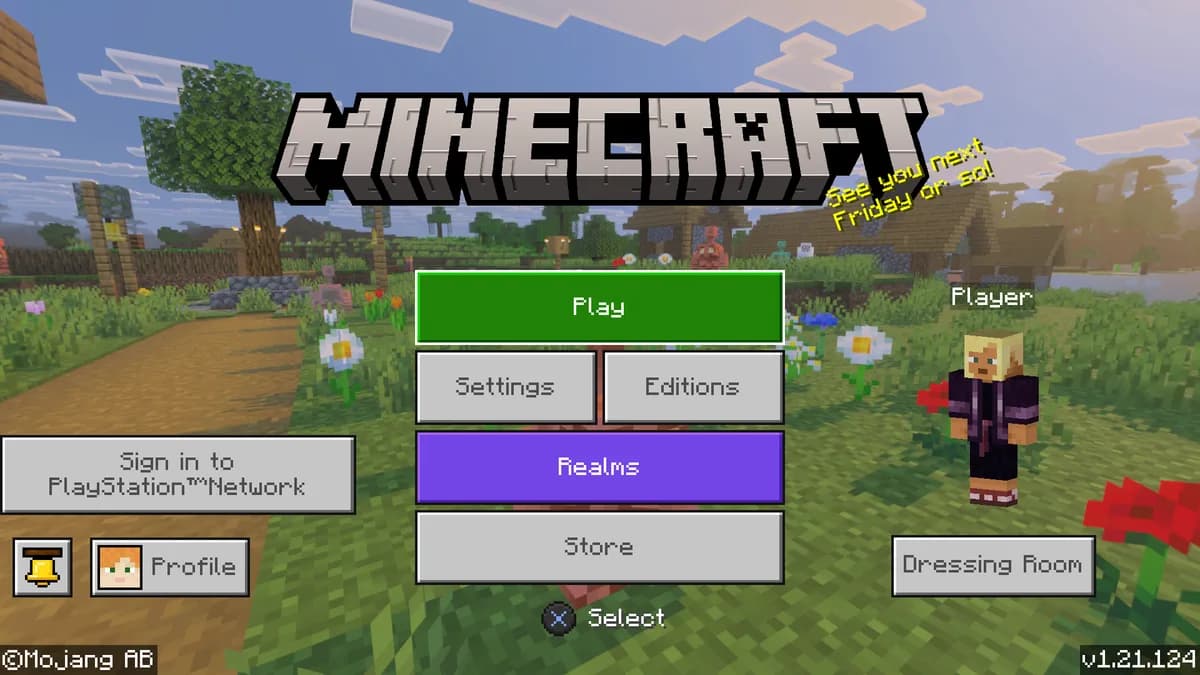
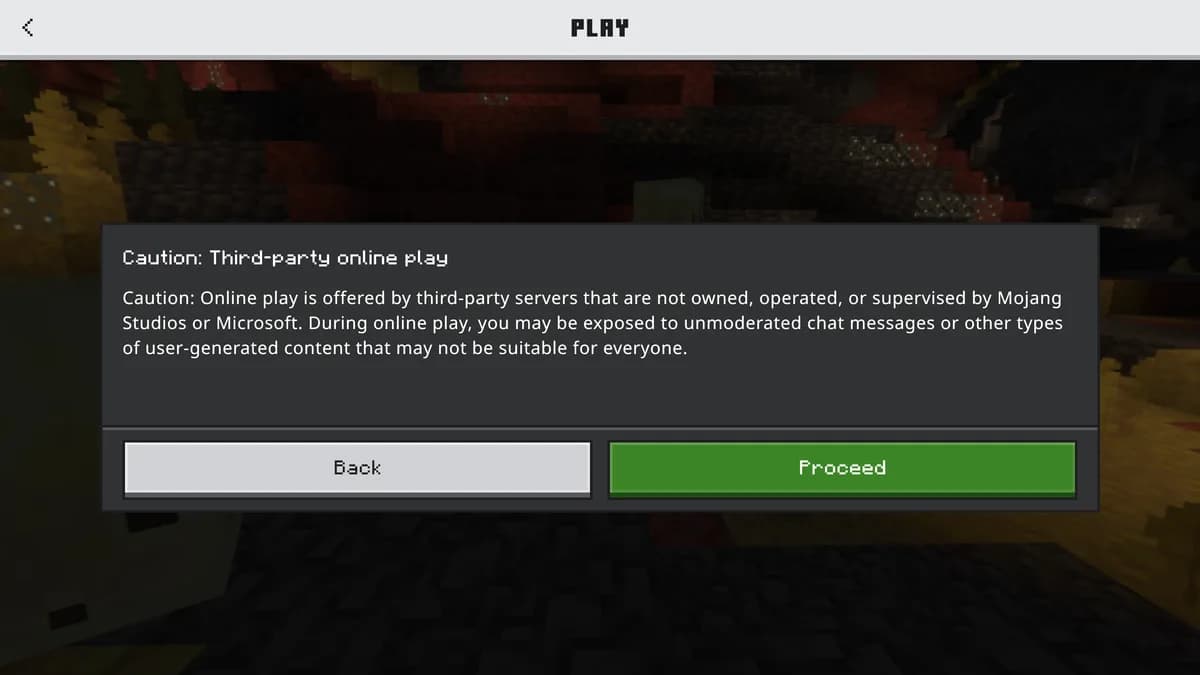
Everything above can be perfect and a console player still cannot get in, because Mojang does not offer the same server list on every platform. On Windows, iOS and Android there is an Add Server button: address, port, done. On Xbox, PlayStation and Nintendo Switch that button is not there. The Servers tab on those platforms shows Mojang partner servers only, and there is no field to put yours in.
The reliable way around it is the Friends tab. A player on Windows or a phone adds your server, joins it, and the console player joins that friend from the Friends tab. It costs one person on a keyboard and after that it works every session. There are also third party DNS redirect services that dress your server up as a featured one; they do work, but they sit between your players and us, they break on console updates, and we cannot fix them for you. Tell your community the Friends route first.
Give people the two addresses separately and label them. Java players need the hostname and the Java port. Bedrock players need the same hostname and the Bedrock port, entered in the port field rather than glued onto the address with a colon, which is a habit Java players bring with them and Bedrock does not accept.
6. What still differs once they are inside
Geyser is a translator, not a port, and a handful of things have no clean word in the other language. Worth knowing before someone reports them as bugs.
Resource packs are the big one. A Java pack is invisible to a Bedrock client, no matter what your server.properties says, because the formats are unrelated. If your server leans on a custom pack for item models or a font-based interface, you need a Bedrock version of it as an .mcpack in Geyser's packs folder, and you now maintain two packs. Servers that skin their menus with custom model data feel this immediately; servers running stock textures never notice.
Menus behave, mostly. Anything a plugin draws inside a chest is a chest to Bedrock too, so shops, kits and vote menus carry over. What changes is text input: where Java asks you to type into a sign or an anvil, Bedrock gets a pop-up text box instead. It works, it just does not look like the screenshot in your wiki. Spectator mode has no Bedrock equivalent and is approximated, and some particle effects render differently or not at all.
Everything a plugin does to a player rather than to their screen goes through unchanged, because by the time it reaches your plugins a Bedrock player is just a player: economy balances, permission groups, claim regions, chat formatting, playtime tracking. That is the whole argument for bridging on a Java server rather than running a second Bedrock one. You keep one world, one economy and one set of plugins, and the second edition arrives as extra players instead of as a second server to administer.
Which is worth the afternoon for exactly the groups who already split across devices: a friend group where two people are on a console, a household where the parents are on a laptop and the kids on tablets, a classroom set of shared devices, or a public server that would rather not turn away the larger half of the player base. If everyone you play with is on a PC, none of this buys you anything and you can skip it.
7. When it does not work
Crossplay fails in a small number of ways, and each one has a distinct symptom. Read the symptom, not the plugin list.
| Symptom | Cause | Fix |
|---|---|---|
| The server never appears in the Bedrock server list | The Bedrock port is not reachable. Bedrock speaks RakNet over UDP, so a TCP-only port forward or a single allocation will not carry it. | Add a second allocation for UDP 19132 in the panel and point bedrock.port at it. |
| It connects, then drops with a login or authentication error | auth-type is still online, which is the shipped default. Geyser is then asking every Bedrock player for a Java account. | Set remote.auth-type to floodgate and restart, with Floodgate installed alongside Geyser. |
| Bedrock players join but are kicked by your whitelist or permissions plugin | Floodgate names carry a prefix, so .Steve and Steve are two different names to every plugin that stores a string. | Whitelist the prefixed name, or use UUIDs, which Floodgate keeps stable per Xbox account. |
| Bedrock players are refused while Java players get in fine | Geyser speaks the newest Java protocol it supports. On an older server version that protocol is unknown. | Install ViaVersion and ViaBackwards on the server, or move the server to the newest version. |
| The port changes and crossplay dies after a restart | clone-remote-port is true, which makes Geyser follow the Java port instead of its own. | Leave it false here. Your allocations are fixed, so the Bedrock port should be fixed too. |
8. What this costs you in resources
Geyser holds an open session per Bedrock player and rewrites every packet in both directions. That is CPU work rather than a memory pool, and it scales with how many Bedrock players you have, not with how many you allow. The practical consequence is not a bigger plan, it is headroom: a box already at its limit with Java players will show the strain first on the Bedrock side, as rubber-banding around chunk borders.
Our smallest plan, Starter, is 2 vCPU and 8 GB at €12.95 for a single month, or €10.95 a month on a twenty-four month term, and it runs Geyser and Floodgate without argument. The step up, Standard, adds 1 vCPU and 4 GB over it, which is the margin to buy if Geyser is going on top of a server that is already carrying plugins. The requirement that actually matters is the one from the first section: pick software that can load plugins.
Choosing which edition to build on in the first place is a separate question, and Java vs Bedrock answers it. For plans and pricing on a crossplay-ready server, see Bedrock hosting, or compare every option on server types.
9. Or let us do it
Everything above is yours to run, and Geyser and Floodgate cost nothing. The work is in the parts this guide just walked you through: a second port, the build that matches your server software, and a config that stops working the day one of them updates.
That is what a crossplay plan is. We put Geyser and Floodgate on your server and set the port before you get it, and once a month we send a real Bedrock ping to your own address to see whether a phone or console player can still join. If the answer is no, we fix it, and you hear it from us instead of from your players.
Or have the Copilot set the crossplay up
Everything on this page can be done by hand and the steps are here for a reason. If you would rather not, the AI Copilot does the same job from one sentence: Geyser is in the vetted list it installs from, it resolves the build for your server software and Minecraft version at that moment, it writes the config file, and it reads your startup log back to see whether the port really opened. The long version, the one that is an afternoon of clicking by hand, is what the Quasar engine is for: up to 30 steps in a single message, each step reading the real answer from the server before the next one starts. It still cannot restart your server without your click, and one button under the message takes the whole thing back.
Questions people ask about crossplay
Can an Xbox or PlayStation join my server directly?
Not by typing the address: those platforms have no Add Server field at all. The console player joins through the Friends tab, following somebody on Windows or a phone who added the server normally.
Do Bedrock players need a Java account?
Only if Geyser is running standalone, which is what Forge and Vanilla force. With Floodgate next to Geyser they are authenticated against Xbox Live instead, and that is the whole point of installing it.
Does Floodgate mean my server is cracked?
No. server.properties stays on online-mode=true. Floodgate is a second front door with its own lock, not an open one.
Do my plugins still work for Bedrock players?
Anything that acts on a player rather than on their screen does: economy, permissions, claims, chat. Resource packs do not cross over, and text input looks different.
Do I need a bigger plan for crossplay?
Not for the plugin itself, but for the headroom. Geyser costs CPU per connected Bedrock player, so a server already running at its limit is where it shows first.
Plans that run Geyser and Floodgate
 Starter8 GB€10.9524-month term · €10.95/mo, and the same price every time it renews
 Standard12 GB€14.9524-month term · €14.95/mo, and the same price every time it renews
See all 21 plans across three editionsAnswer four questions and get the size
Both tables are built from the same two lists the checkout validates against: the server software dropdown and the version dropdown. Order a combination that is not in them and it does not exist here either.
Two protocols inside one tick
Geyser translates every Bedrock packet into something the Java server understands, and that translation happens on the same core that runs the world. With a handful of players nobody notices. With a full server it is real work, and it lands on top of everything else. Crossplay exists on the Performance line too, on an AMD Ryzen 9 5900X in Germany or an AMD Ryzen 9 7950X with DDR5 RAM in Poland.
Console players and Bedrock worlds
Console players need a couple of extra steps on their own side before they can join a Java server, and How to Let Console Players Join Your Java Server goes through them. Moving an existing Java world over to Bedrock is a separate job: How to Convert a Java World to Bedrock Format.
Written and checked by the Astroworld Hosting team. Last reviewed on 6 September 2026.
Delivery: most servers are handed over instantly and run within seconds of payment, the rest follow within 60 minutes during the day and within 12 hours at night.