What you get
Restore a Minecraft server from a backup
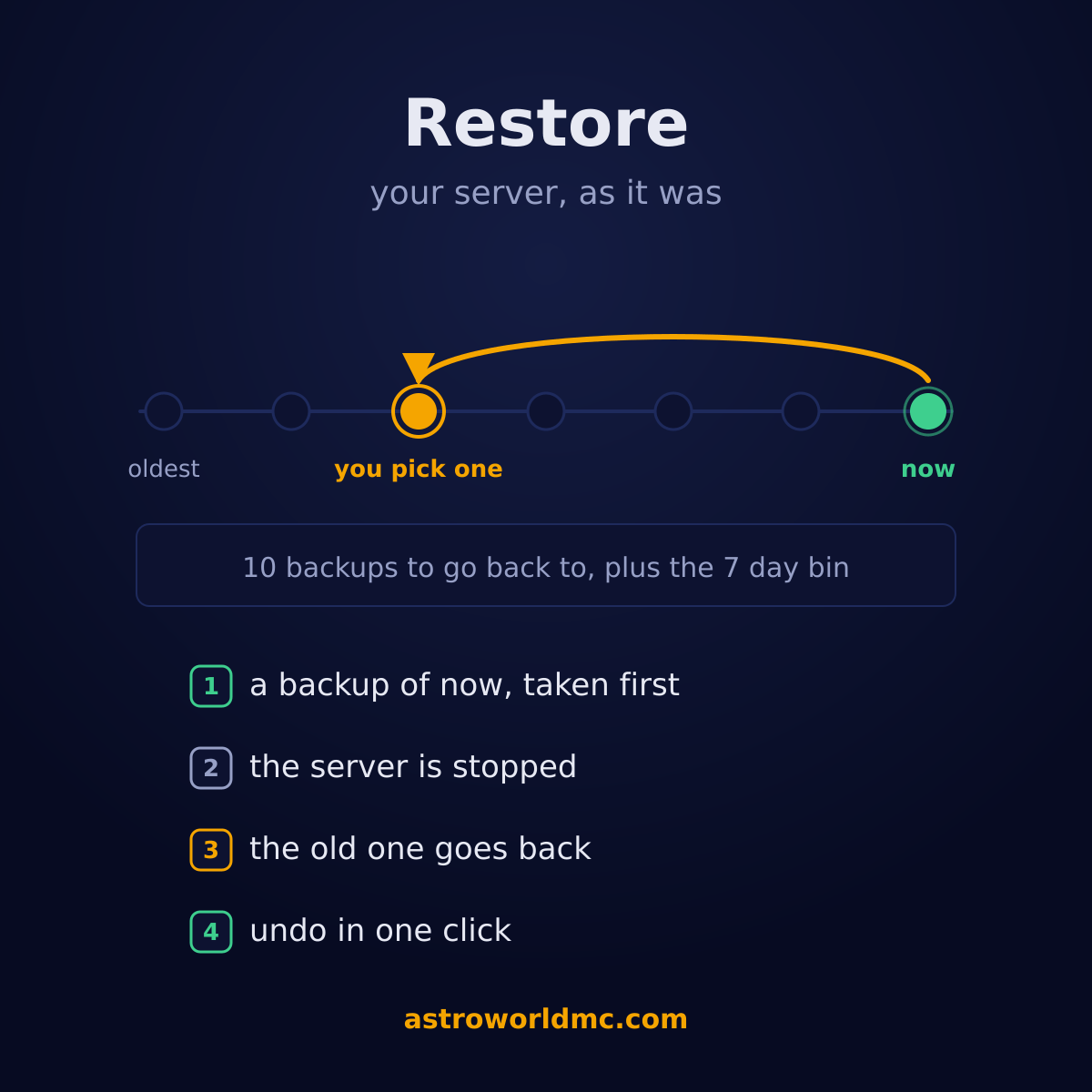
Something is gone, or something was ruined, and you want the server back the way it was this morning. That is four steps and about as long as a backup takes. What is different here is that you can also just ask for it, and that the thing you are leaving behind gets its own backup before the old one goes back, so a restore is not a door that only opens one way.
What goes back, and what stays exactly as it is
A backup here is the whole server folder, so a restore is not a world import: it is your server on that moment, in one go. What sits outside that folder is ours and is not touched, which is why nobody has to change an address or log in again afterwards.
| What | Restore | What that means |
|---|---|---|
| Your world, exactly as it was | goes back | The overworld, the nether and the end as they stood at the moment of that backup, with every block, chest and player position in them. A backup here is the whole server folder, not a world export, so nothing has to be stitched back together afterwards. |
| Plugins, mods and their configuration | goes back | The jars that were installed then, and the config files they had then. A plugin you added after that backup is gone from the server after the restore, and one you removed is back, which is exactly why a restore is the fix for an update that went wrong. |
| Server settings and player lists | goes back | Your server.properties, your operator list, your whitelist and your bans, all as they were. If someone handed themselves operator rights an hour ago, a restore from before that takes those rights away with everything else. |
| Your play address and your plan | stays as it is | The address your players saved does not move, your plan does not change, and your subdomain keeps pointing at the same server. A restore happens inside the server, so nobody outside has to be told anything. |
| Your panel account and your staff | stays as it is | Who can sign in to the panel, which of your staff has which rights, and the activity history of what happened are ours and not part of the archive, so they survive the restore untouched. |
| Your other backups | stays as it is | Restoring one does not use it up and does not remove it. All 10 slots and the 7 day bin are still there afterwards, so you can go back and forth between two moments until you have the one you meant. |
Why your server has to be off for it
A running Minecraft server keeps the world in memory and writes it back to disk when it stops. Restore while it is up and the server saves its own version over what you just put back, so half an hour later you are looking at the damage again and nobody can explain why. The panel refuses to restore a running server for that reason, and the AI stops the server and waits until the container really reports itself off before it goes on. It is one of the few places where being told no is the whole point.
Restore it yourself, in four steps
Open the Backups tab and pick the moment
Every backup is listed with the time it was taken and its size, newest first. The one in the bin is listed underneath and can be restored just like the others. Pick the last one from before whatever went wrong rather than the newest one, because the newest may already contain it.
Stop the server
Restoring is refused while the container is running, and that refusal is the feature. A running server holds the world in memory and writes it back when it shuts down, so a restore with the server up would quietly be undone a minute later.
Press Restore and confirm
The panel says in plain words what is about to happen: every file in the server folder is replaced by the ones from that backup. It then unpacks the archive over the server, which takes about as long as the backup itself took.
Start the server and check the console
The first lines of the log tell you which world loaded and which plugins came up, so you know within seconds whether you landed on the moment you wanted. If you did not, the backup you were on is still in the list.
Or ask the AI Copilot to do it
"Put the server back to how it was yesterday evening" is a complete instruction to the AI Copilot that sits in your panel on every plan. It runs the same four steps you would, in the same order, and it says out loud what it is doing while it happens.
It looks at what there is to go back to
It reads your backups with the exact time each one was taken. There is no restore to a point in time anywhere in Minecraft hosting, here or elsewhere, so if you ask for yesterday at six it tells you which snapshot is nearest, at what time it was made, and roughly what falls in the gap.
It backs up the present first
Before anything is replaced it takes a backup of your server as it is at that second, and it waits until that backup has actually finished. This is the step that makes the rest reversible: the state you are about to leave is kept, under a name that says so.
It stops the server and waits for it to be off
Same reason as by hand: a running server would write the old world straight back over the restored one. It waits for the container to report that it is really off instead of assuming, and if it does not stop, nothing is restored and nothing on your server has changed.
It restores, and leaves the way back on the card
The backup goes back, the server stays off until you start it, and the card in the chat now carries an Undo that restores the backup it took in step two. One click and you are on the state you had before you asked.
The other direction works too, and it is the one you will use more often: "make a backup before I install these plugins". It takes one, and it checks that the backup actually finished before it touches anything, because a backup that is still running is not a backup yet. On a job of any size it does that without being asked.
The one card the AI never presses itself
The Copilot has three modes, and in the loosest of them it applies its own cards and keeps working. A restore is outside all three. It replaces every file on the server and disconnects the players who are online, so it waits for a person, always, in every mode. Deleting a backup is not something it can do at all, and neither is taking one off its lock.
Restoring also needs the Backups permission on that server, not just permission to use the Copilot. If you gave a moderator the chat but not your backups, the restore is not offered to them, and they are told which permission is missing rather than getting a card that fails when they press it.
The backup of the present, and why it is not a detail
Every other change the Copilot makes carries its own undo: a setting keeps its old value, a written file keeps the version it replaced, an installed plugin can be uninstalled. A restore has no undo of that kind, because the thing it replaces is the entire server. So the card makes one: a backup of your server as it stands at that second, taken and finished before anything is unpacked.
That backup lands in your list under a name that says what it is, and the card in the chat gets an Undo that restores it. Which means the honest version of the promise is not that a restore is safe, it is that a restore is now a move you can take back. If the backup you picked turns out to be an hour too early, you are one click from the way it was before you asked.
After griefing: restore first, then close the hole
Rolling back is the visible half. The half that decides whether it happens again is how they got in, and the answer is usually dull: an operator handed out and forgotten, a whitelist that does not actually remove people, remote console open with a short password, or a plugin behind on a release where the hole is already public. The AI security check in the same panel runs 31 checks on your own server and comes back with each finding marked critical, a warning, or passed. Do the restore, then read that list before you open the gates again.
What can stop a restore
A backup that never finished is refused rather than unpacked half way, and one that is still being written waits until it is complete. Both say so in the list, so you can see which of your backups are ready long before the day you need one. If every slot you have is locked, the panel tells you to unlock one instead of forcing something out, and nothing is ever deleted to make room: the oldest moves to the bin and stays there for 7 days.
Questions about restoring a Minecraft server
How do I restore a Minecraft server from a backup?
Open the Backups tab of your server, stop the server, and press Restore on the backup you want. Every file in the server folder is replaced by the ones from that backup, and you start the server again yourself. It takes about as long as making the backup took, and you can do it as often as you like at any hour.
Can the AI restore my Minecraft server for me?
Yes, the AI Copilot in your panel can do the whole thing from a sentence like "put the server back to how it was yesterday evening". It never presses the button itself in any of its three modes, because a restore replaces every file and disconnects whoever is playing, so it prepares a card and waits for your click. Before it restores it takes a backup of the server as it is at that moment, so the restore can be undone with one click as well.
What do I lose when I restore a backup?
Everything that happened between the moment of that backup and now: blocks built, items collected, plugins installed, settings changed. That is why the AI takes a backup of the present before it restores, and why you can take one yourself first: the state you are leaving is then kept as its own backup, and you can go back to it in one click if the older moment turns out to be the wrong one.
Does my server have to be off to restore a backup?
Yes, and the panel refuses while it is running rather than letting it half work. A running Minecraft server holds the world in memory and writes it back to disk when it shuts down, so a restore done with the server up is silently undone by the server itself a minute later. Stopping it first is the difference between a restore that holds and one that seems to work.
How far back can I go?
As far as your oldest backup, which is normally 10 nights, plus the one in the bin. When a new backup needs room the oldest does not disappear: it moves to a bin that holds it for another 7 days, and it can be restored straight out of there. Lock a backup and it never rolls off at all, which is worth doing before a big update.
Someone griefed my server. Do I just restore?
Restore first, because every hour that passes is another hour of building on top of the damage. Then find out how they got in, otherwise the same person walks back in the same way. The AI security check in your panel runs 31 checks on exactly that: who is operator, who was made operator recently, whether taking someone off the whitelist actually removes them, which ports are open, and what the recent console log says about rights being handed out.
Why can a backup not be restored?
Only two reasons. A backup that never finished, because the copy was interrupted, cannot be restored and is refused rather than unpacked half way. And a backup that is still being written is not a backup yet, so it waits until it is complete. Both show their state in the list, so you can see which of your backups are ready before you need them.
Does restoring cost anything?
No. Restoring, downloading and taking backups are all included on every plan, with no limit on how often you restore. The AI Copilot spends credits when it works for you, and every plan comes with credits included, but the backup and the restore themselves are free either way.
Where to find it
Restoring is on the Backups tab of every server, and the Copilot is one tab further down. There is nothing to order and nothing to switch on: both are included on every plan, on the smallest and on the largest.
How the backups themselves work Everything the AI Copilot can do The AI security check, for after a griefing The AI performance check, for lag The panel all of this lives in Installing plugins, the thing worth a backup first What is included with every plan View plans and prices Ask us a question first
The 10 slots, the 7 day bin and the steps on this page are read from the code that runs the backups and the restore when this page is built, so they change with the product instead of being written down twice. Written 30 August 2026.
Written and checked by the Astroworld Hosting team. Last reviewed on 6 September 2026.
Delivery: most servers are handed over instantly and run within seconds of payment, the rest follow within 60 minutes during the day and within 12 hours at night.