What you get
Minecraft server backups, taken every night, on every plan
The person who loses their world is never the person who should have ticked a box three months earlier. So we stopped selling the schedule. A backup of your server is made for you every night, on the smallest plan and the largest, and what you press yourself comes on top of that.
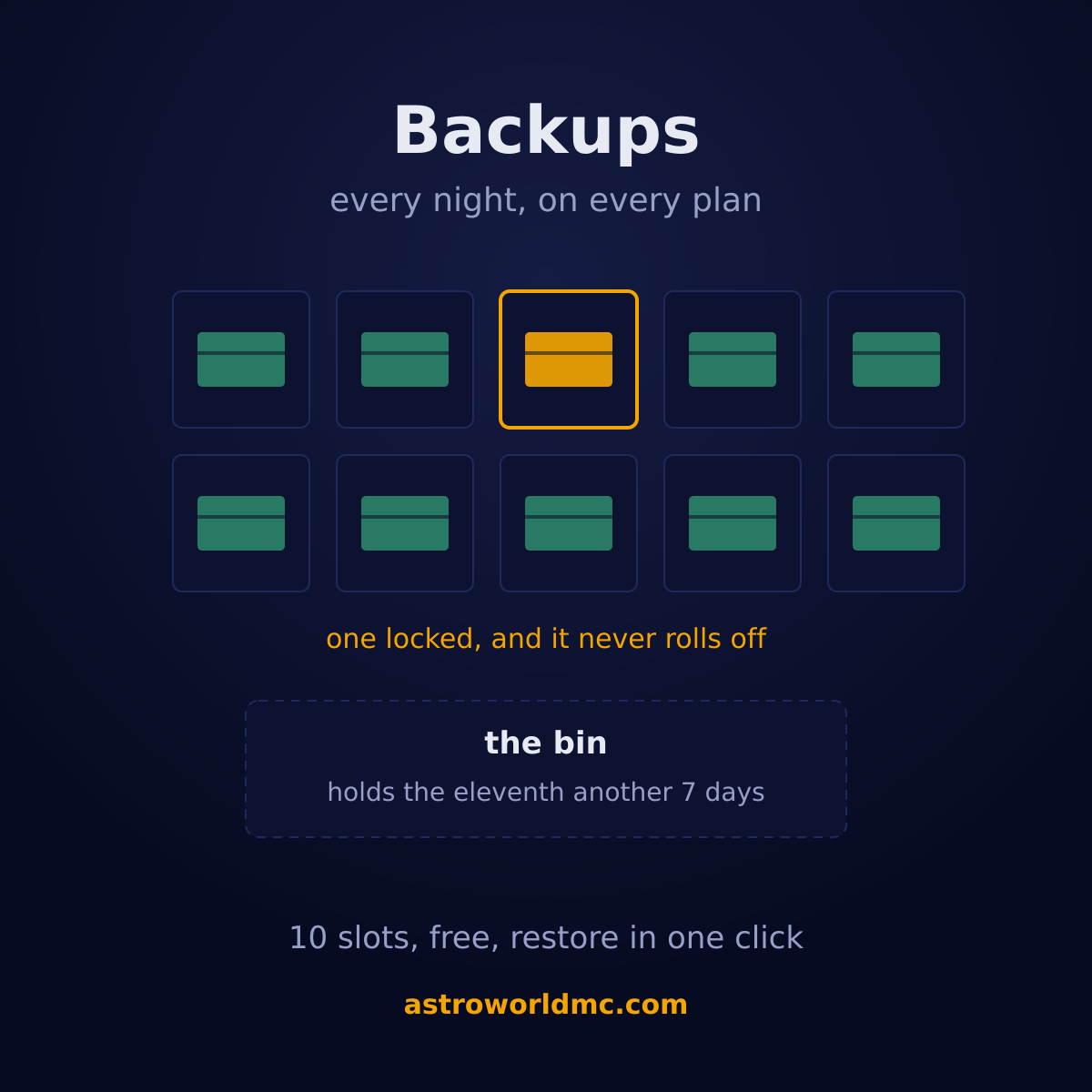
10 slots, a bin of one, and no invoice
Until 24 August 2026 this went the other way here: the daily schedule was an add-on at €1.89 a month, and without it you pressed the button yourself and the panel opened it again seven days later. The money bought the schedule, not the backups. That is now included with every plan, the add-on stands at €0.00, and the checkout refuses to sell you something you already have.
What follows is the whole arrangement, and every number in it comes out of the code that runs the nightly round rather than out of a marketing page.
How the backups work
| Rule | What it means for you |
|---|---|
| One every night, on every plan | A round runs once every twenty-four hours and takes one for you. It looks at the clock of your last backup rather than at its own schedule, so a round that does not run is caught up by the next one instead of skipped. Your server does not have to stop for it: a nightly stop is an outage for players in another timezone, and that is not a trade worth making. |
| 10 slots you keep | You hold 10 backups, as many as the storage that comes with your plan can carry. Together they may take up to 3 times your plan's disk, which in practice almost nobody reaches: a world compresses hard, and the first real measurement here was a 262 MB backup on a plan with tens of gigabytes. If you do reach it you keep fewer, and the panel says how much room your backups take instead of a backup failing on a full disk. |
| A bin that holds the eleventh for 7 days | When a new backup needs room the oldest does not disappear, it moves to a bin and stays there for another 7 days. That oldest one is usually exactly the one from before whatever went wrong, and people notice an emptied world on day three, not on day one. |
| Lock one and it never rolls off | The copy from just before the big update is worth more than the nine after it. Lock it and it never goes to the bin and never goes away, not by rotation and not by the nightly round. If all your slots are locked the round says so and skips, rather than forcing something out. |
| Restore in one click, never rationed | Restoring is a button, at any hour, as often as you want. The server has to be stopped for it, and the panel says so before it starts: a running server holds the world in memory and would write it straight back over what you just restored. |
| Download it to your own disk | Any backup can be pulled down to your own machine, through our domain rather than the machine your server runs on. Your world is yours, including on the day you decide to host it somewhere else. |
| Add your own schedule on top | The nightly one is ours. If you want a second one at your own hour, the Schedules tab takes a plain recurrence, every night at four or every Sunday, and writes the cron itself. It needs nothing extra. |
| Taken for you before anything dangerous | A world reset will not delete a world folder until a backup has actually completed, and switching your server type takes one and waits for it to finish before converting. That backup is not rationed by your plan, because safety should never depend on what somebody bought. |
How to back up and restore a Minecraft server
Do nothing, you already have one
Your server was backed up last night and will be again tonight, on every plan and at no charge. The Backups tab shows when the last automatic one ran, so you can see it rather than take our word for it.
Take one yourself before you change something
Press Create Backup on the Backups tab, give it a name like before the big build, and it is made while the server keeps running. This is the habit worth having: take one before a pack update, not after.
Lock the one you do not want to lose
Locking a backup takes it out of the rotation for good. It never moves to the bin and the nightly round never removes it, so the copy from before the change stays there however many new ones arrive.
Restore it, or download it
Restoring is one click with the server stopped, and it replaces everything on the server with that archive. Downloading gives you the same archive on your own disk, which is the version of this that nobody can take away from you.
Or just ask for it in the chat
Everything above is a button on the Backups tab, and every one of those buttons stays. Next to them sits the AI Copilot, and it can do the same things from a sentence. "Make a backup before I install these plugins" is a normal thing to type at it: it takes one, and it checks that the backup really finished before it touches your plugins, because a backup that is still running is not a backup yet. On a job of any size it does that on its own initiative, without being asked.
"Put the server back to how it was yesterday evening" works too, and it is the one the rules are built around. There is no restore to a point in time, here or anywhere: there are snapshots. So it shows you what it has, names the one nearest to the moment you asked for with the time it was taken, and says what falls in the gap before it prepares anything.
Then it stops. A restore is the one card it never presses itself, in any of its three modes, because it replaces every file on your server and disconnects whoever is playing. You press Restore. And before it puts the old backup back it takes a fresh one of your server as it is at that second, so the restore itself has a way back: one click and you are on the state you had before you asked. Deleting a backup is not something it can do at all.
Restoring a backup has its own page with the four steps you take yourself, the four the Copilot takes, what goes back and what stays exactly as it is, and why the server has to be off for it.
Questions about Minecraft server backups
Can I ask the AI to make a backup before it changes something?
Yes. "Make a backup before I install these plugins" is a normal sentence to the AI Copilot in your panel, and on a job of any size it takes one without being asked. It also checks that the backup finished before it starts changing anything, because a backup that is still running is not a backup yet.
Can the AI restore my server to how it was yesterday?
It can restore any of your 10 backups, and it says which one is nearest to the moment you name, because backups are snapshots and not a point in time. It never presses the button itself, in any mode: a restore replaces every file on the server and disconnects whoever is online, so it waits for your click. Before it restores, it takes a backup of your server as it is at that moment, so the restore can be undone with one click as well.
Are Minecraft server backups free at Astroworld?
Yes, on every plan. Until 24 August 2026 the daily schedule was an add-on at €1.89 a month and without it you took one by hand every seven days. That was turned around: every server now gets one every night, at no charge, and the add-on stands at €0.00 with the checkout refusing to sell it.
How many backups do I keep?
10, as many as the storage that comes with your plan can carry. When a new one needs room the oldest moves to a bin that holds it for another 7 days, so nothing disappears the moment it rolls off.
How often is my Minecraft server backed up?
Once every twenty-four hours, automatically. The round checks the time of your last backup rather than its own schedule, so if a run is missed the next one catches up instead of skipping a day. You can add as many of your own on top as your slots allow.
Does my server go down while it is backed up?
No. The backup is taken with the server running. A backup with the server stopped is certainly consistent, but a nightly stop is an outage for players in another timezone, and that is not a trade worth making for the difference.
How do I restore a Minecraft server backup?
One click on the Backups tab, with the server stopped. Everything on the server is replaced by that archive, and the panel says so plainly before it starts. Restoring is never rationed, at any hour and as often as you need.
What happens to the oldest backup when a new one is made?
It moves to a bin and stays there for another 7 days before it really goes, unless you locked it, in which case it never moves at all. Nothing is thrown away to make room without spending those days in the bin first.
Can I download my Minecraft server backup?
Yes, any of them, to your own disk. It comes down through our own domain rather than the machine your server runs on, so the node stays invisible and the file is simply yours.
Will I lose my world if I reset it or change server type?
Not without a backup existing first. A world reset refuses to remove a world folder until a backup has completed, and switching your server type takes one and waits for it to finish before it converts anything. Both refuse to run at all while the container is up.
Do bigger plans get more backups?
Every plan gets the same 10 slots and the same nightly round. What differs is the disk: the backups together may take up to 3 times the storage that comes with your plan, so a very large world can hold fewer of them, and the panel shows you exactly how much room they take.
Can I schedule my own backup at a specific time?
Yes, on the Schedules tab, and it needs no add-on. You pick the recurrence in plain language and we write the cron. That schedule sits on top of the nightly round rather than replacing it.
Where to find it
Backups are on the Backups tab of every server, next to your files and your console. There is nothing to order and nothing to switch on.
If you would rather be told than go and look, the nightly one can say so in your own Discord. It is one of the events you tick in Discord notifications, on from the moment you paste a webhook, so a backup that did not finish is something you find out that evening rather than on the day you need it.
How to restore one of them Uploading your own world The panel these backups live in What is included with every plan The AI Copilot, which can take and restore these for you The AI security check on your server Getting the backup result in your Discord What we commit to in writing View plans and prices Ask us a question first
The 10 slots, the 7 day bin and the 3 times disk ceiling are read from the code that runs the nightly round when this page is built, so they change with the product. Written 30 August 2026.
Written and checked by the Astroworld Hosting team. Last reviewed on 6 September 2026.
Delivery: most servers are handed over instantly and run within seconds of payment, the rest follow within 60 minutes during the day and within 12 hours at night.