How do I make my server private with a whitelist?
Short answerSwitch Whitelist on in the Settings tab, then add your friends on the Players tab under Whitelist with "Add to whitelist". From then on only the people on that list can join.
Turn on the whitelist
Open your panel and go to Settings. Search for Whitelist and switch it on. Save, and restart the server when the panel asks for it.
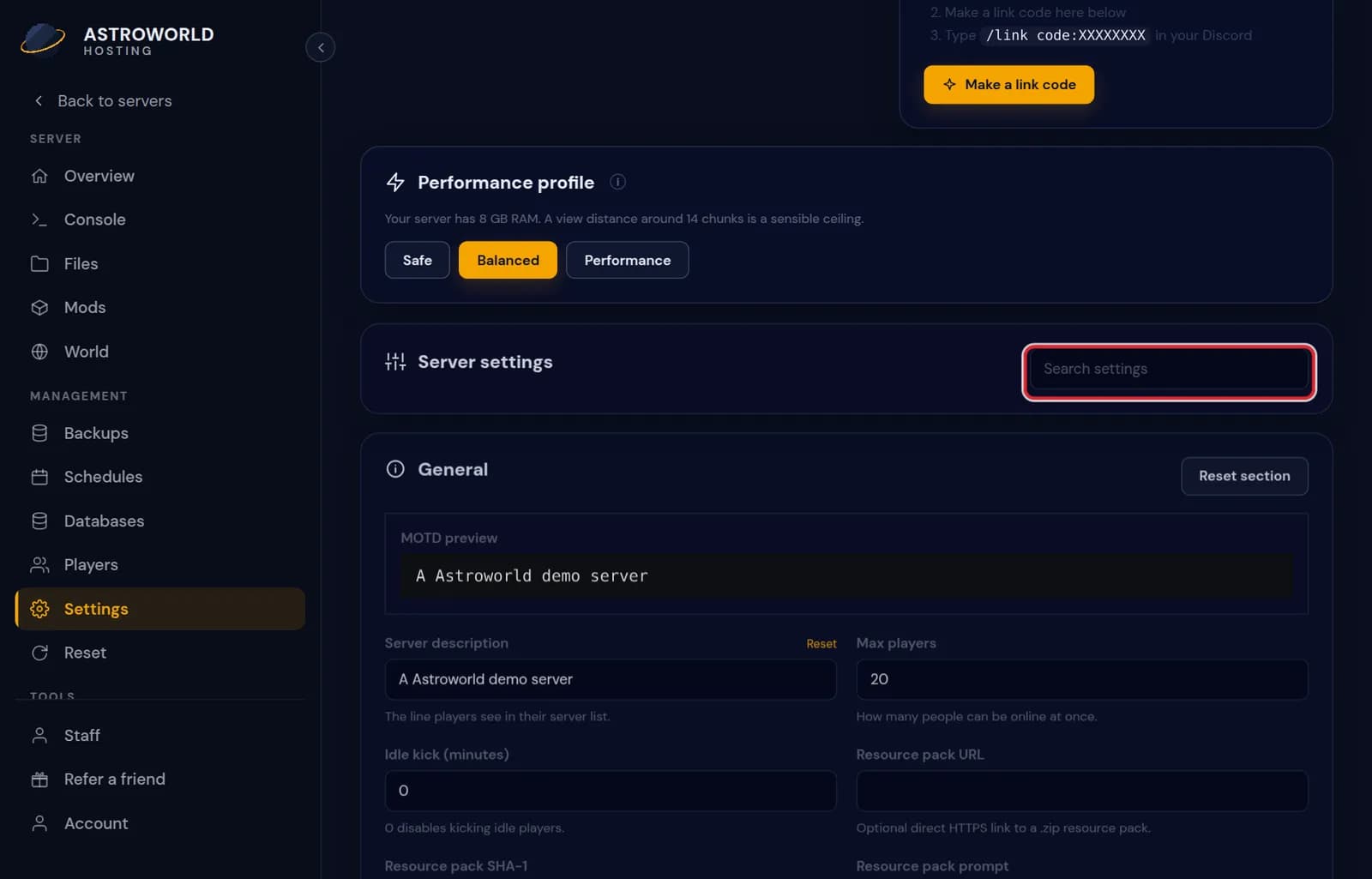
The Settings tab of the server panel with grouped settings and a search box Go to the Players tab, choose Whitelist and press "Add to whitelist".
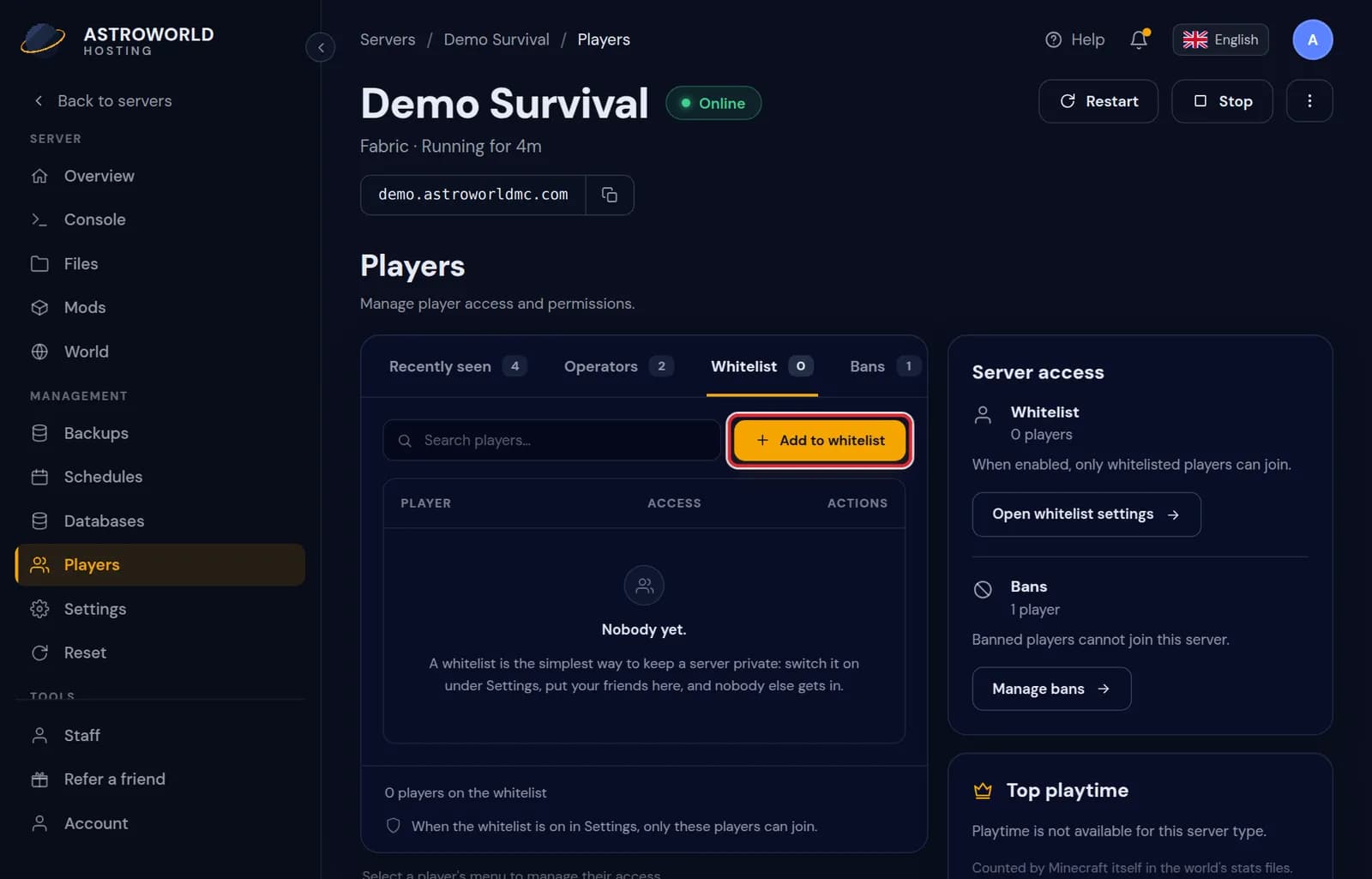
The Whitelist list on the Players tab with the Add to whitelist button Type the Minecraft username of each friend and confirm. Add yourself as well, or you lock yourself out.
Messages you can see
| What it says | What it means and what to do |
|---|---|
Turn on the whitelist before enforcing it. | The panel stops you from switching on enforcement first. Switch on Whitelist, then enforcement, then save. |
You are not whitelisted on this server! | What a player sees in Minecraft when the whitelist is on and their name is not on it. Add them on the Players tab and they can join straight away, without a restart. |
When enabled, only whitelisted players can join. | The explanation next to the switch. Anyone who is already online stays online unless enforcement is on too. |
Whitelist enforcement
Next to Whitelist there is a setting that kicks players who are online but not on the list the moment you turn it on. The panel only lets you switch that on when the whitelist itself is on.
Whitelist or password
Minecraft has no server password. The whitelist is the built in way to keep a server private: the server checks each player's account name against the list when they join. Because it checks the account, a friend who gives your address to someone else does not let that person in.
Add people before they ask
A player who is not on the list sees a message and is sent back, which is a poor first visit. Collect the usernames of your group first, put them all on the list, and only then switch the whitelist on. The player list on the same tab also lets you add anybody who joined recently with "Add to whitelist" from the menu next to their name.
A whitelist and bans together
The two lists do different things. The whitelist says who may come in; a ban says who may never come in, whether or not the whitelist is on. A banned player is kicked if they are online and cannot connect again until you unban them, and you can add a reason that they see.
Questions people also ask
My friend is on the list but still cannot join.
Check the spelling of the username, and on a crossplay server whether they are a Bedrock player who needs the prefix in front of their gamertag. Then check that the whitelist was saved and the server restarted.
Does the whitelist stop griefing by my own friends?
No. It only decides who may join. Once someone is in, what they can break depends on the game and your plugins. Make backups, and use a protection plugin if you share the world with many people.
Can I whitelist someone before they ever joined?
Yes. Type their exact Minecraft username; the panel looks the account up and adds it. They can join the moment they start the game.