How do I set up my server with AI?
Short answerPress Build my server in your server panel and answer six short questions about the server you want. The AI Copilot turns your answers into a backup, the right settings and one set of plugins. Only the type of server is required, and only a note in the last field costs credits.
Build your server with the Copilot
On the overview of your server panel, press Build my server under the Copilot widget.
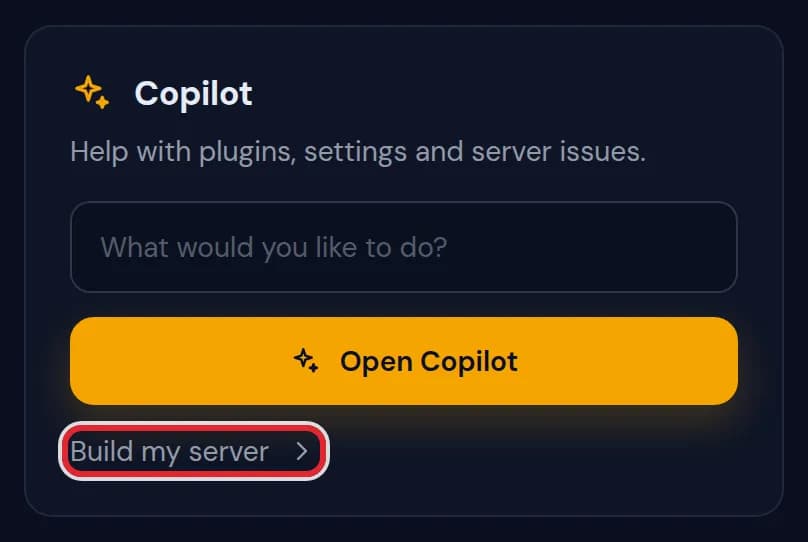
The Copilot widget on the overview with the Build my server link marked in red You can also open Copilot in the sidebar and press Build my server under the question field. Both open the same questions.
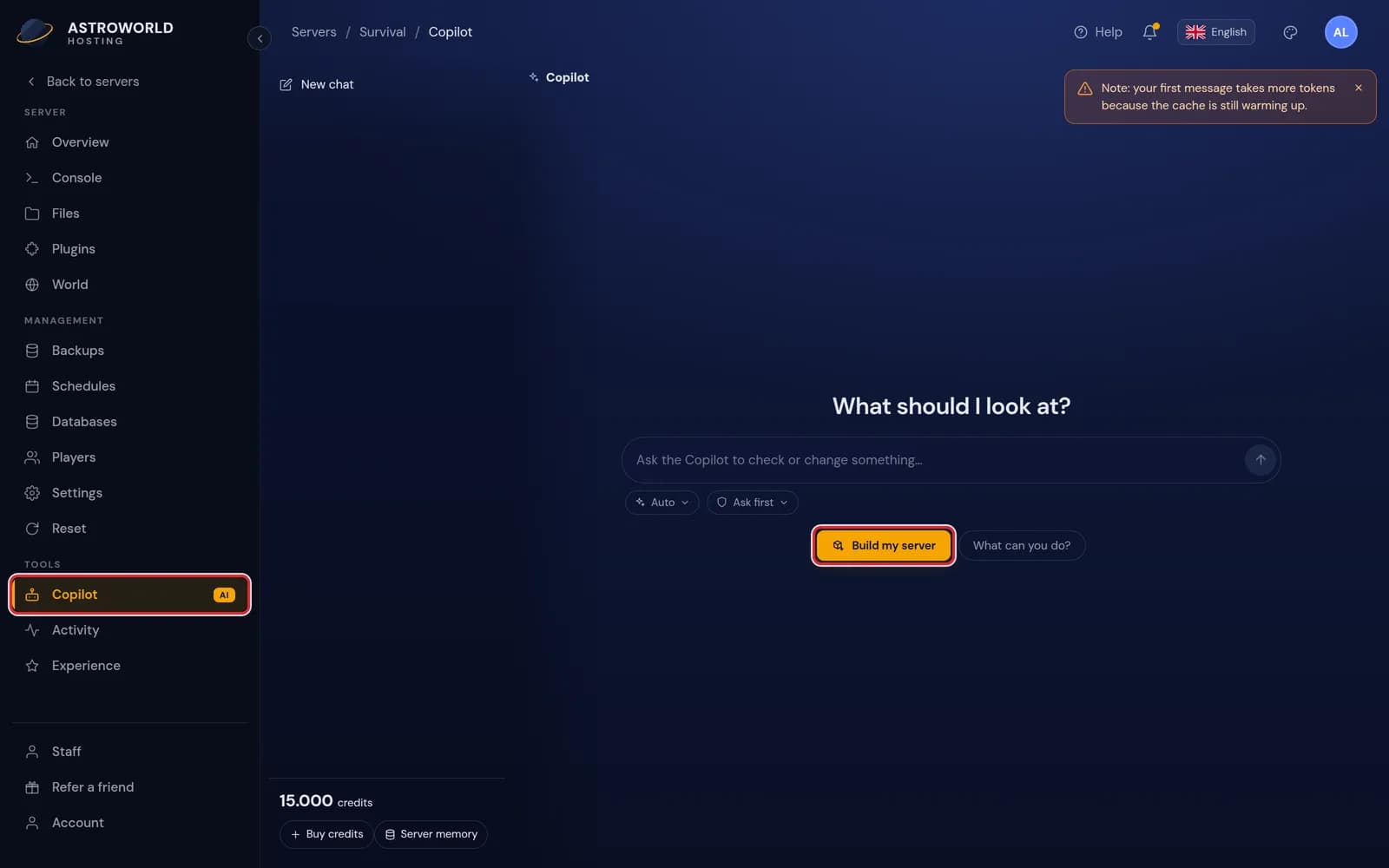
The empty Copilot screen with Copilot in the sidebar and the Build my server button marked in red Answer the questions by clicking an answer: the type of server, how many players, how hard the game should be, PvP, and what players should be able to do. Only the first question is required. For what players can do you can pick as many answers as you want.
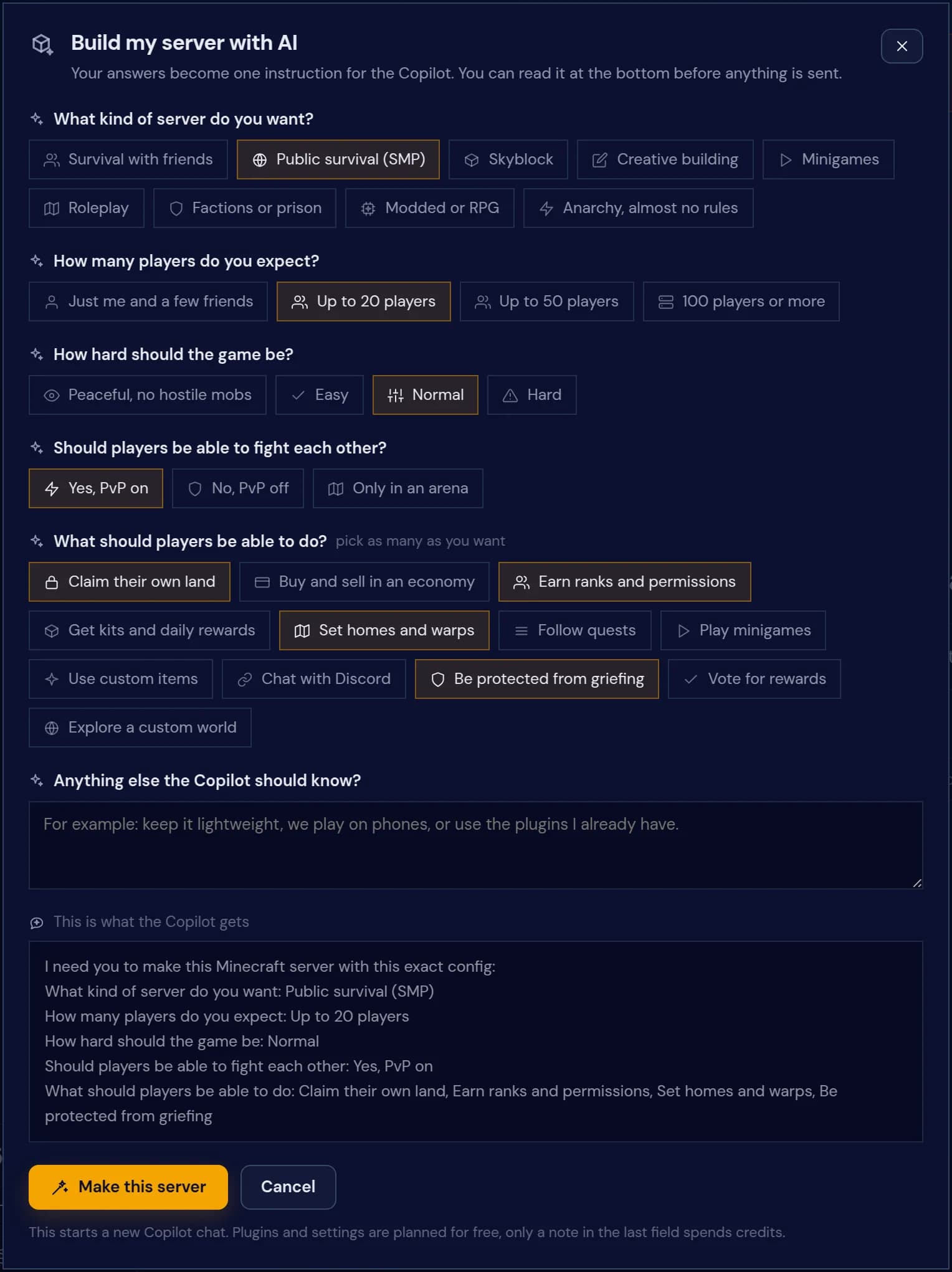
The Build my server with AI window with Public survival, Up to 20 players, Normal, PvP on and four things players can do selected 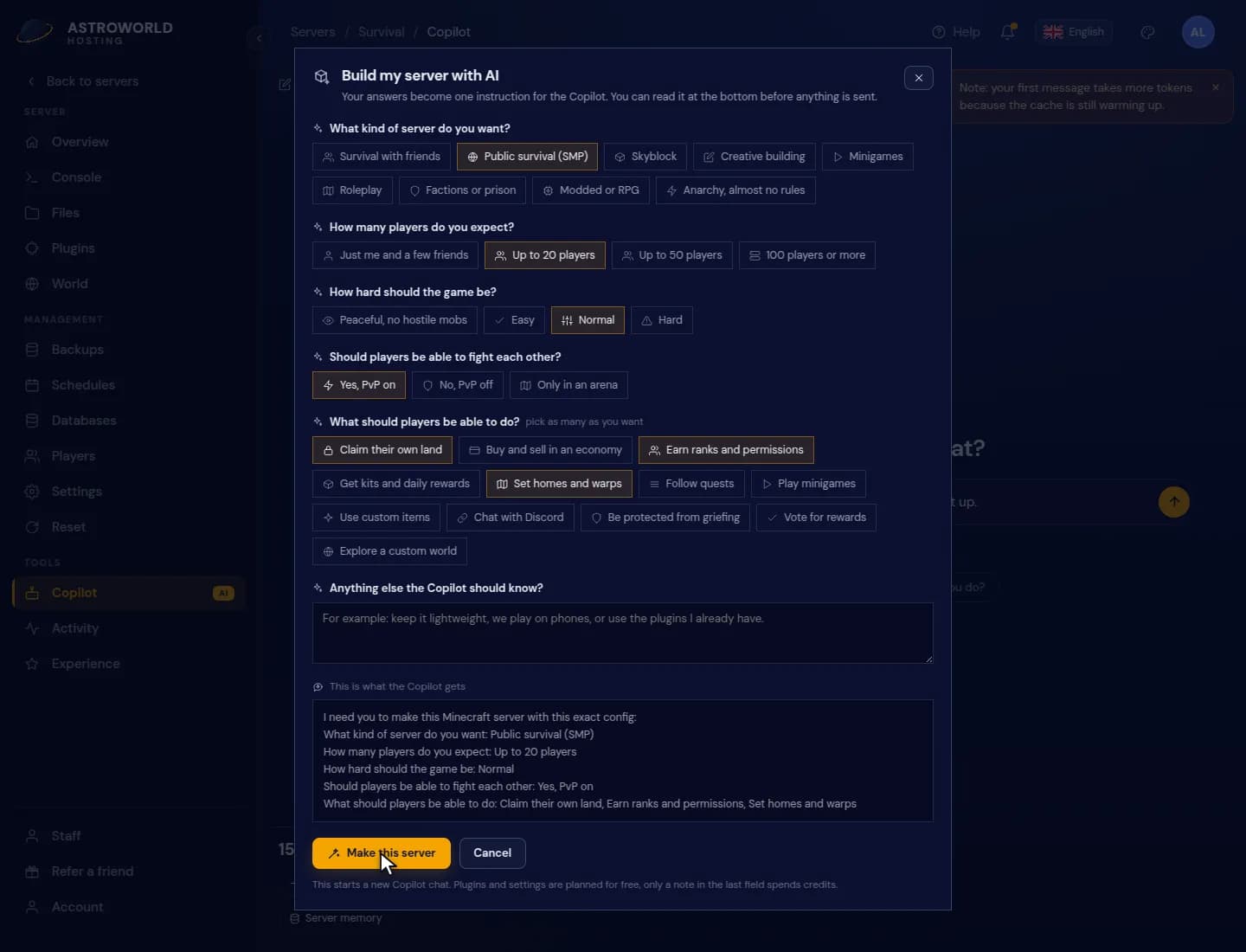
Answering the Build my server questions for a public survival server Read the instruction at the bottom. This is exactly what the Copilot gets. Press Make this server to start a new Copilot chat with it.
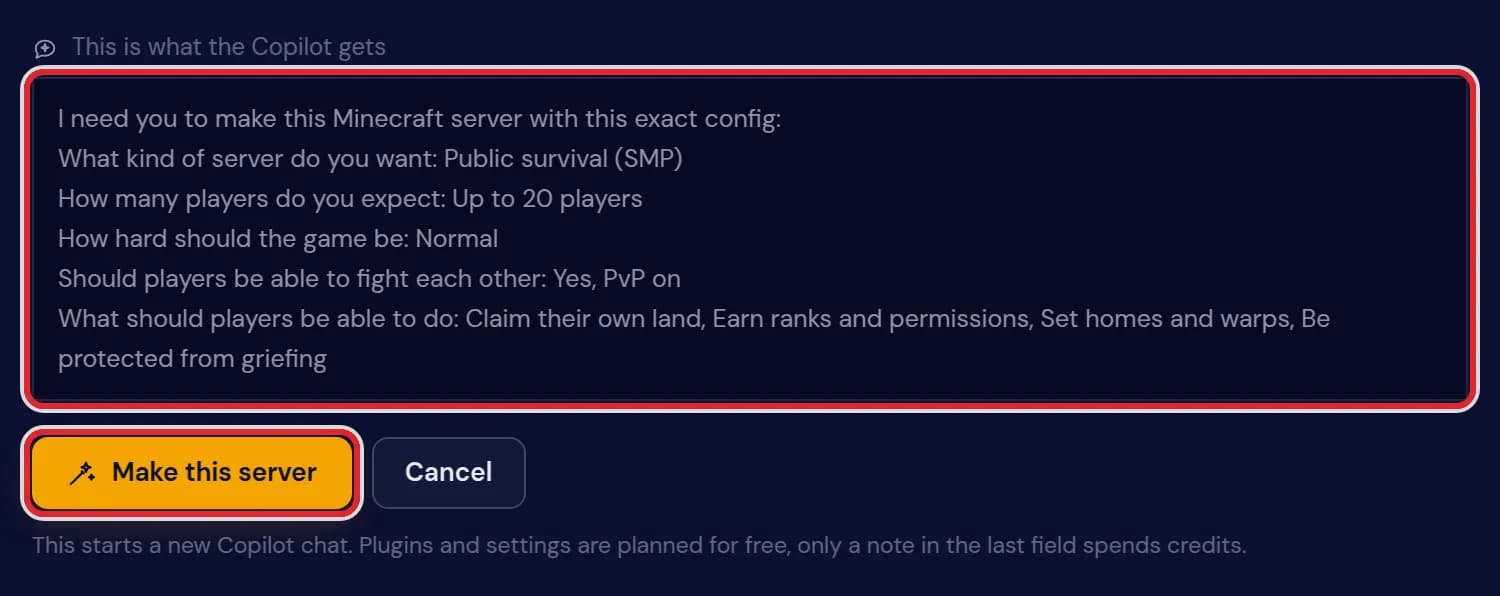
The instruction for the Copilot with one line per answer and the Make this server button marked in red The Copilot shows up to three cards: a backup, the settings, and one card with the plugins that restarts the server once at the end. In Ask first, the standard mode, nothing changes until you press Apply on a card. In Accept edits or Auto the cards go through by themselves, starting with the backup.
What each answer sets up
Public survival (SMP): ranks with LuckPerms, homes, warps and kits with EssentialsX, rollback of griefing with CoreProtect and land claims with GriefPrevention.
Survival with friends: CoreProtect, so you can see who broke what and roll it back.
Skyblock: a skyblock island plugin, LuckPerms and EssentialsX. Creative building: WorldEdit tools, WorldGuard regions, CoreProtect and creative as the default game mode.
Factions or prison: a factions or towns plugin, LuckPerms, EssentialsX, the Vault economy bridge and CoreProtect. Roleplay: LuckPerms, EssentialsX, sitting with GSit, nicknames and CoreProtect. Modded or RPG: skills with AuraSkills, custom mobs and LuckPerms. Minigames: Multiverse for extra worlds, a ready made minigame and LuckPerms.
The player answer sets max-players to 10, 20, 50 or 100. Difficulty and PvP become settings in server.properties.
How the plugins are picked
The plugin names above are the first choice. For each function there is a short list of plugins, best first. The Copilot takes the first one that has a build for your Minecraft version, is not installed yet and does not clash with what you have. If CMI is already on the server, EssentialsX is not added next to it.
Vote for rewards needs a vote listener that is not in our plugin catalog yet, so the plan tells you it left voting out.
What it costs
Planning the backup, settings and plugins from your clicked answers costs no credits. Only a note in the last field, Anything else the Copilot should know, goes to the AI and uses credits.
Questions people also ask
Can I undo what the Copilot set up?
Yes. Every card it applied is in the Activity tab with an Undo button, and the backup it made first holds the server as it was.
Does Build my server delete my existing plugins?
No. It only adds what is missing and skips plugins that would clash with ones you already have.
Can I use it on a server that already has a world?
Yes. Your world stays. Only settings and plugins are added, after a backup.
I do not see Build my server. Why?
The Copilot is not available for your account or your staff role does not include the Copilot right.