Why is my server lagging?
Short answerFirst find out which lag you have. If everyone sees blocks come back and mobs freeze, the server is slow to calculate the world; if only one player rubber bands, it is their connection. The Overview tab and the tps command tell you which.
Find the cause
Open your panel on Overview and look at memory and processor right now, and at the graphs over the last day. A line pinned at the top of memory while players complain points at memory.
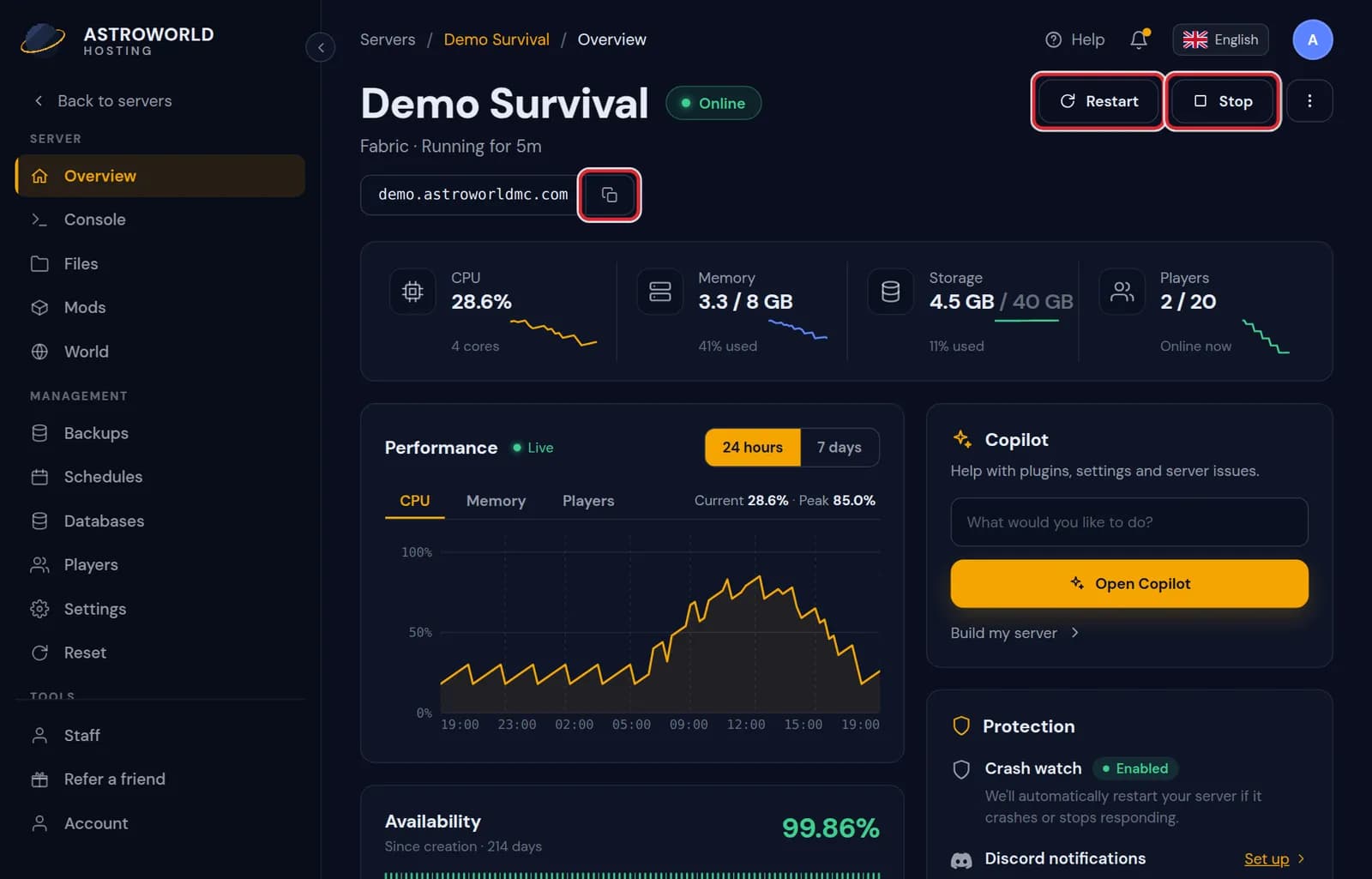
The Overview tab with memory and processor use and the graphs over a day Type tps in the Console while the server runs, or mspt on Paper. 20 TPS is a healthy server; a lower number means the server cannot keep up with the world.
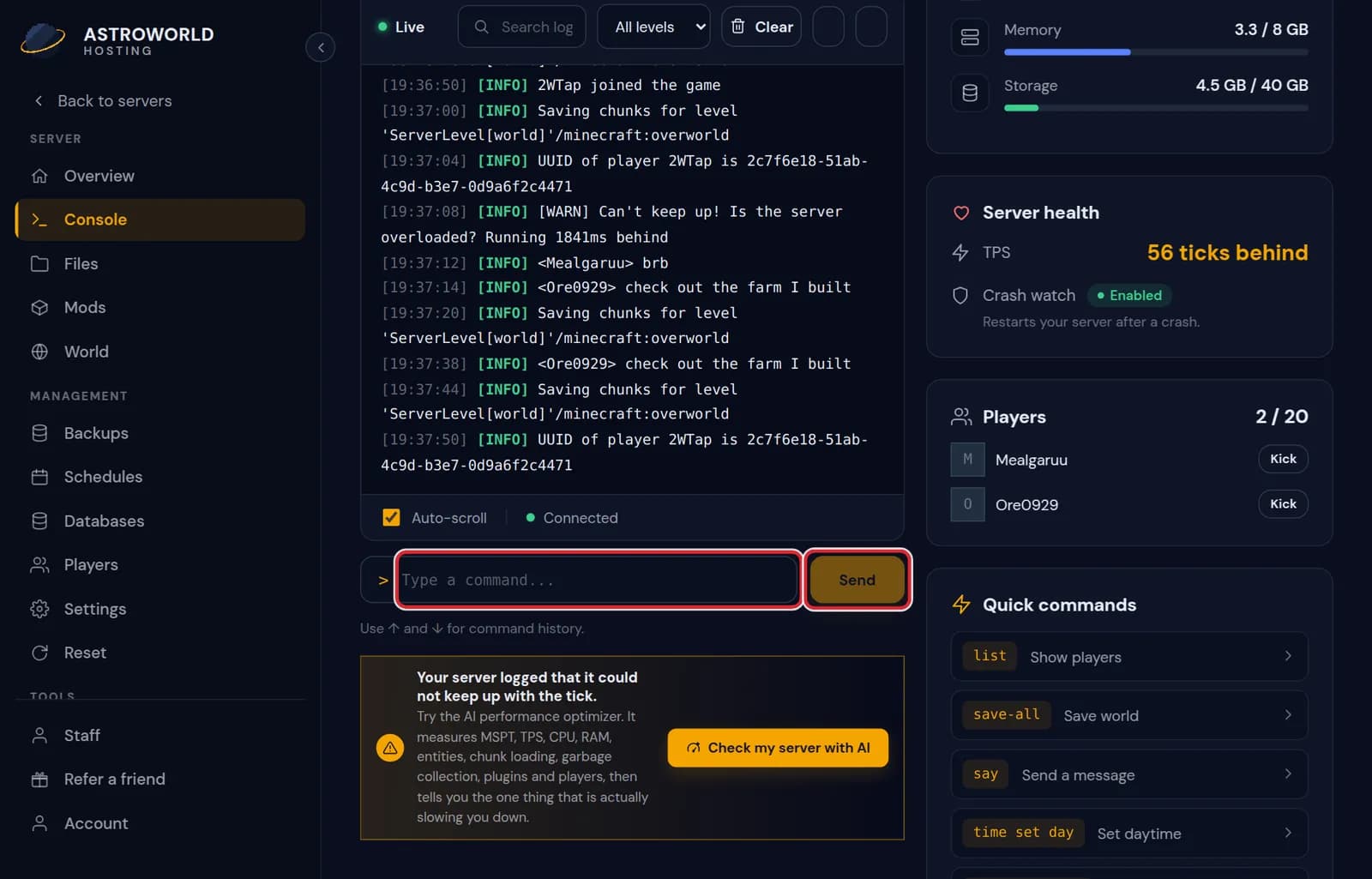
The Console tab of the server panel with live output and the command line If TPS is 20 and only some players lag, the problem is between them and the server. Ask where they play from and compare it with the region of your server.
If TPS is low, look for what the server is busy with: large farms, many entities, a plugin, or chunks being generated for the first time.
Numbers you will see, and what counts as healthy
| What it says | What it means and what to do |
|---|---|
TPS 20 | Ticks per second. 20 is the maximum and means the server keeps up. Around 18 players start to notice; below 15 mobs and machines visibly stutter. |
MSPT under 50 | Milliseconds per tick, shown by mspt on Paper. A tick has 50 ms; under that the server has time to spare, above it TPS drops. |
Memory near the top of the graph | Normal for Java to use most of what it gets. It becomes a problem when the line stays flat at the top and the server pauses; then memory is short. |
The changes that help most
Lower the view distance and simulation distance in Settings, pre generate the world, limit entities in farms and remove plugins you do not use. The lag guide goes through each of them in order.
The AI Copilot in your panel can look at your logs and settings and point at what makes the server slow, and propose each change for you to apply.
Generate the world before people explore
Minecraft builds the world as players walk into it, and that is the single most expensive thing a server does. It lands as lag on the player who is exploring and on everyone else at the same moment. The World tab can pre generate an area with Chunky: install it there, restart once so it loads, pick a radius and let it run while nobody plays.
A radius of 1000 blocks is plenty for a small group; 2000 to 3000 suits a server that travels. Doubling the radius makes four times the area, so disk use grows much faster than the number. In the Nether one block covers eight in the overworld, so a small radius there already covers a lot.
Let the optimizer measure it
The AI performance optimizer in the panel measures tick time, tick rate, processor and memory against your plan, the loaded entities by type, chunk loading, garbage collection, your plugins and the number of players in one go, then names the one thing that slows you down. It prepares the fix as a change you approve.
A restart at night
On Overview you can set a nightly restart at a quiet hour. The server warns players in chat, saves and comes back within a minute or two. On a modded server this also clears memory that mods leak over a long uptime, which is a common cause of lag that builds up over days.
Questions people also ask
Will more RAM fix the lag?
Only if memory is the cause. A server that sits at 20 TPS with memory to spare does not get faster from more of it. Check Overview first; the RAM guide shows what each player count and modpack needs.
Lag only happens in one place.
Then something in that area is expensive: a large farm, hundreds of item frames or animals, or a redstone clock. Stand there and compare MSPT with somewhere empty; the difference is what that area costs.
Does the location of the server cause lag?
Distance adds a delay to every action, which feels like lag to players far away, but it does not lower TPS. A low TPS is the server; a high ping with a healthy TPS is distance.