How do I close my server for maintenance?
Short answerOpen Settings in your server panel, type the message players should see in their server list and press Turn maintenance on. From then on only whitelisted players and operators can join, and Turn maintenance off puts your whitelist and your normal message back exactly as they were.
Turn on maintenance mode
Open Settings in the sidebar of your server panel and find the Maintenance mode card. Its label says Off, and the field below it holds the message players will see once you switch it on.
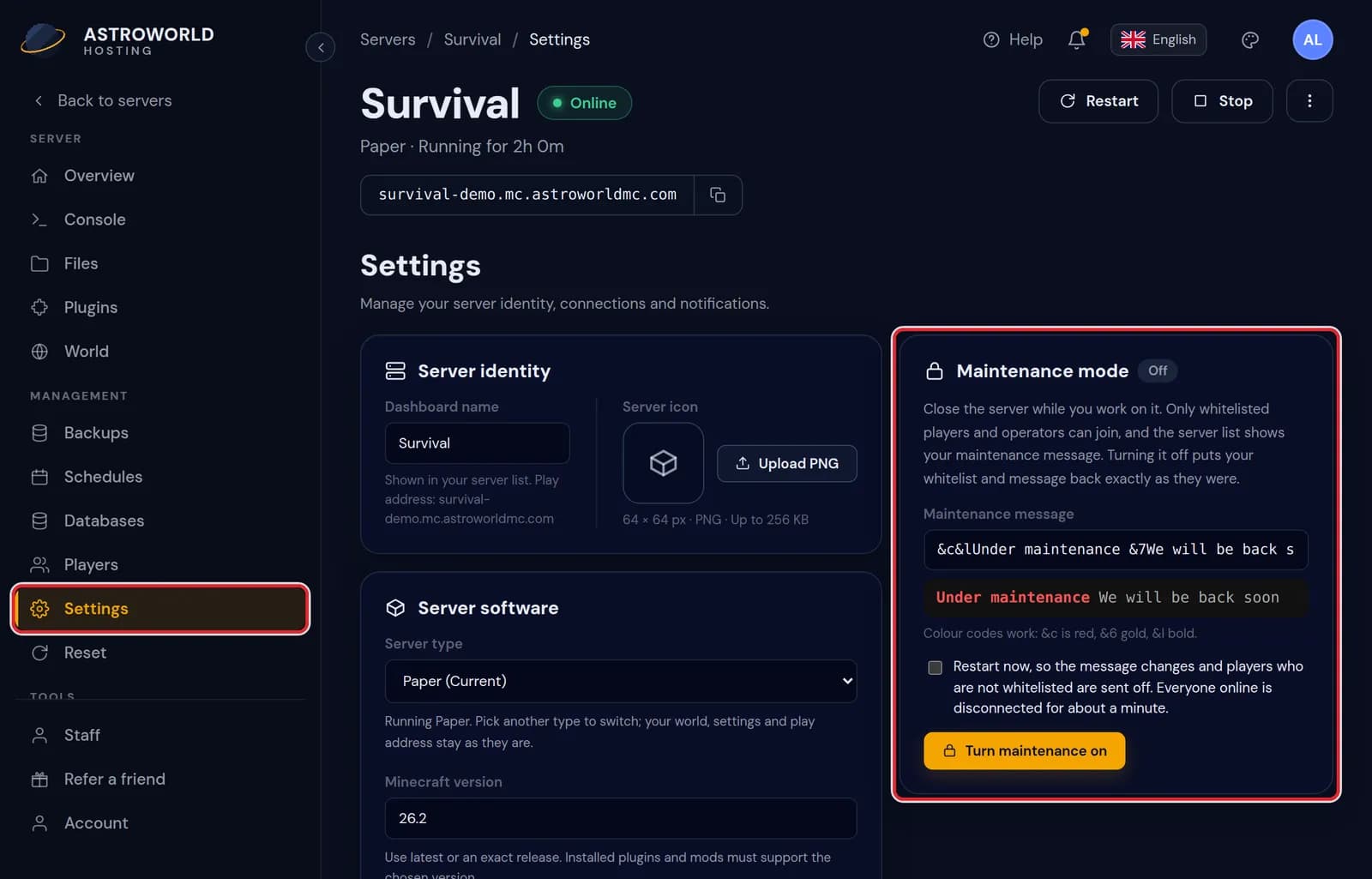
The Settings page of the server panel, with Settings in the sidebar and the Maintenance mode card set to Off marked in red Type your text in the Maintenance message field, up to 120 characters. Colour and style codes such as &6 for gold and &7 for grey are allowed, and the preview right under the field draws the message the way the server list will.
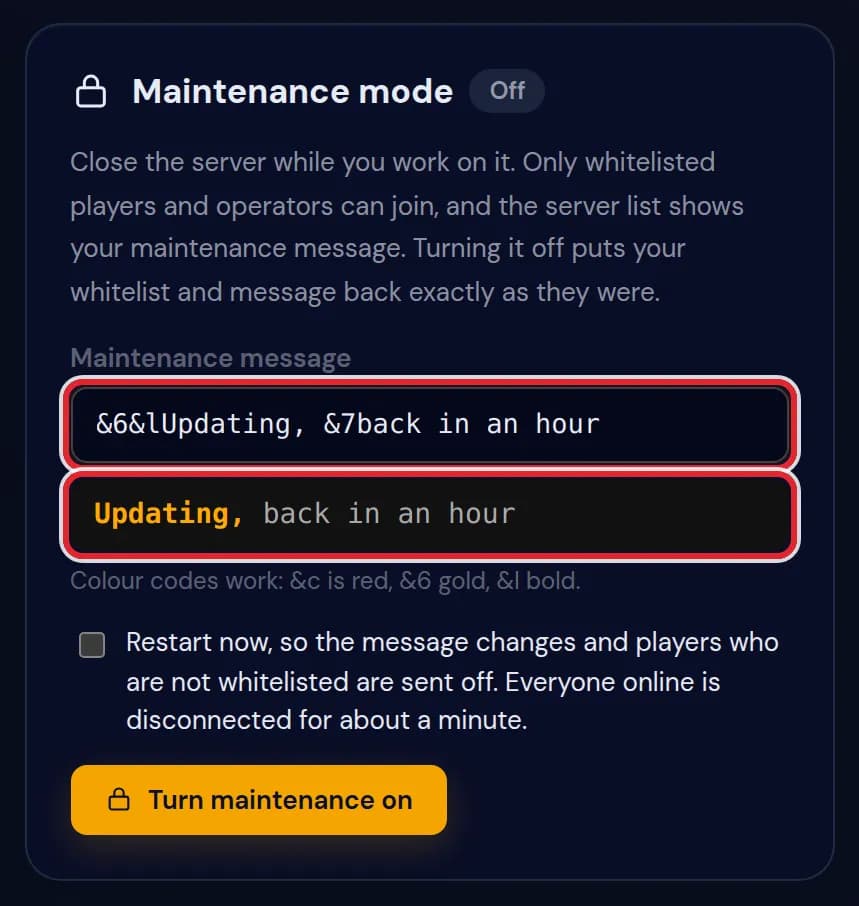
The message &6&lUpdating, &7back in an hour in the Maintenance message field with its coloured preview, both marked in red Decide on Restart now. Ticked, the server restarts at once: the new message shows straight away and everyone who is not on the whitelist is sent off, while the people online lose their connection for about a minute. Left empty, the server keeps running. Then press Turn maintenance on.
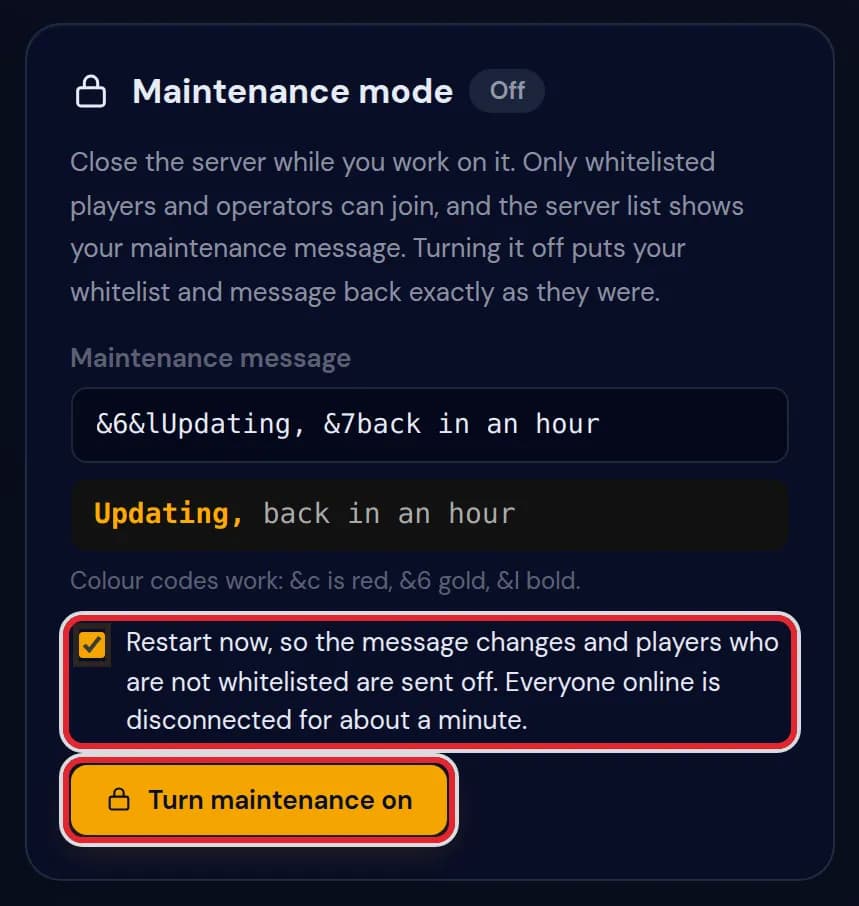
The Restart now box ticked and the Turn maintenance on button, both marked in red 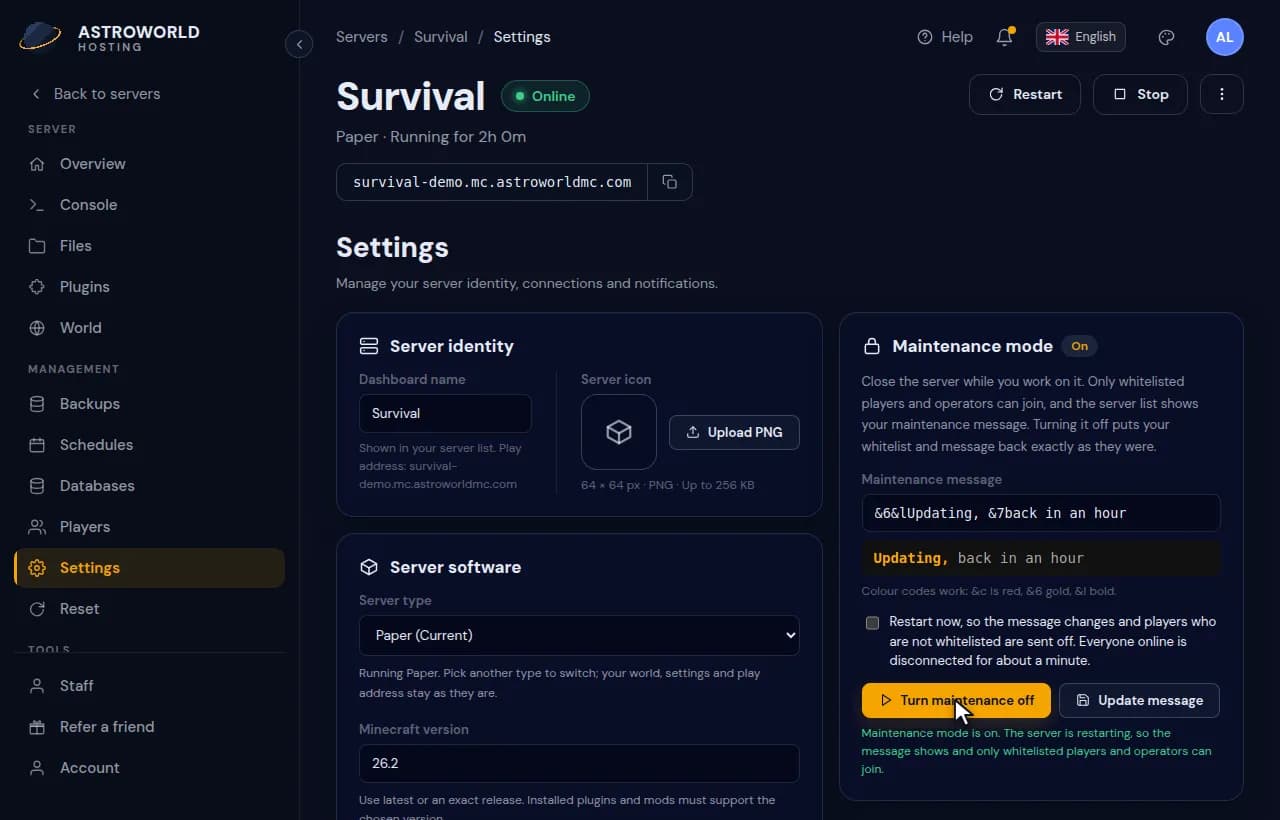
Turning maintenance mode on from the Settings page with a gold and grey message and a restart The label changes to On and a line under the button tells you what the server did. To change the text while maintenance is on, edit the field and press Update message. The panel keeps the whitelist and message from before maintenance, so Turn maintenance off still restores them.
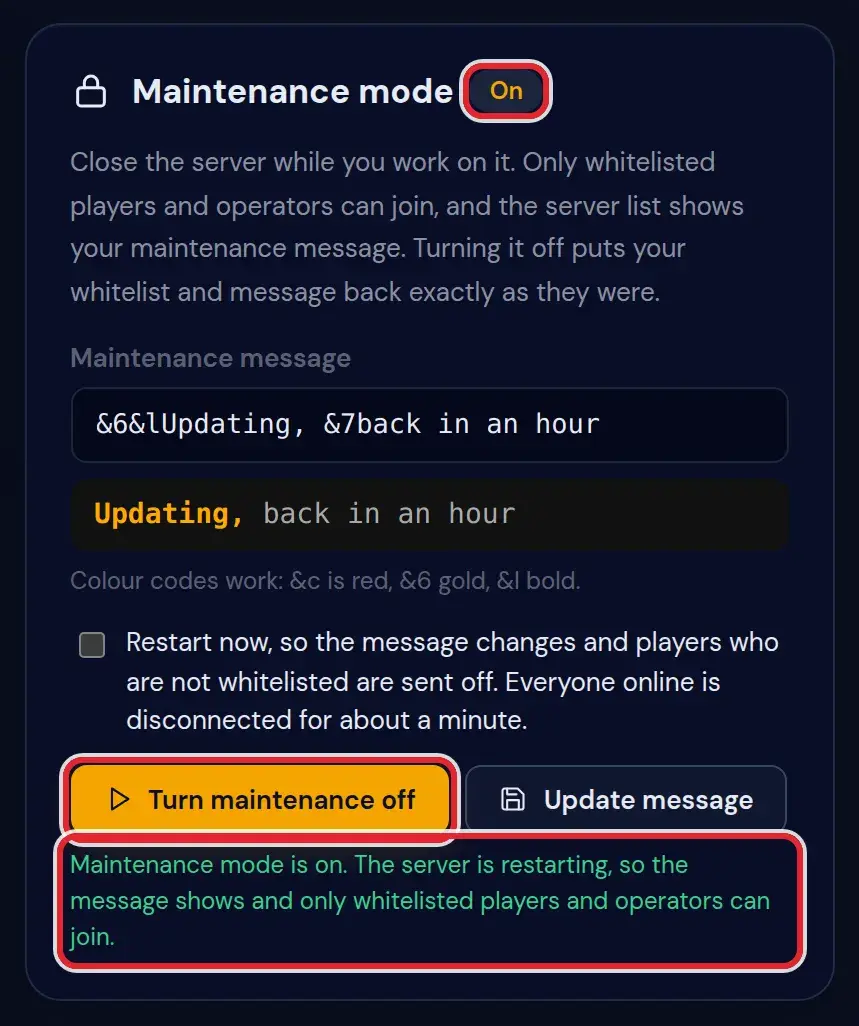
The Maintenance mode card set to On, with the Turn maintenance off button and the line about the restart marked in red Press Turn maintenance off when the work is done. The whitelist goes back to the position it had and the old server list message returns. Tick Restart now first if that message should be visible right away instead of after the next restart.
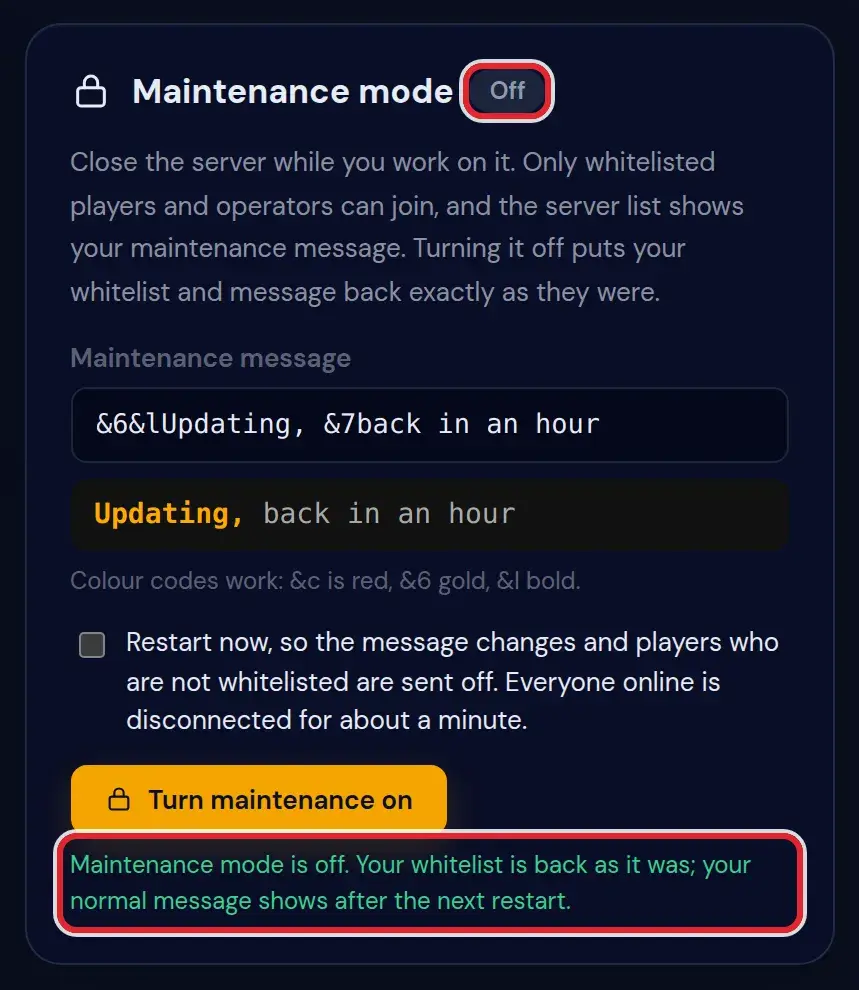
The Maintenance mode card back on Off, with the line Maintenance mode is off. Your whitelist is back as it was marked in red
Messages on the Maintenance mode card
| What it says | What it means and what to do |
|---|---|
Maintenance mode is on. The server is restarting, so the message shows and only whitelisted players and operators can join. | You ticked Restart now on a running server. After about a minute the server is back, closed to everyone except your list and your operators. |
Maintenance mode is on. New players who are not whitelisted are turned away now; the message shows after the next restart. | The server kept running. Whoever was already in can stay for now, and the server list shows the old text until the server restarts. |
Maintenance mode is on. It applies when the server starts. | The server was off, so only its settings file changed. It will come up closed the next time you start it. |
Maintenance mode is off and the server is restarting with your normal message. | Your old settings are back and the restart makes your usual message visible at once. |
Maintenance mode is off. Your whitelist is back as it was; your normal message shows after the next restart. | Everything is restored in the settings file. Until the server restarts, the server list still shows the maintenance text. |
Maintenance mode was already off. | There was nothing to switch off. This happens when the page was open in two tabs and the other one already ended maintenance. |
The message can be at most 120 characters. | Every colour code counts as two characters. Shorten the text or drop a code or two. |
Start the server once first, so it writes its settings file. | A brand new server has no server.properties yet, and maintenance mode works by changing that file. Start the server once and come back. |
What maintenance mode changes
Three lines of server.properties: white-list and enforce-whitelist are set to true, and motd becomes your maintenance message. On a running server the panel also types whitelist on in the console, so new players are stopped at once instead of from the next start.
Before it touches those lines, the panel stores what they said. Turn maintenance off writes exactly that back, which is why a server that always had a whitelist keeps it and a public server becomes public again. The names on your whitelist are never removed.
Who can still join
Everyone on the whitelist and every operator. Operators get in even when their name is not on the whitelist, so you and your team can test while the server is closed. A friend who helps you build needs to be added on the Players tab first.
Players who were already online are not always sent off by the switch alone. Tick Restart now when everyone without a place on the list has to leave.
Colour codes and the default message
The field takes the same codes as the motd: &0 to &9 and &a to &f for colours, &l bold, &o italic, &n underline, &m strikethrough, &k scrambled letters and &r to go back to plain text.
If you do not type anything of your own, the server list shows Under maintenance in bold red, followed by We will be back soon in grey.
On a server in a network, players see the message of the network in their server list. The card then points to the Network card, where that message is set.
Questions people also ask
Can I still join my own server during maintenance?
Yes, as an operator or with your name on the whitelist. Make yourself an operator first if you are not one yet. The panel itself keeps working for you either way.
Does maintenance mode stay on after a restart or a crash?
Yes. It lives in the settings file, so the server comes back closed every time until you press Turn maintenance off.
Are players kicked when I turn it on?
Only with Restart now ticked. Without the restart, nobody new without a place on the whitelist gets in, but the people already playing can finish what they were doing.
Who can turn maintenance mode on or off?
The owner of the server and any staff member whose permissions include Settings.