How do I connect to my server?
Short answerCopy your play address from the Overview tab of your panel. In Minecraft Java, go to Multiplayer, Add Server, paste the address and press Done, then join. Bedrock players add a server with the same address and the port the panel shows.
Join your server
Open your panel. The play address is on Overview with a copy button next to it. Press it to copy the address.
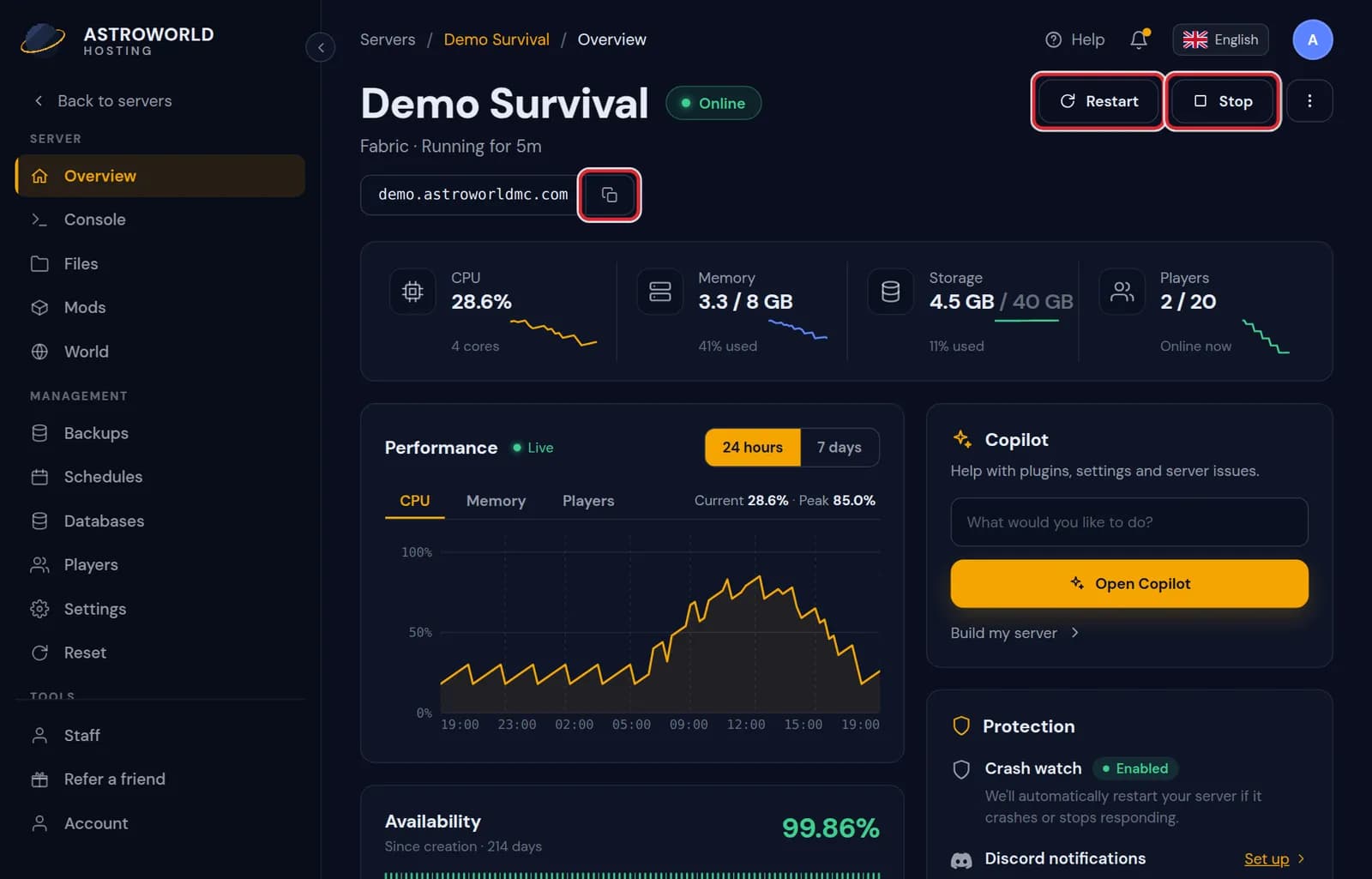
The Overview tab with the play address and its copy button Minecraft Java: open Multiplayer, press Add Server, paste the address into Server Address and press Done.
Minecraft Bedrock on a crossplay server: open Servers, press Add Server, paste the same name and enter the Bedrock port the panel shows in its header.
Pick the server in the list and press Join Server. Make sure the server is running on the Overview tab first.
Messages about addresses and ports
| What it says | What it means and what to do |
|---|---|
Live within a few seconds. Your old address keeps working exactly as before. | You added an extra address on Overview. Players can use the new one straight away; nobody who saved the old one has to change anything. |
That address is taken. Try another. | Another server already uses that name. Add a word or a number, such as the name of your group. |
This server does not run behind our address router, so we set extra addresses by hand. Ask support. | A few servers, such as those on a dedicated machine, are reached directly. Send us the name you want and we add it for you. |
Keep the port in the Geyser config on {poort}. | On a crossplay server this is the port Bedrock players join on, and it is open from outside for UDP and TCP. If Geyser listens on another port, Bedrock players cannot join while Java players still can. |
Give the address to your friends
The address is all your players need. It stays the same when the server restarts. You never have to hand out a number of the machine behind it.
Your free address, and a second one
Every server gets a free name under mc.astroworldmc.com or mc.minecrafthosting.cc. You can add an extra address on Overview, for example a shorter or nicer name, and it is live within a few seconds. The old address keeps working next to it, and there is deliberately no button that removes it, so a list of saved servers never breaks.
Java and Bedrock use the same name
Java players only need the address; the game uses the right port by itself. Bedrock players on a crossplay server type the address and the Bedrock port separately, because Bedrock asks for both in two fields. The port is in the header of your panel.
Several servers behind one address
With a network, players join one address and move between your servers with a command, such as from a lobby to survival. Up to six servers can sit behind one address. Each keeps its own world, plugins and panel.
Questions people also ask
The server shows in the list but I cannot join.
Read the message Minecraft shows. "Outdated server" or "Outdated client" is a version difference, "You are not whitelisted" is the whitelist. The troubleshooting article goes through every message.
Can I use my own domain?
Yes. When Domains shows in the menu of your dashboard, you connect a domain you own to your server there. If you do not see it yet, send us an email and we set it up with you.
Can I change my address later?
Add a new one on Overview. The old one keeps working, so you can move your players over at their own pace.
Do my players need to type a port on Java?
No. The address already points at the right place. Only Bedrock asks for a separate port.