How do I upgrade or downgrade my server plan?
Short answerOpen Settings in your server panel and use the Change plan card. Pick a bigger plan, check the amount the panel shows, confirm, and restart the server when nobody is playing. A smaller plan goes through support: open a support case with the server name and the plan you want. Your world, files and address stay the same.
Change your plan
Open Settings in the sidebar of your server panel. The Change plan card is at the top right. It shows your current plan with its memory, disk and monthly price, and a row for every other plan you can move to.
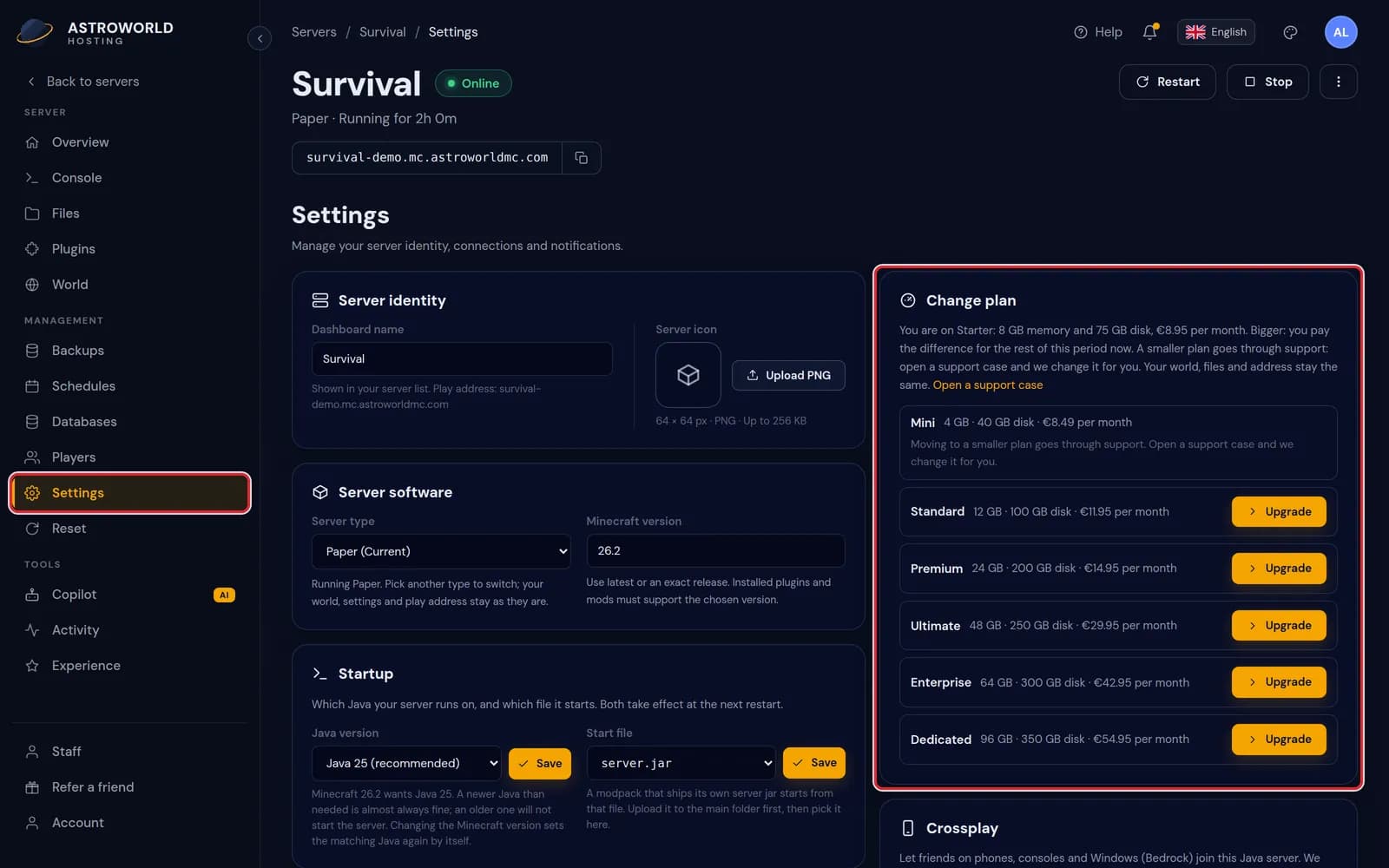
The Settings page of the server panel with Settings in the sidebar and the Change plan card marked in red Press Upgrade next to a bigger plan. The panel asks the payment system what the change costs and shows it under the plan, before anything is charged. Smaller plans have no button: they say that a move to a smaller plan goes through support.
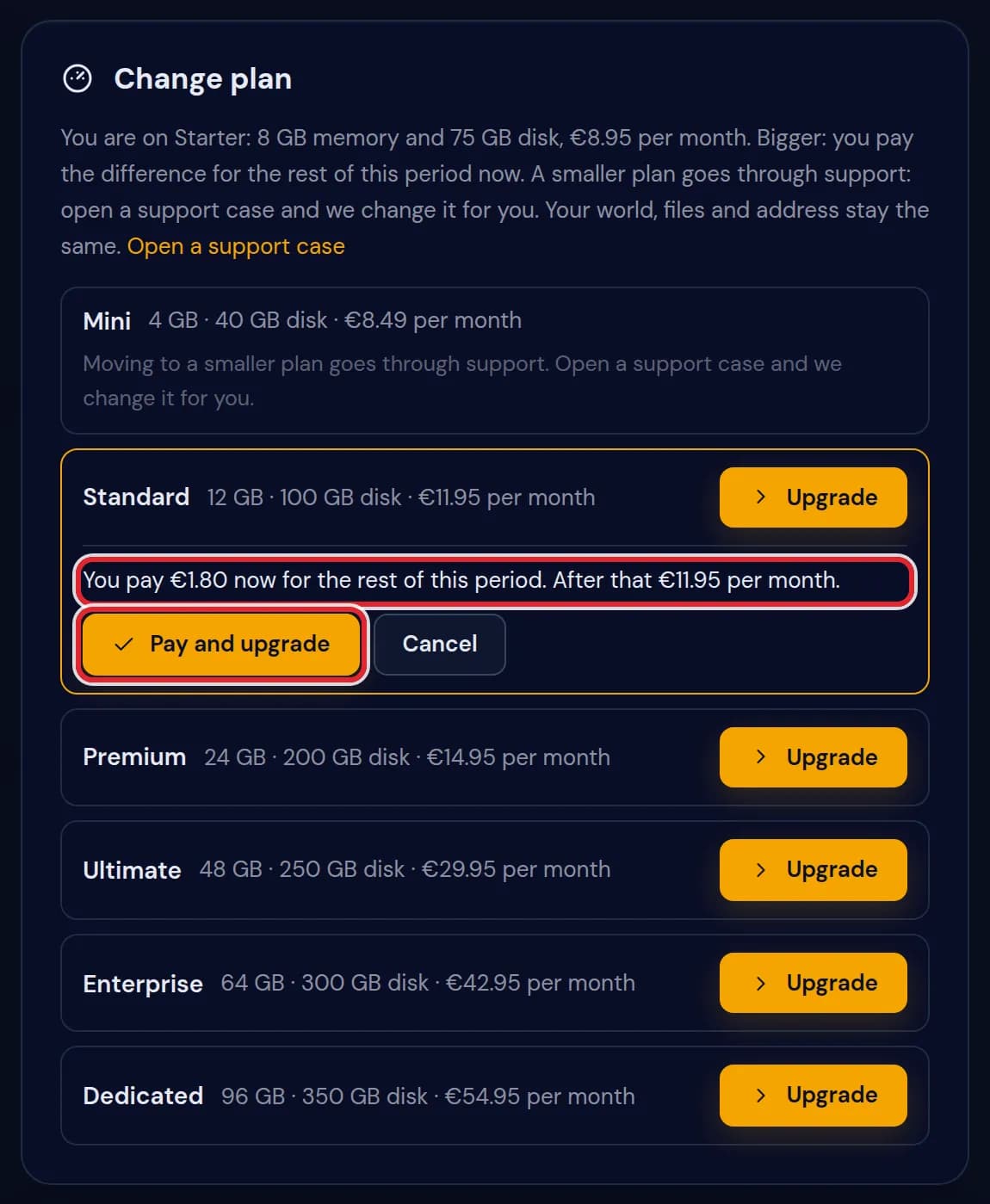
The Standard plan selected, with the line You pay €1.80 now for the rest of this period and the Pay and upgrade button marked in red 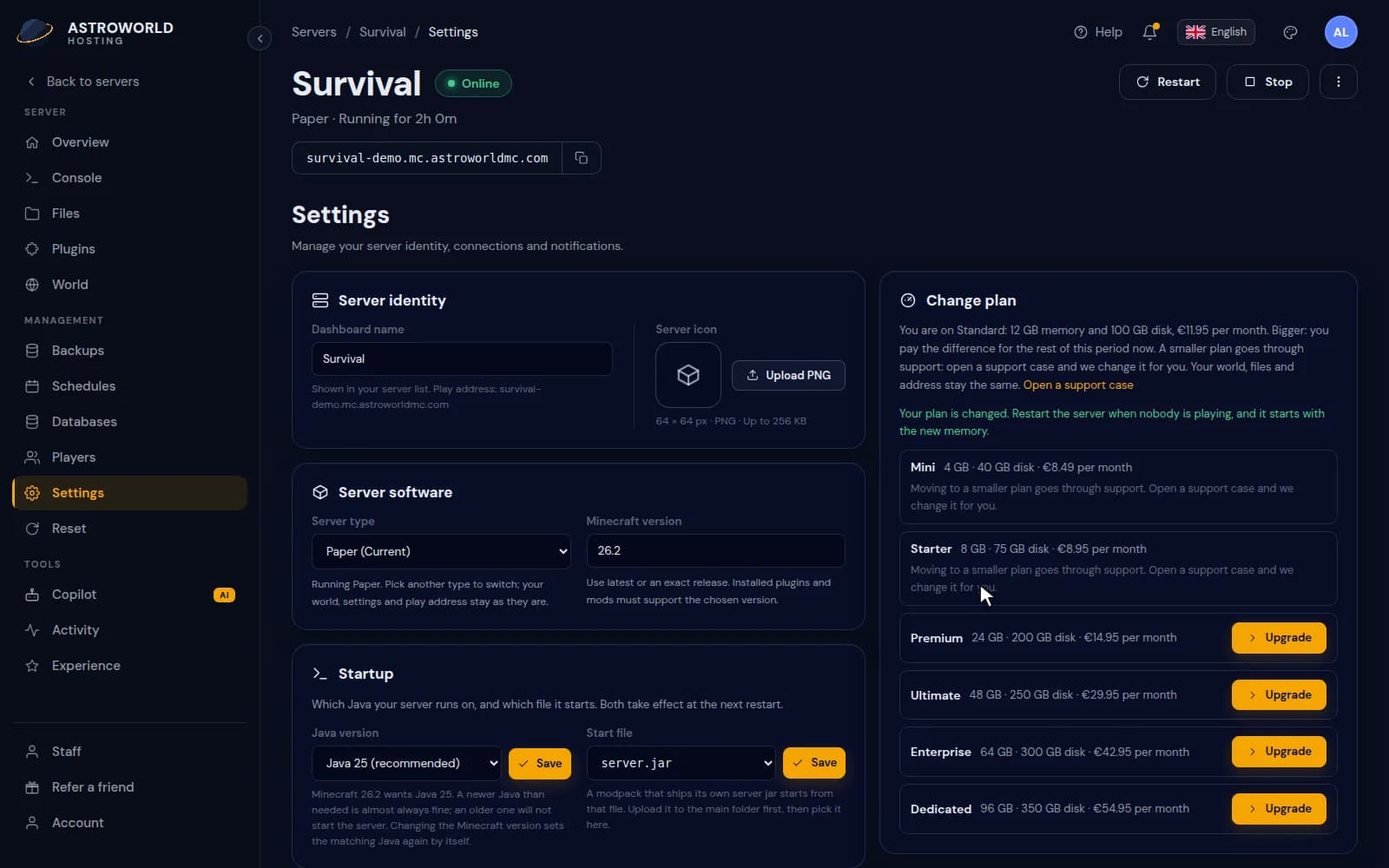
Moving a server from Starter to Standard on the Change plan card Press Pay and upgrade. The top line of the card now shows the new plan, and a green line tells you what to do next. Press Cancel instead if you do not want to pay that amount.
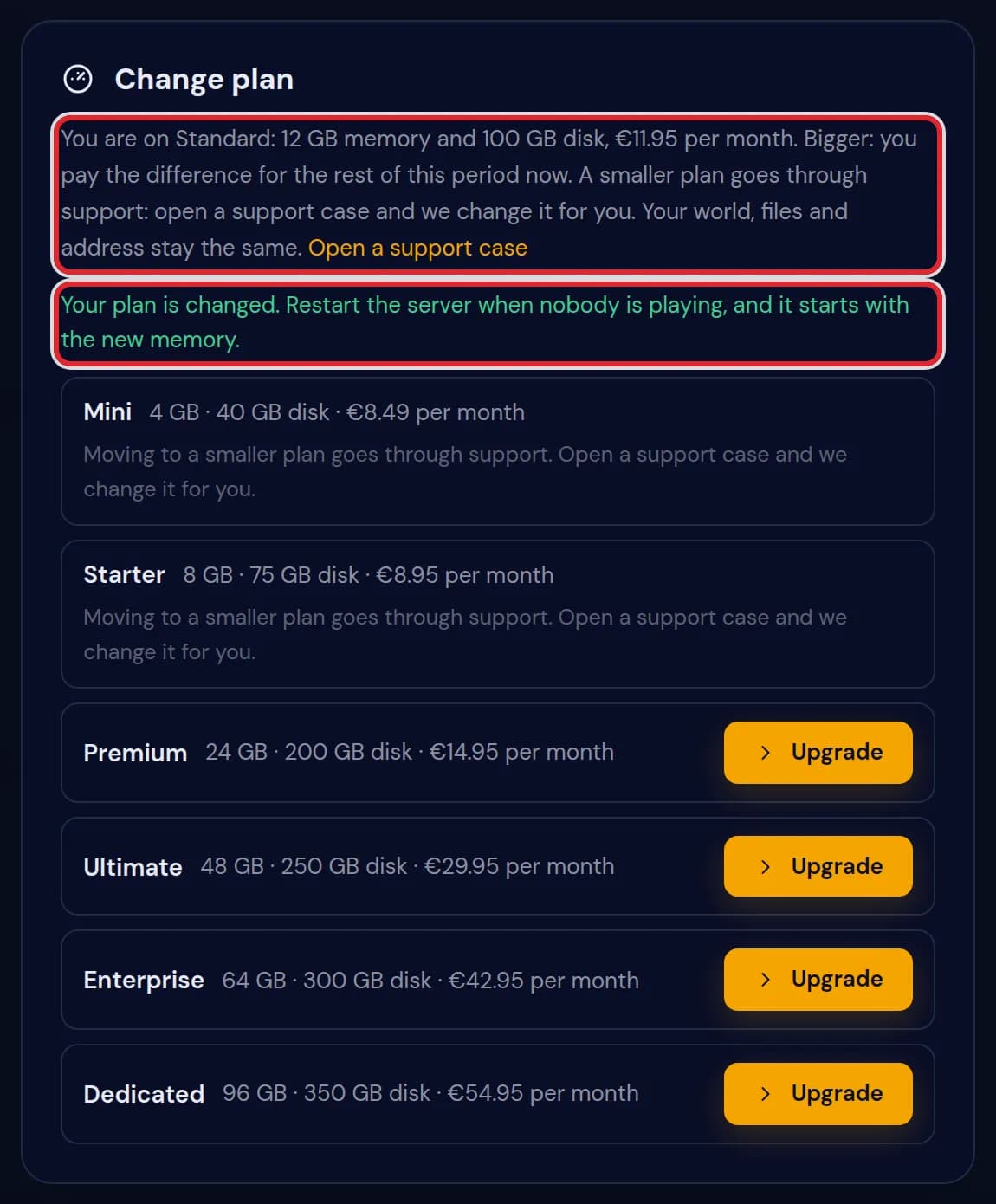
The Change plan card after the upgrade, with You are on Standard and the line Your plan is changed marked in red Restart the server when nobody is playing. The new memory and disk apply from that restart. You can restart from the top of any page in the panel.
A smaller plan and plans you cannot pick
A smaller plan has no button in the panel. Open a support case with the server name and the plan you want, and we change it for you. A bigger plan without a button tells you why it is not possible right now.
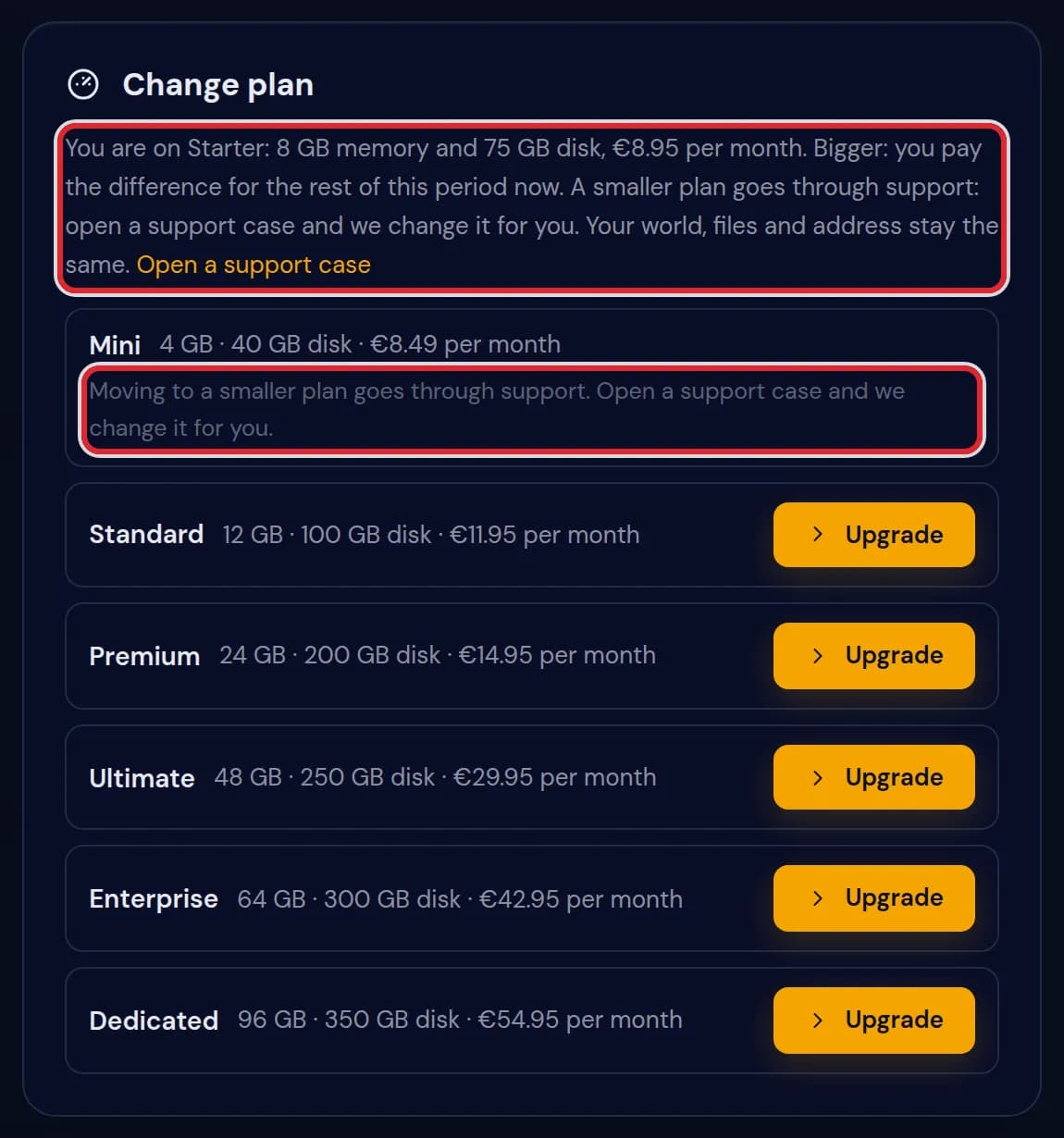
Downgrade
Mini is smaller than Starter, so its row has no button. The card says that a downgrade goes through support and links to the page where you open a support case.
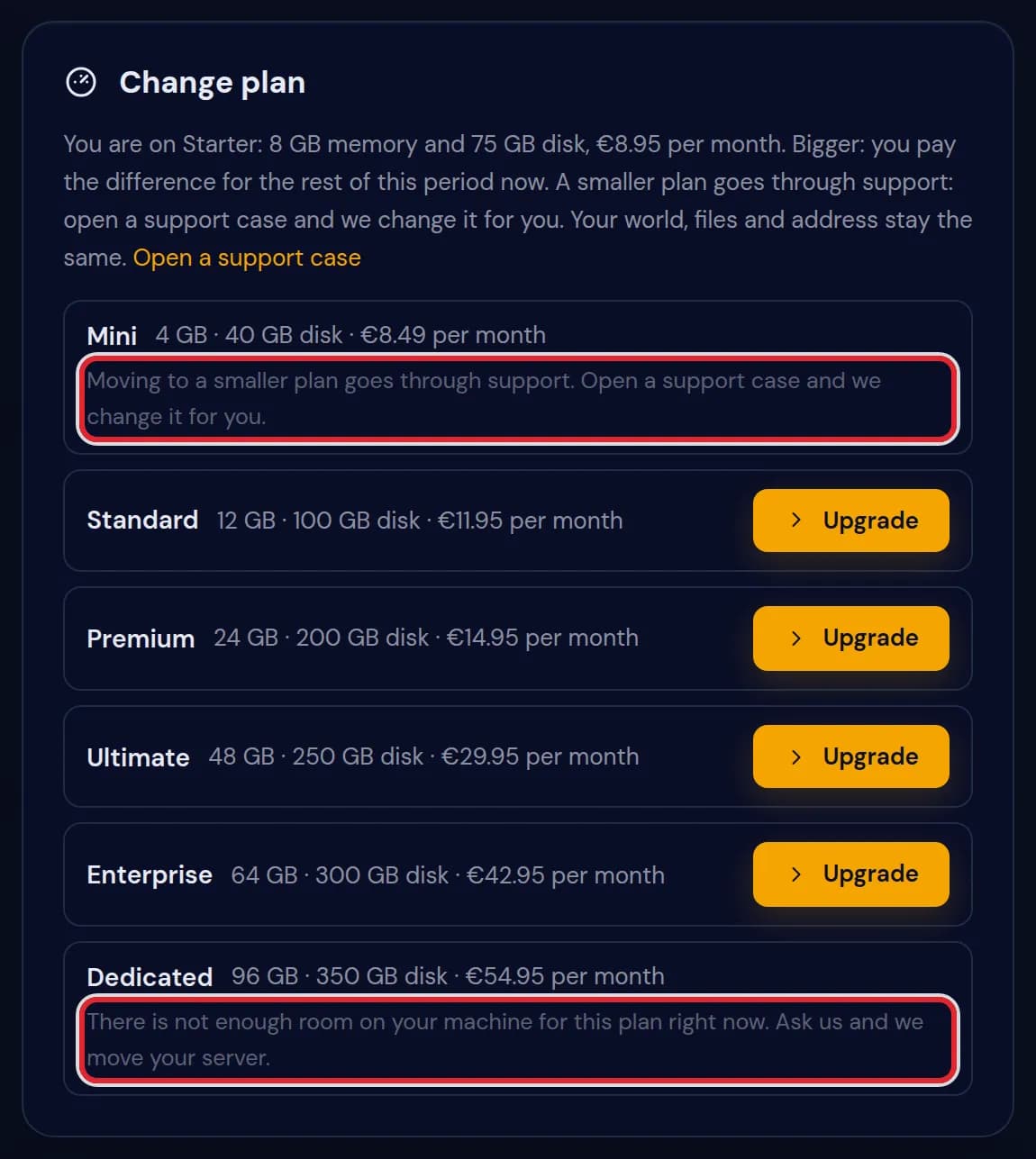
Blocked plans
Dedicated is blocked because the machine your server runs on has no room for it. Mini shows the support line, the same as every plan smaller than yours.
Messages on the Change plan card
| What it says | What it means and what to do |
|---|---|
Your plan is changed. Restart the server when nobody is playing, and it starts with the new memory. | The upgrade is paid and the server has its new limits. Restart once to use them. |
Your plan is changed and paid. We are finishing the change on the server by hand and let you know when it is done. | The payment went through but the server could not be updated by itself. We finish it and send you a message. |
Moving to a smaller plan goes through support. Open a support case and we change it for you. | Shown under every plan that is smaller than yours. Open a support case with the server name and the plan you want. We check that your files fit on the smaller disk, change the plan and reply when it is done. If your files are too big, we tell you what to remove first, such as old backups, worlds or logs. |
There is not enough room on your machine for this plan right now. Ask us and we move your server. | The machine your server runs on has no free memory or disk for the bigger plan. Open a support case and we move the server for you. |
This is a different hardware line. Ask us and we move your server. | Moving between the standard line and the Performance line means a move to other hardware. We do that through a support case. |
The payment for the difference did not go through, so nothing changed. Check your payment method under Billing and try again. | Your card or payment method was declined. Your plan and server stayed as they were. |
Your subscription is set to stop, so the plan cannot change. Ask us in a support case and we change it for you. | You cancelled the subscription. Undo the cancellation first, or ask us. |
Your server has to be running normally to change its plan. Ask us in a support case and we change it for you. | The server is suspended, being installed or being moved. Try again when it is back to normal. |
What you pay
Upgrade: you pay the difference between the two plans for the days left in your current period, right away. From the next period you pay the new monthly price.
Downgrade: support changes the plan for you after you open a support case. The difference for the days left comes off your next invoice as a credit, and you see it under Billing. Nothing is refunded to your card. The lower price applies from the next payment.
The price per month on the card is the price for your billing term. On a 12 month term you see the 12 month prices.
Move to a smaller plan
A downgrade is never done from the panel. 1. Open a support case from your dashboard. 2. Write the name of the server and the plan you want. 3. We check that your files fit on the smaller disk, change the plan and reply in the case when it is done.
Restart the server after our reply, when nobody is playing. The lower memory and disk apply from that restart.
A smaller plan needs your files to fit in 90% of its disk. On a plan with a 40 GB disk your files can use 36 GB at most. If your files use more, for example 37.4 GB, delete what you do not need on the Files tab first, such as old backups, worlds or logs. Check your own disk use again before you open the case, so we can change the plan in one go.
In the support case, write the plan name or the number of GB RAM you want. Pick a plan with enough RAM for your players and mods; the disk each plan holds is shown in its row on the Change plan card. We confirm the change in the case, and the answer comes there too. Only the plan changes: nothing is switched off, and the new limits apply from the next restart. If the plan is not changed after our reply, tell us in the same case and we look at it again before the next payment.
After support has changed your plan, the downgrade shows on your next invoice. The difference for the days left comes off that invoice as a credit, so the amount taken off is the price difference for the rest of this period. You can see each invoice under Billing in your dashboard, and the new plan name on the Change plan card in Settings.
A bigger plan is blocked because the machine has no room for it, or because it is on a different hardware line. In both cases we move your server for you. Once you have selected a bigger plan, the amount shows under it before you pay, and your invoice for the next period shows the new monthly price.
What stays the same
Your world, plugins, files, backups and server address do not change. The server stays on the same machine; only its memory and disk limits change.
Who can change the plan
Only the owner of the server. Staff members you invited do not see the Change plan card, because they do not manage the subscription.
Questions people also ask
Do I lose my world when I upgrade?
No. The plan change only sets new memory and disk limits. Your world and files stay where they are.
When do I get the extra RAM?
After the next restart. Restart the server yourself when nobody is playing.
Can I go back to my old plan?
To a bigger plan, yes, the same way on the Change plan card. To a smaller plan, open a support case and we change it for you after we checked that your files fit on its disk.
Can I downgrade my plan in the panel?
No. A move to a smaller plan always goes through support. Open a support case with the server name and the plan you want, and we change it for you.
Why is there no Change plan card on my Settings page?
You are not the owner of this server, or the card is still loading. A staff member does not see it.