How do I make a backup of my server?
Short answerOpen the Backups tab in your panel, give the backup a name if you like and press "Create backup". It captures the whole server folder and shows up in the list when it is complete.
Make a backup
Open your panel and go to Backups.
Type a name if you want to recognise it later, such as "before the big build", and press "Create backup".
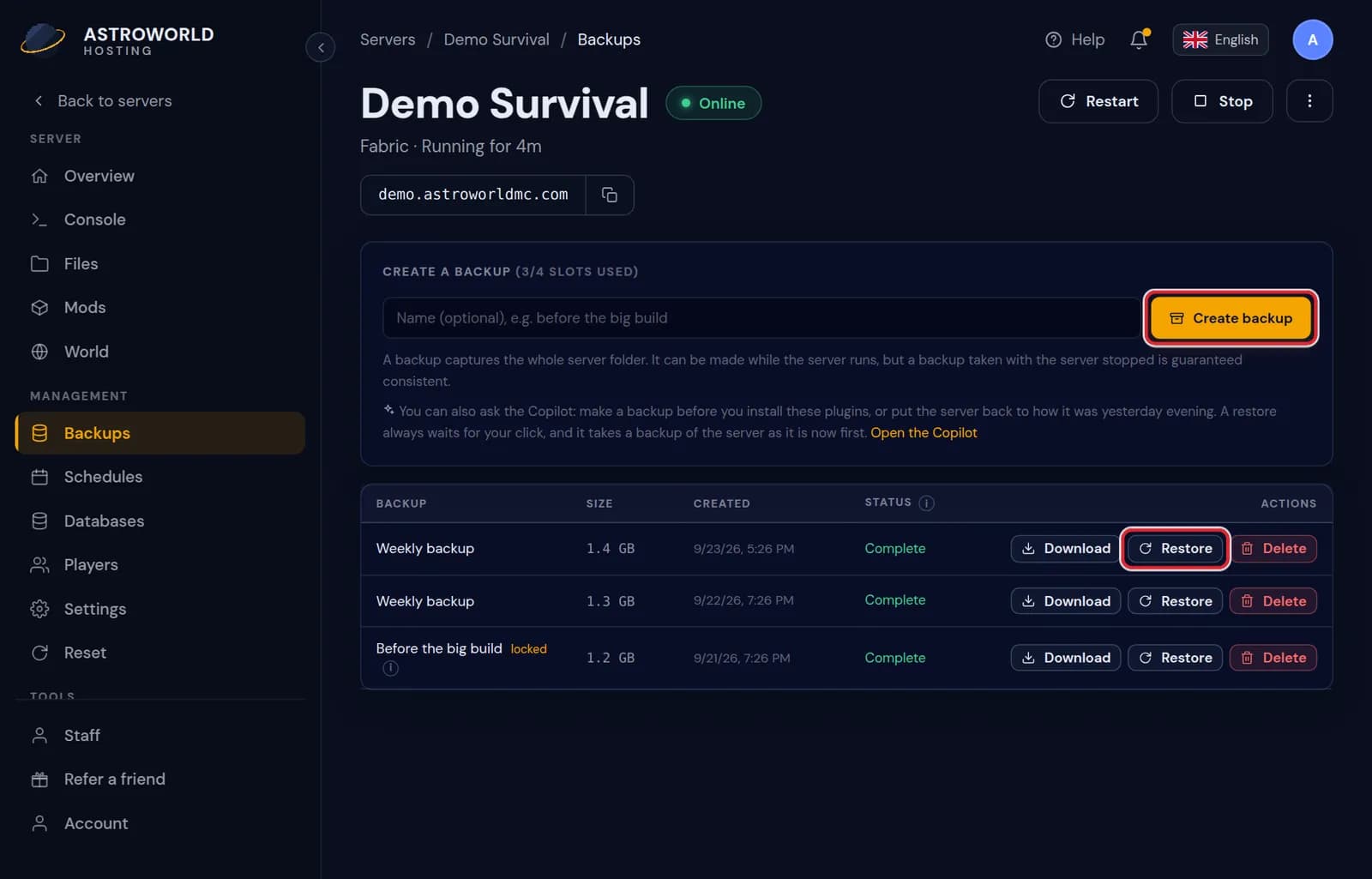
The Backups tab with a name field and the Create backup button Wait until its status goes from "Running" to "Complete". From then on you can restore it, download it or lock it.
Messages on the Backups tab
| What it says | What it means and what to do |
|---|---|
All backup slots are full. Delete an old unlocked backup yourself, then try again. | All 10 slots are taken by locked backups, so none can move to the bin by itself. Unlock or delete one you no longer need. |
Stop the server first so the backup is consistent. | Shown when a step, such as changing the server type, needs a backup made with the server off. Stop it, make the backup, then continue. |
Backup complete ({mb} MB). | The file is whole and appears as Complete in the list, with its size. It can now be restored, downloaded or locked. |
Failed | A status in the list: nothing usable came out. Try again with the server stopped; if it fails again, check that the disk is not full. |
Running or stopped
A backup can be made while the server runs. One made with the server stopped is guaranteed consistent, so stop it first before something important such as a version change.
Lock the ones that matter
A locked backup is never pushed out to make room for a newer one and cannot be deleted by accident. With 10 slots and a nightly backup, an unlocked one is gone after about 10 days.
Storage
Your backups share a storage limit tied to your plan. The Backups tab shows how much of it is in use and warns you when you get close.
The slots, the bin and the storage limit
You have 10 backup slots. When a new backup needs room, the oldest unlocked one moves to the bin at the bottom of the tab and stays there for 7 days before it is removed. Your backups together may use up to three times the disk of your plan; the tab shows how much of that is taken.
The nightly backup counts as one of the 10. Your own backups do too, so making several in one day pushes older nightly ones towards the bin sooner.
What goes into a backup
The whole server folder: every world, the plugins or mods with their configs, the server.properties file and the logs. It does not include MySQL databases from the Databases tab or settings that live in the panel itself, such as staff and schedules.
Moments worth a backup of your own
Before a Minecraft version change, before installing or updating a modpack, before a world reset, and before letting new staff loose on the files. The panel asks for a recent backup before some of these by itself, because they are the changes that cannot be undone by hand.
Questions people also ask
Can I keep a copy on my own computer?
Yes. Press "Download" next to any completed backup and you get the whole server folder as one file.
Can I make backups on a schedule?
Yes. On the Schedules tab a task can make a backup at any time you choose, on top of the nightly one.
How long does a backup take?
Seconds for a fresh world, a few minutes for a big one. The status shows Running until it is done, and the server keeps running meanwhile unless you stopped it.
Can I delete a backup?
Yes, unless it is locked. Unlock it first, then press Delete. A deleted backup does not go to the bin.