How do I change game rules like keep inventory?
Short answerOpen World in your server panel and press Show game rules. Every rule appears as a switch with a line on what it does, plus a number for how many players must sleep to skip the night. A switch takes effect at once in the overworld, the Nether and the End, with no restart and no command to type.
Change a game rule
Start the server if it is off. Game rules live inside the running game, so the panel reads and changes them through the server itself.
Open World in the sidebar of your server panel. The Game rules card sits right under Current world; press Show game rules.
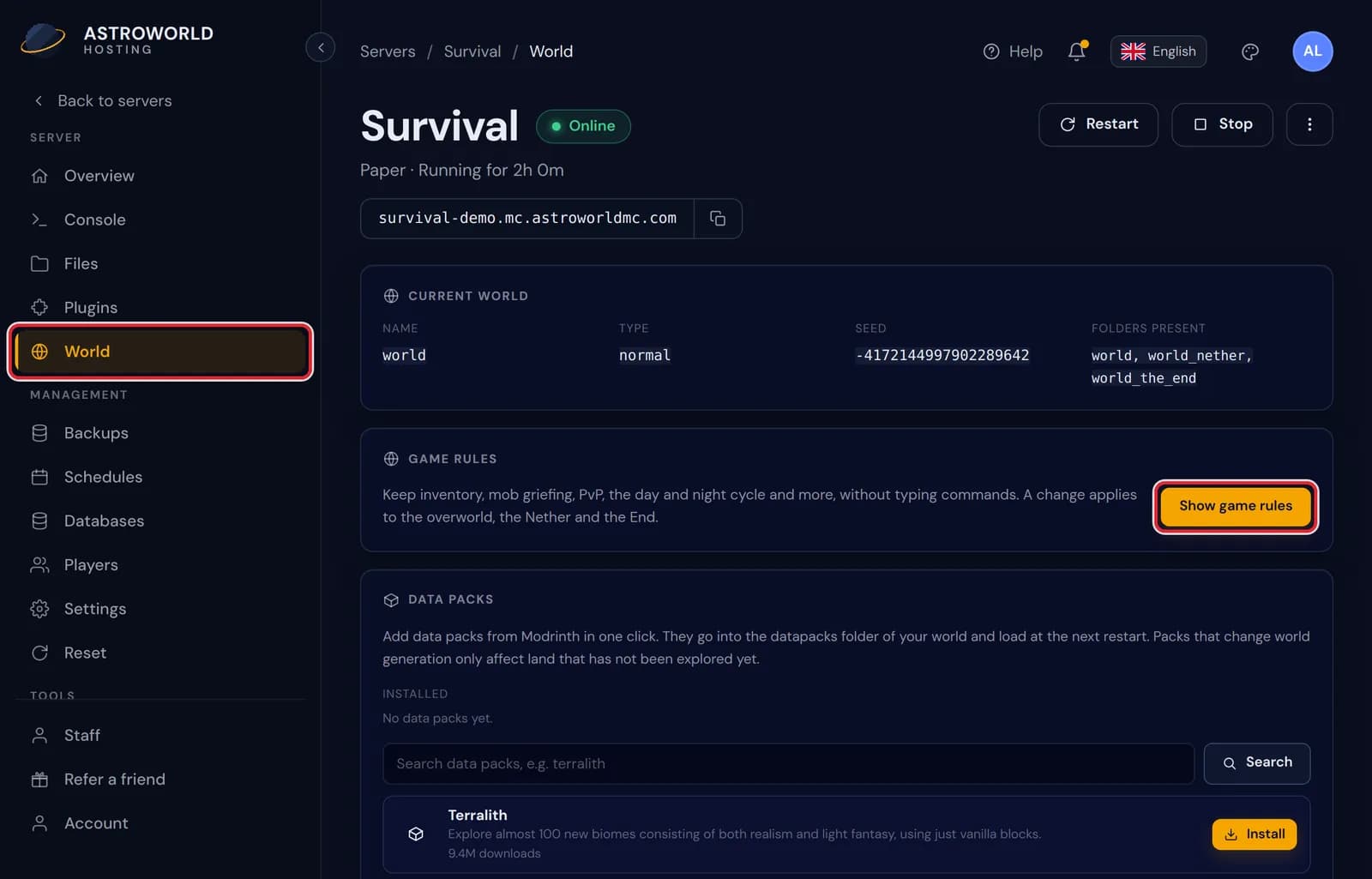
The World page of the server panel, with World in the sidebar and the Show game rules button marked in red The panel asks the server for the value of each rule, which takes a second or two. Then the card lists all of them in two columns, each with a switch: amber is on, grey is off.
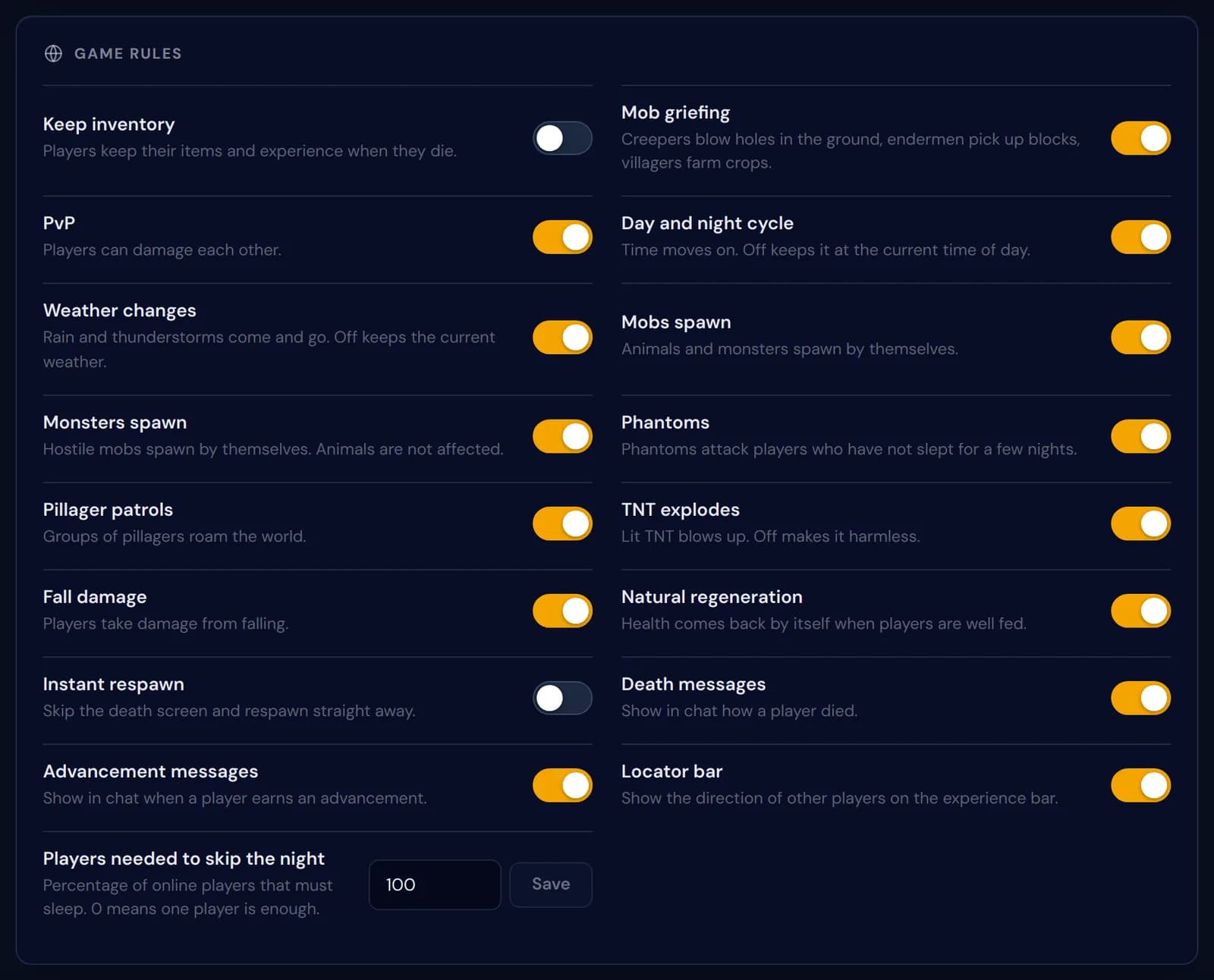
All 17 game rules on the card in two columns, with Keep inventory and Instant respawn switched off Press the switch next to the rule you want to change. There is no save button for switches: the change goes to the server straight away and the switch only flips once the server has confirmed it.
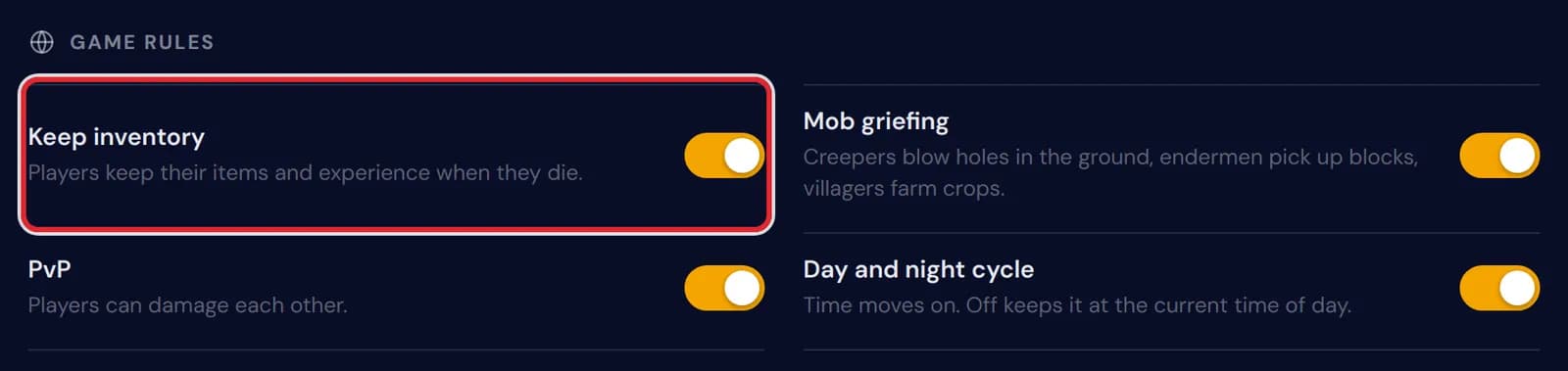
Keep inventory switched on, marked in red at the top of the game rules list 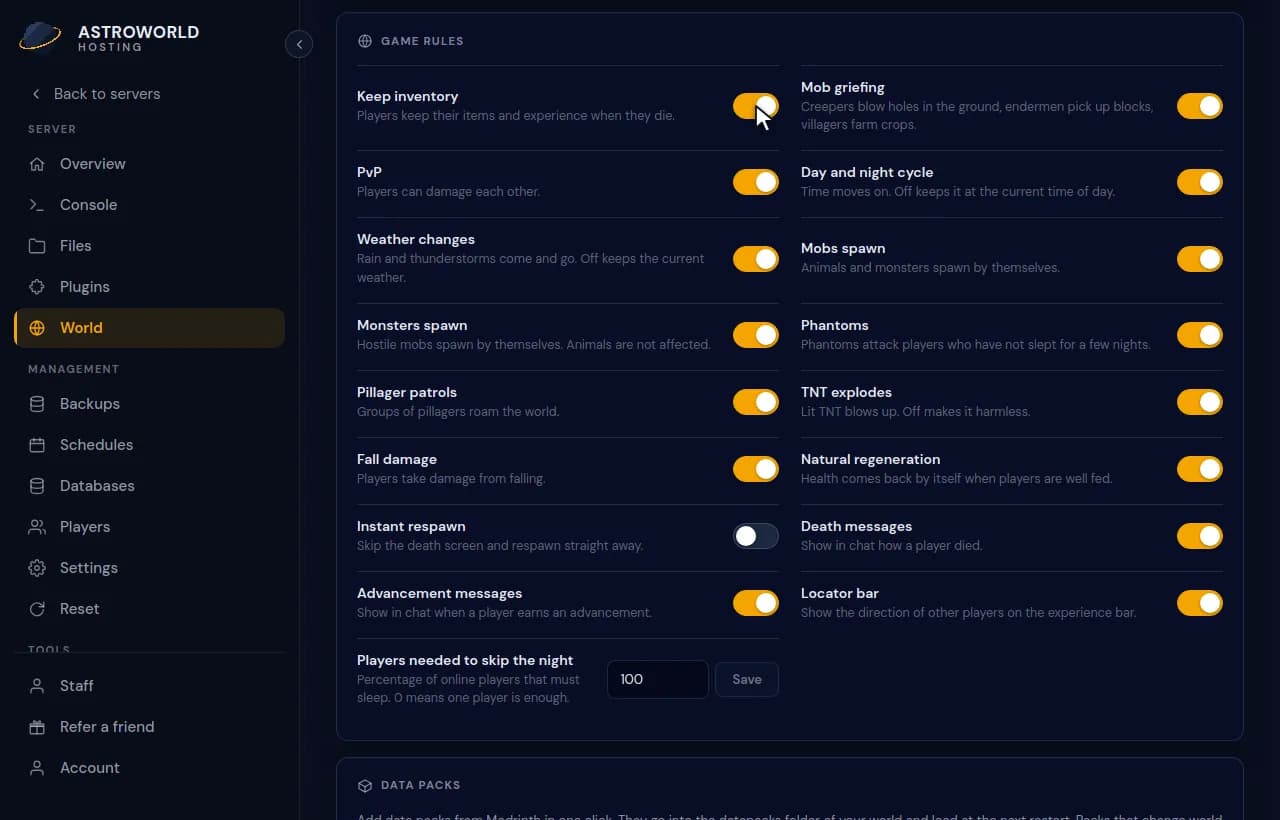
Opening the game rules on the World page and switching on Keep inventory For Players needed to skip the night, type a percentage from 0 to 100 and press Save. At 50, half of the players online have to be in bed before the night is skipped; the Minecraft default of 100 means all of them.
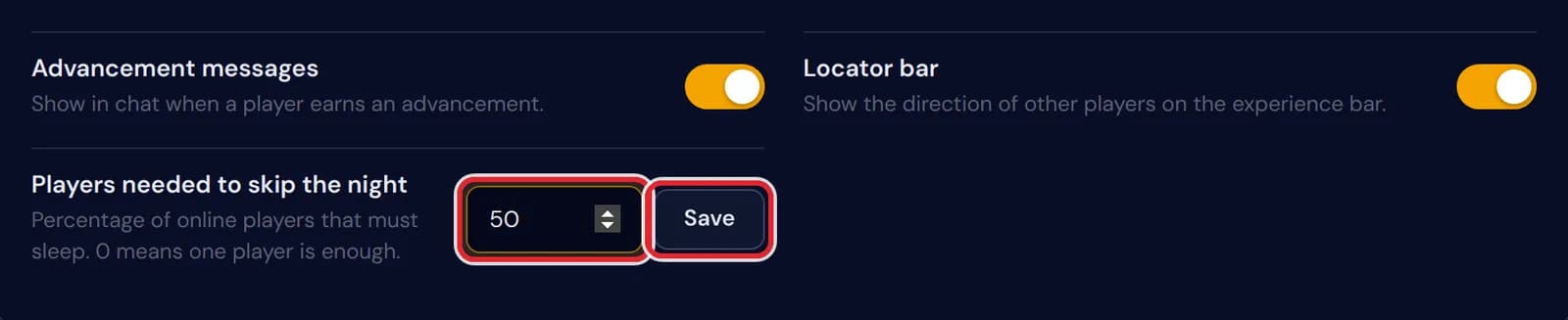
The field Players needed to skip the night set to 50, with its Save button, both marked in red On a stopped server the card shows a notice instead of the switches. Start the server, wait until the console says it is done loading, and press Try again.

The game rules card on a stopped server, with the notice Start the server to see and change game rules and a Try again button
Messages on the game rules card
| What it says | What it means and what to do |
|---|---|
Start the server to see and change game rules. | The server is off or still starting. Rules can only be read from a running game, so start it and press Try again. |
The server did not answer. Wait until it has fully started and try again. | The server is online but did not reply in time, usually because the world is still loading. Give it a few seconds. |
Wait a few seconds before loading the game rules again. | Reading the card sends a command for every rule, so the panel waits five seconds after one read before it does the next. |
Start the server to change game rules. | The server went offline between opening the card and pressing a switch. Start it and press the switch again. |
The server did not confirm the change. Is it fully started? | The command went out but no new value came back. Open the card again to see what the rule is set to now. |
This game rule does not exist on this Minecraft version. | The rule was added or renamed in another version than the one you run. The card hides rules your version does not know, so this is rare. |
Pick a number from 0 to 100. | The sleep percentage only takes whole numbers in that range. |
This server type has no game rules. | A proxy such as Velocity or BungeeCord has no world of its own, and Bedrock uses other commands. Open the card on the Java game server instead. |
The 17 game rules on the card
For players: Keep inventory keeps items and experience on death, PvP lets players hurt each other, Fall damage decides whether falling hurts, Natural regeneration whether health comes back on a full stomach, and Instant respawn skips the death screen.
For mobs: Mob griefing covers creepers blowing holes, endermen taking blocks and villagers farming. Mobs spawn switches all natural spawning, Monsters spawn only the hostile kind, and Phantoms and Pillager patrols each have a switch of their own.
For the world: Day and night cycle and Weather changes freeze the time and the weather where they are when you switch them off, and with TNT explodes off, TNT no longer blows up.
For chat and the screen: Death messages and Advancement messages decide what is announced, and Locator bar shows the direction of other players in the bar above the hotbar. The last row, the sleep percentage, is the only rule that takes a number.
Why the panel changes all three dimensions
On Paper and the other Bukkit based servers, the Nether and the End are separate worlds with game rules of their own. A gamerule command typed in the console only reaches the overworld, which is how people end up losing everything in the Nether while keep inventory is on.
The card sends every change to the overworld, the Nether and the End, one command each, and waits for the server to report the new value. While the card loads you will see those commands pass by in the Console tab: that is the panel asking, not a player.
Old and new rule names
Minecraft 1.21.11 gave the game rules new names: keepInventory became keep_inventory, doDaylightCycle became advance_time and doInsomnia became spawn_phantoms. The panel uses the names of the version your server runs, so the switches behave the same on 1.20 as on 26.2.
PvP and Monsters spawn only appear on versions where they are game rules. On an older server the card leaves them out; there the pvp and spawn-monsters lines of server.properties do the same job, and both are on the Settings tab.
Questions people also ask
Do I need to restart after changing a game rule?
No. A switch works for everyone online the moment the server confirms it. Game rules are saved with the world, so they also stay as you set them after a restart.
Why did I lose my items in the Nether with keep inventory on?
Keep inventory was probably set with a console command, which only reaches the overworld. Switch it off and on again on the card and the panel sets it in all three dimensions.
Can I give one dimension different rules?
Not from the card, which always changes the three together. For one dimension, type the command yourself in the console, for example execute in minecraft:the_nether run gamerule keep_inventory false. On versions before 1.21.11 the rule is called keepInventory.
Do my game rules carry over to a new world?
No. They are stored inside the world, so a world reset starts again from the Minecraft defaults. Open the card afterwards and set them the way you had them.
Who can change game rules?
You, and the people you gave the Settings permission on the Staff tab.