Why won't my server start?
Short answerOpen the Console and read the last lines before it stopped; the error almost always names the cause. The most common ones are a plugin or mod that does not fit the Minecraft version, too little memory for a modpack, and a broken file after a change.
Find what stops it
Open the Console and start the server. Watch the output until it stops.
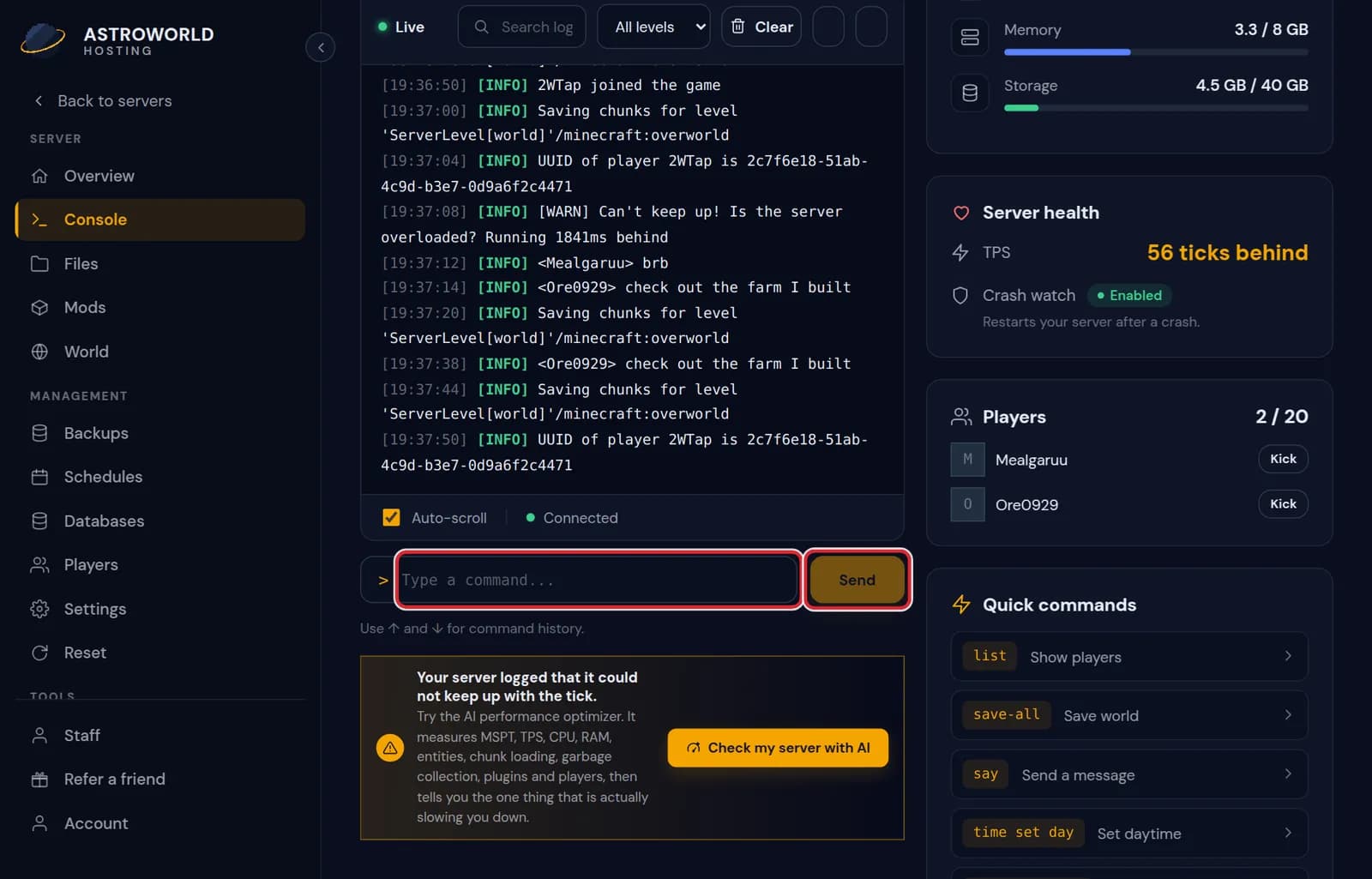
The Console tab with live server output Scroll up from the last line to the first line that says ERROR or Exception. The lines under it usually name a plugin, a mod or a file.
Did it start right after you added or updated something? Remove that plugin or mod on its tab and start again.
Still stuck? Restore the backup from before the change, or send us the console lines.
Messages in the panel when a server does not come up
| What it says | What it means and what to do |
|---|---|
It crashed too often in a row, so we stopped restarting it. | Crash Watch gave up to avoid an endless loop. Fix the cause from the console lines, then start it yourself; the watch picks up again. |
Crash Watch is off for this server. | If the server stops on its own it stays off until you start it. Turn the watch back on in the panel if you want automatic restarts. |
This server is suspended. | An invoice is still open. Settle it in your dashboard and the server can start again. |
Unsupported class file major version | A console line: something was built for a newer Java than the server runs. Usually a plugin or mod for a newer Minecraft version. |
What the common errors mean
"OutOfMemoryError": the server needs more memory than your plan has. Usually a modpack that is too big for the plan, or a memory leak in a plugin.
"Unsupported class file" or a plugin that says it needs another version: a plugin or mod that was made for a different Minecraft version.
A line naming a file with "could not parse" or "malformed": a settings file with a typo, often after editing it by hand. Undo the edit or restore the file from a backup.
Let the Copilot read it
The AI Copilot in your panel reads the same logs and can point at the line that matters and propose a fix, which you apply yourself.
Stop, and when to use Kill
Stop asks Minecraft to save and shut down. Kill pulls the plug on the process, and anything the world has not written to disk in the last few minutes is lost. Use Kill only when the server hangs and Stop does nothing, then start it again and read the console for what made it hang.
Find the change that broke it
The Activity tab lists every change with its time: a plugin added, a file edited, a setting saved, a version changed. The last change before the first failed start is almost always the cause. Undo that one change instead of several at once, so you know which it was.
Questions people also ask
What should I send support?
The server name, the console lines around the first error, and what you changed just before it stopped starting. With those we can usually tell you the cause in one reply.
It starts, then stops after a minute.
Read the last lines before it stopped. If they mention memory, the server runs out after loading the world; a smaller view distance or a bigger plan helps. If they name a plugin, that plugin fails once players or the world load.
Will restoring a backup fix it?
If a change caused it, yes: restore the backup from just before that change. You lose what happened in the world since then, so check the activity log first.