How do I install a modpack?
Short answerOpen the Mods tab in your panel, search for the pack under Modpacks or under CurseForge and FTB packs, pick a version and press "Install the pack". The panel sets the right loader and Minecraft version for you and moves your current mods to a dated folder.
Install a modpack
Make a backup first on the Backups tab. Installing a pack changes the server software and its mods.
Open the Mods tab. Search under Modpacks, or under "CurseForge and FTB packs" for packs from CurseForge and Feed the Beast.
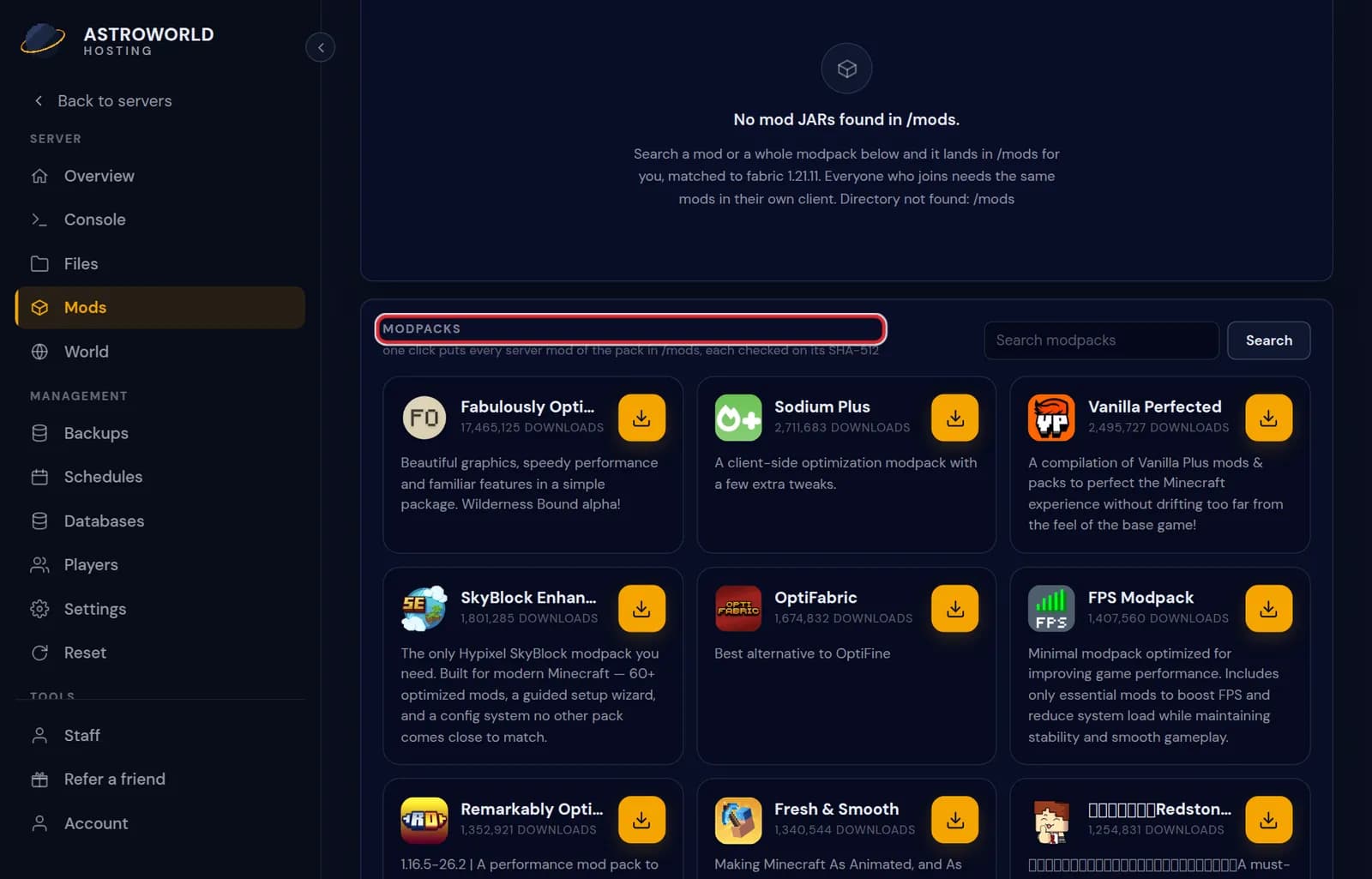
The Mods tab of the server panel with the modpack search Pick the pack and the version you want. The panel shows what changes: the loader, the Minecraft version and how much disk space the pack needs.
Press "Install the pack" and follow the progress. When it says "The pack is installed.", start the server.
Every player installs the same pack and version in their own launcher. The server pack and the client pack have to match.
Messages you can see while installing a pack
| What it says | What it means and what to do |
|---|---|
Only packs that have a server version for exactly this type and version show up here. | The Modpacks search filters on your current loader and Minecraft version. Use the CurseForge and FTB search to let the pack pick the type and version for you. |
Modpacks work on Fabric, Forge and NeoForge servers. | Your server runs plugin software or Vanilla. Installing from the CurseForge and FTB list switches the type for you; from the other list, change the type first. |
That version has no server files we can install. | The pack author published only a client version of that release. Pick another version, usually the newest one that lists a server pack. |
Config folders from the pack are not installed. | Part of the message after a Modrinth pack: the server mods are in, the pack's own config folder is not. Most packs run fine; if the pack author ships custom configs, upload that folder on the Files tab. |
What happens to what was there
Your current mods move to a folder with today's date; they are not deleted. Your world is not touched.
If the pack needs more disk space than your plan has free, the panel says so before it starts, so a half installed pack never happens.
Enough memory
Big packs need a lot of memory. Check the modpack pages for what each pack needs before you install it on a small plan.
Where the packs come from
Two sources sit on the Mods tab. Modpacks searches packs that publish a server version for your exact type and version. "CurseForge and FTB packs" searches CurseForge and Feed the Beast, and picking a version there also sets the right loader and Minecraft version on the server, so you can start from any type.
Updating a pack later
When a newer version of your pack comes out, the panel tells you with the old and the new version number. Install it from the pack block: that takes a backup and moves your current mods aside first, which updating mods one by one does not. Players then update their own pack to the same version.
Uploading your own pack
A pack that is not in either list can go in through the Files tab. For anything larger than a few hundred megabytes, paste a download link under From link: the server fetches the file itself and there is no size limit. Then extract it in place.
Questions people also ask
The pack I want does not show up.
Only packs with a server version for your server type and Minecraft version show up under Modpacks. Try a shorter word, or search under CurseForge and FTB packs, where picking a version also changes the type and version for you.
I only see a Plugins tab, not Mods.
Your server runs plugin software such as Paper. Change the server type to a mod loader under Settings, Server software, or install a pack from a fresh server.
How much memory does my pack need?
Our RAM guide lists it by pack size: a light pack of about 50 mods needs clearly more than the plain game, a heavy pack of 300 mods and more needs a lot more again. The modpack pages list the figure per pack.
Can my players get the pack in one click?
They install the same pack and version through the CurseForge app, the FTB app or a launcher that reads Modrinth packs. The version number must match the server exactly.