How do I change my server settings?
Short answerOpen the Settings tab in your panel. Every setting from server.properties is there as a switch, a number or a dropdown with an explanation, grouped and searchable, and the ones that need a restart are marked.
Change a setting
Open your panel and go to Settings.
Find the setting in one of the groups (General, Gameplay, World, Performance, Access and Advanced) or type its name in "Search settings".
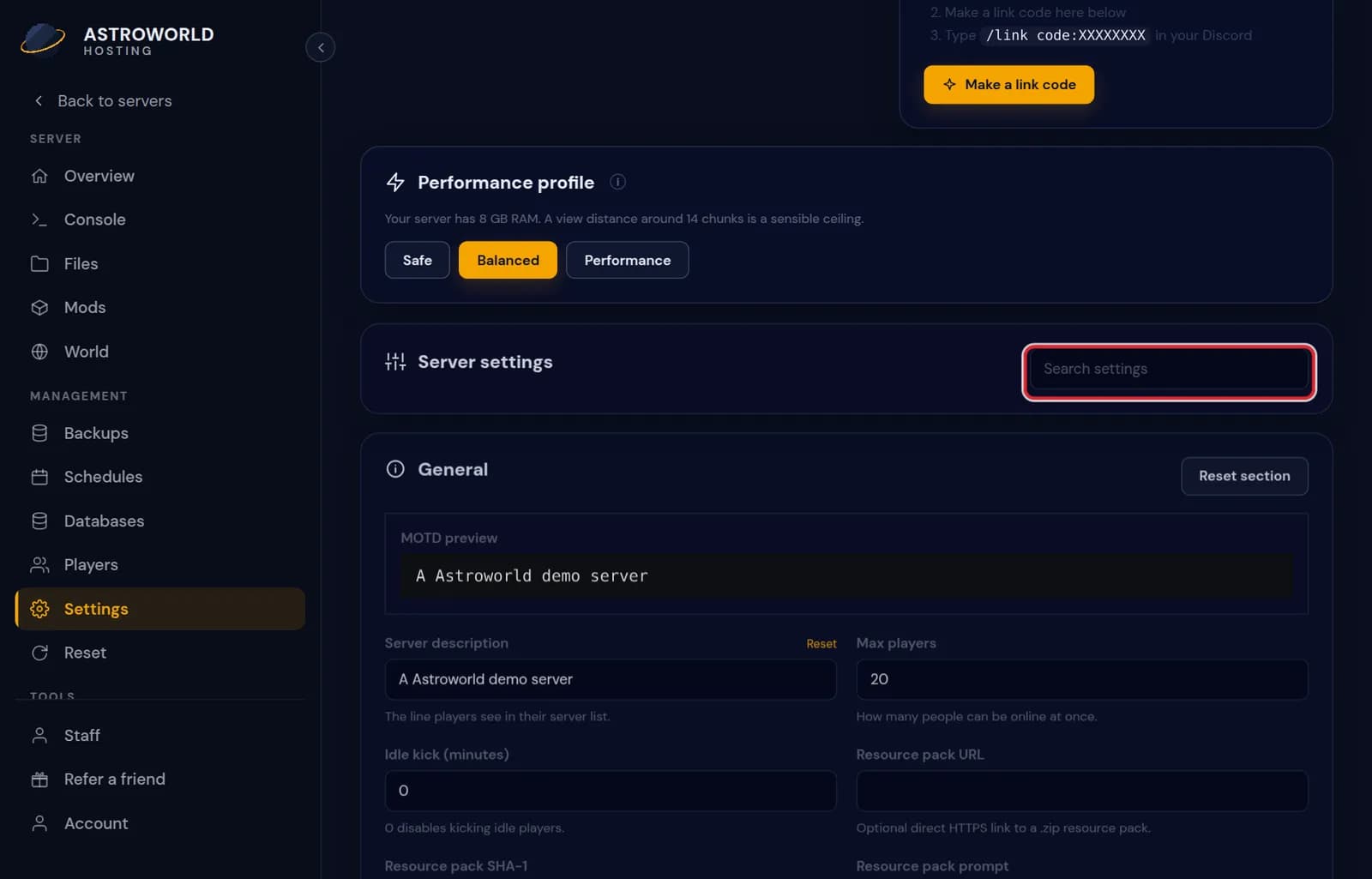
The Settings tab of the server panel with setting groups and the search box Change it and save. The panel tells you which of your changes were saved and which of them need a restart.
Restart the server from Overview if the panel asked for it.
Messages on the Settings tab
| What it says | What it means and what to do |
|---|---|
Saved. Restart the server to apply the ones that need it. | Everything you changed is written. Settings such as the view distance or the game mode are read when the server starts, so restart from Overview to see them in the game. |
Add a resource pack URL before forcing the pack. | You switched on "require resource pack" without a download address. Fill in the pack address first, then force it. |
Resource pack URL must use HTTPS. | Minecraft clients only download a pack from a secure address. Host the pack on a site that serves https. |
Resource pack SHA-1 must be exactly 40 hexadecimal characters. | The checksum field takes the SHA-1 of the pack file, 40 characters of 0 to 9 and a to f. Leave it empty if you do not have one. |
That seed contains characters Minecraft will not accept. | A seed is a number or plain text. Remove unusual symbols, or paste the number from the world you want. |
The panel warns you about combinations that do not work
A few settings depend on each other. The panel says so before you save: whitelist enforcement needs the whitelist on, a forced resource pack needs a download address, and a simulation distance higher than the view distance does nothing useful.
Your server gets a suggested view distance based on its memory, shown next to the performance profile.
Prefer the file
server.properties is still an ordinary file on the Files tab and you may edit it there. Stop the server first, because a running server writes its own copy back when it shuts down.
The three performance profiles
Above the settings are three profiles that fill in five performance settings at once. Safe sets view distance 6, simulation distance 4 and sends entities at 70% of the normal range. Balanced sets 10, 8 and 100%. Performance sets 14, 10 and 120%, and turns off synchronous chunk writes. A profile only fills in the form; nothing is saved until you check the values and press save.
Next to the profiles the panel says how much memory your server has and which view distance is a sensible ceiling for it. Start from Balanced, play an evening, and only then go up one step at a time.
Name, icon and message of the day
The General group also holds what players see in their server list. The message of the day has a live preview, with colour codes, and fits two lines. The server icon has to be a PNG of 64 by 64 pixels and at most 256 KB; the panel checks that, because Minecraft quietly ignores an icon in any other format. The icon appears after the next restart.
Undo before you save
Changes stay in the form until you save, and the panel counts how many are waiting. "Reset section" puts one group back to what is saved, so you can try values without committing to them.
Questions people also ask
Can I change the world seed here?
The seed setting only applies when a new world is generated. To play a new seed, set it and then reset the world from the World tab, after making a backup.
Which settings need a restart?
Almost everything in server.properties is read once at start. The panel marks each one, and after saving it lists which of your changes need the restart.
Can the AI Copilot change settings for me?
Yes. Ask it in plain words, such as "set the difficulty to hard and the view distance to 8". It prepares the change as a card and nothing is applied until you press Apply.