How do I change my Minecraft version?
Short answerMake a backup, then open Settings in your panel and pick the version under "Minecraft version". Choose latest or an exact release; installed plugins and mods must support the version you pick.
Switch the version
Make a backup on the Backups tab first. Going up a version is usually safe, going back down can damage a world that the newer version already opened.
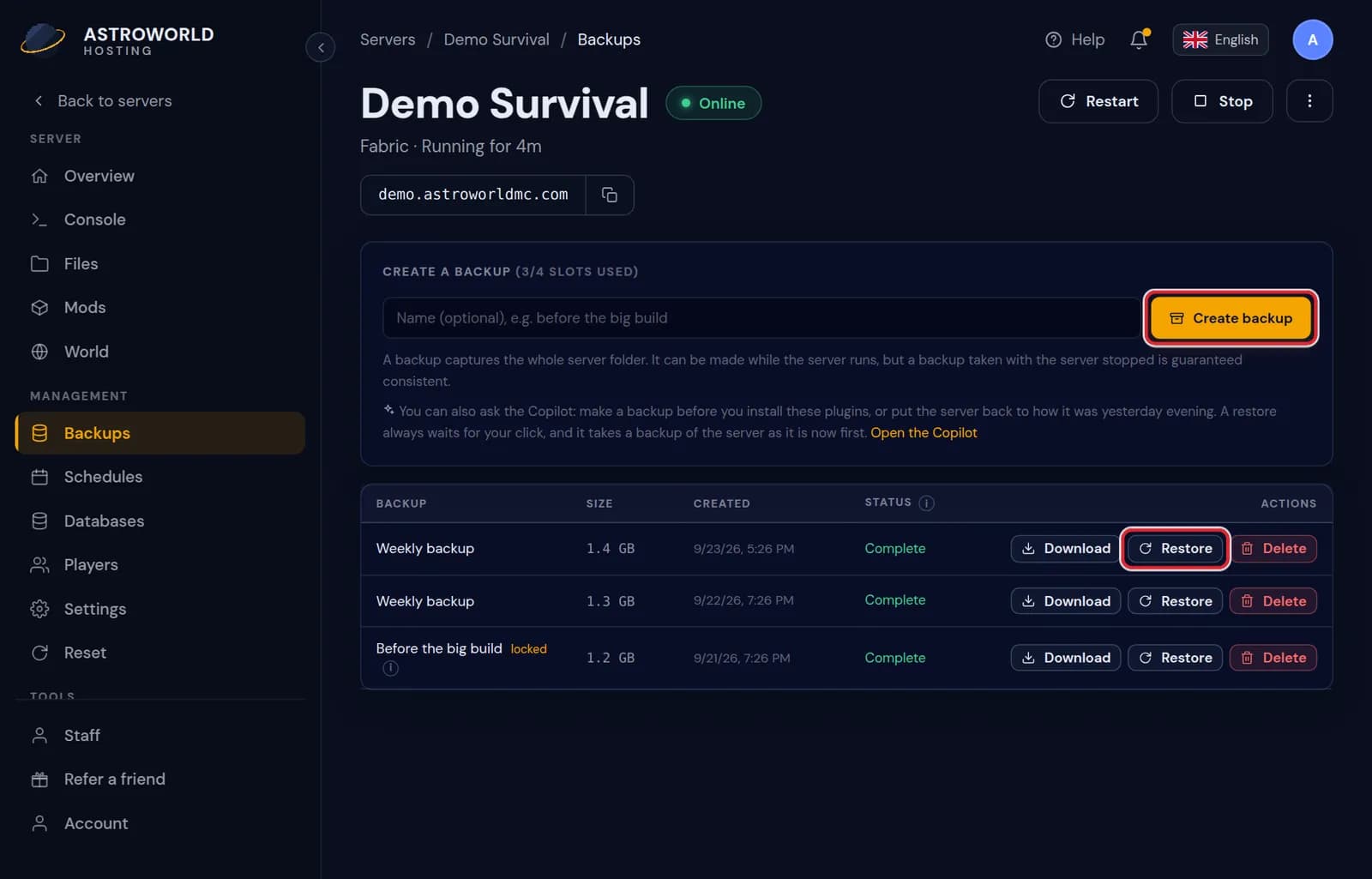
The Backups tab with the Create backup button Open Settings and find "Minecraft version" under Server software.
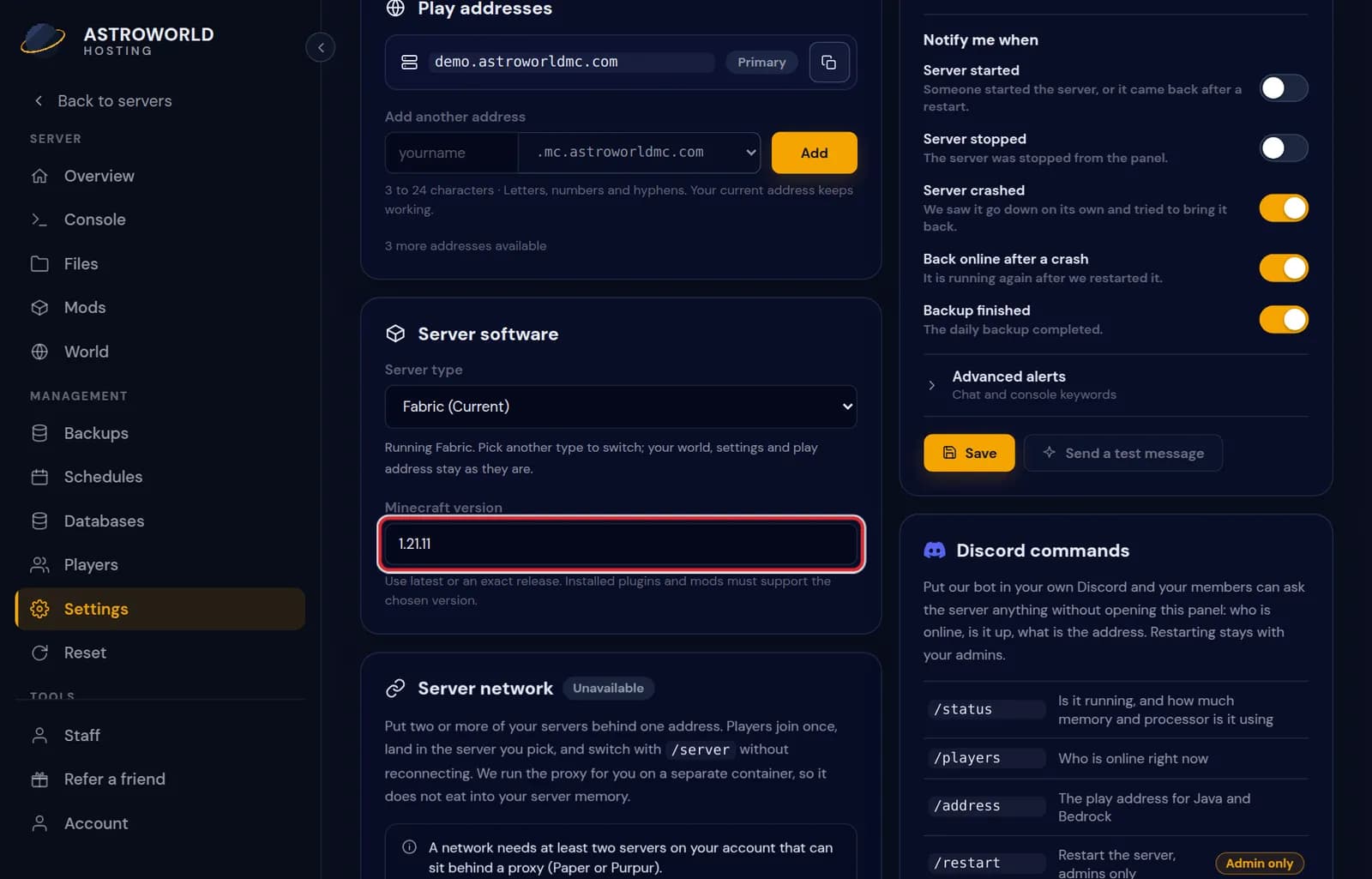
The Server software block in Settings with the Minecraft version dropdown Pick latest or an exact release and save. Then restart the server.
Watch the Console on the first start. A plugin or mod that does not support the new version says so there.
Messages when you change the version or the type
| What it says | What it means and what to do |
|---|---|
That is already the version on your server. | Nothing to change. If players still see a mismatch, the difference is on their side: their launcher runs another version. |
Start the server once so its Minecraft version can be detected. | A brand new server has not told the panel its version yet. Start it once, let it finish loading, and the version shows up. |
Make a backup first. A finished backup from the last day is required before the type changes. | Changing the server type, for example from Paper to Fabric, needs a completed backup that is less than a day old. Make one on the Backups tab and try again. |
The server is still running. Stop it before changing the type. | The software is replaced, which cannot happen while it runs. Stop the server on Overview first. |
Changing the server type is a different thing
Moving from Paper to Fabric, or from Vanilla to Forge, changes the software and not just the version. The panel walks you through that as a conversion under Server software, because plugins and mods do not carry over.
Latest or an exact release
"latest" follows the newest release by itself whenever the server starts. That is easy, but a new Minecraft release can arrive before your plugins or mods support it. Pick an exact release, such as 1.21.4, if your server depends on plugins or mods, and move up on purpose when they are ready.
The six server types
Paper and Purpur run plugins and leave the game as players know it, so everyone joins with a plain Minecraft client. Fabric, Forge and NeoForge run mods, and every player needs the same mods. Vanilla runs the game exactly as Mojang ships it, without either. A switch between types replaces the server software, not your world: the world folder, player data and your files stay where they are.
Going from a modded type back to Paper removes every block and item that came from a mod. Chunks with modded blocks load with holes in them, so keep the backup until you have flown over your builds.
Going down a version
A world opened by a newer version stores its data in the newer format. An older server may refuse to load it, or load it with missing blocks. If you need to go back, restore the backup from before the upgrade instead of only changing the version number.
Questions people also ask
My players see "Outdated server" or "Outdated client".
Their game and the server run different versions. Either they switch their game to the server version in the launcher, or you change the server version as above.
Can Java and Bedrock players join the same version?
On a crossplay server, yes: Bedrock players join the Java server through Geyser, which translates between the two. The Java version you set is the one the server runs; Bedrock players use a current Bedrock client.
My plugin says it does not support this version.
Check the plugin catalogue for a newer build, or set the server back to the last version the plugin supports. The console names the plugin on start.