How do I make myself an operator?
Short answerOpen the Players tab in your panel, choose Operators and press "Add operator". Type your Minecraft username and confirm; it works whether the server is running or not.
Add an operator
Open your panel and go to the Players tab.
Choose Operators and press "Add operator".
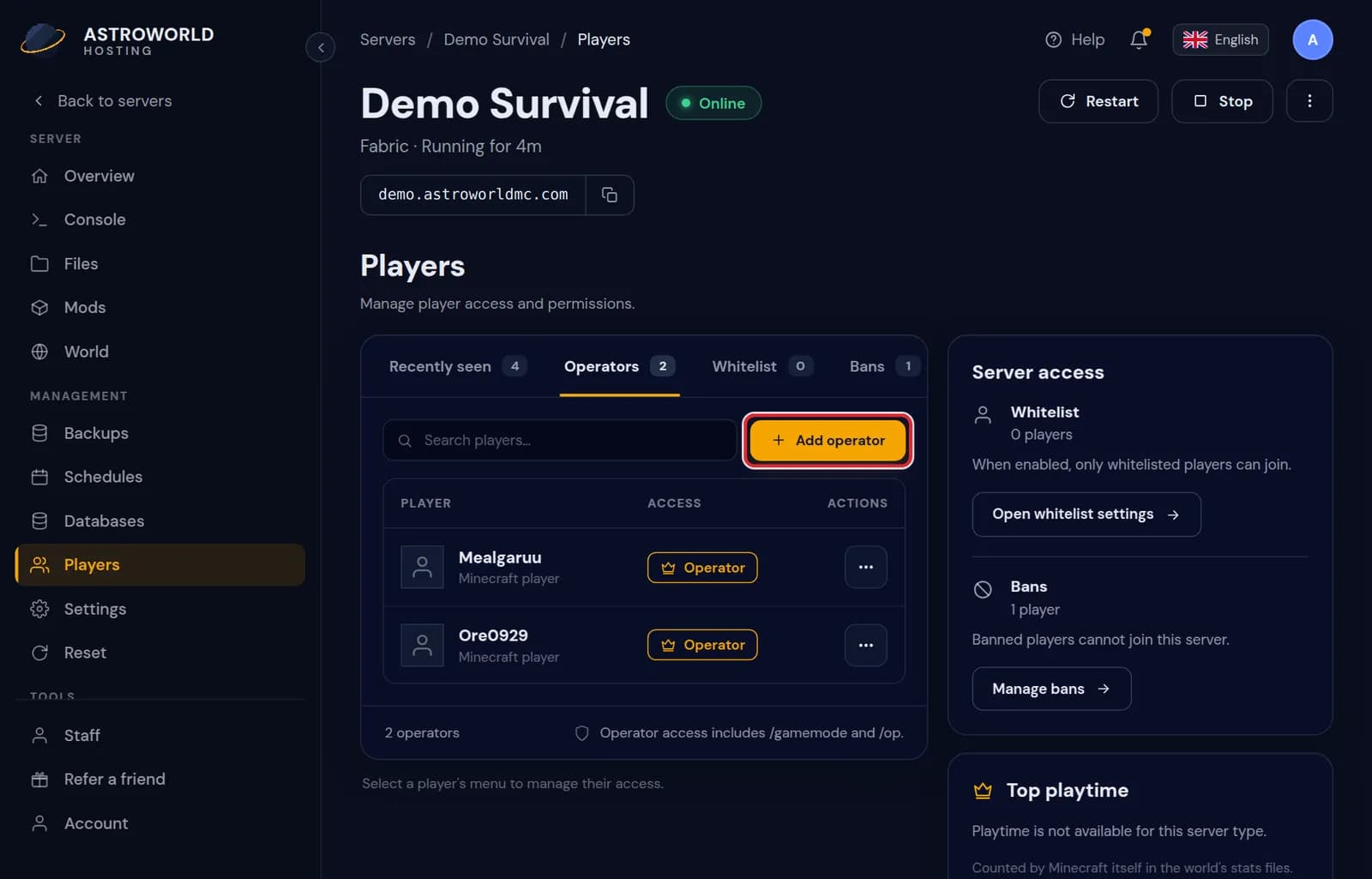
The Players tab of the server panel with the Operators list and the Add operator button Type the Minecraft username exactly as it is in the game and confirm. On a crossplay server, a Bedrock player gets the prefix the panel shows in front of their gamertag.
Messages on the Players tab
| What it says | What it means and what to do |
|---|---|
The server is not running, so changes are written straight to its files and take effect when it next starts. | Your change is saved. The new operator gets their rights the next time the server starts; there is no need to start it just for this. |
Bedrock player? Type {prefix} and then their gamertag. | On a crossplay server Bedrock players have a prefix in front of their gamertag. The panel shows the exact prefix for your server; without it the name points at a Java account that does not exist. |
{aantal} people are operator, and every one of them can run every command on your server. | A warning from the security check. Nothing is wrong yet, but every extra operator is somebody who can give out rights or change the world. Keep the list short. |
Running or stopped, both work
While the server runs, the panel sends the real console command, because the server keeps the operator list in memory. While it is off, the panel writes the file directly and looks up the player first, so the change is there the next time it starts.
Who should be an operator
An operator can use every command in the game, including /gamemode and /op. Keep this list to the people you trust with your world. For moderators, a permissions plugin with ranks is safer.
Also from the player list
Everyone who joined recently shows up in the list on the Players tab, with when they were last seen and their playtime as Minecraft counts it in the world's stats files. Open the menu next to a name and choose "Make operator" to give that player operator rights without typing the name; "Remove operator" in the same menu takes them away.
Operator levels
Minecraft has four operator levels, set with op-permission-level in the server settings. The default, level 4, can run every command including stopping the server. Level 2 is enough for building in creative, teleporting and changing the time and weather, and level 3 adds kicking and banning players. Lower the level in Settings if your operators do not need everything.
Operators and plugins
On a Paper or Purpur server, many plugins treat operators as allowed to do anything the plugin offers. If you install a permissions plugin with ranks, give moderators a rank there instead of operator, so they get exactly the commands they need and nothing else.
Questions people also ask
Can I do it with a console command as well?
Yes. Type op followed by the username in the Console tab while the server runs. The Players tab does the same and also works when the server is off.
How do I remove an operator?
Open the same Operators list and remove the player there. They lose their rights straight away.
Do I need to be an operator to use the panel?
No. The panel works for you as the owner whether you are an operator in the game or not. Operator only matters for commands you type in the Minecraft chat.
Can staff members make people operator?
Only staff you gave the Players right. The Moderator role has it, the Builder and Viewer roles do not.