How do I cancel my subscription?
Short answerOpen Billing in your dashboard, go to the billing portal and cancel the subscription there, or send us an email. Cancel at least 3 days before your next billing date to avoid the next charge; the server keeps running until the end of the period you paid for.
Cancel a server
Download a backup of your world first. Open the panel, go to Backups and press "Download" next to the newest one.
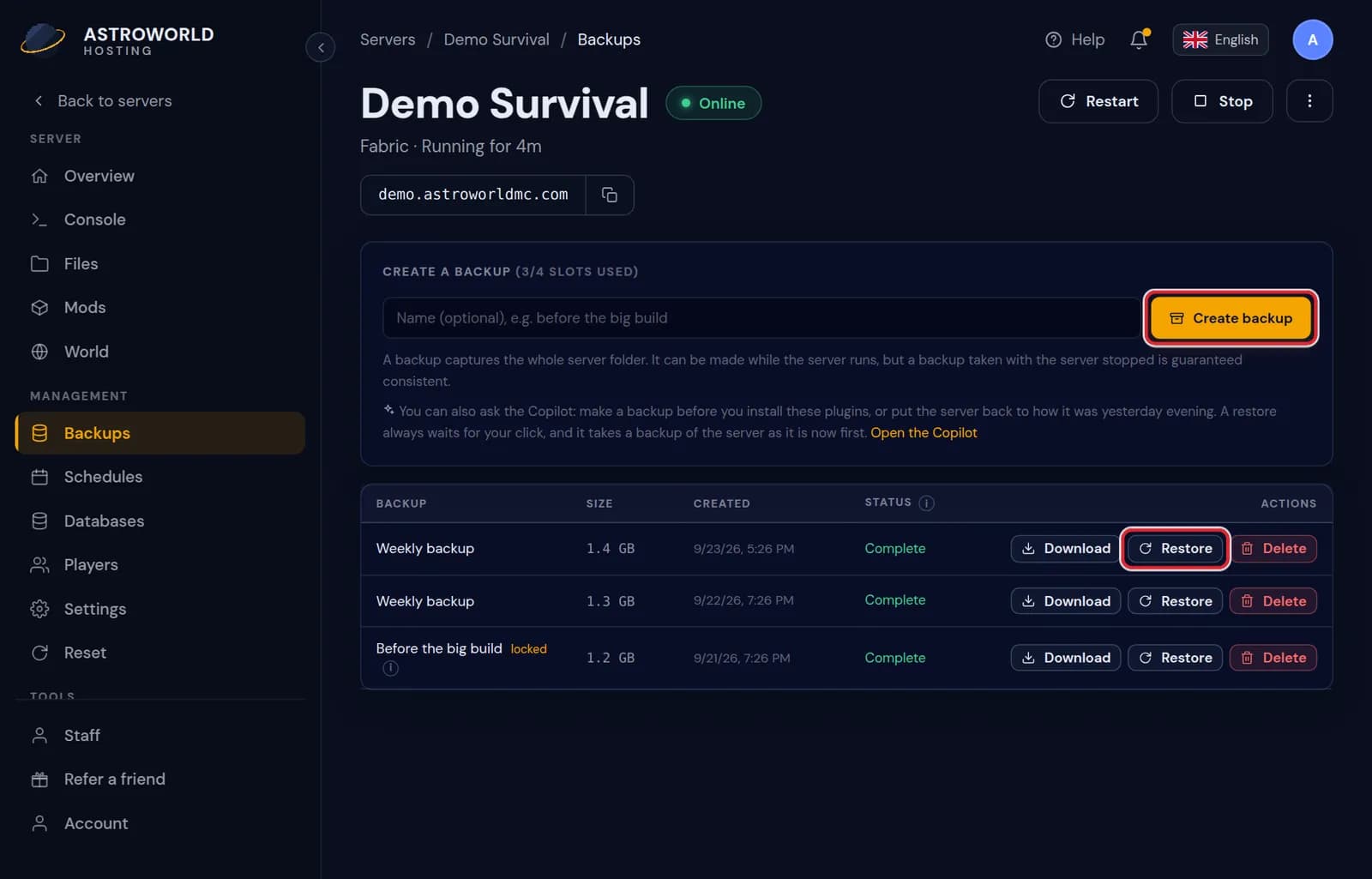
The Backups tab of the server panel with a Download button next to each backup Open Billing in your dashboard and open the billing portal under Payment Management.
Pick the subscription of the server you want to stop and choose to cancel it. If your Billing page says payments are handled by us, send us an email instead with the server name.
Messages around cancelling and unpaid servers
| What it says | What it means and what to do |
|---|---|
This server is suspended. Settle the outstanding invoice to restore access. | Not a cancellation: a payment failed and the server is paused. Pay the open invoice in the billing portal and it comes back. If you meant to stop, cancel the subscription instead of leaving it unpaid. |
Are you absolutely sure? This will permanently delete your account, cancel all subscriptions, and remove all server data. | This is the account deletion on the Account page, which is far more than cancelling one server. Use it only when you want everything gone; to stop a single server, cancel its subscription in the billing portal. |
When the cancellation takes effect
You can cancel at any time. To avoid being billed for the next period, cancel at least 3 days before the next billing date. A cancellation that arrives later takes effect one period after that.
The period you already paid for stays active until its end date, so you can keep playing until then.
What happens to your files
After the subscription ends, the server files are kept for 7 days. In that week you can still download them from the panel. After that they are deleted for good.
Cancel one server or close the whole account
Cancelling a subscription stops one server at the end of its paid period and leaves the rest of your account alone: other servers, invoices and your login stay. Deleting your account on the Account page is final: it cancels every subscription at once, removes all server data and asks for your two-factor code first if you have it on.
Before the last day
Take a fresh backup and download it, because the backups in the panel go away with the server. Export anything you keep outside the world folder as well: plugin settings, a database on the Databases tab, or the files of a website you host with us.
Tell your players. The play address stops working when the server is removed, and a server that simply vanishes from their list looks like a crash.
Changed your mind
Until the paid period ends, you can turn the cancellation back on in the billing portal and the subscription simply continues. After the end date, within the 7 days that the files are kept, write to us and we see whether the server can be brought back as it was.
Questions people also ask
Do I get a refund for the rest of my term?
No. Our subscriptions are not refundable, which is why the paid period stays active until its end date after you cancel.
Can I switch to a smaller plan instead?
Yes. Send us an email with the server name and the plan you want, and we arrange the change for you.
Does cancelling stop the server straight away?
No. The server keeps running until the last day you paid for, so you can keep playing and make your final backup in peace.
I cancelled but I was still charged.
The cancellation arrived less than 3 days before the billing date, so that period had already started. It is the last one; the subscription ends after it. If you think the dates are wrong, send us the invoice and we look at it.