How do I search the chat history of my server?
Short answerOpen Console in your server panel and scroll to Chat history under the command line. Type a word or a player name, pick a period of up to 14 days and press Search: the panel reads the log files your server already keeps and lists every matching line with its date and time.
Search the chat
Open Console in the sidebar. The Chat history card is right under the command line.
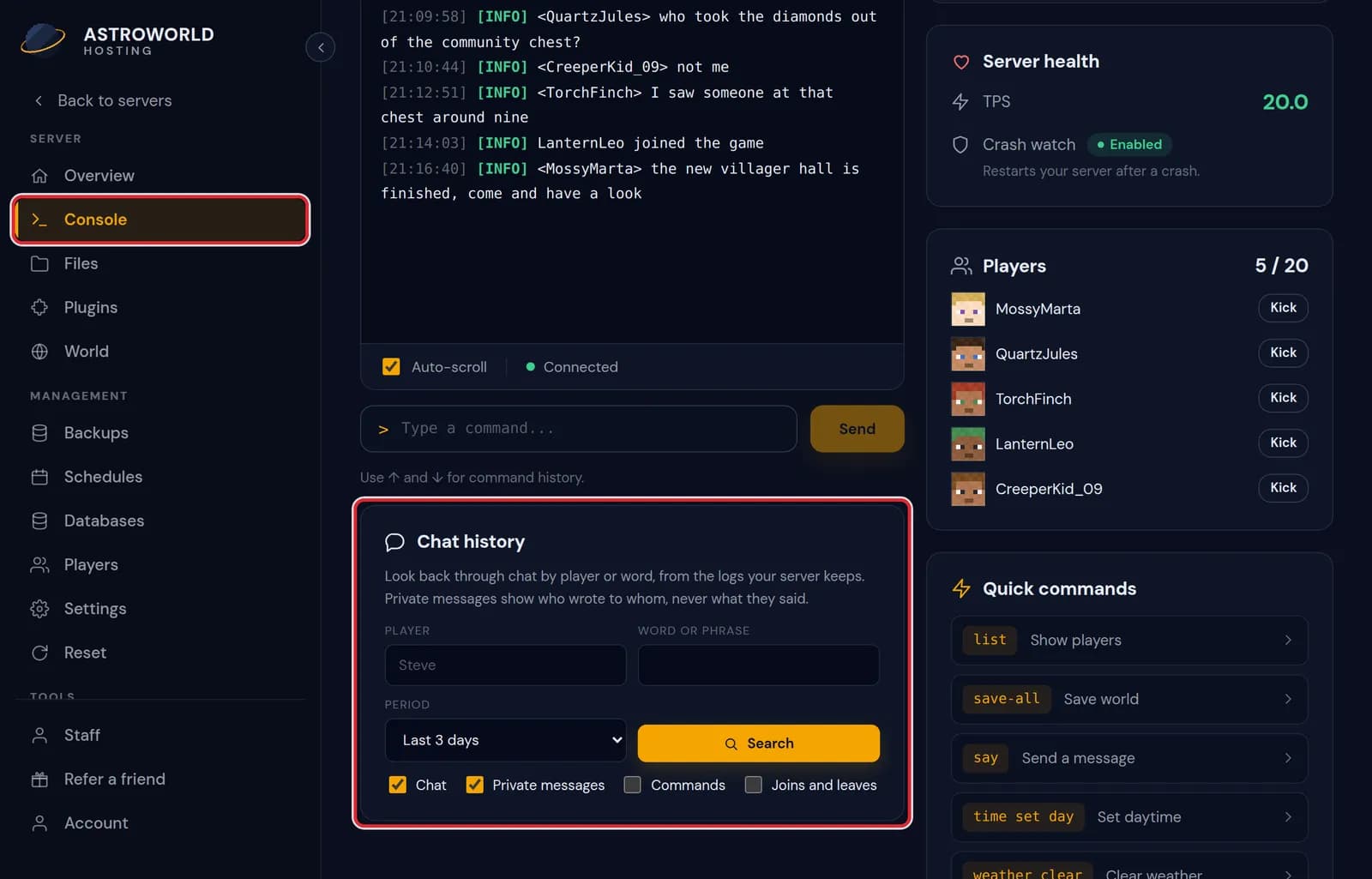
The Console page with the Chat history card under the command line marked in red Type a word or part of a sentence under Word or phrase and press Search. Capitals do not matter, and the word is also matched against player names.
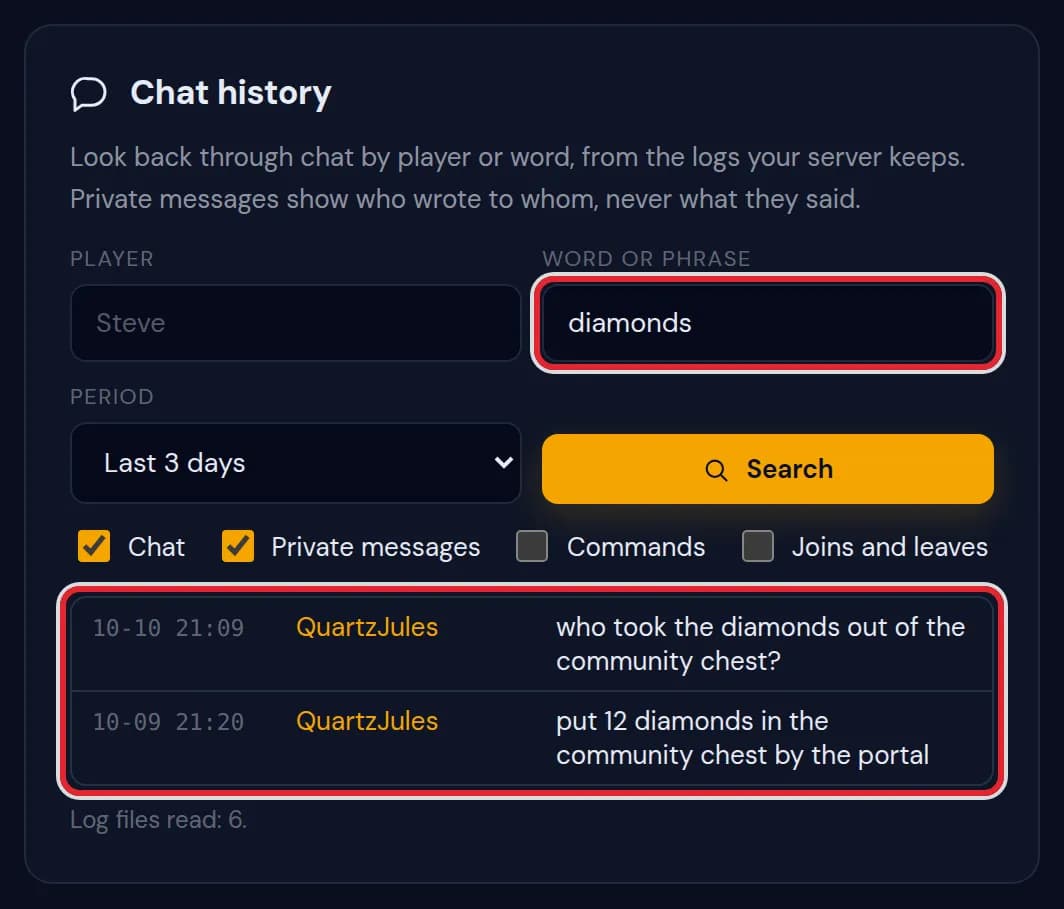
A search for diamonds with two lines from QuartzJules on October 9 and 10, marked in red 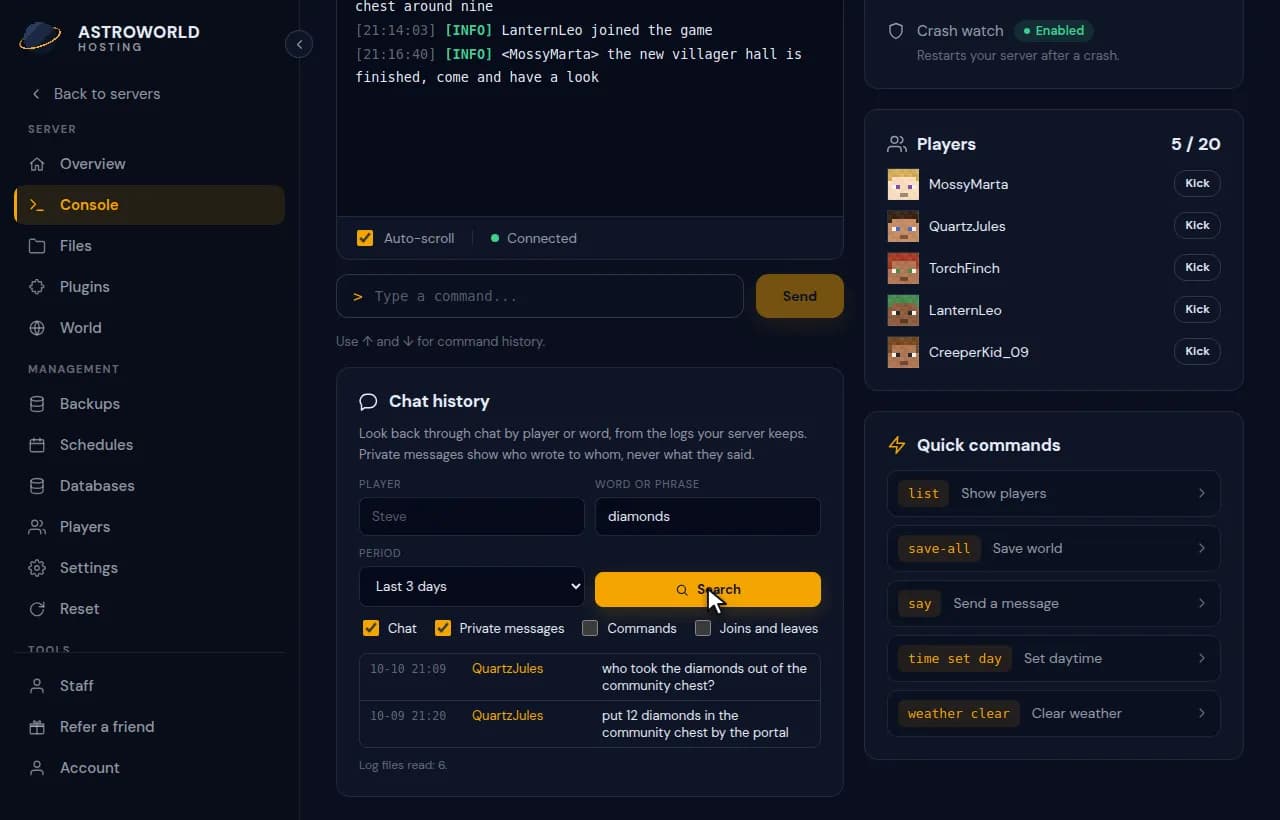
Searching the chat for a word and then narrowing the results down to one player by clicking the name For one player, type the name under Player or click a name in the results. Both fields count together, so empty the word field when you want everything that player wrote.
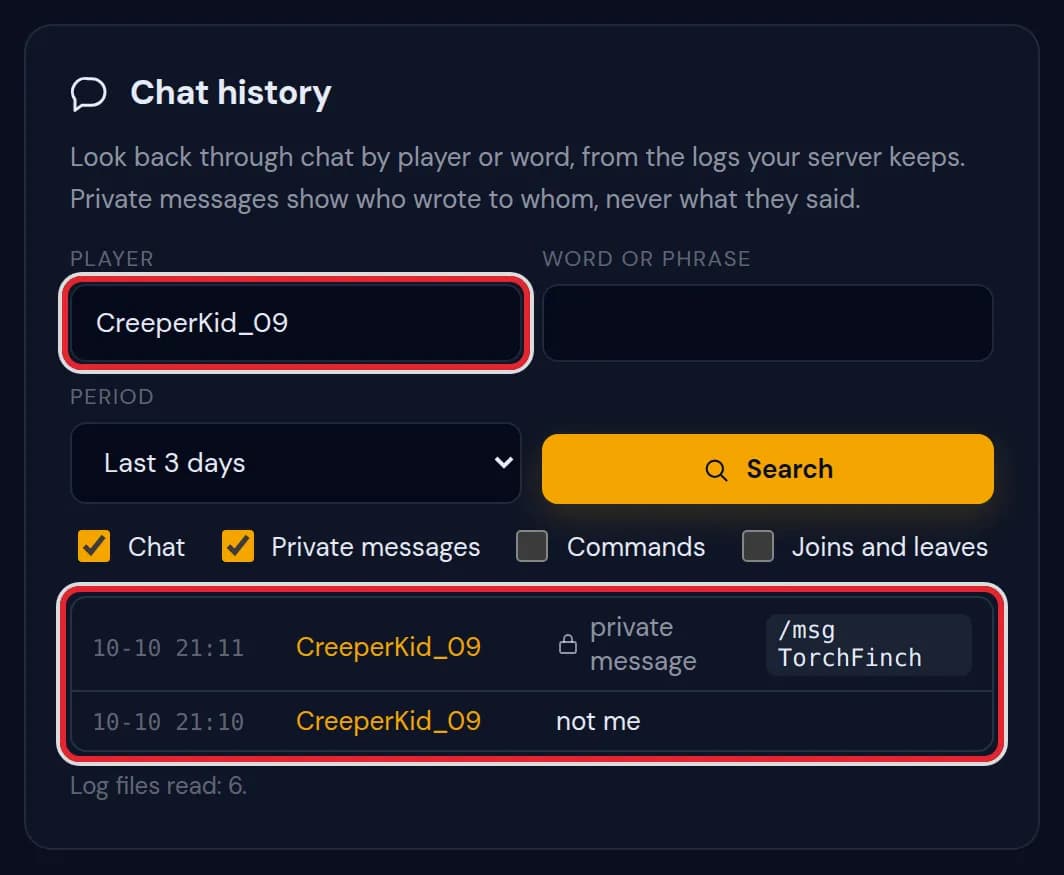
Only the lines of CreeperKid_09, including a private message to TorchFinch Tick which kinds of lines to include. Chat and Private messages are ticked from the start; Commands and Joins and leaves are not. Change the ticks and press Search again.
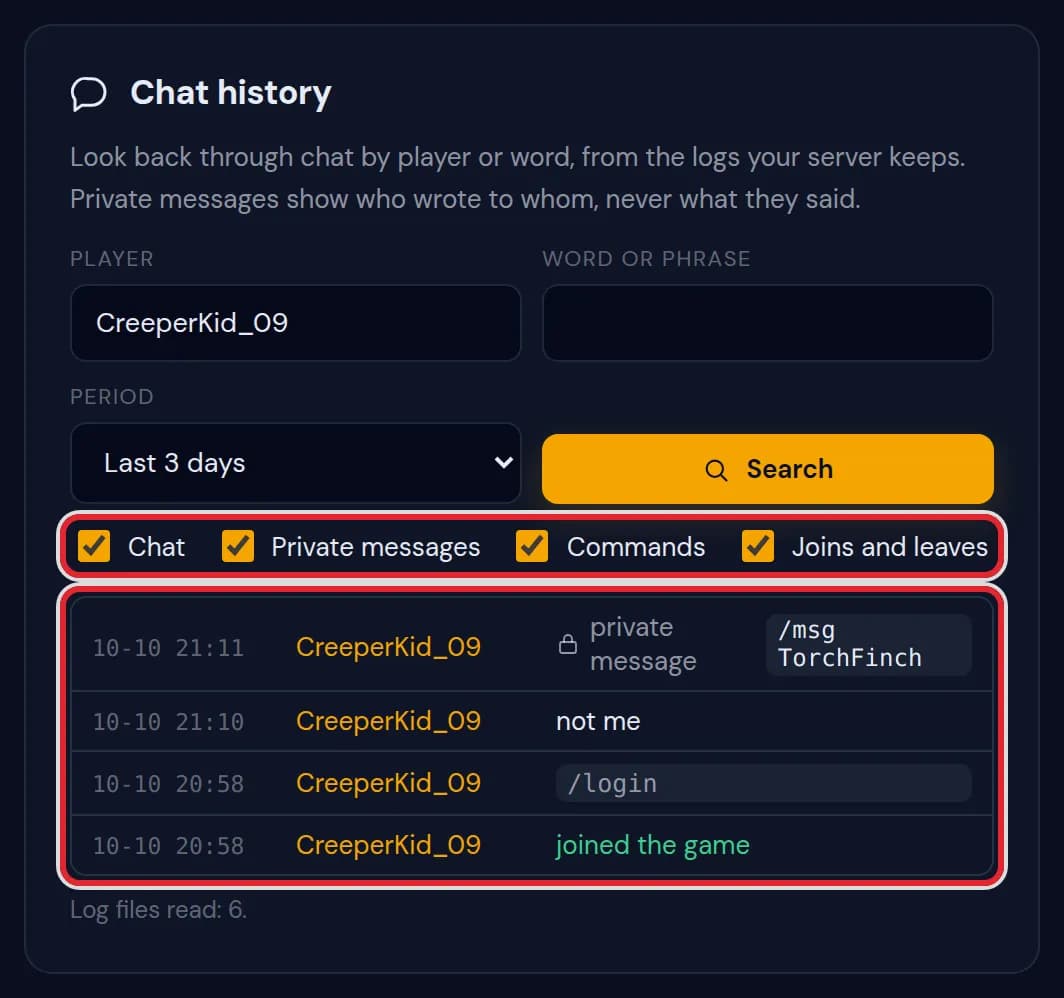
All four kinds ticked, so a login command and a joined the game line show up too, with Log files read: 6. at the bottom Under Period, choose Today and yesterday, Last 3 days, Last 7 days or Last 14 days. The card starts on Last 3 days.
Messages on the Chat history card
| What it says | What it means and what to do |
|---|---|
Nothing found in this period. | No line matches the word, the player and the kinds you ticked. Try a longer period or a shorter word. |
Showing the newest 500. Add a player or a word to narrow it down. | More lines match than the card lists at once. The newest come first, so narrow the search to reach older ones. |
Log files read: 6. | How many log files the search went through. A server writes one for each day and each start. |
Not read because too large or damaged: 1. | One packed daily log was over 24 MB or could not be unpacked, so its lines are missing from the results. |
There is no logs folder on this server yet. | The server has not run long enough to write a log. Let people play first and search later. |
Searching the logs did not work. | The files could not be read just now. Wait a moment and press Search again. |
Where the history comes from
Minecraft writes what happens to logs/latest.log and packs that file into a dated .log.gz every day and at every start. The card reads those files, so it can only look back as far as they reach: chat in a log that was deleted is gone.
One search reads at most 30 files covering up to 14 days, plus the last 24 MB of the current log. The times are the ones the server wrote in its log, and the newest line is at the top.
Private messages on the card
For /msg, /tell, /w and the similar commands that plugins add, the card shows who wrote to whom and leaves the text out. Replies with /r or /reply and /mail show only the command, because the line does not say who receives them.
Commands of login plugins such as /login and /register are shown without anything typed after them, so a password never ends up on the card.
Checking a player report
A complaint about griefing or abuse usually comes with a name and a rough time. Search the name, pick a period that covers that moment, and tick Commands as well to see what the player ran. Joins and leaves tells you when someone was online at all.
Questions people also ask
Can I read chat from longer than 14 days ago?
Not on the card. Older .log.gz files stay in the logs folder for as long as the server keeps them, and you can download them from Files and open them on your computer.
Does searching slow the server down?
No. The panel reads files from disk and sends nothing to the game, so players do not notice a search.
Who can use the chat history?
The owner, and staff members who have the Console permission.