How do I ban a player from my server?
Short answerOpen Players in your server panel, find the player, open the menu next to the name and choose Ban player. Add a reason if you like and confirm: a player who is online is removed at once, and Unban player lets them back in whenever you want.
Ban a player
Open Players in the sidebar. Type part of the name in the search field above the list to find the player quickly.
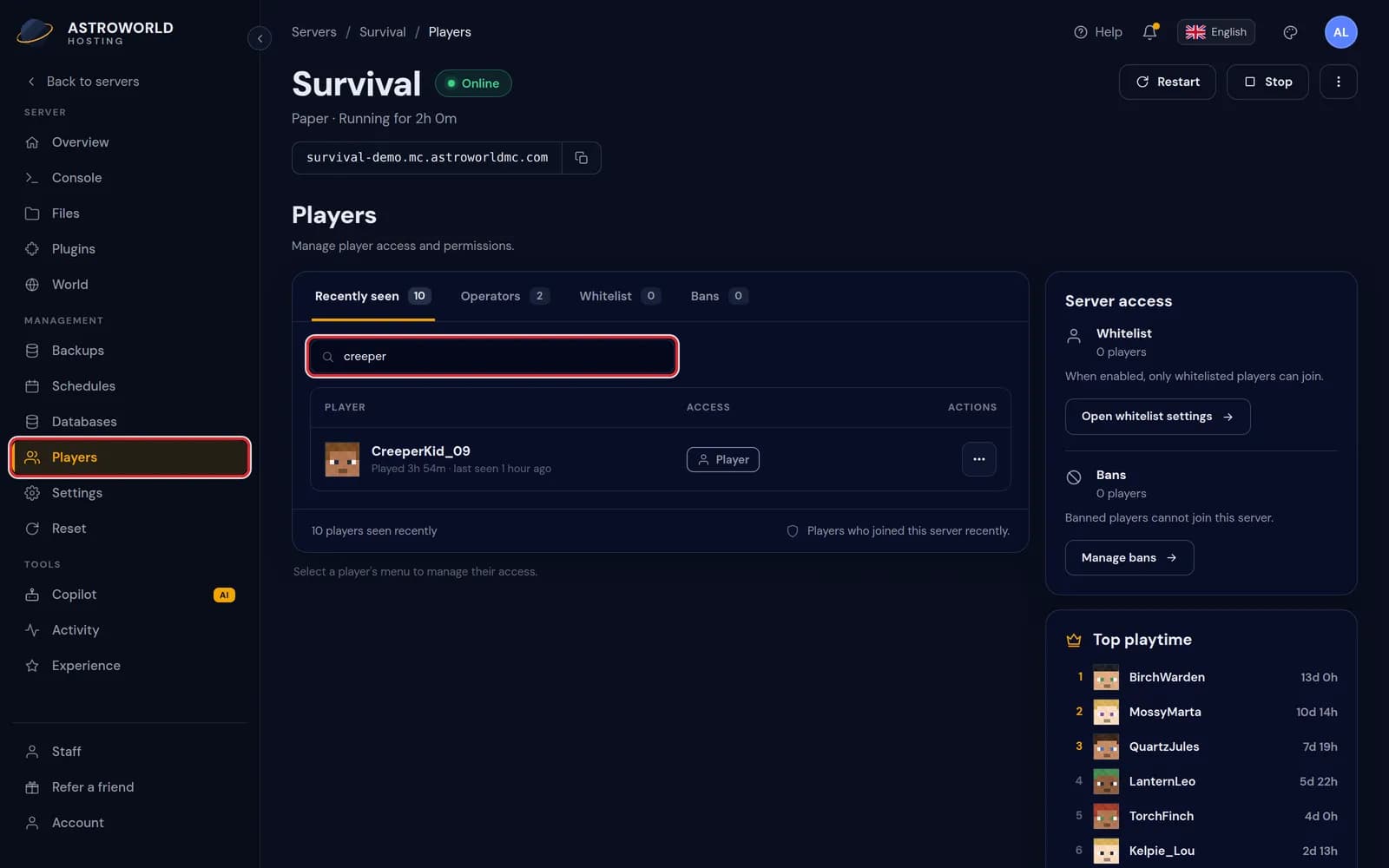
The Players page with a search for creeper in the field above the player list, marked in red Open the menu with the three dots next to the name and choose Ban player.
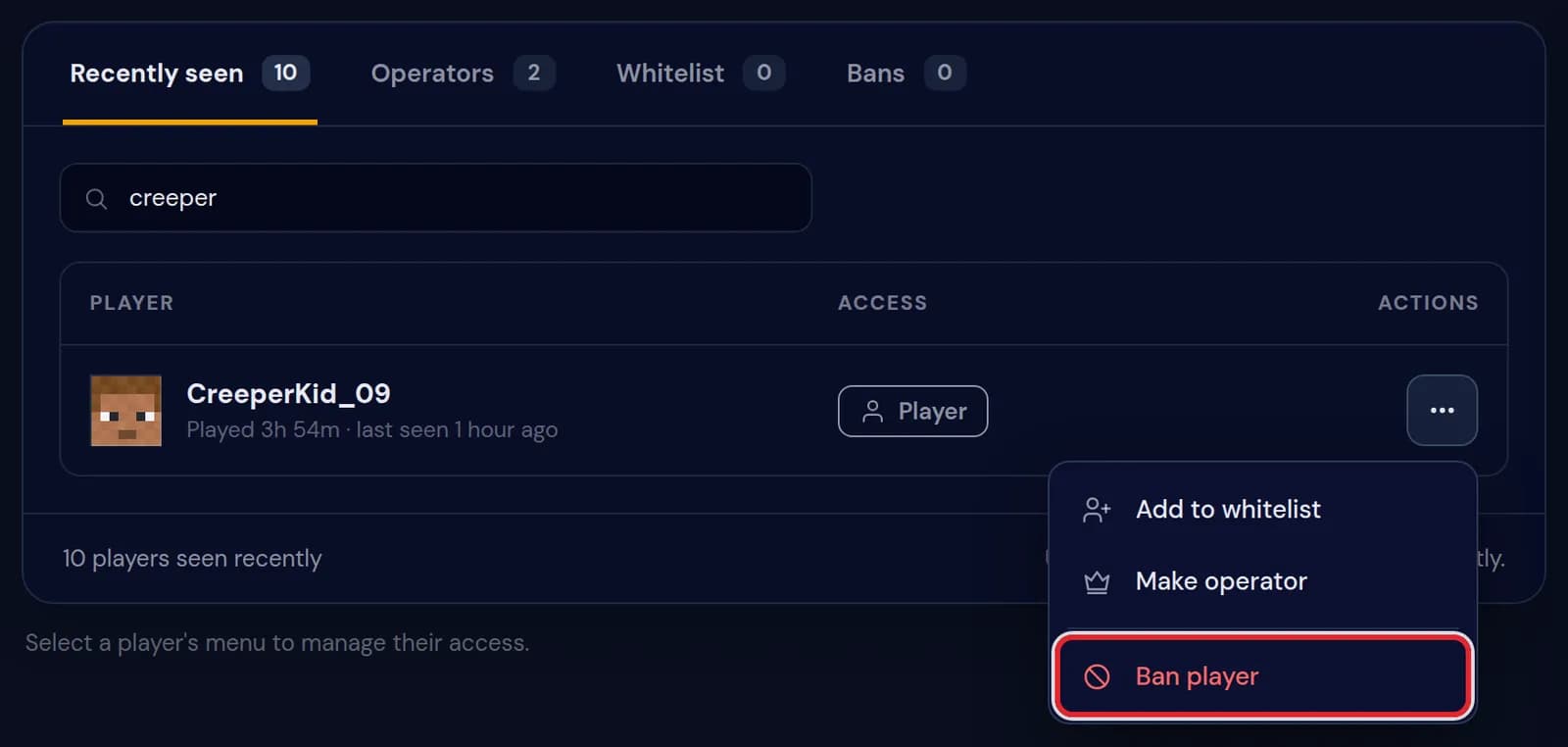
The menu next to CreeperKid_09 with Add to whitelist, Make operator and Ban player, the last one marked in red Type a reason of up to 120 characters, or leave it empty, and confirm. The reason is on the player's screen when they are removed and every time they try to come back.
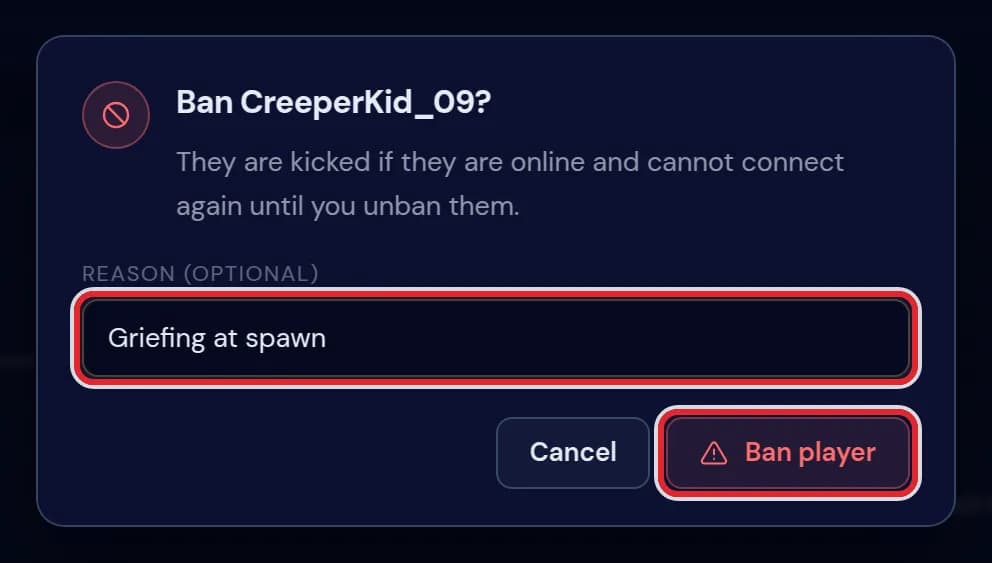
The dialog Ban CreeperKid_09? with the reason Griefing at spawn filled in 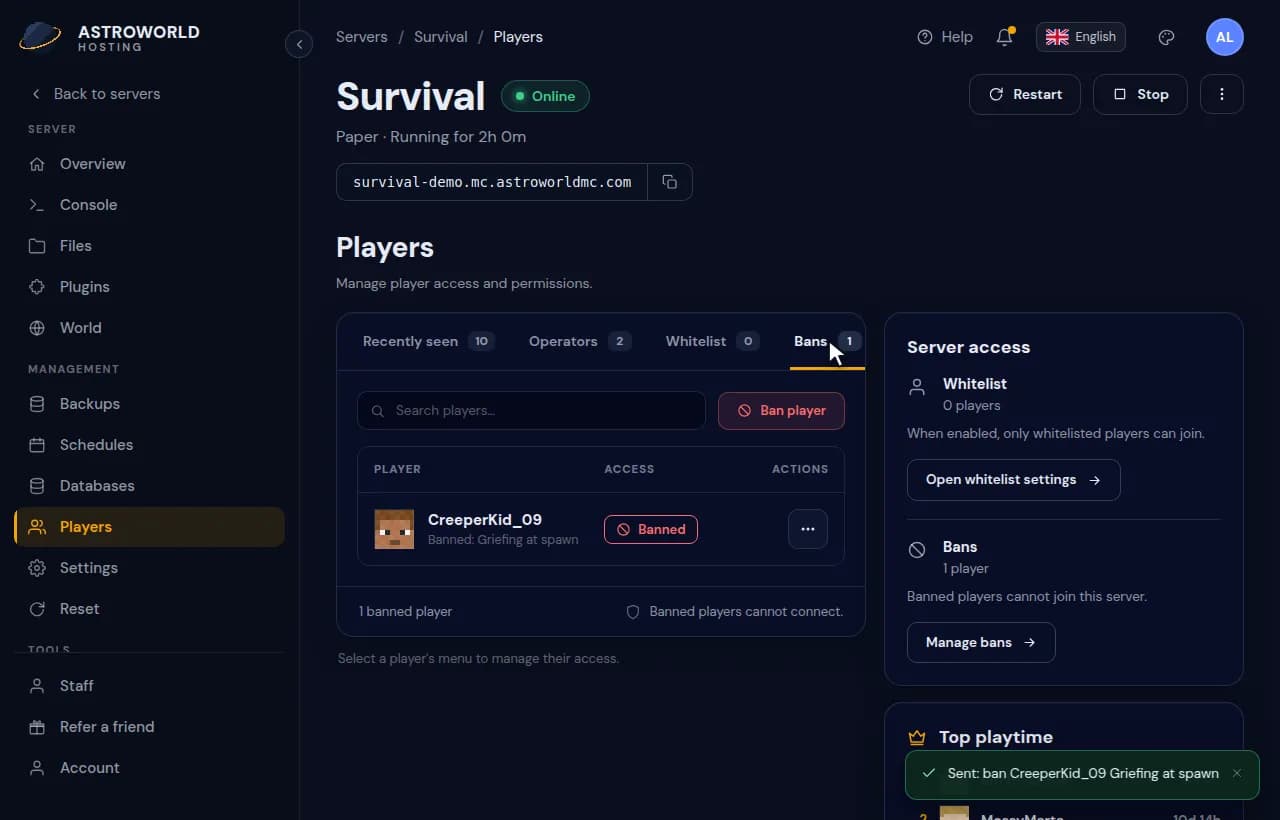
Finding a player on the Players page, banning them with a reason and checking the Bans tab The player now has a place on the Bans tab, with the reason under the name.
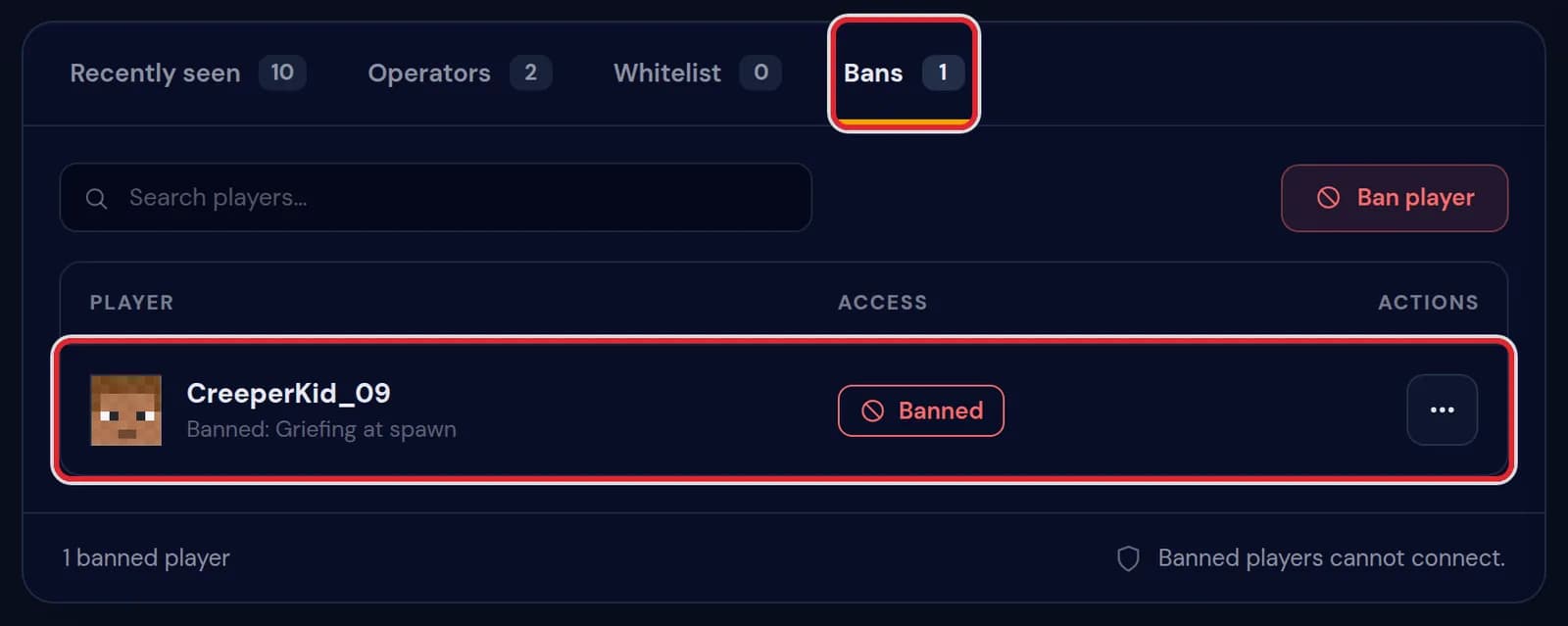
The Bans tab with CreeperKid_09, the line Banned: Griefing at spawn and the count 1 banned player To lift the ban, open the menu next to the name on the Bans tab and choose Unban player. The player can join again straight away.
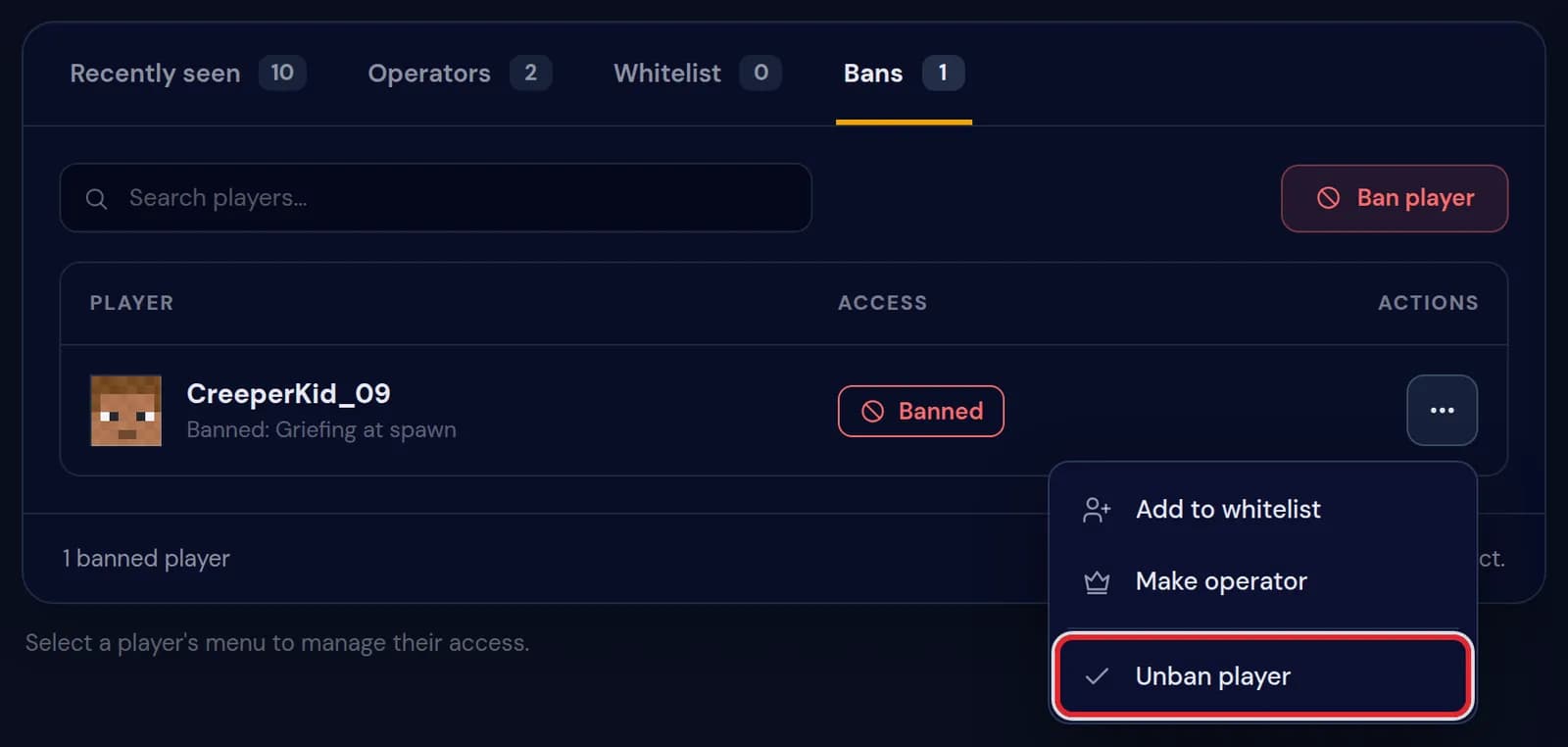
The menu next to CreeperKid_09 on the Bans tab with Unban player marked in red To ban somebody who is not in the list, for example a player who never joined, press Ban player on the Bans tab and type the exact username. The dialog for the reason follows.
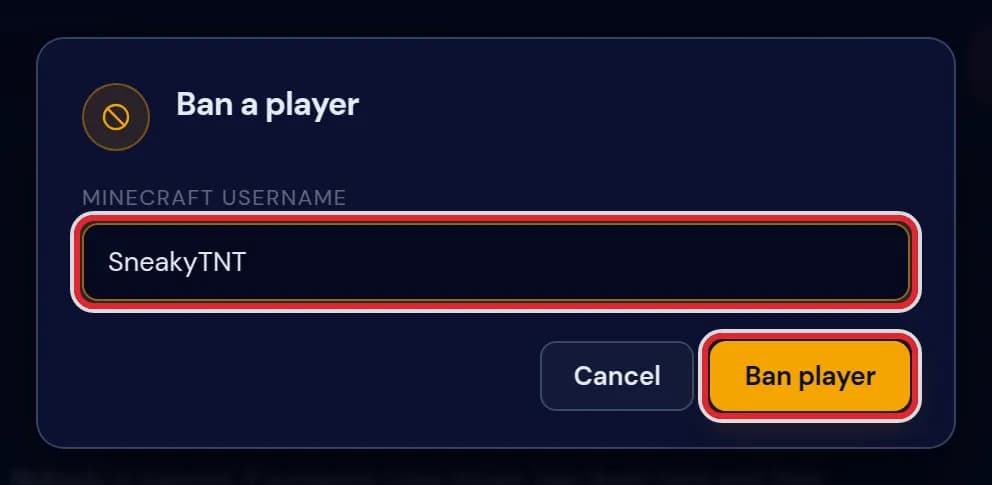
The Ban a player dialog with the username SneakyTNT typed in
Messages when you ban or unban
| What it says | What it means and what to do |
|---|---|
Sent: ban CreeperKid_09 Griefing at spawn | The server was running, so the panel typed the ban command in the console for you. The player is off the server the moment it runs. |
Sent: pardon CreeperKid_09 | The unban went to the running server, so the player can join again right away. |
SneakyTNT added. It takes effect on the next start. | The server was off, so the ban went straight into banned-players.json. It counts from the moment the server starts. |
SneakyTNT removed. | An unban on a stopped server: the name was taken out of the file. |
SneakyTNT is already on that list. | That player was banned before, so nothing changed. |
SneakyTNT was not on that list. | There was no ban to lift under that name. Compare the spelling with the Bans tab. |
That is not a valid Minecraft username. | Java usernames only use letters, digits and underscores, with at most 16 of them. |
Mojang has no account called "SneakyTNT". Check the spelling. | On a stopped server the panel looks the account up before it writes the ban. A typo in the name ends up here. |
A ban sticks to the account
Minecraft stores a ban with the ID of the account, not only with the name. Someone who changes their name stays banned, but a second account of the same person is not covered: ban that one by name as well.
Banning while the server is off
With the server stopped, the Players page shows a notice at the top and writes changes into the files of the server. The ban counts from the next start. A ban without a reason reads Banned by an operator.
On a crossplay server, Bedrock players are banned with the prefix of your server in front of their gamertag. The panel shows that prefix when you type the name.
Ban, kick or whitelist
A kick only removes a player for now, and they can rejoin at once; type kick and the name in the console for that. A ban keeps someone out until you lift it.
A whitelist works the other way round: it lets in only the names on it. For a private server that is less work than banning strangers one at a time.
Questions people also ask
Does the player see why they were banned?
Yes. Your reason is on their screen when the ban removes them and again on every attempt to join.
Is a banned operator still an operator?
Yes, a ban does not touch the operator list. If you no longer trust them, also choose Remove operator in the menu next to their name, so they have no commands after an unban.
Can I ban an IP address?
Not from the Players page. Type ban-ip followed by the player name in the console; pardon-ip lifts it again.
Can my moderators ban players too?
Yes, if their permissions include Players. The Moderator role on the Staff tab comes with it.