How do I reset my whole server and start from scratch?
Short answerOpen Reset in your server panel, enter your two-step code on Reset the whole server and confirm. After a full backup every file is deleted and the server is installed fresh with the same type and version, while your plan, play address, backups and staff stay. Only the owner of the server can do this.
Reset the whole server
Log in with the account that owns the server. Staff can be allowed to reset a world, but a full reset is for the owner alone.
Open Reset in the sidebar and scroll down to Reset the whole server, under the world card. Read its three lines: what is deleted, what is kept and what happens on a crossplay plan.
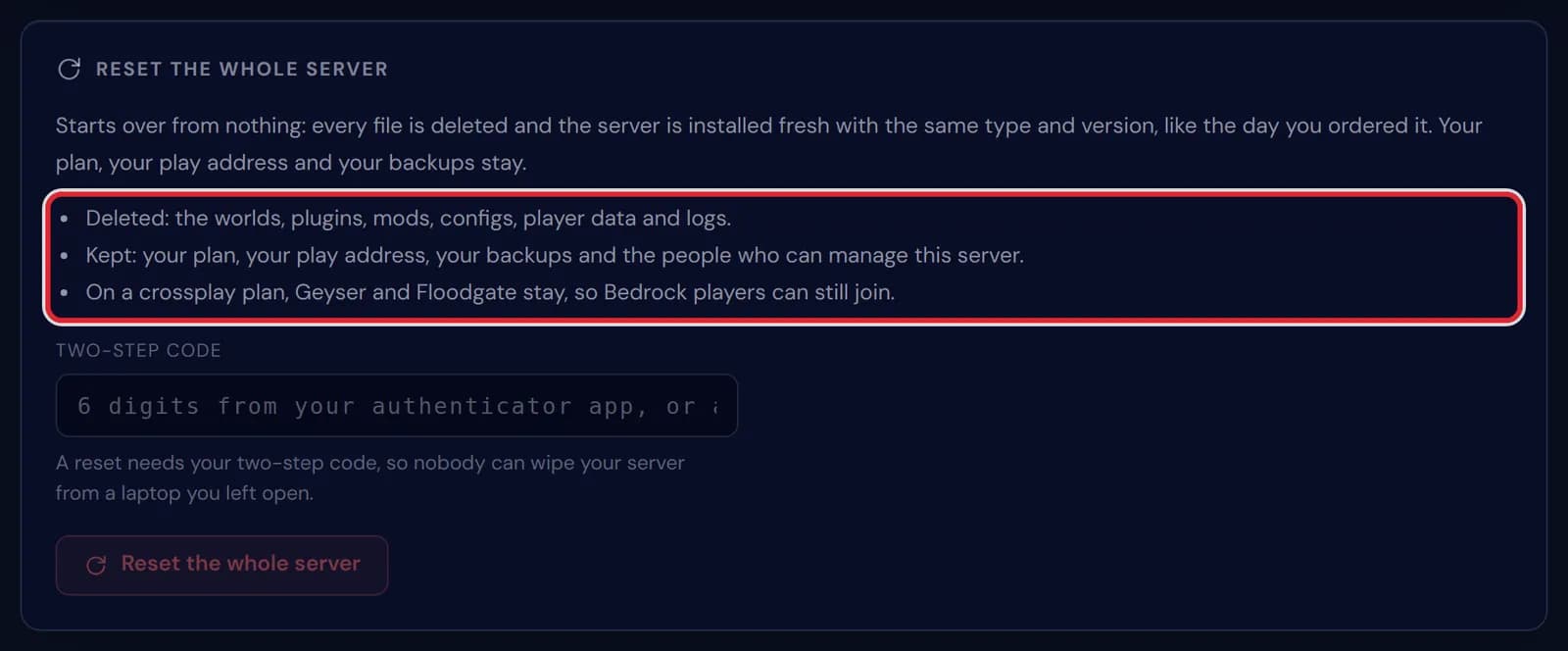
The Reset the whole server card, with the lines on what is deleted and what is kept marked in red Type the code from your authenticator app, or a backup code, and press Reset the whole server. The window that follows spells out what goes; press Reset the whole server in it once more to confirm.
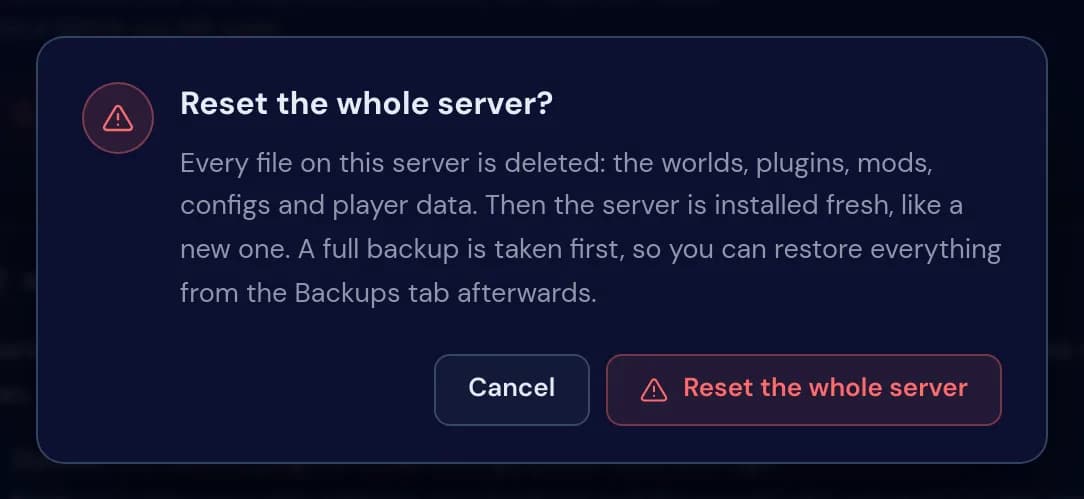
The window Reset the whole server? with its warning and the buttons Cancel and Reset the whole server The panel stops the server and makes a full backup, then deletes every file and installs the server again. Once the last step is ticked, a notice says the installation is running.
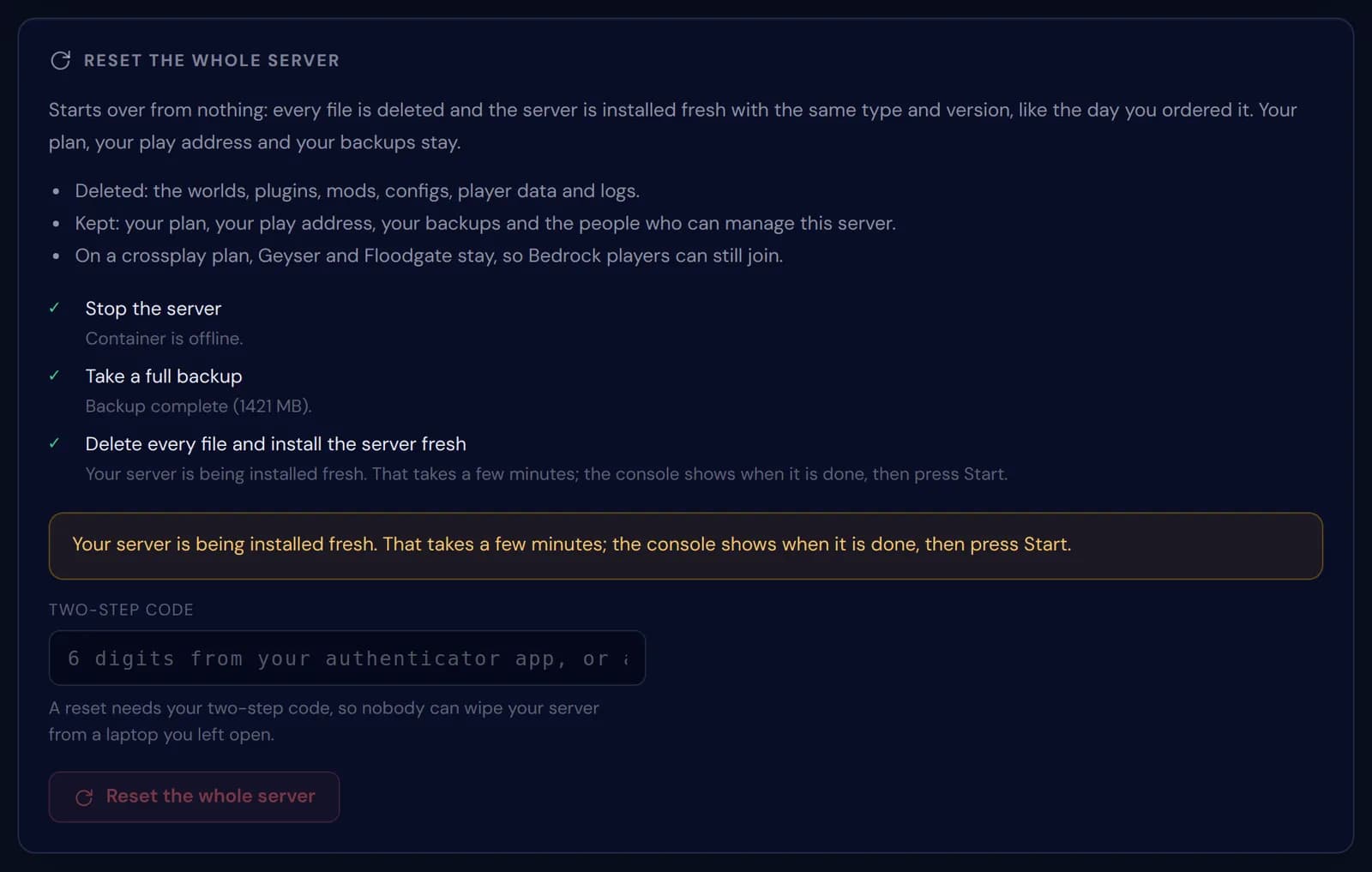
The three steps of a full reset ticked off, with the notice that the server is being installed fresh Give it a few minutes. When the console shows the installation has finished, press Start: the first start makes a new world and fresh config files, just like on the day you ordered.
Messages during a full reset
| What it says | What it means and what to do |
|---|---|
Only the owner of this server can reset the whole server. | You are logged in as staff. Ask the owner, or reset just the world if that is enough. |
Make a fresh backup first, a reset cannot be undone. | Nothing is deleted without a successful backup from the last 24 hours. The reset makes one itself; if that one failed, make one on the Backups tab and try again. |
Your server is being installed fresh. That takes a few minutes; the console shows when it is done, then press Start. | The reset went through. Wait for the console, then start the server. |
The demo server cannot be reset. | The public demo server is shared by every visitor, so it stays as it is. |
The world or the whole server?
When the map is what you want to replace, reset the world: plugins, configs and permissions stay, and only the land starts over. Reset the whole server when the setup itself is the problem, such as a pile of plugins you no longer trust, mods left from an old modpack or configs nobody can explain any more.
A full reset keeps your server type and version. Moving to another version is a separate job; see the article on changing your Minecraft version.
What you get back after a full reset
The server comes back with the same software and version it runs now. If your version is set to Latest, the reinstall uses the newest stable release on that day, so it can come back one version newer than it was.
On a crossplay plan Geyser and Floodgate are installed again, so Bedrock players can join as soon as the server is up. Plugins and mods you added yourself are not; put them back from the Plugins or Mods tab.
What stays on your account
Your plan and its billing, the address your players connect to, every backup already on the Backups tab and the people on the Staff tab are not touched. The reset is about the files on the server and nothing else.
The backup made at the start is your way back. Restore it on the Backups tab and the server returns with every world, plugin and config it had before the reset.
Questions people also ask
Is a full reset the same as ordering a new server?
No. Your plan, billing period, address and backups stay, and nothing is charged. Only the files on the server are new.
Will my staff lose access?
No. Everyone on the Staff tab keeps the permissions they had before the reset.
Can I undo a full reset?
Yes, with the backup it makes first. Restore that backup on the Backups tab and the server is back as it was, worlds included.
Why does a full reset ask for my two-step code?
Because it deletes everything on the server. The code proves it is really you, even on a computer where your panel was left open.