Better OneBlock Server Hosting
Better OneBlock starts you on a single block floating in the void. Break it and it comes back as something else, and from that one block a whole world has to be built. navzary's pack runs on Fabric 1.21.1 and stays close to vanilla, which makes it one of the lightest packs to host.
What Better OneBlock Is
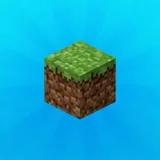
The pack has 185 mods, and 56 of them are for players only, mostly graphics, sound and interface improvements. On the server that leaves 129, most of them small: quality of life, Supplementaries and Amendments, Handcrafted, Storage Drawers, Friends and Foes, Mutant Monsters and Serene Seasons.
The One Block itself is not a mod. It is a data pack inside a ready made world that comes with the pack, and that detail matters for a server.
The Better OneBlock Release, Counted
| Edition | Version | Minecraft | Loader | Mods | Client only | Server pack |
|---|---|---|---|---|---|---|
| Better OneBlock656,000 downloads, released 14 September 2026 | 4.6.5 | 1.21.1 | Fabric 0.19.5 | 185 | 56 | No |
How Much RAM a Better OneBlock Server Needs
Very little. Up to three players: 4 GB. Four to eight: 5 GB. Nine or more: 7 GB. A void world with one block in it has almost nothing to generate, Lithium, ModernFix and FerriteCore keep the server lean, and ServerCore is included for the rest.
The world grows as players build outward from the block, and farms and animals eventually become the main load, as on any survival server.
| Group | Memory | Plan |
|---|---|---|
| 1 to 3 players | 4 GB | Starter (8 GB) |
| 4 to 8 players | 5 GB | Starter (8 GB) |
| 9 to 16 players | 7 GB | Starter (8 GB) |
The One Block Lives in a World Folder
Better OneBlock does not publish a server pack, and our installer sets up the 129 server side mods and Fabric for Minecraft 1.21.1. On its own that gives you an ordinary world, because the One Block belongs to a world the pack ships in its saves folder, called One Block, with the one-block data pack inside it.
So before the first start, open the pack on your own computer, find saves/One Block, and upload that folder as the server's world; the world upload guide shows how. Copy the config folder along with it, so the mods run with the pack's settings.
Setting Up Better OneBlock on Our Panel
Back up what is there now
If the server already holds a world, make a backup on the Backups tab. The installer moves an old mods folder aside under a dated name instead of deleting it. A server on Paper or vanilla goes to Fabric on the Settings tab first, because the Mods tab only shows on a server with a mod loader.
Search for Better OneBlock on the Mods tab
Type the name and pick the Better OneBlock entry from CurseForge.
Choose version 4.6.5, or the one your group runs
Take the exact version your players installed. Two releases can differ by a few mods, and a player whose list does not match the server's is turned away at the door.
Install, then copy the config folder
This release has no server pack, so the installer places the 129 server side mods and sets Fabric 0.19.5 for Minecraft 1.21.1. The configs do not come along: upload the config folder from your own install in the file manager before the first start.
Start it and wait for Done
The first start loads 129 mods and builds the spawn area, which takes a few minutes. When the console prints Done, players join with the address from the panel.
Rather not do it yourself? With free setup we install Better OneBlock for you after you order.
Packs Close to Better OneBlock
SkyFactory and FTB Skies 2 start with a little more, a tree or an island, and bring far more tech. Cobblemon is another light Fabric pack on 1.21.1, and FTB OceanBlock 2 swaps the void for the sea.
Questions About Better OneBlock Servers
Why is there no One Block on my new server?
Because the One Block comes with a world, not with a mod. Upload the One Block folder from the pack's saves folder as the server's world before the first start, and the block is there.
How much RAM does a Better OneBlock server need?
Start at 4 GB for a few players, go to 5 GB once four to eight play, and to 7 GB for a larger crowd. It is one of the lightest packs we host, because the void world has almost nothing to generate.
Is Better OneBlock on Fabric?
Yes, on Minecraft 1.21.1 with Fabric Loader 0.19.5. The panel switches the server to Fabric when it installs the pack.
Can a group play Better OneBlock together?
Yes. Everyone starts from the same block, and the group builds outward from it together. A server keeps that shared world available whenever someone wants to play.
Plans That Fit a Better OneBlock Server
 Starter8 GB€10.9524-month term · €10.95/mo, and the same price every time it renewsFor 1 to 3 and 4 to 8 and 9 to 16 players
 Standard12 GB€14.9524-month term · €14.95/mo, and the same price every time it renews
 Premium24 GB€20.9524-month term · €20.95/mo, and the same price every time it renews
See every plan and priceAnswer six questions and get a size
The memory table is ours. The mod counts were taken on 27 September 2026, and plan names and prices come from our own price list when this page is built.
Written and checked by the Astroworld Hosting team. Last reviewed on 27 September 2026.
Delivery: most servers are handed over instantly and run within seconds of payment, the rest follow within 60 minutes during the day and within 12 hours at night.