Minecraft hosting guide
How to Make a Minecraft Server
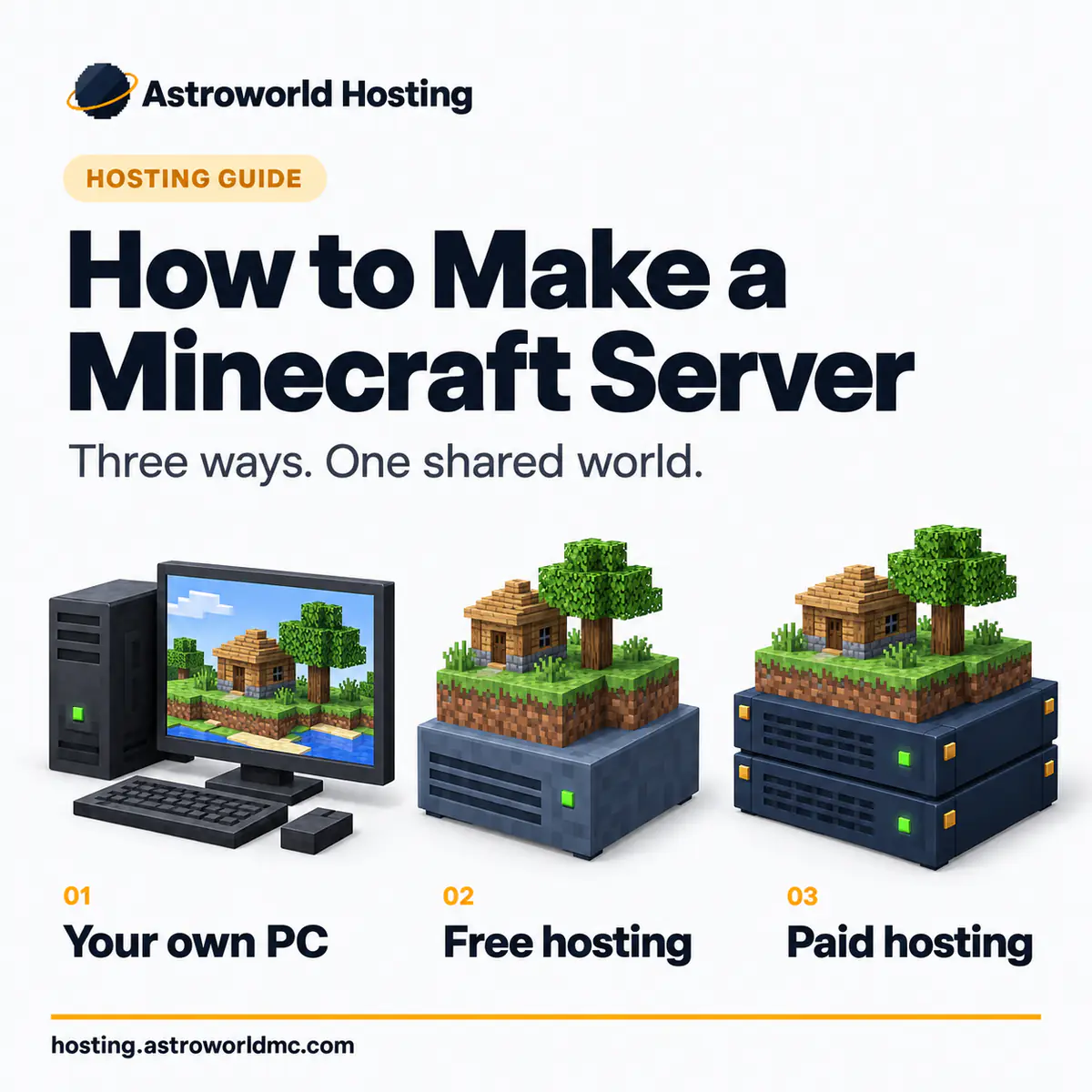
There are three ways to make a Minecraft server of your own: host it on your own PC, use a free host, or pay for Minecraft server hosting. This guide compares all three and lists the differences that matter: uptime, who can join over the internet, what you may install, and what each route costs you in something other than money. After that it goes through the choices that change how your server plays: which edition, which server software, how much memory, and the four settings worth touching on day one.
The short answer
Your own computer
Free, works today, but the machine stays on for everyone and your friends connect to your home address.
A free host
Real, but the server sleeps when the last player leaves and wakes behind a queue, and you do not choose what runs on it.
A paid host
Pick the memory, a region near your players and the software, then hand out the address. Everything else is a setting.
The three routes are laid out side by side below, then the eight steps of the paid one, then the settings that matter on day one.
The three routes, and what each really costs
All three routes work. Most guides to this question pick one route and leave out the other two; the table below shows all three. Which one fits you depends on three things: how often your group plays, at what hours, and whether you are willing to leave a computer running for people who are not in the room.
| Route | What it costs in money | Who can join | What it costs in something else |
|---|---|---|---|
| Your own computerFree to start | Nothing, until you count electricity | Only people you open your home connection to | Your machine stays on, your upload is shared with the rest of the house, and your home address is what people connect to |
| A free hostNo card needed | Nothing in money | Anyone, while the server is awake | The server sleeps when nobody is on it, you wait in a queue to wake it, and what you may install is decided for you |
| A host you payFrom €6.95 a month | €6.95 a month on a two year term, €7.95 month to month | Anyone, at any hour, without waking anything | A monthly bill, and a choice of size you have to make yourself |
Most people start on their own machine. In the second week they discover that nobody can play while they are asleep, and then they choose between a free host and a paid one. If you already know that your group plays at different hours, you can skip the first two weeks and start on a host.
Route one: Host a Minecraft server on your own computer
Hosting a Minecraft server on your own PC is free and it works. You download the official server file for the version you want, put it in a folder of its own and run it once, so it writes its files. Then you open the file it leaves behind, eula.txt, accept the licence and run it again. The world appears in the same folder. On the same machine you join at localhost; on the same house network, at the machine’s local address.
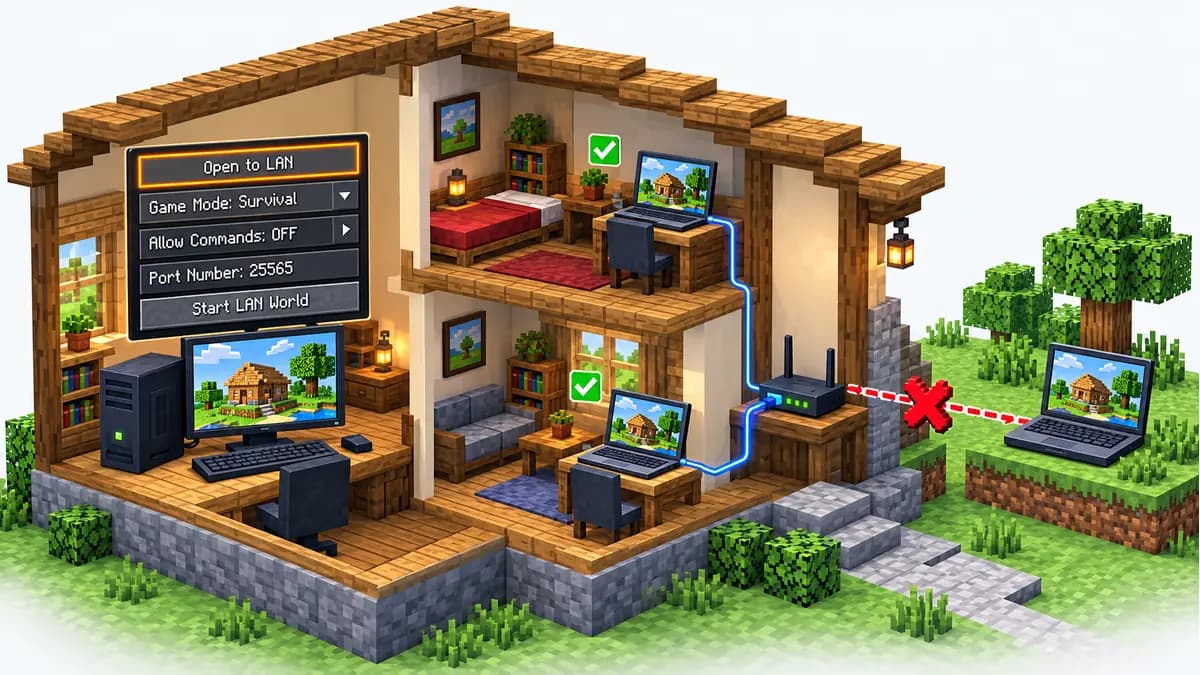
Getting players from outside the house in requires port forwarding. Java Edition listens on port 25565 and Bedrock on 19132. Your router has to send that port to the machine running the server, and the address your friends type is then your home connection. Most tutorials leave out the three consequences:
- The server only exists while the computer stays on.
- Everything anyone does on that server uses your household upload speed.
- Everyone who joins gets the public address of your home connection.
That is fine for a weekend with people you know. For a public server, it is not.
Count the electricity as well. A desktop left running around the clock for a month is not free: on most tariffs it costs about the same range as the smallest plan on this page. That is simply what a machine that never sleeps costs.
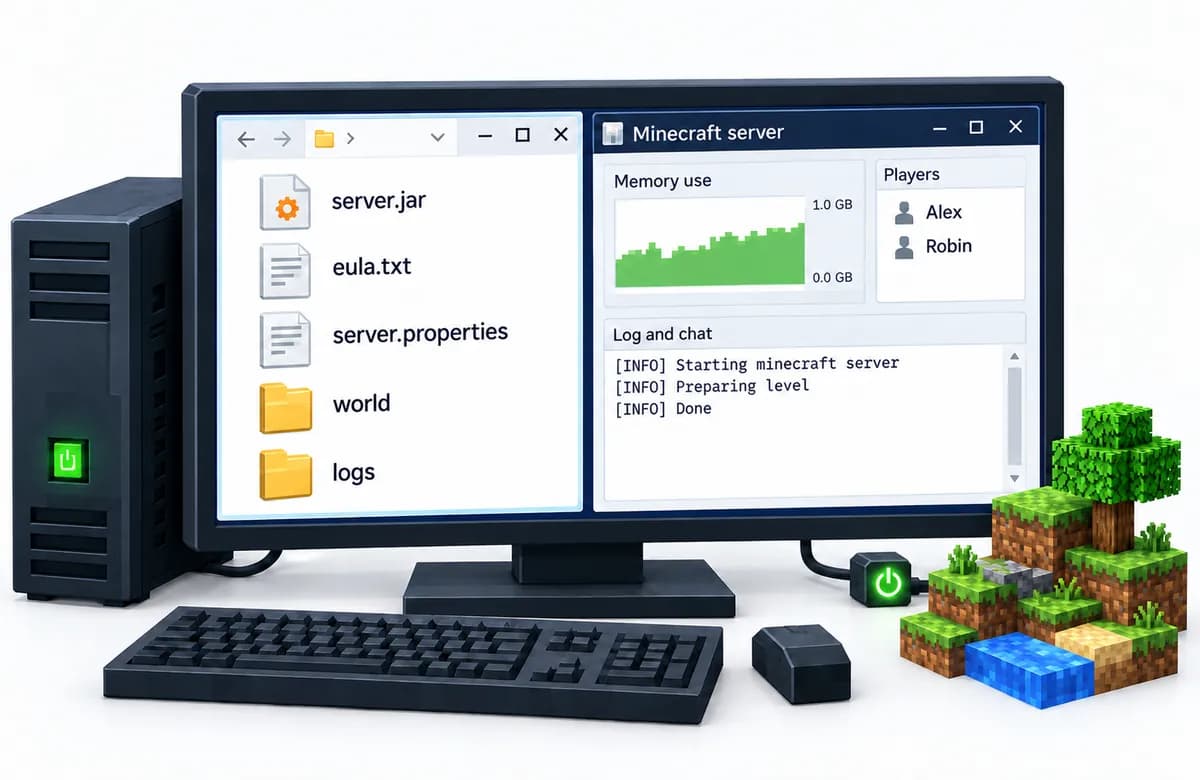
Hosting a Minecraft server locally on your own PC, step by step
These are the full steps of route one, for anyone who wants to self-host a Minecraft server before paying anyone. They cover the official Java Edition server on Windows, macOS or Linux. The first setup takes about twenty minutes, and every step below is one where people actually get stuck.
Install the Java version your Minecraft version asks for
The Java Edition server is a Java program, so the computer needs Java before anything else. The version is not free to choose: Minecraft 1.18 up to 1.20.4 runs on Java 17, 1.20.5 up to the last 1.21 release needs Java 21, and the releases numbered by year, from 26.1 on, need Java 25. A newer Java than required runs an older server fine; an older one refuses to start it.
Download the official server file
The server file for the current release is on the download page of minecraft.net and is called server.jar. It is the same file for Windows, macOS and Linux. Bedrock has its own program, the Bedrock Dedicated Server, on the same site, for Windows and Ubuntu only. Put the file in an empty folder of its own, because the first start fills that folder with the world, the settings and the logs.
Start it once from that folder
Open a terminal in the folder and start it with the line below. The two numbers are how much memory it may use, here two gigabytes, which carries vanilla for a few friends. The first start stops again almost immediately, and that is on purpose: it has written a licence file and waits for you to accept it.
java -Xms2G -Xmx2G -jar server.jar noguiAccept the licence and start it again
Open eula.txt in the same folder, change the last line to the one below, save it and run the start line again. Now it generates the world, which takes a minute the first time, and it is running once the log says Done. On Windows the firewall asks at this point whether Java may use the network; allow it on private networks, or nobody else in the house can connect.
eula=trueJoin from inside the house
On the computer running the server you join at localhost. Anyone on the same home network joins at that computer's local address, which on most home networks starts with 192.168 or 10. This is different from Open to LAN in the game menu: that opens a single-player world for as long as you play it, while this is a server that keeps running when you leave.
Forward the port for friends outside the house
Tell your router to send TCP port 25565 to the computer running the server (for Bedrock it is UDP 19132), and friends outside the house join at your public address. If that still does not work, your provider may share one public address between many homes, and then no forward on your own router can help; only your provider or a host solves that.
Stop it with the stop command, not the close button
Type the word below into the server window. It saves every loaded part of the world and then closes. Closing the window or switching off the computer while it runs skips that save, and that is how local worlds lose their last hour or end up with a broken chunk. When you outgrow the home computer, the whole world folder moves to a host as it is.
stop
Route two: A free host for your Minecraft server
Free Minecraft server hosts are real and they are not a scam. The limit is waiting time: your server exists, but it is asleep unless somebody is on it, and waking it puts you in a queue behind everyone else waking theirs. The length of that queue decides how usable the free plan is. What you may install is also decided for you, because a free host cannot let thousands of anonymous servers run arbitrary code.
A free host is a good choice for a world you visit on Saturdays with the same four people who all get on at the same time. It stops working well when somebody wants to log in alone for twenty minutes, or when your group grows and the queue becomes a daily wait. We keep a comparison page per free host with what each one actually gives, taken from their own published pages rather than from our opinion of them.
How Aternos compares and how Minehut compares are the two most people are choosing between, and the full comparison list has the paid ones next to them.
Route three: A host you pay for your Minecraft server, step by step
On a paid Minecraft server host you make the decisions yourself: you choose a size and a place for the server rather than accepting whatever is free. These are the eight steps, in the order they actually come up.
Pick a size before anything else
Memory decides what your server can hold, and everything after this follows from it. Two to four gigabytes carries vanilla survival for a handful of friends; a modpack of three hundred mods wants twelve or more. The table further down maps player counts and pack sizes to a size, and our four question size picker does the same in about a minute.
Pick where it stands
Distance is the one part of lag you cannot fix later with settings. Pick the region closest to the people who will play, not to you, and if your group is split across two continents pick the one with the most players in it. We run 9 regions and each has its own page with what it costs there.
Pick the edition your friends actually own
Java Edition and Bedrock Edition are two different games that cannot join each other's servers on their own. Console and phone players own Bedrock; most PC players own Java. If your group is mixed, you want a server that carries both rather than two servers.
Pick the server software
Vanilla is the game as it ships. Paper is the same game with the rough edges taken off and support for plugins, which is what most public servers run. Forge and Fabric are for mods, and a modpack decides that choice for you. You can change this later without starting a new world.
Install it and let it generate the world
In our panel you pick the software and the version from a list and it installs itself, including a whole modpack from a link if that is what you are running. The first start writes the world, and that takes longer than every start after it.
Set the handful of settings that change how it plays
Difficulty, whether players can hurt each other, how far they can see, and how many may join at once: four settings out of 63 that decide most of what the server feels like. Every one of them is listed with its default and its range.
Give your friends the address
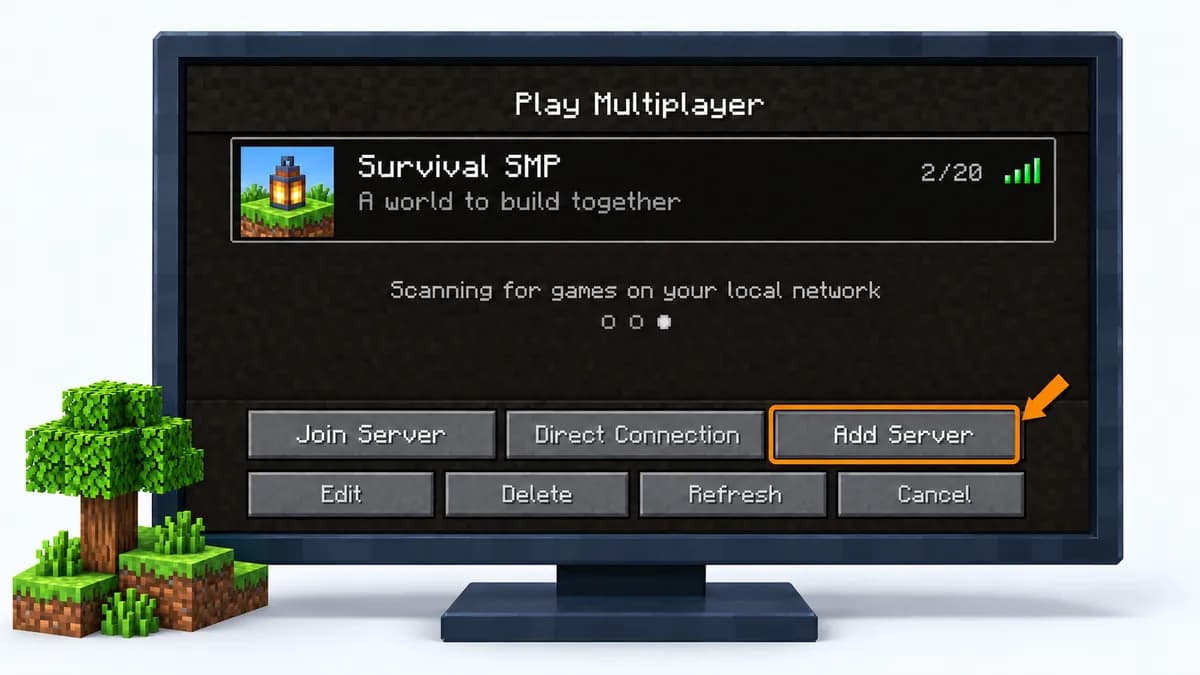
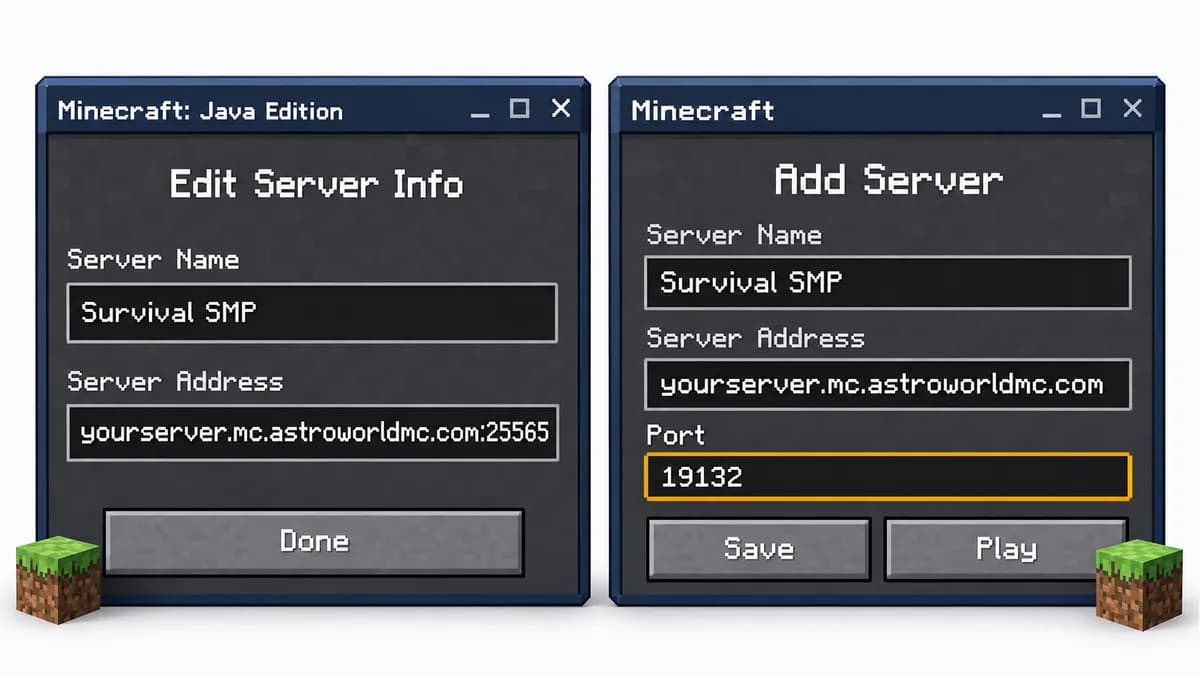
A server is reachable at an address and a port. Java players type the address into Multiplayer; Bedrock players add it as an external server with the port in its own field. Both are on the page about your play address.
Make sure a bad day is recoverable
Someone will eventually blow up something that mattered. Every server here keeps 10 backup slots, and a backup that rolls out of the last slot stays recoverable for another 7 days after that.
How much memory you need: RAM for a Minecraft server
Memory (RAM) is the most important decision on a paid host. Too little memory shows up as lag, without an error message. The mapping below is the same one our size picker uses, and it is built from what these workloads actually take.
| What you are running | Memory | Plan | Per month |
|---|---|---|---|
| Vanilla 1-5 playersLightweight survival or creative with friends | 2-4 GB | Mini | €6.95 a month |
| Vanilla 10-20 playersSmall community with plugins like EssentialsX | 4-8 GB | Starter | €10.95 a month |
| Light modpack (50 mods)Create, Cobblemon, or similar packs | 4-6 GB | Starter | €10.95 a month |
| Medium modpack (100-150 mods, up to five players; 200 mods needs the next step up)All the Mods Lite, Better MC | 6-8 GB | Starter | €10.95 a month |
| Heavy modpack (300+ mods)All the Mods 10, RLCraft, Enigmatica | 8-12 GB | Standard | €14.95 a month |
| Large community (50+ players)Networks, events, or public servers | 16+ GB | Premium | €20.95 a month |
Two things to know before you pick a size:
- Going up a size later keeps your world, so you can start one step below your ambition and upgrade with a later click.
- Memory is not the only limit. View distance and the number of loaded chunks can cost more than the players themselves, so reducing lag is worth reading before you buy more of anything.
Which server software to run: Paper, Purpur, Spigot, Forge or Fabric
The word “server” covers half a dozen different programs here. Picking the wrong one is the single most common reason a plugin or a mod does nothing at all. The short rule: plugins need Paper, Purpur or Spigot, mods need Forge or Fabric, and neither works on the other.
| Software | What it takes | What it is for |
|---|---|---|
| Vanilla | Nothing added | The game exactly as it ships, and the reference every other option is measured against |
| Paper | Plugins | The same game with plugin support and years of performance work, which is what most public servers run |
| Purpur | Plugins | Paper with several hundred extra switches, for a server that wants to change rules the game does not expose |
| Fabric | Mods | The lighter of the two mod loaders, quicker to start, with a smaller catalogue of mods behind it |
| Forge | Mods | The older mod loader, and the one nearly every large modpack is built on |
| Bedrock | Add-ons | The console and phone edition, which uses add-ons rather than the plugins or mods above |
If you want to run a modpack, the pack decides this for you: it is built for one loader and one Minecraft version. Everything about each option is on the server types overview, and you can move between them later without starting over.
The four settings to change on day one
A new server has 63 settings, and you do not need most of them. These four change how the server plays more than the rest put together. The defaults below are the real values the game ships with.
| Setting | Default | What it accepts | What it does |
|---|---|---|---|
| difficulty | easy | peaceful, easy, normal, hard | How hard the game is. On peaceful, hostile mobs do not spawn at all and hunger does not drain. |
| pvp | true | true or false | Whether players can damage each other. |
| view-distance | 10 | a whole number | How far, in chunks, the server sends the world to a player. This is the single biggest knob for both RAM and CPU: every step up costs roughly the square of it. |
| max-players | 20 | a whole number | How many people can be online at the same time. More players need more RAM and more CPU, not just a bigger number here. |
Be careful with view distance. Raising it makes the world feel bigger, and it costs memory and processor time for every player at once. When the server starts to stutter on a busy evening, view distance is the first thing to lower. The complete list, with the range and the default of every key, is on the server settings page.
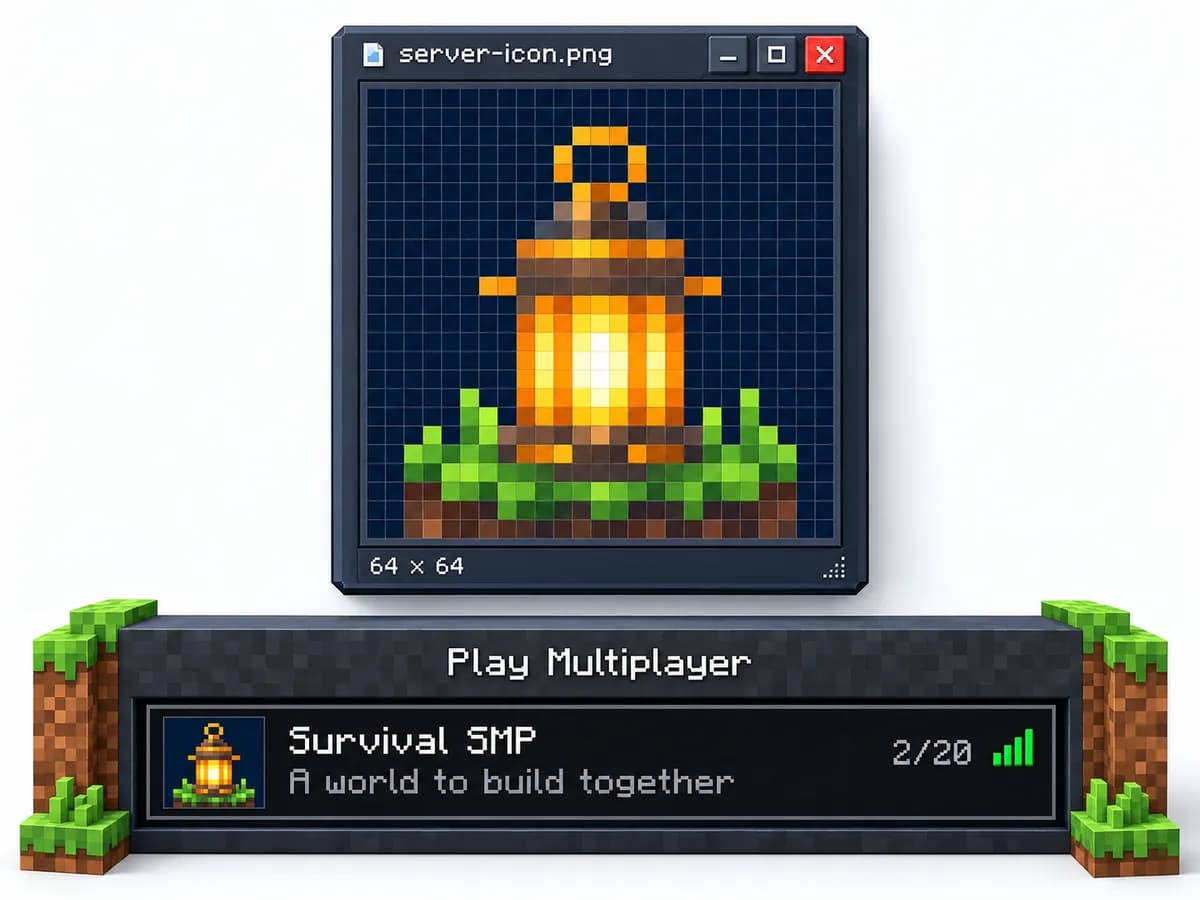
Getting people in, and keeping the server alive
Until players can reach it, a server is only files on a disk. Java players add the address under Multiplayer; Bedrock players add it as an external server, with the address and the port in separate fields. That separate port field is the step people most often miss. Your play address covers both, including a name to hand out if you would rather not give anyone a number to remember.
After that, the two things that decide whether a server is still running in three months are backups and permissions.
- Backups, because somebody will eventually break or delete something that mattered.
- Permissions, because a friend who gets the ability to help also gets the ability to delete.
Both are worth setting up on day one; together they take about ten minutes: how backups work here and setting up permissions.
Opening a server to strangers is a separate step. Before you post the address anywhere, the Minecraft server launch checklist on astroworldmc.site lists 40 things to check first, from restoring a test backup to joining from each edition you support. Once it is open, How to get players on a Minecraft server covers server lists, voting and what your Discord and website should show a newcomer.
Questions people ask before they start
Can I really make a Minecraft server for free?
Yes, in two ways, and both cost you something other than money. On your own computer the server is free but your machine has to stay on, your upload speed is shared with everyone in the house, and the address your friends connect to is your home connection. On a free host the server sleeps when the last player leaves and has to be woken again, usually behind a queue, and the software you may install is chosen for you. Both are fine for a weekend with three friends. Neither survives a group that plays at different hours.
How much memory does a new server need?
Start from what you are going to run rather than from a number. Vanilla survival for up to five people fits in two to four gigabytes. Ten to twenty players with plugins wants four to eight. A light modpack of about fifty mods is four to six, and the heavy packs of three hundred mods and up ask eight to twelve or more. The table on this page has the full mapping, and Mini at 4 GB is where the ladder starts.
Do I have to open a port on my router?
Only on the route where the server runs on your own machine. Java Edition listens on port 25565 and Bedrock on 19132, and for anyone outside your house to reach either one you have to forward that port on your router to the computer running the server. That also means the address people connect to is your home connection, which is the part most guides leave out. On a host the port is already reachable and there is nothing to forward.
Can Java and Bedrock players join the same server?
Not on their own: they are two different games and neither can see the other's servers. It can be bridged, so that one server accepts both, and that is worth setting up when your group is split between PC on one side and console or phone on the other. The alternative is two servers with two worlds, which in practice means the group splits as well.
How do I add plugins or mods afterwards?
Plugins go on Paper, Purpur or Spigot and mods go on Forge or Fabric, and the two are not interchangeable: a plugin dropped into a mods folder simply does nothing. Our panel installs from a catalogue of 510 plugins, and a whole modpack goes in from a link without a browser upload.
Can I change the software or version later?
Yes, and you do not lose the world doing it. Moving between vanilla, Paper and Purpur keeps the same world files. Moving to Forge or Fabric adds blocks and items that vanilla does not know, so a world that has been played on with mods cannot go back cleanly; that is the one direction to think about first. Going up a version is normally safe, going down a version is not.
How many players can one server hold?
The player limit in the settings is a number you choose, not a number the hardware gives you. What actually decides it is memory and how far each player can see: twenty people spread across a world cost far more than twenty people standing in one town. As a rule of thumb, count on doubling memory before you double the player count, and lower the view distance before you buy anything.
What does a paid server cost per month?
The ladder here starts at €6.95 a month for 4 GB on a two year term, or €7.95 if you pay by the month and want to be able to stop at any time. Every size and both rates are on the page about what a server costs, next to what each one actually carries.
How do I host a Minecraft server locally on my own PC?
Install the Java version your Minecraft version needs, download server.jar from minecraft.net into an empty folder, start it once with java -Xms2G -Xmx2G -jar server.jar nogui, set eula=true in eula.txt and start it again. You join at localhost, people in the same house at the computer's local address, and people outside the house only after you forward port 25565 on your router. It is free, and it lasts exactly as long as that computer stays on.
Where do I download the Minecraft server jar?
From the server download page on minecraft.net, which always carries the current release as server.jar. Older versions are not offered there, and a jar from a random mirror is a program you are about to run on your own computer, so stay with the official one. Paper, Fabric and Forge have their own downloads on their own sites, because they are not made by Mojang.
Why can my friends not join my locally hosted server?
In order of how often it happens: the firewall on the computer blocks Java, the port forward points at the wrong computer or uses the wrong port, your friends type your local address instead of your public one, their game is a different version than the server, or your provider shares one public address between many homes so no forward can reach you. The last one is the only one you cannot fix at home.
Is it safe to self-host a Minecraft server at home?
For a group of people you know, with a whitelist on, it is reasonable. What you give up is that everyone who joins learns the address of your home connection, anyone who wants to can flood it, and the server runs on the same computer as your own files. That is why a local server is a good way to start with friends and a poor way to run anything public.
Every price, size and setting on this page is read straight from the files this site runs on, so a change there changes this page with it. The player counts and memory ranges come from the same table our size picker uses. The port numbers and the licence step are set by Minecraft itself.
Two lines, and which one to start on
Every plan here exists twice. The standard line puts you on shared cores and is enough for vanilla with friends. The Performance line gives the same memory a thread of its own on an AMD Ryzen 9 5900X in Germany or an AMD Ryzen 9 7950X with DDR5 RAM in Poland, which is what you want if the first thing you install is a modpack or a redstone contraption. You can start on either one and keep the same address.


The first problems after launch
Two messages come up a lot in a new server's first week: friends told they are not whitelisted, and players dropped with a Disconnected or Kicked screen. How to Fix "You Are Not Whitelisted on This Server" and Fix 'Disconnected' / 'Kicked' Errors in Minecraft cover both. To give the server an address without a port number on the end, see SRV Records for Minecraft Servers Explained, and to bring your singleplayer world along, How to Import a Singleplayer World to Your Server.
Written and checked by the Astroworld Hosting team. Last reviewed on 6 September 2026.
Delivery: most servers are handed over instantly and run within seconds of payment, the rest follow within 60 minutes during the day and within 12 hours at night.