Minecraft hosting guide
Staff permissions, one right at a time
Somebody else has to be able to restart the server while you are asleep. That should not also mean they can reset the world, delete every file and read your database password. Here it does not: 15 separate rights, handed out one by one, with 4 ready-made roles to start from and room for 15 people on every plan.
The short answer
Two kinds of permissions
Panel permissions decide who may press what in your panel. In-game permissions are LuckPerms, and a different page.
15 rights, one at a time
Checkboxes, not tiers. Restart without reset, console without files. 4 roles to start from.
Only you, ever
Managing staff and deleting the server cannot be handed out. A leaked password is one person's access, not yours.
How to invite somebody, change your mind, and what the security check watches are below.
First, which permissions do you mean?
There are two completely different things called permissions on a Minecraft server, and almost everybody means one of them while reading about the other.
Panel permissions, this page, decide who may open your control panel and what they may press there: the console, the files, the backups, the settings. They are about the machine and everything on it.
In game permissions decide what a player may do while playing: which commands they can run, which areas they can build in, which rank they hold. That is a plugin's job, and setting up ranks and groups has its own guide. Somebody can be an admin in game with no panel access at all, and somebody can have your whole panel without being anything special in the world.
All 15 rights, and what each one really covers
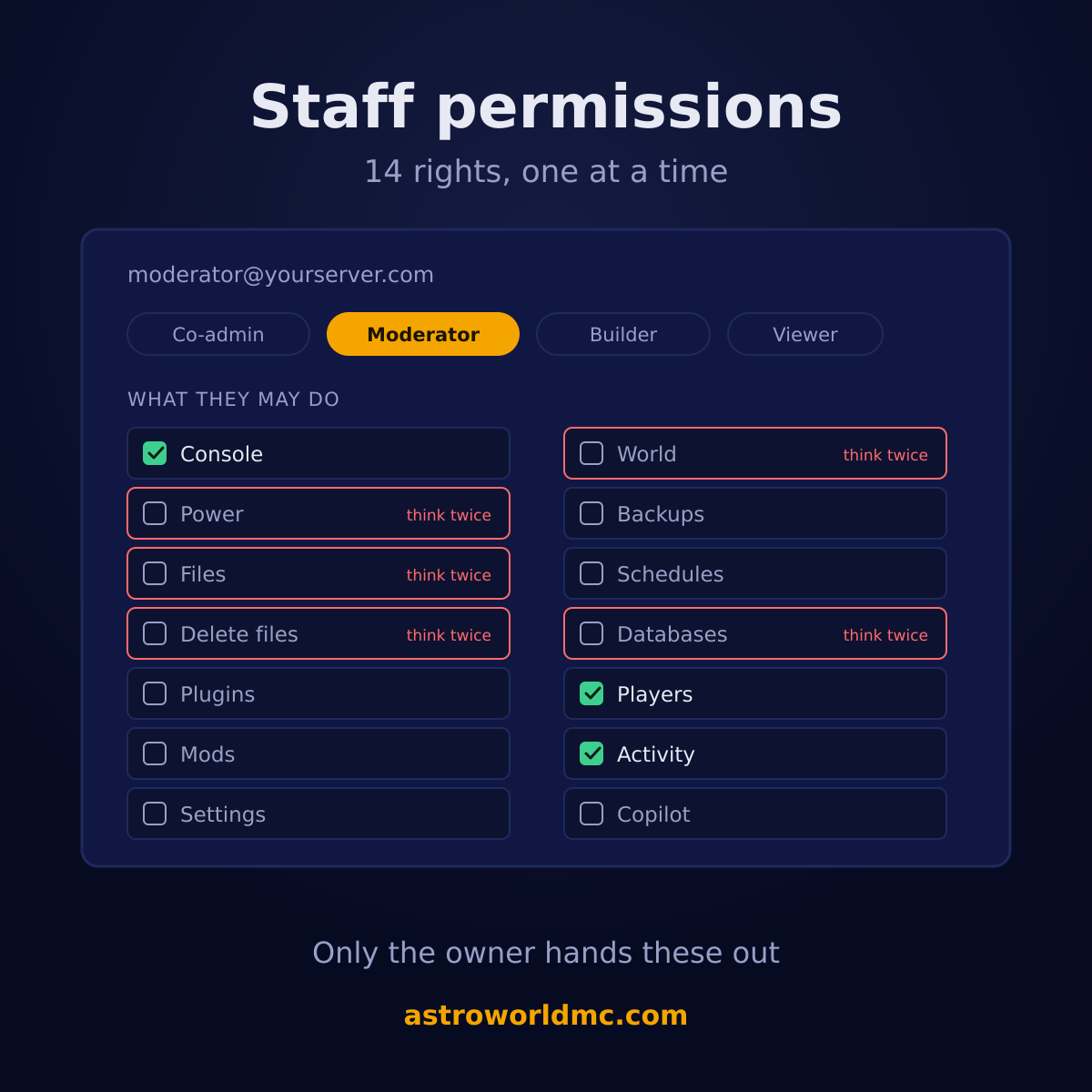
These are checkboxes, not tiers. Nothing here unlocks anything else, so you can grant exactly the one thing somebody needs and nothing next to it. Each right is also a tab in their panel, so what they may do and what they can see are the same list.
| Right | What it lets somebody do |
|---|---|
| Console | See live output and send commands. |
| PowerThink twice | Start, stop and restart the server. |
| FilesThink twice | Browse, edit and upload files. |
| Delete filesThink twice | Delete files and folders. |
| Plugins | Install and remove plugins. |
| Mods | Install and remove compatible server mods. |
| Settings | Change server settings and startup variables. |
| WorldThink twice | Reset the world. Destructive, grant with care. |
| Backups | Create, download and restore backups. |
| Schedules | Manage automated tasks. |
| DatabasesThink twice | Create databases and see their passwords. |
| Players | Manage operators, whitelist and bans. |
| Activity | See the history of what happened. |
| Copilot | Use the AI Copilot (spends the server's credits). |
| Staging | Create and manage the staging copy of this server. |
Two of them are not a tab. Delete files is split off from Files on purpose, so somebody can edit a config without being able to empty a folder. And the overview stays visible to everybody you invite, because it is read only: whether the server is up, how much memory it is using and the play address, nothing that can be pressed.
4 roles to start from
Most people think in roles rather than checkboxes, so there are 4 of them ready. They are starting points: pick one and then tick anything on or off, because a moderator on a survival server and a moderator on a creative one do not need the same things.
| Role | What it is for | What it contains |
|---|---|---|
| Co-adminAll 15 | Everything except managing staff. | Console, Power, Files, Delete files, Plugins, Mods, Settings, World, Backups, Schedules, Databases, Players, Activity, Copilot, Staging |
| Moderator3 of 15 | Console, players and activity, day-to-day moderation. | Console, Players, Activity |
| Builder4 of 15 | Console and files, plus backups so they can save their work. | Console, Files, Backups, Activity |
| Viewer1 of 15 | Look, don't touch. | Activity |
A role here says which tabs somebody may open, not what their job on the server is. For the job itself, Minecraft server staff roles on astroworldmc.site sets out what an owner, an admin, a moderator and a helper each do and how many of them a growing server needs, and Minecraft staff application has a form and 30 questions for choosing who to trust before you tick a single box.
How to invite somebody
Open the Staff tab on your server
It is one of the tabs in your own panel and only the owner sees it. A co-admin with every other right still does not, which is the whole point: nobody can widen their own access or bring in a friend.
Type their email address
They do not need an account yet. The invitation is stored against the address rather than against a person, so it waits for them and attaches itself to their account the first time they sign in. Inviting yourself is refused, because a second row for the owner would grant nothing and confuse the list.
Pick a role, or tick the rights yourself
Start from one of the 4 ready-made roles and adjust, or go straight to the 15 checkboxes. At least one right has to be ticked: an invitation that grants nothing is refused rather than quietly created, because a name in the list that can do nothing reads as access that exists.
Send it
They get an email with a link to the panel. The access is the row in your staff list rather than the email, so a mail that bounces or lands in spam does not cost them the invitation; they can sign in and it is there.
What only you can do, ever
Two things cannot be handed to anybody, no matter how much you trust them, and both are the same reasoning. Managing staff is one: an account that can grant access can grant it to itself, and then a single leaked password is not one person's access but everybody's. So even a co-admin holding all 15 rights does not see the staff screen.
Billing is the other, and it is not in the server panel at all. Your subscription, your payment method and your invoices live in your own dashboard, which nobody you invite to a server ever reaches. Somebody can run your entire server without ever being able to change what you pay for it.
Changing your mind, and being reminded to
Change what somebody may do
Tick a right on or off in their row and save. It applies immediately: a tab they no longer have disappears from their panel and the route behind it refuses them as well, so a page they left open does not keep working.
Take access away entirely
Remove them from the list. Nothing they did is removed with them, because their actions stay in the Activity timeline with their name on them, which is exactly what you want the day you are trying to work out what happened.
Let the security check look over it
The AI security check reads your staff list as part of a full pass: who holds a right that can destroy or expose something, which invitations have been sitting open, and who has not opened the panel in 3 months. It reports; you decide.
The three things the security check watches here
Handing out access is the easy part. The part everybody skips is looking at it again six months later, so the AI security check does that pass for you as part of a full run and reports what it finds.
| What it looks at | What it says |
|---|---|
| Rights that can destroy or expose5 of the 15 | Anybody other than you holding World, Delete files, Databases, Power, Files is worth a second look. Not because it is wrong, but because it is the set you hand a co-owner and not a moderator, and people tend to grant it once and forget. |
| Invitations nobody acceptedAfter 2 weeks | An open invitation is access waiting to be claimed by whoever controls that email address. If the address changed hands, or you typed one letter wrong, the access is still sitting on the table. |
| Staff who stopped showing up3 months quiet | Access nobody is using is access nobody is watching. It is not a hole today. It is one on the day that account is lost, and by then nobody remembers it was there. |
It reports and it does not act. Removing a person or taking a right away is yours, on the Staff tab, because an assistant that can quietly revoke somebody's access is a different and much worse product. The full security check covers a lot more than the panel side.
Operators, the whitelist and bans, which are the other list
Everything above is who may open a tab. This is who may do something once they are in the game, and the two lists have nothing to do with each other: a co-admin with every panel right is not an operator, and an operator is not somebody who can see your files. The panel keeps all three of the in-game lists, operators, the whitelist and bans, on the Players tab.
What makes it worth its own paragraph is what happens when the server is off. Most panels simply refuse, because the usual way to op somebody is to type the command at a running server. Ours takes the other route and writes the file the server would have written itself, which means you can whitelist your friends the night before you open, with the machine switched off and nothing running.
That path is careful in three ways, because writing a file by hand is where this normally goes wrong. The name is looked up at Mojang first and turned into the account id the game actually keys on, so a typo comes back as a plain "no account by that name" instead of a line that quietly never matches anybody. Adding somebody twice does nothing rather than writing them in twice. And when the server is running we do not touch the file at all: the panel sends the real command instead, so what the running server holds in memory and what is on disk never drift apart. A change made while it is off takes effect the next time it starts.
The lists are the easy part; deciding who goes on them is where staff spend their time. A banned player who wants back in can be handled with the form and the review steps in Minecraft ban appeal, and a server that lets players apply before they join can take the questions from Minecraft whitelist application, both on astroworldmc.site.
Questions about staff access to your server
How do I give someone access to my Minecraft server?
Open the Staff tab in your panel, type their email address and tick what they may do. There are 15 separate rights and 4 ready-made roles to start from, and you can invite up to 15 people per server. They do not need an account first: the invitation waits for the address and attaches itself to their account when they sign in.
What are the ready-made roles?
Co-admin is everything except managing staff; Moderator is console, players and activity, day-to-day moderation; Builder is console and files, plus backups so they can save their work; Viewer is look, don't touch. They are starting points rather than fixed roles: pick one and then tick anything on or off, because what a moderator on your server needs is not what one needs on somebody else's.
Can a co-admin invite other people?
No. Managing staff is the owner's, always, and the check refuses even somebody who holds every other right. That is deliberate: an account that can grant access can grant it to itself, and then a single leaked password is not one person's access but everybody's. Billing works the same way and lives in your dashboard rather than in the server panel at all.
Which rights should I be careful with?
5 of the 15: World, Delete files, Databases, Power, Files. World resets the world, Delete files removes anything, Databases shows database passwords in readable text, Power stops the server and Files can rewrite any file on it. None of them are wrong to grant, they are simply the set you give a co-owner. The security check flags them when somebody else holds one, so you are reminded rather than expected to remember.
How many people can I add?
15 per server, on every plan, at no extra cost. There is no tier here that unlocks more seats and no per-user price. If you genuinely need more than 15 on one server, that is worth a message rather than a workaround, because it usually means a network of servers rather than one crowded one.
Is this the same as ranks and permissions in the game?
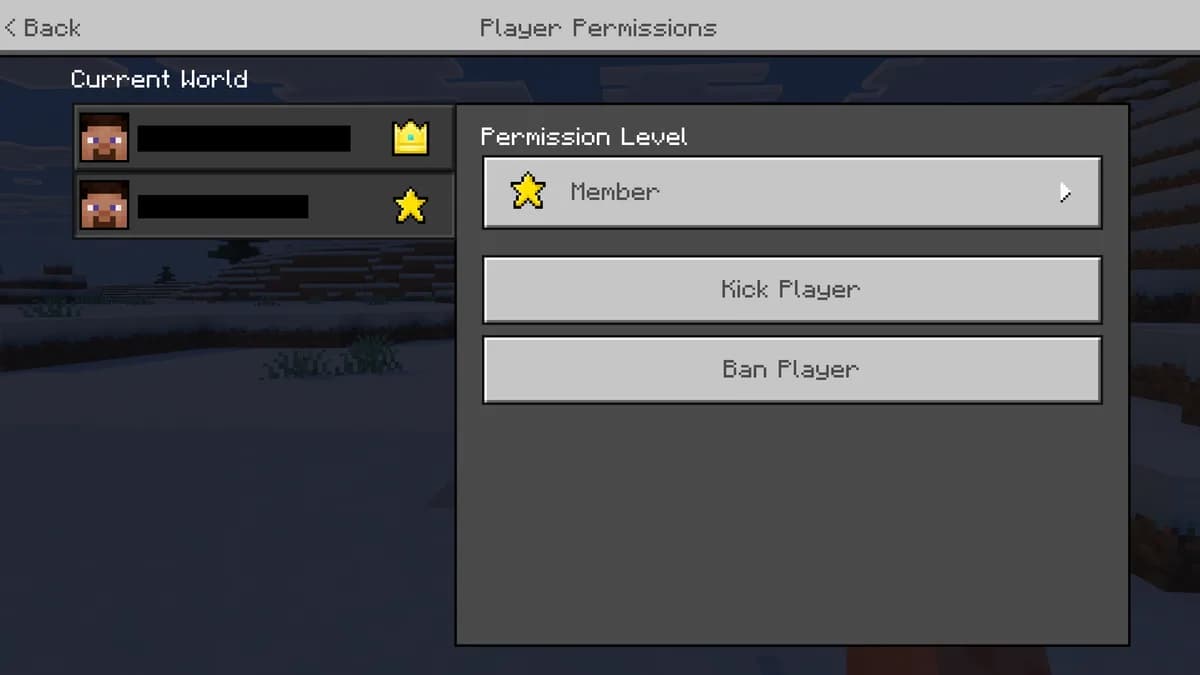
No, and this is the confusion worth clearing up. These rights decide who may open your control panel and what they may press there: the console, the files, the backups. Ranks in the game decide what a player may do while playing: which commands they can run, which areas they can build in. Somebody can be a server admin in game with no panel access at all, and the other way round.
Can I see what my staff did?
Yes, and it is the same timeline you see for yourself: every start, stop and restart, every file change, every backup, and every change the AI applied, each line with a timestamp and a name on it. Removing somebody from your staff list does not remove their history, which is the point of having one.
What happens when I take a right away?
It stops immediately. The tab disappears from their panel and the route behind that tab refuses them too, so somebody who left the page open does not keep working from a screen that no longer reflects what they may do. Nothing on the server itself changes, so nobody is disconnected and nothing restarts.
Can staff restore a backup?
Only with the Backups right, and it is worth knowing what that one covers: creating, downloading and restoring. A restore replaces the whole server folder with an older version of itself, so it is the heaviest button anybody can press. The AI Copilot never applies a restore on its own in any mode, and it needs that same right on that server before it will even prepare one.
Does giving somebody the Copilot cost me anything?
It spends the server's credits rather than theirs, so yes, in the sense that the budget is shared. That is why it is its own right instead of coming along with Console: somebody who should be able to read the console and kick a player does not automatically get to spend the server's credits on an AI conversation. The right also opens the player experience tab, because somebody working with the Copilot should be able to see what the players are complaining about.
Where to find it
The Staff tab is in your own server panel, on every plan, with nothing to order and no per-user price. Every right on this page is a right the panel really hands out one at a time, and every refusal is one it really makes, so you can read the whole list before you invite anybody real. There is no public sandbox to try it in yet, so this list is the honest stand-in for one. Six questions will put one plan in front of you rather than a price list to work through on your own.
There is one thing your staff can do without a panel account at all. Link your Discord to the server and anyone with Manage Server there, or one role you point at yourself, can restart it with a command in your own channel. That is a way to hand out the one right people ask for at midnight without handing out a login for everything else, and it is described in full on the Discord bot page.
Answer six questions and get one plan Everything the panel does The AI security check on your server Ranks and groups inside the game Your play address, and adding more How the nightly backups work Restarting from Discord, without a panel login View plans and prices Ask us a question first
The 15 rights, the 4 roles, the 15 seats and the 5 rights the security check flags are read when this page is built from the same file the panel draws its checkboxes from. Written 31 August 2026.
Written and checked by the Astroworld Hosting team. Last reviewed on 6 September 2026.
Delivery: most servers are handed over instantly and run within seconds of payment, the rest follow within 60 minutes during the day and within 12 hours at night.