Minecraft hosting guide
How to make a website for your Minecraft server
A server website used to mean a domain, a web host, a theme and several hours of setup before you had it running. On an Astroworld server it is a tab in the panel you already have: seven steps, no HTML, nothing to buy, and a page that fills in your own address and player count by itself. Free on every plan from 8 GB of memory up.
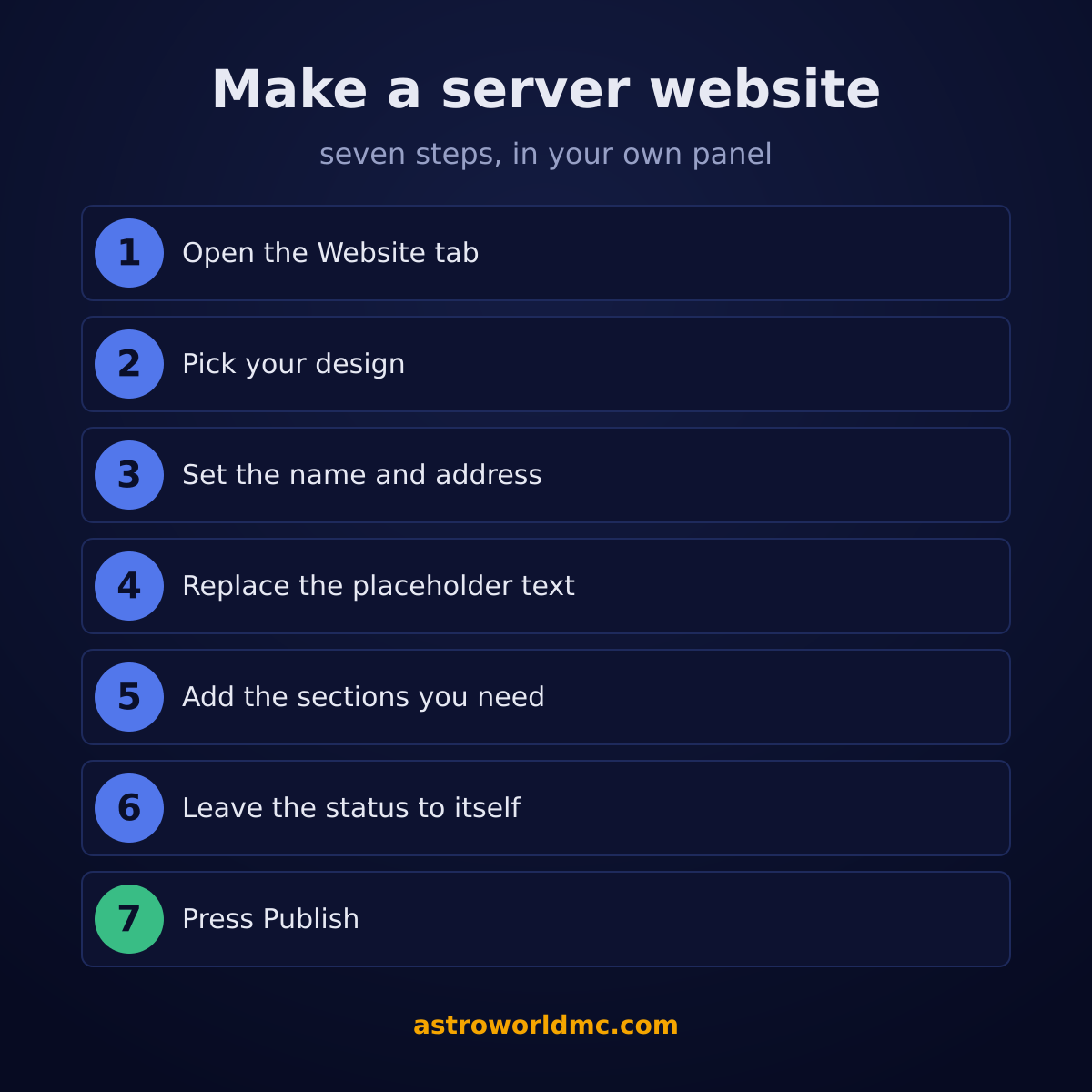
The seven steps
Open the Website tab on your server
It sits in your own panel, in the list next to Console, Files and Backups, on every plan from 8 GB of memory up. There is nothing to order first and no second account to make: you are already signed in as the owner of the server, and that is what the builder checks.
Pick the design that matches your server
7 designs, one per kind of server, and Survival is the free one. Pick the one your server actually is rather than the one that looks nicest: a design brings its own pages and sections with it, so a Skyblock site opens with an island leaderboard and a Factions site with a season countdown. Changing later keeps the words you typed.
Set the name and the web address
The title at the top of the page is your server name, and under it sits the address your site lives on. Pick the address people would guess, keep it short, and set it before you hand it out anywhere, because it is the one thing on a website that is annoying to change later.
Replace the placeholder words with yours
The site opens filled in, with your server name and address already in place, so the work is replacing sentences rather than writing a page from an empty box. Start at the top: the big heading, the line under it and the two buttons. Those three decide whether somebody scrolls at all.
Add the sections your server needs
23 kinds of section, and you only want the ones you can keep true. Rules, ranks, a gallery of your world, your Discord, the server lists you are on, the team. Put them in the order a new player needs them: what this server is, how to join, what the rules are, where the rest of you hang out.
Leave the status section alone
It reads your real server for the address, whether it is up, the version and how many people are on right now. There is nothing to fill in and nothing to keep up to date, and that is the one part of the page that can never go stale.
Press Publish and let it be checked
Everything you save until then is a draft that only you see. Publishing sends the whole site past a content check and then past a person, usually within a few hours. A site that is already online stays online while a change waits, so publishing again is never a risk.
What actually belongs on a Minecraft server website
The builder decides how your page looks. What goes on it is yours, and this is the part people get wrong. A server site is different from a homepage for a company: it is the answer to four questions a player has before they type your address. What is this server, how do I get on, what are the rules, and where is everybody.
| Rule of thumb | Why |
|---|---|
| Say what kind of server it is in the first line | Survival with land claims, hard mode, no resets. A visitor decides in about four seconds whether this is the server they are looking for, and a heading that says Welcome to our server gives them nothing to decide with. |
| Put the join address where a thumb lands | The status section prints your address and gives visitors a copy button. Keep it high on the page. The most common reason somebody leaves a server site is that they came to copy the address and had to hunt for it. |
| Write rules you actually enforce | Five rules people can remember beat twenty nobody reads, and a rules page is the page your moderators will point at later. Write them as things you do and do not do, not as legal text. |
| Say what a rank gives before what it costs | The rank grid has room for perks per card. Fill it in properly: a card with a price and three vague words sells nothing, and it is also the card people screenshot when they feel misled. |
| Delete the sections you cannot fill | An empty news section that stops in March says more about your server than no news section at all. A short honest page reads better than a long one with holes in it. |
| Update it the day the server changes | A new season, a version jump, a rule that changed. The status is automatic, the rest is not, and a page that contradicts your server costs you the trust the page was for. |
Three of those rows have a longer guide with examples on astroworldmc.site: the Minecraft server description guide for that first line, the Minecraft server rules guide for the rules page, with 24 rules you can adapt, and the Minecraft server ranks guide for what each rank gives and how to show it.
Why it is free here
Because the expensive parts of a website are the ones you already pay for with your server plan. The machine is up day and night for your server, the address and the certificate are ours to hand out, and a few pages next to a running Minecraft server cost almost nothing to serve. So it comes with the plan instead of being sold next to it. The free server website has the whole arrangement: what is in it, what the paid tier adds, and which plans carry it.
Two things are worth knowing before you start. The site belongs to the server, so it lives as long as the server does, and everything you publish goes past a person first. That is why there is no advertising on it.
The 7 designs, the 23 sections, the 8 pages and the 8 GB threshold are read from the builder itself when this page is built. Written 12 September 2026.
Questions about making a Minecraft server website
How do I make a website for my Minecraft server?
On an Astroworld server it is seven steps in your own panel: open the Website tab, pick one of the 7 designs, set the name and the web address, replace the placeholder text with yours, add the sections your server needs, leave the status section to fill itself in, and press Publish. The hosting, the address and the certificate are already part of your plan from 8 GB of memory up.
Can I make one without buying web hosting?
That is the point of building it here. The page runs on the same machines as your server and on an address we give you, so there is no web host, no domain and no certificate to buy, and nothing to keep alive next to the server you already pay for.
How long does it take?
Most of an evening if you write good text, ten minutes if you keep the design as it comes. The site is not empty when you open it: it stands there with your server name, your address and 3 pages (Home, Shop, Rules) already on it.
How many pages can I have?
Up to 8. The free tier uses the pages its design brings, which is a complete site on its own; adding pages of your own on top of that belongs to the paid tier.
Do I need to know HTML or CSS?
No, and there is deliberately nowhere to put any. You pick a section, fill in its boxes and it is on the page. That is also why a site here cannot break in the way a self hosted one does: there is no theme to update and no plugin to leave unpatched.
How long before my site is online after I publish?
Usually a few hours. Publishing puts your site in front of a person, because a page on our machines is a page we take responsibility for. You are told when it goes live, and if something has to change first you are told exactly what.
Can I change the site after it is online?
Whenever you like. You edit, you save a draft nobody sees, and you publish again when you are ready. The version that is already online keeps standing while the new one is being checked, so your site does not go dark because you fixed a typo.
Can I use my own domain name?
Yes, on the paid tier. The free site gets its own address on our domain the moment you publish, and that address keeps working whether or not you ever buy a domain of your own.
How do I show the player count on my website?
You do not have to do anything: the status section reads your server itself and prints the address, the state, the version and how many people are online. Who exactly is on, with their heads and a graph over time, is a section in the paid tier.
Will my server website show up in Google?
A published page is open to search engines, with its own title, its own description and its own canonical address. What decides the rest is the same as anywhere: write what your server is in plain words, keep the page accurate, and keep the address stable.
Delivery: most servers are handed over instantly and run within seconds of payment, the rest follow within 60 minutes during the day and within 12 hours at night.